






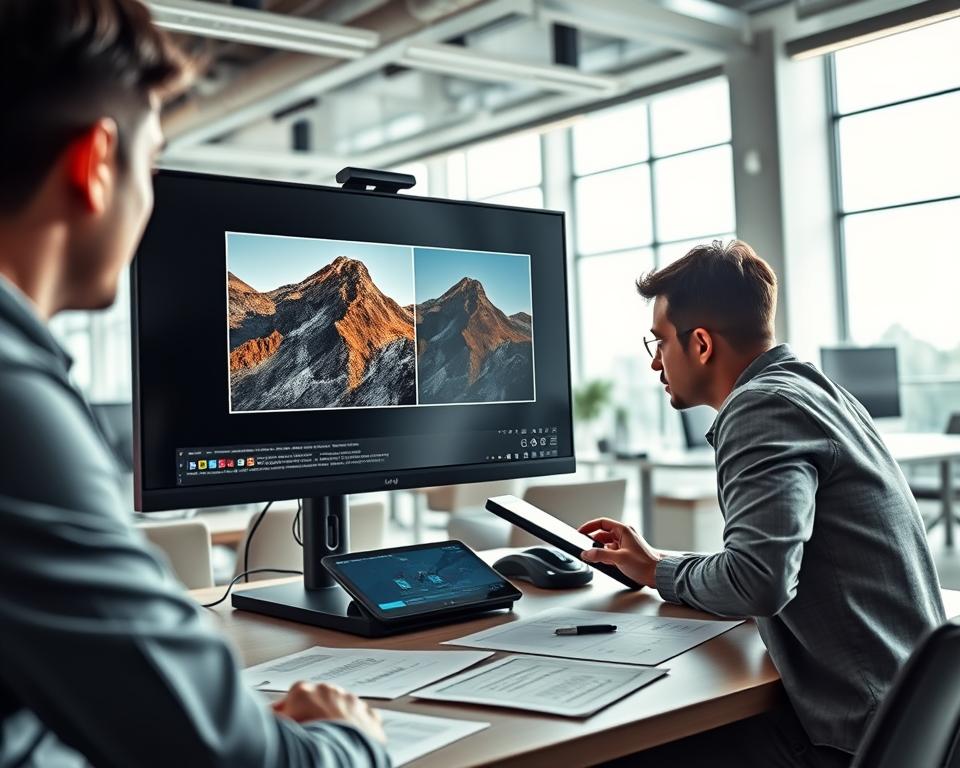
Many people have old pictures that seem fuzzy or dark. Today, software can make these images look brand new. Finding a great Remini alternative is now a top priority for mobile users.
Starting an app development project needs strong technical skills and focus. Making grainy pictures look sharp helps people save their best moments forever. This guide shows how to create a top-tier system for picture clarity.
The market for these tools is growing fast in the United States. Better sensors and smart code allow for amazing results. Investing in this technology can help you reach millions of fans who love high-quality visuals.
Table of Contents
Key Takeaways
- High demand exists for tools that restore vintage image quality.
- Deep learning models provide the best results for sharpness and detail.
- User-friendly designs help increase long-term mobile engagement.
- Fast cloud processing is vital to keeping customers satisfied.
- High-quality output naturally drives organic growth through social sharing.
- Modern technology makes professional restoration easy for every person.
Understanding the AI Photo Enhancement Market
The AI photo enhancement market is growing fast. This is because more people want high-quality image editing apps. Smartphones have made it easy to edit photos on the go.
Current Market Size and Growth Projections
Apps like Remini have made a lot of money, earning $6-7M each month. The use of AI in photo editing is expected to keep the market growing.
Key Players and Competitive Landscape
Big names in the AI photo enhancement market include Remini, Adobe Photoshop Express, Fotor, YouCam Enhance, and Topaz Photo AI. They keep improving and adding new features to stay ahead.

Target Audience Demographics
AI photo enhancement apps are for photography lovers, social media stars, and professionals. They want to improve their photos easily, without needing to know a lot about editing.
What Makes Remini Successful
Remini has become a top AI photo app thanks to its smart strategy. It focuses on making users happy and growing its user base. At the heart of Remini’s success is its ability to make photos look great, which users love.
Core Value Proposition
Remini’s main strength is its AI tech for improving old or bad photos. It’s easy to use, making it popular with many people. The app’s ability to make photos look amazing with just a little effort is a big reason for its success.
User Experience Design
Remini’s design makes it easy for users to get started and enjoy it. It personalizes enhancements based on what users like. This makes the app feel special to each user.
Viral Growth Strategy
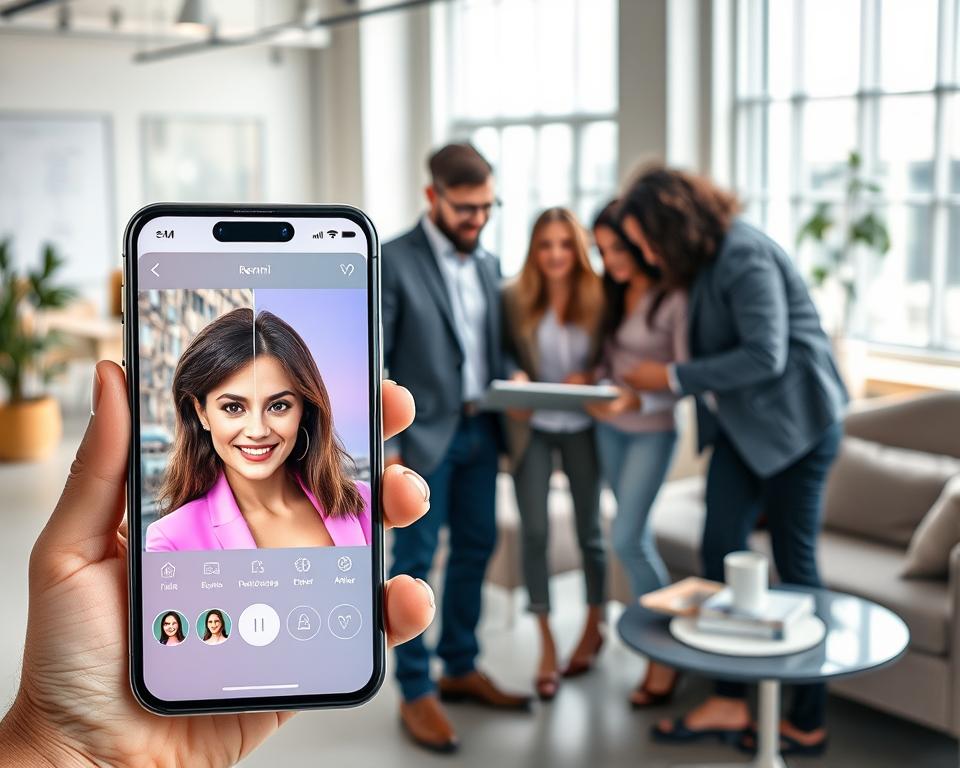
Remini grows by letting users share their photo improvements on social media. This encourages people to talk about the app and bring in new users. It creates a community around Remini.
| Success Factor | Description | Impact |
|---|---|---|
| Core Value Proposition | AI-driven photo enhancement and restoration | High user satisfaction and retention |
| User Experience Design | Simple, intuitive interface and personalization | Increased user engagement and positive reviews |
| Viral Growth Strategy | Paywall design and social media sharing | Organic marketing and user acquisition |
Essential Features for AI Photo Enhancement Apps
Creating an AI photo enhancement app like Remini needs key features for user happiness and to stay ahead. These features make the app work better and improve how users feel when using it.
Face Enhancement and Restoration
Face enhancement and restoration are key in AI photo apps. They use smart AI to make facial photos better, removing spots, and fixing old or damaged ones. Key aspects include:
- Facial recognition and detection
- Blemish removal and skin smoothing
- Restoration of old or damaged photos
Image Upscaling and Resolution Enhancement
Upscaling and enhancing image resolution are crucial for bettering low-quality images. AI algorithms can make images clearer and even better. Notable benefits include:
- Improved image clarity
- Enhanced details in low-resolution images
- Better overall image quality

Color Correction and Auto-Enhancement
Color correction and auto-enhancement adjust image colors and brightness for better looks. They can fix issues like too bright or too dark images.
Background Removal and Editing
Background removal and editing let users take subjects out of their backgrounds. This is great for editing or changing the background for professional photos.
Adding these key features helps developers make a top-notch AI photo enhancement app. It meets user needs and shines in a crowded market.
Advanced AI-Powered Features to Include
To make your AI photo app better, add advanced AI features. These features make the app more fun and unique compared to others.
Portrait Mode and Depth Effects
Portrait mode and depth effects let users take photos with a cool, blurred background. This highlights the main subject. AI helps figure out who or what is in the photo and adds the right effects.
Old Photo Restoration
Old photo restoration is a great feature. It uses AI to fix up old, damaged, or faded photos. This can really draw in users who want to keep their memories alive.

Video Enhancement Capabilities
Adding video enhancement to your app can really get users excited. AI can make videos look better, smooth out shaky parts, and add cool effects.
Batch Processing Options
Batch processing lets users fix lots of photos or videos at once. This saves a lot of time and makes the app more useful for pros and heavy users.
| Feature | Description | Benefit |
|---|---|---|
| Portrait Mode | Creates professional-looking photos with blurred backgrounds | Enhances user experience |
| Old Photo Restoration | Restores damaged or faded photos | Unique selling point |
| Video Enhancement | Improves video quality and applies effects | Increases user engagement |
| Batch Processing | Enhances multiple photos or videos at once | Saves user time |
AI Technologies Behind Photo Enhancement
AI has changed how we edit and restore photos. It has led to apps that can greatly improve image quality. These apps can also remove noise and fix old or damaged photos.
Deep Learning and Neural Networks
Deep learning uses neural networks to understand data. In photo editing, it’s trained on lots of images. This helps it learn how to make and fix photos.
Generative Adversarial Networks (GANs)
GANs have a generator and a discriminator. They’re great for making images that look real. This is very useful in photo editing.
Convolutional Neural Networks (CNNs)
CNNs are good at handling image data. They’re used a lot in photo editing. This is because they’re made to work with images.
Super-Resolution Algorithms
Super-resolution algorithms make low-quality images better. They guess missing pixels to make images clearer. This makes old photos look new again.
The following table summarizes the key AI technologies used in photo enhancement apps:
| AI Technology | Description | Application in Photo Enhancement |
|---|---|---|
| Deep Learning | Subset of machine learning using neural networks | Image enhancement and restoration |
| GANs | Generative models using two neural networks | Generating high-quality images |
| CNNs | Neural networks for processing grid-like data | Image processing and feature extraction |
| Super-Resolution Algorithms | Algorithms for enhancing image resolution | Enhancing low-quality images |

Choosing the Right Technology Stack
A well-planned technology stack is key for a successful AI photo app. It needs the right mix of frontend, backend, AI/ML, and cloud services. This ensures a smooth user experience and strong performance.
Frontend Development Technologies
Choosing the right frontend framework is crucial. React Native works for apps on multiple platforms. Swift and Kotlin are great for native iOS and Android apps. They balance performance and ease of development.
Backend Infrastructure Requirements
The backend must handle AI’s high computational needs. Node.js with Express.js is a top choice for scalable servers. Being cloud-agnostic makes deployment easier.
AI/ML Frameworks and Libraries
TensorFlow and PyTorch lead in AI/ML. For image work, OpenCV is essential.
Cloud Services and Storage Solutions
Clouds like AWS and Google Cloud offer scalable storage and computing. They have services like AWS S3 for storage and Google Cloud AI Platform for model deployment.
| Technology Component | Options | Key Benefits |
|---|---|---|
| Frontend Development | React Native, Swift, Kotlin | Cross-platform compatibility, native performance |
| Backend Infrastructure | Node.js, Express.js | Scalability, flexibility |
| AI/ML Frameworks | TensorFlow, PyTorch | Advanced model development, community support |
| Cloud Services | AWS, Google Cloud | Scalability, reliability, AI services |

Step-by-Step Development Process for Remini Like AI Photo Enhancement App Development
Creating a Remini-like AI photo app is a detailed process. It starts with market research and ends with the app’s launch. This journey is key to making an app that meets user needs and stands out.
Market Research and Planning Phase
The first step is to do market research. You need to know the market size, growth, and competitors. It’s also important to understand who your users are. This helps in making a plan that meets their needs.
For more on planning, check out guides on creating your own fitness app. It’s not the same, but it shares useful planning tips.
UI/UX Design and Prototyping
After planning, focus on UI/UX design and prototyping. A good design makes the app easy to use. It should have clear navigation and tools for comparing photos. Prototyping lets you test and improve the design before coding starts.

AI Model Training and Integration
Training and integrating AI models is a key part. You need to pick the right AI tools, train them, and add them to the app. The quality of these models affects how well the app works.
App Development and Testing
With AI models ready, start app development and testing. This means building the app and making sure it’s stable. Testing is crucial to find and fix bugs.
Launch and Deployment Strategy
The last step is the launch and deployment strategy. This includes planning the app’s launch and marketing. A good plan helps attract users and sets the app up for success.
Building and Training AI Models
Creating AI models for photo enhancement involves several key steps. AI model training is at the heart of this process. It requires a comprehensive approach to achieve the desired results.
Dataset Collection and Preparation
The foundation of any successful AI model is a robust and diverse dataset. For photo enhancement, this means collecting a wide range of images. These images should represent various scenarios, lighting conditions, and quality levels.
The dataset should be diverse enough to cover different types of photos. This includes old, damaged, or low-resolution images. Data preparation is equally important. It involves cleaning, labeling, and organizing the data to make it suitable for training.
Model Architecture Selection
Choosing the right model architecture is critical for the success of the AI model. For photo enhancement tasks, architectures based on deep learning techniques are highly effective. Generative Adversarial Networks (GANs) and Convolutional Neural Networks (CNNs) are good examples.
The choice of architecture depends on the specific requirements of the application. It includes the type of enhancement needed and the desired level of detail.

Training Process and Optimization
The training process involves feeding the prepared dataset into the chosen model architecture. It also involves adjusting the model’s parameters to minimize the difference between the input and output images. Optimization techniques, such as hyperparameter tuning, play a crucial role in improving the model’s performance.
Performance Evaluation Metrics
To assess the effectiveness of the AI model, it’s essential to use appropriate performance evaluation metrics. Metrics such as Peak Signal-to-Noise Ratio (PSNR) and Structural Similarity Index (SSIM) are commonly used. They measure the quality of the enhanced images.
These metrics provide insights into the model’s ability to preserve details and improve image quality.
User Interface and Experience Design Considerations
The user interface of an AI photo enhancement app is key to a great editing experience. A well-designed interface makes the app easy to use. It’s important for a smooth experience in AI photo apps.
To make this happen, several design points are crucial. First, the app’s navigation should be simple. This lets users find and use the app’s features without hassle.
Intuitive Navigation Flow
An intuitive navigation flow is vital. It makes sure users can move through the app’s features easily. A clear menu and fewer steps to complete tasks help a lot.
Real-Time Preview Features
Real-time preview features let users see their edits right away. This makes the editing process more enjoyable. It’s especially helpful for things like color correction and making images bigger.
Before-and-After Comparison Tools
Before-and-after comparison tools show users how their edits look. They make the editing process more satisfying. This feature is great for showing off the AI’s enhancements.

Development Team Structure and Roles
Creating an AI-powered photo app needs a team with many roles. It’s important to have the right skills for a successful app.
AI/ML Engineers and Data Scientists
AI/ML engineers and data scientists are key. They design and train AI models for photo enhancements. They collect data, choose models, train them, and make them work well.
Mobile App Developers
Mobile app developers make the AI features work in the app. They create the app’s interface and ensure it works well on all devices.
UI/UX Designers
UI/UX designers focus on the app’s look and feel. They design the layout, colors, and flow to make the app easy and nice to use.
Backend Developers and DevOps
Backend developers work on the app’s server and database. DevOps engineers make sure the app runs smoothly and is easy to maintain.
A good team with clear roles is essential for a great AI photo app. With AI/ML engineers, app developers, designers, and DevOps, you can make a standout app.
Cost Breakdown for AI Photo Enhancement App Development
To create and launch an AI photo enhancement app, knowing the costs is key. The total cost falls into several main areas.
Development Phase Costs
The development phase is the biggest cost. It includes hiring a team of experts like AI/ML engineers, mobile app developers, and UI/UX designers. The cost depends on the technology used and the app’s features.
- Frontend and backend development costs
- AI model training and integration expenses
- Testing and quality assurance expenditures
AI Infrastructure and Cloud Expenses
AI infrastructure and cloud services are essential for the app’s work. They handle image processing and storage. Costs include:
- Cloud storage solutions like AWS S3 or Google Cloud Storage
- GPU computing resources for AI model training
- API costs for third-party services if used
Maintenance and Updates Budget
After launch, the app needs regular updates to stay good. This includes:
- Fixing bugs and resolving user issues
- Updating AI models to improve performance
- Adding new features based on user feedback
Marketing and User Acquisition Costs
Getting and keeping users costs a lot. A big budget is needed for marketing and user acquisition. This includes:
- App Store Optimization (ASO)
- Social media marketing and advertising
- Influencer partnerships and content marketing
Knowing these costs is key for planning and budgeting an AI photo enhancement app. By breaking down the costs, developers and businesses can prepare for the financial needs of such a project.
Monetization Strategies for Your App
Monetizing an AI photo enhancement app needs a smart plan. Successful apps use monetization strategies to make money and stay profitable.
Developers can pick from several good models. The freemium model is popular. It gives basic features for free and asks for money for more.
Freemium Model with Premium Features
The freemium model lets users try the app for free. For example, an AI photo app might have basic editing for free. But, it might cost for advanced features like better quality or more editing at once. This model draws in many users and some pay for more.
For tips on using the freemium model, check out Lemon8.
Subscription-Based Revenue
Another good strategy is a subscription-based revenue model. This model charges users a regular fee for extra features or support. It brings in steady money and keeps users coming back.
In-App Purchases and Credits System
In-app purchases are another way to make money. Developers sell virtual credits for special features. This works well with freemium or subscription models.
Ad-Supported Free Version
For apps that are free, an ad-supported model can work. This model uses ads to make money. But, ads must not bother users too much.
For more on making money with Android apps, like AI photo apps, see Next Big Technology.
Marketing and User Acquisition Strategies
To make an AI photo enhancement app successful, you need good marketing strategies and ways to get more users. A smart plan helps you find the right people and keep them coming back.
Getting users starts with making sure your app is easy to find in app stores. This is where app store optimization (ASO) is key. ASO means making your app’s listing better with the right keywords, cool icons, and interesting descriptions. This helps more people see and use your app.
App Store Optimization Techniques
Good ASO includes finding the right keywords, making a great app icon, and writing a short, clear description. Changing these things based on how well they work can really help your app’s ranking.
Social Media Marketing Campaigns
Social media marketing is also a big help in getting more users. Sites like Instagram and Facebook are great for showing off your app’s power. Use before-and-after photos and what users say about your app to grab attention.
Influencer Partnerships and User-Generated Content
Working with influencers can spread the word about your app to more people. Influencer partnerships and content from users can make your app go viral. When users post their photos on social media, it helps promote your app.
| Marketing Strategy | Description | Benefits |
|---|---|---|
| App Store Optimization | Optimizing app listing for better visibility | Improved app ranking, increased visibility |
| Social Media Marketing | Showcasing app capabilities on social media | Broad reach, engaging content |
| Influencer Partnerships | Partnering with influencers for promotion | Increased credibility, wider audience reach |
Legal and Privacy Considerations
The rise of AI-driven photo editing apps has raised legal and privacy concerns. These apps process and enhance user photos. They must follow legal rules to protect user data and respect intellectual property rights.
Data Protection and GDPR Compliance
AI photo apps must follow data protection laws like the GDPR in the European Union. They need to have strong data security and get user consent for data use.
Copyright and Intellectual Property
Developers must think about copyright and intellectual property laws. They need to make sure their app doesn’t break any copyrights. They also need to respect the rights of users whose photos are edited.
Terms of Service and Privacy Policy
Every AI photo app needs clear Terms of Service and Privacy Policy. These documents should explain how user data is handled. They should also cover app usage policies and what the app is not responsible for.
| Legal Consideration | Description | Importance Level |
|---|---|---|
| Data Protection | Implementing robust security measures to protect user data | High |
| GDPR Compliance | Adhering to GDPR guidelines for data processing and user consent | High |
| Copyright and IP | Respecting intellectual property rights of users and third parties | High |
Common Challenges and Solutions
Creating AI photo apps comes with its own set of problems. These include making the app run fast and keeping the images clear. Developers face many technical hurdles that can affect how well the app works and how users feel about it.
One big worry is making sure the app can quickly process images without losing quality. This means tweaking algorithms and using strong hardware to handle tough tasks.
Processing Speed and Performance Optimization
To fix processing speed issues, developers can try a few things. They can make AI models run faster, use GPU acceleration, and set up efficient data pipelines.
Maintaining Image Quality Standards
Keeping image quality high is key for happy users. This can be done by using top-notch training data, fine-tuning AI models, and having good quality checks.
Scaling Infrastructure for Growing Users
As more people use the app, it needs to handle more traffic and data. Scaling infrastructure to meet these needs is vital. This might mean moving to cloud services, balancing loads, and tweaking server setups.
Handling Diverse Image Formats and Resolutions
Another challenge is dealing with all sorts of image types and sizes. Creating strong image processing systems that can handle different formats and sizes is essential for a smooth user experience.
By tackling these common challenges, developers can make AI photo apps that are more effective and easier to use.
Future Trends in AI Photo Enhancement Technology
AI technology is getting better, and photo enhancement is set to get even better. We can expect real-time editing and augmented reality to change the game. These new technologies will make photos better and open up new creative ways to edit.
Real-Time Enhancement Capabilities
Real-time enhancement capabilities are a big deal. They let you edit photos right away and see the changes instantly. This makes editing photos faster and more fun.
AI-Powered Creative Filters
AI-powered creative filters are also on the rise. They add cool, unique effects to photos. These filters learn what you like and offer personalized edits.
Integration with Augmented Reality
AI photo tech is going to mix with augmented reality (AR). This will bring new, interactive ways to edit photos. For example, AR can show you how edits will look on your face or surroundings.
AI photo apps are getting more popular, but some say the trend might be. This shows we need new ideas to keep users interested.
The future of AI photo enhancement looks bright. We can expect big changes in several areas:
- Advancements in real-time processing
- Innovative applications of AI-powered filters
- Deeper integration with AR technology
Conclusion
Creating a Remini-like AI photo app needs careful planning and the right technology. It also requires understanding what users want. The process includes market research, training AI models, and designing the user interface.
AI photo apps have a big potential in many fields like photography and social media. Knowing the market size and growth helps developers make apps that users will love. This way, they can stand out in a crowded market.
To make a successful AI photo app, focus on quality, ease of use, and performance. This approach ensures the app not only improves user experience but also helps businesses grow.


