






The way we learn in the United States is changing. More students want tools to help them understand tough subjects better. They also want to keep their study materials organized.
This change is a big chance for creators to make software that fits today’s learning styles. By focusing on innovative software, you can meet the growing need for better learning tools. High-quality educational apps offer features that regular platforms don’t have.
Creating flashcard tools tailored for each user can make learning more personal. You can also add tutor management solutions to help students of all levels. This way, every student gets the help they need.
Developing study solutions keeps users interested and motivated. These apps offer unique ways to track progress. They change how we share and keep knowledge today.
Table of Contents
Key Takeaways
- Rising demand for specialized digital learning tools in the USA.
- Customization provides a competitive edge over generic platforms.
- Personalized study systems improve student engagement and retention.
- Integrating tutoring features adds significant value for educators.
- The shift to digital materials requires robust and flexible software.
- Innovative features help users master complex academic subjects faster.
Understanding Quizlet and the Educational App Market
The world of educational technology is changing fast. Quizlet’s success is key to understanding this shift. Many people are now looking for quizlet alternatives with better features and usability.

Quizlet’s appeal lies in its easy-to-use design and huge study material library. But, the need for more features and better usability is growing. This has sparked interest in creating custom educational apps.
What Makes Quizlet Successful
Quizlet’s success comes from its simplicity and effectiveness. It helps students learn and remember information well. Its large library of content and various study modes make it popular among students and teachers.
The platform fits different learning styles and works on many devices. This has helped it become widely used.
Current Market Demand for Learning Apps
The educational app market is growing fast. This is because more people want digital learning options. The COVID-19 pandemic has made this trend even stronger, with more turning to online learning.
So, there’s a big need for learning apps that offer fun and effective learning experiences.
Target Audience for Quizlet-Style Applications
The main users of Quizlet-style apps are students, teachers, and schools. These apps help a wide range of people, from kids in school to adults in college or looking for more education.
It’s important to know what these different users need. This helps in making educational apps that really work.
Why Businesses and Educators Need Custom Quizlet-Like Apps
Quizlet has been a favorite for studying and remembering information. But, its limits have led businesses and teachers to look for their own apps. Today, the need for apps that meet specific needs is clear.
Limitations of Using Quizlet Directly
Quizlet is popular, but it has its downsides. It doesn’t offer much in terms of customization, can’t handle big educational programs, and lacks features for certain industries. For example, companies need special training content that Quizlet can’t easily provide.
Key limitations include:
- Limited customization options
- Scalability issues for large programs
- Lack of industry-specific features
Benefits of Custom Educational Platforms
Custom educational platforms have big advantages over Quizlet. They let you tailor content, make learning more engaging, and work with your current systems.
The advantages of custom platforms are multifaceted:
| Benefit | Description |
|---|---|
| Tailored Content | Content can be customized to fit specific curriculum or training requirements. |
| Enhanced Engagement | Custom interfaces can improve user experience and engagement. |
| System Integration | Seamless integration with existing institutional systems. |
Use Cases Across Different Industries
Custom Quizlet-like apps are useful in many fields. Their flexibility shows how tailored education can meet different needs.
Corporate Training Applications
In business, these apps help with training, compliance, and professional growth. They’re made to fit the company’s specific needs, making training more effective.
Healthcare and Medical Education
In healthcare, apps offer special training for doctors. They include simulations, case studies, and certification programs. This ensures doctors get the latest and most relevant training.
K-12 and Higher Education Institutions
Schools can use these apps for curriculum, assessment, and personalized learning. They work well with Learning Management Systems (LMS), making education smoother.

Essential Features for Your Quizlet-Like App
Creating a Quizlet-like app means adding key features for all learners. These tools boost user interest and support many study methods. This makes the app useful for more people.
Flashcard Creation and Management
Flashcard making is key for any Quizlet-like app. It lets users make digital flashcards easily.
Text and Image-Based Cards
The app should have both text and image cards. Text-based cards help with language and key terms. Image-based cards are great for subjects like anatomy or art history.
Bulk Import and Export Options
Bulk import and export options make flashcard making quicker. Users can add lots of data or share their work elsewhere. This boosts the app’s usefulness and ease of use.
Study Modes and Learning Tools
Having different study modes improves learning. It gives users various ways to interact with the material.
Classic Flashcard Mode
The classic flashcard mode is essential. It lets users review by flipping cards, either fast or slow. It’s great for memorization and is a key part of many study plans.
Quiz and Test Modes
Quiz and test modes add fun to learning. They can be timed or not, and give instant feedback. This helps users see what they need to work on.
Match Games and Interactive Activities
Match games and other activities make studying fun. They offer a different way to learn by doing. This makes studying more enjoyable and effective.

User Accounts and Profiles
User accounts and profiles make the app more personal. Users can save their work, make many decks, and share with others. This builds a community within the app.
Progress Tracking and Analytics
The app should track progress and offer analytics. It can show study time, how well material is learned, and where to improve. This helps users study more effectively.
Advanced Features to Consider
To make learning better, adding advanced features to your Quizlet-like app is key. These features boost user interest and make learning more personal and effective.
Spaced Repetition Algorithm
The spaced repetition algorithm is a top learning method. It spaces out review times based on how well you do. This helps you remember things better over time.
Using this algorithm means setting up complex schedules and tracking. But it really helps you learn more. For more on making educational apps, check out this guide on developing an app like.
Collaborative Learning Features
Collaborative learning is another cool feature for your app. It lets users work together, creating a community and making learning fun.
Study Groups and Class Management
Features like study groups and class management help teachers manage classes better. They let teachers create groups, assign tasks, and track student progress.
Shared Deck Libraries
Shared deck libraries encourage users to work together. By sharing decks, users get to use content made by others, saving time and effort.
Multimedia Support
Adding multimedia support to your app makes learning more fun. It supports images, audio, and video, making learning more engaging.
Audio Pronunciation
Audio pronunciation is great for language learning apps. It lets users hear the right way to say words and phrases.
Video Integration
Video integration adds to the learning experience. It provides visual explanations and demonstrations, helping with complex subjects.
Gamification Elements
Gamification uses game elements in learning apps to keep users interested. Adding things like points, badges, and leaderboards makes learning fun and competitive.
| Feature | Description | Benefit |
|---|---|---|
| Spaced Repetition Algorithm | Optimizes review of material based on user performance | Improved long-term retention |
| Collaborative Learning | Enables user interaction and community building | Enhanced learning experience |
| Multimedia Support | Supports various media types for diverse learning | Increased engagement |
| Gamification Elements | Incorporates game design elements to boost motivation | More enjoyable learning process |
“The key to a successful educational app lies in its ability to adapt to the user’s learning needs and preferences.”
By adding these advanced features, your Quizlet-like app can offer a richer and more engaging learning experience. This sets it apart in the educational tech market.

Choosing the Right Technology Stack
A well-planned technology stack is key for any successful educational app, like Quizlet. The right mix of frontend, backend, database, and cloud services ensures your app’s scalability, performance, and security.
Frontend Development Technologies
For your Quizlet-like app, you have several frontend development options. Your choice depends on your team’s skills, the user experience you want, and if you need cross-platform compatibility.
React Native for Cross-Platform Development
React Native lets you create mobile apps for iOS and Android with one codebase. It’s written in JavaScript and React. This framework is great for saving time and money.
- Pros: Works on multiple platforms, has a big community, and lots of libraries.
- Cons: May have performance issues with complex apps.
Flutter as an Alternative
Flutter, made by Google, is another top cross-platform framework. It uses Dart and has a lot of pre-designed widgets and customizable UI.
- Pros: Fast to develop, has a great UI, and performs well.
- Cons: Has a smaller community than React Native.
Native iOS and Android Development
Building separate native apps for iOS and Android can give the best performance and user experience. But, it takes more resources and time.
- Pros: Best performance, direct access to device hardware.
- Cons: Costs more to develop and maintain.
Backend Infrastructure Options
The backend infrastructure is crucial for handling data, user authentication, and server-side logic. Picking the right backend technology stack is vital for your app’s performance.
Node.js and Express
Node.js with Express is a top choice for scalable and high-performance backend services. Node.js is especially good for real-time applications.
- Pros: Fast, scalable, and great for real-time data.
- Cons: Not the best for CPU-intensive tasks.
Python with Django or Flask
Python frameworks like Django and Flask offer strong backend solutions. Django is known for its “batteries included” approach, offering many built-in features.
- Pros: Fast development, secure, and scalable.
- Cons: Django can be complex for small projects.
Database Solutions
The database you choose depends on the data you need to store and how you’ll query it. Relational databases are good for structured data, while NoSQL databases are flexible for unstructured or semi-structured data.
PostgreSQL for Relational Data
PostgreSQL is a powerful, open-source relational database. It supports advanced data types and complex queries.
- Pros: Reliable, supports complex queries, and extensible.
- Cons: Has a steeper learning curve.
MongoDB for Flexible Content
MongoDB is a popular NoSQL database. It stores data in flexible, JSON-like documents. It’s perfect for apps with evolving data schemas.
- Pros: Flexible schema, easy to scale, and high performance.
- Cons: Data consistency can be a challenge.
Cloud Services and Hosting
Cloud services offer scalable and reliable infrastructure for hosting your app. Major cloud providers like AWS, Google Cloud, and Microsoft Azure have a wide range of services.
Consider scalability, security, and cost when choosing a cloud provider. Make sure your chosen provider supports your technology stack and offers the tools you need for monitoring and managing your application.
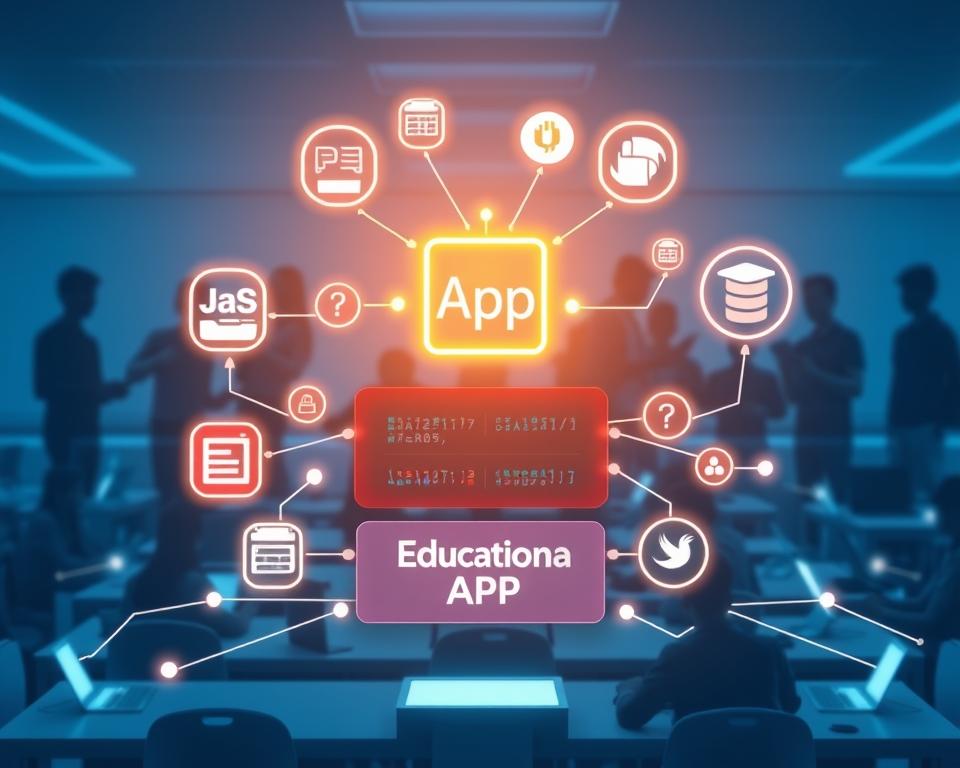
The Quizlet Like App Development Process
To make a successful Quizlet-like app, you need a clear development process. This ensures the app works well and is easy to use. It also meets the needs of its users.
Discovery and Planning Phase
The first step is the discovery and planning phase. This stage is key as it sets the project’s foundation.
Requirements Gathering
In this phase, gathering requirements from stakeholders is crucial. This includes understanding the app’s purpose and its target audience. It also involves deciding on the app’s features.
Competitive Analysis
Doing a competitive analysis is also important. It means researching other educational apps. You learn their strengths and weaknesses and how your app can stand out.
Feature Prioritization
After gathering requirements, prioritize the features. Focus on the most important and feasible ones first. This helps use resources wisely.
Design and Prototyping
Next, create a design and prototype of the app. This stage is vital for seeing the app’s layout and user experience.
Wireframing and Mockups
Creating wireframes and mockups is key. It helps establish the app’s visual identity and layout. This ensures the app is intuitive and easy to use.
User Flow Mapping
Mapping out the user flow is also crucial. It involves creating a detailed diagram of user interactions. This ranges from signing up to using the app’s features.

Development and Testing
With the design and prototype ready, it’s time for development and testing. This stage involves writing the code and testing the app thoroughly. It ensures the app is stable and performs well.
Agile Sprint Development
Using Agile development is beneficial. It allows for iterative and incremental development. This approach helps the team respond quickly to changes and deliver a quality product.
Quality Assurance Testing
Quality assurance testing is essential. It involves testing the app for bugs, performance issues, and usability problems. This ensures the app meets the required standards.
Deployment and Launch
The final stage is deployment and launch. This involves preparing the app for release. It includes setting up infrastructure, marketing, and making it available to the public.
By following this structured process, developers can create an effective and engaging Quizlet-like app. It provides a valuable learning experience for its users.
User Interface and Experience Design Principles
Creating a user-friendly interface is key for a Quizlet-like app’s success. It greatly affects how users learn. A well-designed interface can make educational apps more effective.
Creating Intuitive Navigation
Intuitive navigation helps users find what they need easily. Use clear labels, avoid clutter, and organize information well. For more tips on making educational apps, check out Quizlet eLearning App Development.
Mobile-First Design Approach
Designing for mobile first is crucial. It makes sure the app works well on small screens and with touch. Start with the smallest screen size and then expand to larger ones.
Responsive Layouts
Responsive layouts are key for adapting to different screen sizes. Use flexible grids and media queries to make the app work on all devices.
Touch-Friendly Controls
Controls that work well with touch are essential for mobile. They let users tap, swipe, and pinch easily. 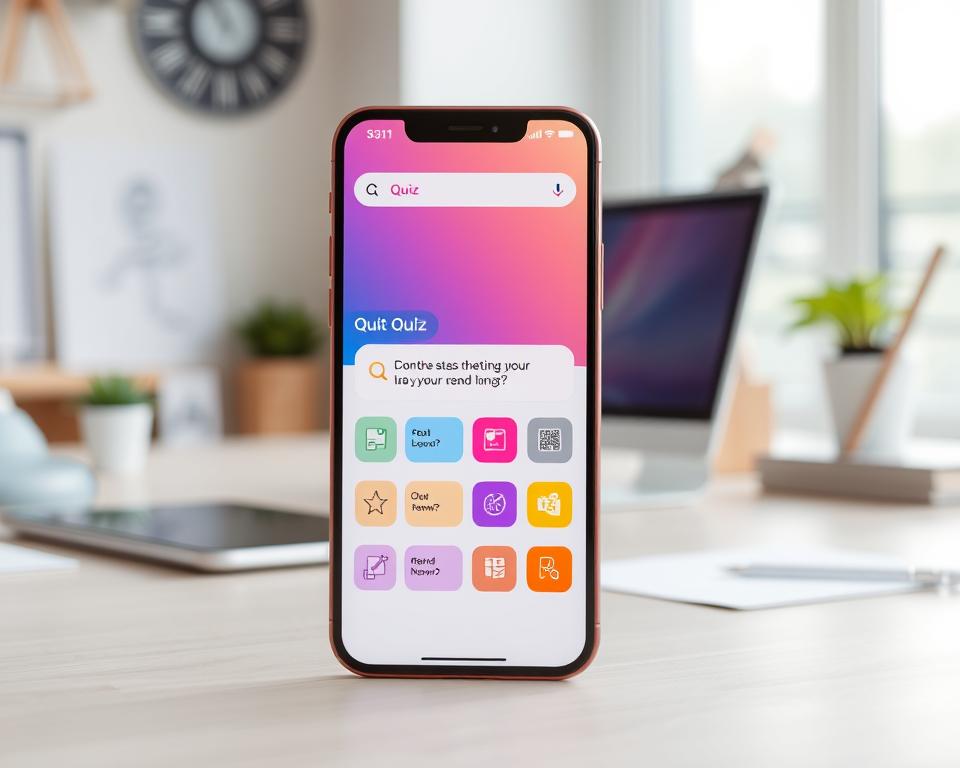
Accessibility Considerations
Accessibility is vital in user interface design. It makes sure the app works for everyone, including those with disabilities. Include features like screen reader support, good color contrast, and clear typography.
Screen Reader Compatibility
Screen reader support is crucial for visually impaired users. It lets them use assistive tech to navigate. Use semantic HTML, provide image alt text, and ensure keyboard access.
Color Contrast and Typography
Good color contrast and typography are important for readability. Choose colors that are easy to see and use fonts that are clear and easy to read.
| Design Principle | Description | Benefits |
|---|---|---|
| Intuitive Navigation | Clear and concise labels, minimal clutter, logical information architecture | Easy access to features, improved user experience |
| Mobile-First Design | Designing for smaller screens and touch-based interactions | Optimized performance on mobile devices, enhanced user engagement |
| Accessibility Features | Screen reader compatibility, color contrast, typography | Inclusive design, improved usability for users with disabilities |
Implementing Effective Learning Algorithms
A successful educational app adapts to each learner’s needs with advanced algorithms. Adaptive learning and spaced repetition make learning personal and efficient. They offer content tailored to each user and optimize study sessions.
Adaptive Learning Technology
Adaptive learning technology changes the difficulty and content of learning materials. It does this based on how well a user does and what they like. This way, learners are always challenged but not too hard, leading to better learning.
Some key features of adaptive learning technology include:
- Real-time assessment of user knowledge and understanding
- Dynamic adjustment of content difficulty
- Personalized learning paths tailored to individual needs
Performance-Based Card Scheduling
Performance-based card scheduling is key in flashcard apps. It schedules card reviews based on how well a user does. This makes learning more efficient.
Leitner System Implementation
The Leitner system is a well-known method for scheduling flashcard reviews. It sorts cards into boxes based on how well a user knows them. Cards that are hard to remember are reviewed more often.
SuperMemo SM-2 Algorithm
The SuperMemo SM-2 algorithm is also widely used. It figures out the best time to review flashcards based on how well a user does. This helps keep learning time short and retention high.

Personalization Engines
Personalization engines are crucial for a customized learning experience. They look at how a user behaves and what they like. Then, they suggest content, adjust difficulty, and show how well a user is doing.
Key benefits of personalization engines include:
- Enhanced user engagement through relevant content recommendations
- Improved learning outcomes due to tailored difficulty levels
- Detailed analytics for educators and administrators
Monetization Strategies for Educational Apps
As more people want educational apps, developers need good ways to make money. This is key to keep their apps growing and alive. Finding the right way to make money is important to stay ahead in the tech world.
Freemium Model Implementation
The freemium model gives a basic app for free but charges for more. It lets users try the app before they buy more.
Benefits of Freemium Model:
- More people try the app
- Shows the app’s value
- Chance to sell more features
Subscription-Based Revenue
Subscriptions give a steady flow of money by charging users over and over. This is for premium content or features.
Individual User Subscriptions
These subscriptions are for one person. They get special content or features.
Family Plans
Family plans let many people in a house get premium features for less than individual subscriptions.
Comparison of Subscription Plans:
| Plan Type | Cost | Benefits |
|---|---|---|
| Individual | $9.99/month | Access to premium content for one user |
| Family | $19.99/month | Access to premium content for up to 5 family members |
Enterprise and Institutional Licensing
Getting money from schools and big places can be very profitable. It means making the app fit their needs.
Benefits for Institutions:
- Learning solutions made just for them
- Tools for teachers and tracking
- Works with their systems
In-App Purchases and Premium Features
In-app buys let users get more features or content. This makes learning better.
Examples of In-App Purchases:
- More learning packs
- No ads
- Special courses or tutorials

Development Costs and Timeline Estimates
Understanding the costs and timeline for creating a Quizlet-like app is key. The app’s features, the team’s skills, and the tech used all play a part. These factors affect both the cost and how long it takes to make the app.
Basic App Development Costs
When making a Quizlet-like app, knowing the basic costs is crucial. You need to figure out the Minimum Viable Product (MVP) budget and who will be on the development team.
Minimum Viable Product Budget
The MVP budget for a Quizlet-like app varies. A simple version with basic features costs less. But, adding features like spaced repetition and group learning raises the price.
Development Team Composition
The team’s size and skills greatly impact the cost. A team might include developers, designers, managers, and testers. Hiring such a team can cost between $50,000 to $200,000 or more, based on their location and skills.
| Team Member | Estimated Cost |
|---|---|
| Project Manager | $5,000 – $10,000 |
| UX/UI Designer | $3,000 – $8,000 |
| Developers (Frontend & Backend) | $20,000 – $80,000 |
| QA Tester | $2,000 – $5,000 |
Advanced Features Investment
Adding features like spaced repetition algorithms, collaborative learning tools, and gamification elements boosts the app’s value. But, it also increases the cost. For example, a complex spaced repetition algorithm needs more time and expertise, raising the price.
Ongoing Maintenance and Updates
Keeping the app updated is vital for its success. This includes server and infrastructure costs and regular feature updates.
Server and Infrastructure Costs
Server and infrastructure costs vary based on the hosting and user base. Cloud services like AWS or Google Cloud offer scalable solutions that grow with the app.
Regular Feature Updates
Updating the app regularly keeps users interested. This requires ongoing development and can cost between $5,000 to $20,000 a year, depending on the updates.
Factors Affecting Development Time
Several things can change how long it takes to make a Quizlet-like app. These include the app’s features, the team’s size and experience, and the tech used. For more on cost estimation for app development, check out this article on cost estimation for apps.
Common Challenges in Educational App Development
Making a great educational app is tough. You face problems with content, keeping users interested, and keeping their data safe. These challenges can affect how well the app works and how many people use it.
Content Management at Scale
Handling lots of educational content is hard. You need to organize, update, and check if it’s right. Good content management systems are key for success. For more on managing educational content, check out our detailed guide on education mobile app development.
User Engagement and Retention
It’s important to keep users interested. There are many ways to do this.
Push Notification Strategies
Personalized push notifications can help keep users coming back. They remind users to use the app and study.
Streak and Achievement Systems
Streak and achievement systems motivate users. They make users feel like they’re achieving something.
Data Security and Privacy Compliance
Keeping user data safe and private is very important.
FERPA Compliance for Educational Data
Apps that deal with student data must follow FERPA. This means protecting student records and making sure data sharing follows the law.
COPPA Requirements for Young Users
Apps for kids under 13 need to follow COPPA. This means getting permission from parents for data collection and protecting data well.
Cross-Platform Compatibility
It’s important for the app to work well on different platforms. This lets more people use it. You need to make sure it works on various operating systems and devices.
Best Practices for Successful App Development
To make a Quizlet-like app successful, follow key steps. Focus on user research, iterative development, scalability, and analytics. This way, you can create an app that users will love and keep coming back to.
Conducting User Research and Testing
User research is vital for app success. It helps understand what users want and need. Doing thorough user research makes your app easy to use.
Beta Testing Programs
Beta testing is a must before launching your app. It lets you test with a few users first. This way, you can find bugs and make your app better. Beta testing keeps your app stable and working well.
User Feedback Collection
Getting feedback from users is key. It shows how they use your app and what needs fixing. Use surveys and in-app tools to get this feedback.
Iterative Development Methodology
Use an iterative approach to keep improving your app. This means making small changes based on feedback and testing. It helps you make your app better over time.
Building for Scalability
Scalability is important for educational apps. They need to grow with more users and content. Building a scalable app ensures it works well even when it’s busy.
Microservices Architecture
Microservices architecture is a good choice. It breaks your app into smaller parts. This makes it easier to scale and reduces the chance of big problems.
Content Delivery Networks
CDNs can make your app faster. They help content reach users quickly, no matter where they are. This improves your app’s performance.
Establishing Analytics and Feedback Loops
Analytics and feedback loops are essential. They help you see how users interact with your app. Use this info to make your app better. This way, you can keep improving and making users happy.
Conclusion
Creating a Quizlet-like app needs careful planning and ongoing work. It’s important to know your audience and add key features. Using the latest tech is also crucial.
The app development journey is complex. It includes many steps from the start to when it’s ready. You need to understand how people learn, design the app, and make money from it.
Success in educational apps comes from good planning and user focus. This includes keeping users engaged, protecting their data, and making sure the app can grow. A solid plan is key to standing out in a crowded market.
Building a Quizlet-like app can make a big difference in education. As more people want educational apps, investing in them can be smart. It’s a chance for businesses and educators to make a real impact.


