







The digital world is changing fast, and user experience is now key to app success. This is true for both mobile and web applications.
With new tech, AI integration is a big help for better UX improvement. Developers use AI to make apps more user-friendly, personal, and fun.
This makes apps better for users and helps businesses stand out in the market.
Table of Contents
Key Takeaways
- AI integration is crucial for enhancing user experience in mobile and web apps.
- Personalization is a key benefit of AI-driven UX improvement.
- Businesses can gain a competitive edge through AI-powered user experiences.
- AI integration can lead to increased user engagement and retention.
- Developers can create more intuitive interfaces using AI capabilities.
Understanding AI and Its Impact on User Experience
AI plays a big role in shaping how we use apps and websites. As AI technology gets better, it’s more important in app development.
Defining AI in the Context of Mobile and Web Applications
AI in mobile and web applications uses algorithms and machine learning. It makes user interactions better by analyzing data. This helps give users experiences that feel more personal.
Types of AI Relevant to App Development
There are several AI types important for app development:
- Machine Learning (ML)
- Natural Language Processing (NLP)
- Computer Vision
The Evolution of AI in Digital Experiences
AI has changed a lot, from simple systems to complex models. This change has led to better UX improvements. Digital experiences are now more intuitive.

How AI Transforms Traditional User Experiences
AI makes user experiences more predictive and personal. This is because AI can analyze lots of user data.
From Reactive to Predictive Interfaces
The move to predictive interfaces is a big UX improvement. Predictive interfaces guess what users need, making experiences smoother.
Measuring UX Improvements from AI Integration
To see how well AI works, developers look at user engagement and satisfaction. These metrics show how AI makes experiences better.
The Business Case for AI Integration in Apps
Integrating AI in apps offers personalized and efficient user experiences. This leads to higher customer loyalty. In today’s competitive mobile and web app world, AI is key to success.
ROI of AI-Enhanced User Experiences
AI adoption in apps is driven by the promise of a good return on investment (ROI). AI improves user experiences, leading to better performance in key areas.
Customer Retention and Engagement Metrics
AI personalization boosts customer retention by up to 25%. Users prefer apps that offer content and experiences tailored to them.
Operational Efficiency Gains
AI also brings operational efficiency gains. It automates processes and uses predictive analytics. This streamlines operations, cuts costs, and boosts productivity.
Competitive Advantages of AI-Powered Applications
AI-powered apps have several competitive advantages. They offer market differentiation, better user satisfaction, and loyalty.
Market Differentiation Strategies
AI helps businesses stand out in a crowded market. Unique AI features attract new users and set apps apart from rivals.
User Satisfaction and Loyalty Improvements
AI-driven enhancements lead to happier users. This loyalty and positive word-of-mouth drive long-term growth.

Key AI Technologies for Enhanced User Experience
Several key AI technologies are driving the enhancement of user experience in modern applications. These technologies are transforming the way users interact with apps. They make experiences more intuitive, personalized, and engaging.

Machine Learning and Predictive Analytics
Machine learning and predictive analytics are crucial for enhancing user experience. These technologies enable applications to learn from user behavior and predict future actions.
User Behavior Prediction Models
User behavior prediction models use historical data to forecast future user actions. This allows applications to proactively offer relevant content or services. It enhances the overall user experience.
Pattern Recognition for UX Optimization
Pattern recognition is another significant application of machine learning. By identifying patterns in user behavior, applications can optimize the user interface and experience. This better meets user needs.
Natural Language Processing (NLP)
NLP is a vital AI technology that enables applications to understand and process human language. This facilitates more natural and intuitive interactions between users and applications.
Text Analysis and Understanding
NLP enables applications to analyze and understand text inputs from users. This capability is essential for features like sentiment analysis, content categorization, and automated customer support.
Multilingual Support Capabilities
With NLP, applications can also offer multilingual support. This breaks language barriers and expands their reach to a global audience.
Computer Vision and Image Recognition
Computer vision and image recognition technologies allow applications to interpret and understand visual data from images and videos.
Visual Search Functionality
Visual search functionality enables users to search for products or information using images rather than text. This feature is particularly useful in e-commerce and other visually driven applications.
Augmented Reality Enhancements
Computer vision also powers augmented reality (AR) enhancements. These overlay digital information onto the real world. They create immersive and interactive user experiences.
Voice Recognition and Processing
Voice recognition and processing technologies enable applications to understand and respond to voice commands. This further enhances user experience.
Voice Command Interfaces
Voice command interfaces allow users to interact with applications using voice commands. This makes it easier to perform tasks, especially when hands-free operation is necessary.
Speech-to-Text Applications
Speech-to-text applications convert spoken language into text. They facilitate features like voice messaging, voice-to-text input, and transcription services.
By leveraging these AI technologies, developers can create more engaging, intuitive, and personalized user experiences. This drives user satisfaction and loyalty.
Assessing Your App’s Readiness for AI Integration
To integrate AI, first check your app’s tech and data. This step is key to see if your setup can handle AI features.
Technical Infrastructure Requirements
A strong tech base is vital for AI. You need enough cloud resources and computing power for AI tasks.
Cloud Resources and Computing Power
Make sure your cloud setup can grow with AI needs. Check if your cloud services need updates.
API and Integration Capabilities
Look at your app’s API to link with AI services smoothly. Check if your APIs work with different AI platforms.

Data Quality and Availability Assessment
Good data is crucial for AI. Check how you collect and clean data.
Data Collection Mechanisms
Review your data gathering methods. Make sure they can get the data AI needs.
Data Cleaning and Preparation Strategies
Use strong data cleaning and prep to keep data accurate and reliable.
Team Capabilities and Skill Gaps
Check your team’s AI skills and find any missing areas.
Required AI Development Expertise
Find out the AI skills you need, like machine learning.
Training and Upskilling Opportunities
Look for ways to train your team in AI to fill skill gaps.
Strategic Planning for AI Implementation
AI implementation needs a solid plan to ensure it meets user needs and improves app UX. A good strategy helps pick the right AI technologies and integrate them smoothly into apps.
Identifying High-Impact AI Use Cases
Finding AI use cases that really make a difference is key. It’s about looking at how users behave and what problems they face. This way, AI can make a big impact.
Prioritization Frameworks
Using frameworks to prioritize AI use cases is helpful. It lets you rank them based on their potential and how easy they are to do. This way, you focus on the most promising ideas.
User Pain Points Addressable by AI
Knowing what users struggle with is crucial. For example, AI chatbots can help with customer support. This makes users happier and more satisfied.
| AI Use Case | Potential Impact | Feasibility |
|---|---|---|
| AI-powered Recommendations | High | Medium |
| Chatbots for Customer Support | High | High |
| Predictive Analytics | Medium | Low |
Setting Clear UX Improvement Goals
It’s important to set clear goals for improving UX with AI. These goals should match the business’s aims and what users want.
Defining Success Metrics
Success metrics are key to knowing if AI is working. Things like how engaged users are, how happy they are, and how long they stick around are good measures.
Establishing Baseline Measurements
It’s important to know how things were before AI was added. This lets you see how much AI has really improved things.
“The key to successful AI implementation is not just about adopting the technology, but about understanding how it can solve real user problems.”
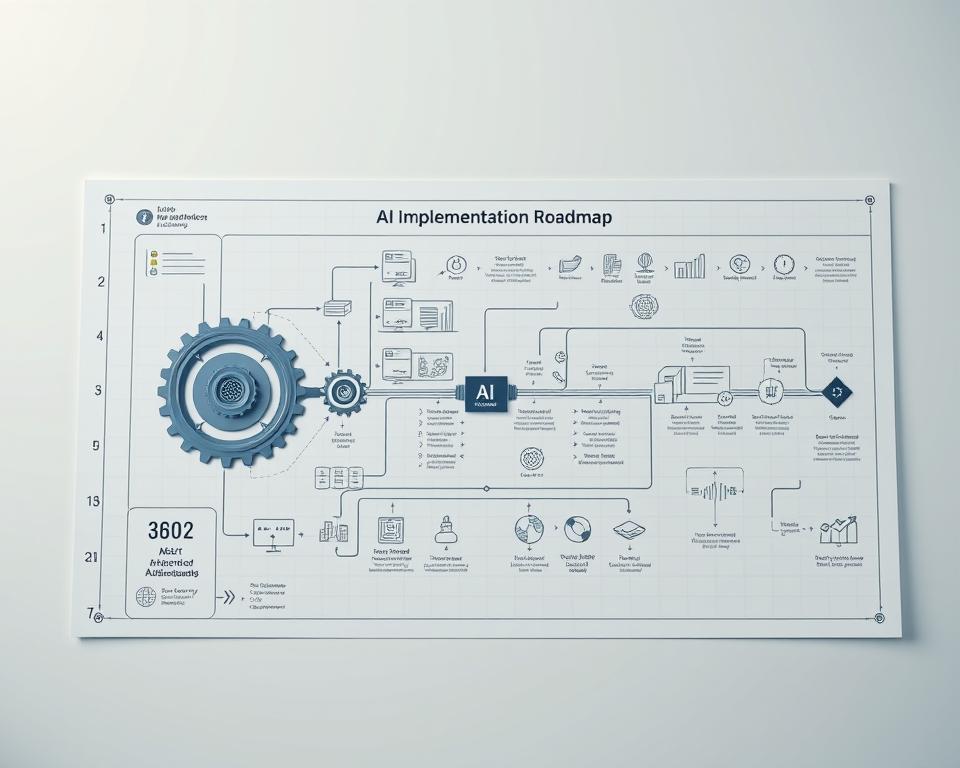
Creating an AI Integration Roadmap
A detailed roadmap is essential for AI integration. It should outline what to do in the short and long term, and how to use resources.
Short-term vs. Long-term Implementation Phases
Dividing the work into short and long-term phases is smart. Short-term phases can get quick wins, while long-term phases tackle bigger challenges.
Resource Allocation Planning
Getting the right people, technology, and budget is crucial for AI success. It’s about planning how to use resources effectively throughout the project.
How to Integrate AI in Mobile and Web Apps for Better UX
Businesses are using AI to make their apps better. This makes users happier and more engaged. It offers personalized experiences and smart automation.
Step-by-Step Integration Process
Adding AI to apps takes a few steps. First, you need to know what the app and its users need.
Initial Proof of Concept Development
Creating a proof of concept is key. It’s about picking the best AI features for the app. This step checks if AI will work well and be worth it.
Scaling AI Features Across the Application
After the proof of concept works, you scale AI features. This means planning and training the team.
Build vs. Buy Decisions
Deciding to make AI in-house or buy it is big. Both have good and bad sides.
Evaluating Third-Party AI Services
Looking at third-party AI services is important. You need to check if they fit with your app and if they’re affordable.
Custom AI Development Considerations
Building custom AI is tailored but costs a lot. You must think about the cost and upkeep.
Integration Approaches for Different App Architectures
How you add AI changes based on the app type.
Native Mobile App Integration Techniques
For mobile apps, you use special APIs. This includes Core ML for iOS and TensorFlow Lite for Android.
Web Application AI Implementation Methods
Web apps use JavaScript libraries like TensorFlow.js. This makes AI work on the client side, improving user experience.
By following these steps, businesses can make their apps better with AI. This improves user experience and helps them stand out.
AI-Powered Personalization Techniques
AI is making user experiences better on many platforms. It uses advanced tech to give users experiences that match their likes and how they behave.
User Behavior Analysis and Adaptation
Understanding how users act is key to good personalization. It tracks their actions, like what they click and search for.
Creating Dynamic User Profiles
Dynamic user profiles gather data from how users interact. They help figure out what users like and adjust the app experience for them.
Behavioral Segmentation Strategies
Behavioral segmentation sorts users by their actions. This way, users get content and tips that match their interests.
Content and Interface Personalization
Personalizing content and the app’s look is important. It changes based on what users like.
Adaptive UI Elements
Adaptive UI elements adjust to how users behave. This keeps the app easy to use and fun.
Content Filtering and Prioritization
Content filtering shows users what’s most relevant to them. This makes their experience better.
Contextual Recommendations Systems
Contextual recommendations give tips based on what users are doing now and what they’ve done before.
Collaborative Filtering Approaches
Collaborative filtering suggests items based on what similar users like.
Content-Based Recommendation Algorithms
Content-based algorithms suggest items similar to what users have liked before.

Using these AI techniques, apps can make users happier and more engaged. The secret is to really get to know how users behave and adjust the app to fit their needs.
Implementing Conversational AI and Chatbots
Technology keeps getting better, and conversational AI and chatbots are changing how we use apps. They are key for businesses to improve user experience and keep up with the competition.
Designing Effective Conversational Flows
Creating conversational flows that feel natural is important. It’s about understanding what users want and giving them the right answers.
Intent Recognition and Response Mapping
Intent recognition is crucial for chatbots to give the right answers. Advanced natural language processing (NLP) helps them understand what users mean.
Conversation Design Principles
When designing conversational flows, focus on clarity and keeping users engaged. Use responses that fit the conversation and keep the tone friendly.
Chatbot Integration Best Practices
Adding chatbots to apps needs careful planning. Think about the specific needs of each platform and make sure users have a smooth experience everywhere.
Platform-Specific Implementation Considerations
Each platform, like iOS or Android, has its own rules and limits. Knowing these helps make chatbot integration better.
Handling Edge Cases and Fallbacks
A good chatbot system can handle unexpected inputs. Having fallback plans ensures users get help even when the chatbot is unsure.

Balancing Automation with Human Support
Conversational AI and chatbots can do a lot, but sometimes humans are needed. Having escalation protocols makes sure complex issues get human help.
Escalation Protocols
It’s important to have clear escalation protocols for when chatbots can’t help. This means knowing when to pass on to a human and making the transition smooth.
Human-in-the-Loop Systems
Using human-in-the-loop systems helps chatbots get better over time. Feedback from humans improves the chatbot’s understanding and answers.
Enhancing App Accessibility Through AI
Artificial intelligence is changing how apps work, making them better for everyone. It helps developers make apps that are easy to use and open to all, including those with disabilities.

Voice and Speech Recognition for Accessibility
Voice and speech recognition are key for better app access. They let users control apps with voice, making it simpler to use and enjoy.
Voice Command Navigation Systems
Voice command systems let users control apps with voice. This helps people with mobility or dexterity issues use digital services more easily.
Audio Description Generation
AI makes audio descriptions for the visually impaired. It gives them detailed verbal descriptions of what’s happening in apps.
AI-Powered Adaptive Interfaces
AI adaptive interfaces change based on what the user needs. They make the app more personal and accessible by adjusting things like font sizes and colors.
Font and Display Adjustments
Users can change how the app looks to fit their needs. This makes reading easier and reduces eye strain.
Navigation Assistance Features
AI helps users get around the app better. It offers tips and makes complex paths easier to follow.
Automated Content Adaptation
AI adapts content to fit what the user needs. This makes it more accessible and easier to understand.
Text Simplification Algorithms
Algorithms make hard texts easier to get. This helps users with cognitive or learning disabilities understand better.
Alternative Format Generation
AI changes content into different formats. This includes text-to-speech or braille, for users with different needs.
Using AI for accessibility makes apps better for everyone. Developers can make their apps more inclusive and user-friendly.
Testing and Optimizing AI Features
To get the most out of AI in apps, it’s key to test and tweak AI features well. This means using A/B testing, keeping an eye on how things perform, and always learning more. This way, AI can make user experiences better and more efficient.
A/B Testing AI-Enhanced User Journeys
A/B testing helps figure out which AI features work best. When setting up these tests, it’s important to know what you’re testing and what you want to see. This ensures you’re really checking what you think is important.
Experiment Design for AI Features
Good experiment design picks the right metrics to measure success. These could be things like how much users engage, how many convert, or how happy they are. By designing tests carefully, developers can learn a lot about how AI affects users.
Statistical Significance in AI Testing
It’s crucial to make sure A/B test results are reliable. This means figuring out how big your sample size needs to be and how long to run the test. As noted by
“The key to making valid conclusions from A/B testing is to ensure that the results are statistically significant.”
Performance Monitoring and Optimization
After AI features are live, it’s important to keep an eye on how they’re doing. This means watching how the AI models perform and how they affect users.
AI Model Performance Metrics
Important metrics for AI model performance include accuracy and how well they recall information. By tracking these, developers can spot when an AI model needs to be updated or improved.
Measuring how AI features affect users involves looking at things like satisfaction and how engaged they are. This can be done through surveys, feedback, and analytics tools. As “AI has the potential to revolutionize user experience by providing personalized and intuitive interactions.”
Continuous Learning and Improvement Cycles
Creating AI features is an ongoing process that needs constant learning and improvement. This means setting up feedback loops and updating models to keep up with changing user needs and preferences.
Feedback Loop Implementation
A feedback loop helps developers understand how users interact with AI features. This information is used to make the features better. This can happen through user feedback, analytics, and A/B testing results.
Model Retraining Strategies
It’s important to regularly update AI models to keep them accurate and relevant. This can be done by scheduling updates, updating based on performance, or when there are big changes in user behavior or data.
Addressing Privacy and Ethical Considerations
Developers must focus on privacy and ethics when adding AI to apps. This ensures users trust the technology. As AI grows, tackling privacy and ethics is key.
Data Privacy Compliance in AI Applications
Keeping data private is crucial for AI apps. Following rules like GDPR and CCPA is essential.
GDPR and CCPA Requirements
The GDPR and CCPA set strict data privacy rules.
- GDPR: Needs clear user consent and lets users see their data.
- CCPA: Demands clear data collection and lets users opt-out of data sale.
User Consent Management
Getting user consent right is key. Developers should use simple and clear forms.
| Regulation | Key Requirements |
|---|---|
| GDPR | Explicit consent, right to access data |
| CCPA | Transparency, right to opt-out of data sale |
Transparent AI Decision-Making
Being open about AI decisions is vital for trust. This is done through explainable AI.
Explainable AI Approaches
Building User Trust with Ethical AI Practices
Using ethical AI is key for trust. This includes fighting bias.
Bias Detection and Mitigation
Developers must find and fix bias in AI.
Ethical Guidelines Implementation
Following ethical rules ensures AI apps are made responsibly.
By focusing on privacy and ethics, developers can make AI apps that are innovative, trustworthy, and follow the law.
Real-World Examples of Successful AI Integration
Many industries have seen big improvements thanks to AI. This includes better customer experiences and more efficient processes. We’ll look at how AI has helped in e-commerce, healthcare, and finance. We’ll see how they did it and what results they got.
Case Study: E-commerce Apps with AI-Powered Recommendations
E-commerce apps have gotten a lot better with AI. These systems look at what you buy and like to suggest more stuff. This makes shopping better and boosts sales.
Implementation Approaches
To add AI-powered recommendations to e-commerce apps, several steps are needed:
- Collecting and analyzing data
- Training AI models on that data
- Adding the AI to the app’s interface
Measurable Business Outcomes
Businesses using AI for recommendations have seen big wins:
| Metric | Improvement |
|---|---|
| Conversion Rate | 20% increase |
| Average Order Value | 15% increase |
| Customer Retention | 10% increase |
Case Study: AI in Healthcare Applications
AI has made healthcare apps better for patients and doctors. AI chatbots help with simple questions. Predictive analytics can spot health issues early.
Patient Experience Enhancements
AI has made patient experiences better in healthcare apps by:
- Offering personalized health advice
- Automating appointment scheduling
- Reminding patients about medication
Clinical Workflow Improvements
Doctors have seen better workflows thanks to AI. This includes:
- Using predictive analytics for diagnosis
- Managing data more efficiently
- Keeping better track of patients
Case Study: Financial Services Apps with AI Features
Financial apps have added AI for better security, fraud detection, and personal finance advice.
Fraud Detection and Security
AI checks transactions to stop fraud. This makes financial apps safer.
Personalized Financial Insights
AI gives users financial advice based on their needs. This helps them manage money better.
These examples show AI’s power in different fields. It improves customer experiences and makes things more efficient. As AI gets better, we’ll see even more cool uses in various areas.
Conclusion
AI is changing how we use mobile and web apps. It makes our experience better by personalizing things, talking to us, and making apps easier to use. This helps businesses keep up with the latest trends.
The future of AI in apps looks bright. New tech in learning, talking, and seeing will make apps even better. As apps get smarter, using AI will become key for great user experiences.
To make your app future-ready, start with a strong tech base. Use top-notch data and build a talented team. This way, you can use AI to make your app better and stay ahead in the app world.


