






Creating a modern form builder application is more than just collecting names. It’s about connecting the brand with the user through a smart conversational interface. As data needs grow, interactive tools become key for success.
Today, users want an experience that feels like a chat, not a chore. Making a top-notch Typeform alternative means focusing on looks and logic. This approach keeps users focused on one task at a time.
The need for these interactive solutions is skyrocketing in the United States. Brands need ways to collect accurate data without losing users. A custom app ensures data security is always a priority.
Table of Contents
Key Takeaways
- Interactive interfaces significantly boost user response rates.
- Conversational flows reduce survey fatigue for digital users.
- Custom platforms offer better security for sensitive data collection.
- Advanced logic allows for more personalized user journeys.
- Growing market demand drives the need for unique form tools.
- Modern builders focus on mobile-friendly and sleek layouts.
Understanding Typeform and Its Market Success
Typeform has made a big splash in the form builder market. It’s all about making online forms easy to create and fun to use. This has changed how people interact with forms, making them more engaging.
Several things have made Typeform popular. Its conversational form interface makes filling out forms less scary and more fun. This has helped more people complete forms and get better data.

What Makes Typeform Stand Out in the Form Builder Market
Typeform is easy to use, thanks to its intuitive form builder. Anyone can make forms without needing to know a lot of tech stuff. This makes it great for lots of users.
It also focuses a lot on making forms fun and interactive. This makes users want to finish forms, which is good for everyone.
The Growing Demand for Interactive Form Solutions
More businesses want interactive forms because they know how important a good user experience is. These forms are not just pretty; they help get better data and keep users interested.
As more businesses go digital, they need better form builders. They want tools that can handle complex tasks. This is pushing the market to get more creative and offer more than basic forms.
Market Opportunities for Typeform Alternatives
Even though Typeform is a leader, there’s a big need for other options. Businesses want more features, better data control, and customization. They’re looking for tools that fit their exact needs, like advanced analytics or better security.
The market for Typeform alternatives is full of chances for new ideas. By focusing on advanced data analytics, enhanced security, and customization, new players can find their place in this competitive field.
Core Features of a Typeform-Like Application
To make a Typeform-like app, you need to know its key features. These features keep users engaged and happy. A good form builder app should have several important parts for a smooth and fun experience.
Conversational Form Interface Design
A conversational interface is what makes Typeform great. It makes filling out forms feel like talking to someone. This design shows questions one at a time, making it easy and natural.

Drag-and-Drop Form Builder Functionality
A drag-and-drop builder makes creating forms easy. It lets users add, remove, and change fields without coding. For more info, check out a step-by-step guide to mobile app development.
Question Logic and Conditional Branching
Conditional logic and branching make forms dynamic. They let forms change based on what users answer. This makes the form more personal and fun.
Multi-Device Responsive Experience
A responsive design is key for a Typeform-like app. The form should work well on all devices, like computers, tablets, and phones. This makes it easier for users to fill out forms.
| Feature | Description | Importance |
|---|---|---|
| Conversational Interface | Makes form-filling feel like a conversation | High |
| Drag-and-Drop Builder | Simplifies form creation | High |
| Conditional Logic | Creates dynamic, personalized forms | Medium |
| Responsive Design | Ensures accessibility across devices | High |
Advanced Functionality Requirements
In the world of form builder apps, advanced features are key to success. A top app must have complex features that meet many user needs. This boosts the user experience.
Real-Time Data Collection and Analytics Dashboard
Real-time data collection is a must-have. It lets users see and analyze responses right away. This is vital for apps needing fast feedback or timely data.
- Instant data visualization
- Live response tracking
- Dynamic analytics dashboard
An analytics dashboard should give clear insights into user responses. This helps businesses make quick decisions. Real-time data and a detailed analytics dashboard help users act fast on changes.

Third-Party Application Integrations
Third-party application integrations are crucial. They let users link their form builder app with other tools. This makes workflows smoother and boosts productivity.
Some important integrations include:
- CRM systems for direct lead capture
- Email marketing tools for automated campaigns
- Project management software for task assignment
- Payment gateways for seamless transactions
White-Label Customization and Branding Options
White-label customization lets businesses brand the app as their own. This is great for agencies and businesses offering form-building services. It helps them look professional and keep their brand strong.
Key aspects of white-label customization include:
- Customizable logos and branding elements
- Personalized user interfaces
- Domain customization for a seamless user experience
Team Collaboration and Workspace Management
As teams grow, team collaboration and workspace management become more important. A Typeform-like app needs features that help teams work together well and stay organized.
Good team collaboration features include:
| Feature | Description | Benefit |
|---|---|---|
| Role-Based Access Control | Assign different roles to team members | Enhanced security and task management |
| Real-Time Collaboration | Multiple users can work on forms simultaneously | Increased productivity and faster form development |
| Workspace Organization | Organize forms and data into structured workspaces | Better data management and reduced clutter |
By adding these advanced features, a Typeform-like app can attract more users. It will appeal to individuals and big companies alike.
Technical Architecture for Form Building Applications
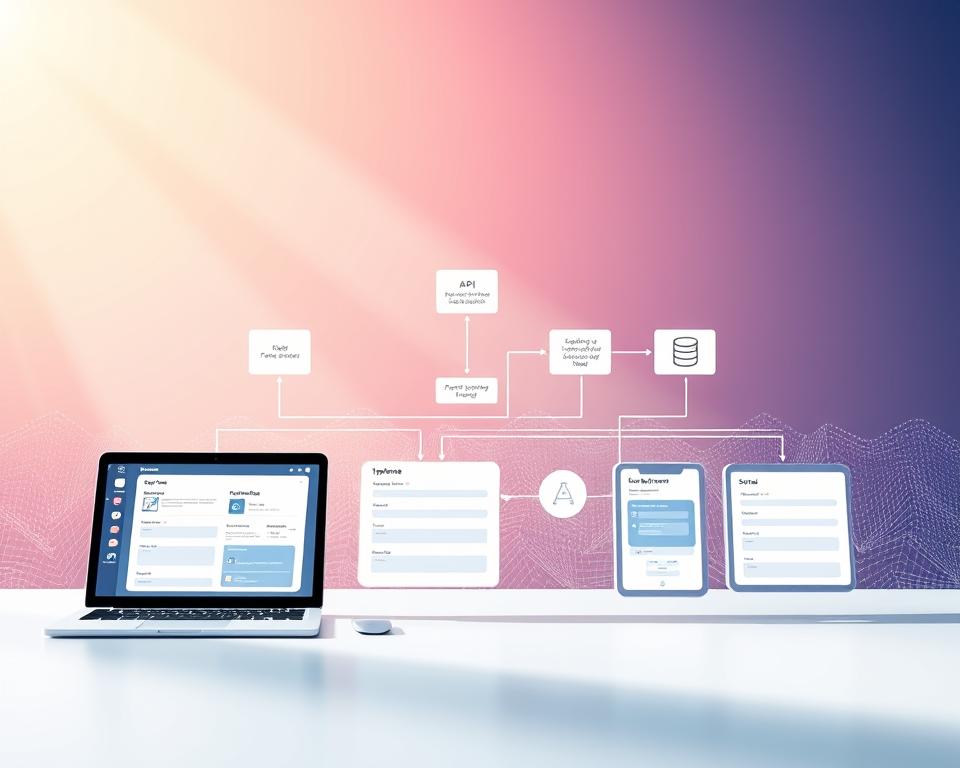
A form builder app’s tech architecture is key to its success. It affects how users interact with it and how it handles data. This architecture includes important parts that work together for a smooth form building experience.
Frontend Architecture and Component Design
The frontend architecture deals with the app’s look and feel. A good design makes the app easy to use on all devices. Key points to consider are:
- Using modern frameworks like React or Angular for UI components.
- Creating a design that works well on all screens and devices.
- Following accessibility rules like WCAG 2.1.
Backend Infrastructure and Server Configuration
The backend is important for managing form data, user logins, and connections with other services. Key aspects include:
- Picking a backend framework like Node.js or Django for growth and safety.
- Setting up servers for better performance and uptime, possibly with AWS or Azure.
- Using strong security, like encryption and secure login methods.
Database Schema and Data Modeling
A good database schema is essential for storing and getting data efficiently. Considerations are:
- Choosing the right database type, like relational or NoSQL, based on the app’s needs.
- Designing a schema that handles complex forms and logic.
- Improving database queries with indexing and caching.
Choosing the Right Technology Stack
When you’re building a Typeform alternative, picking the right technology stack is key. This stack is the base of your app’s performance, growth, and upkeep.
Frontend Technologies for Interactive Forms
Choosing the right frontend tech is crucial for interactive forms. Modern frameworks bring dynamic UIs and fast rendering.
React, Vue.js, or Angular for Dynamic UI
Frameworks like React, Vue.js, and Angular are top picks for dynamic UIs. Each has its own strengths:
- React has a component-based design and a big community.
- Vue.js is progressive and flexible, easy to mix with other projects.
- Angular is full-featured, great for complex apps.
Tailwind CSS and Framer Motion for Animations
For styling and animations, Tailwind CSS and Framer Motion are great. Tailwind CSS makes styling easy from HTML. Framer Motion adds animations smoothly.
Backend Framework Selection
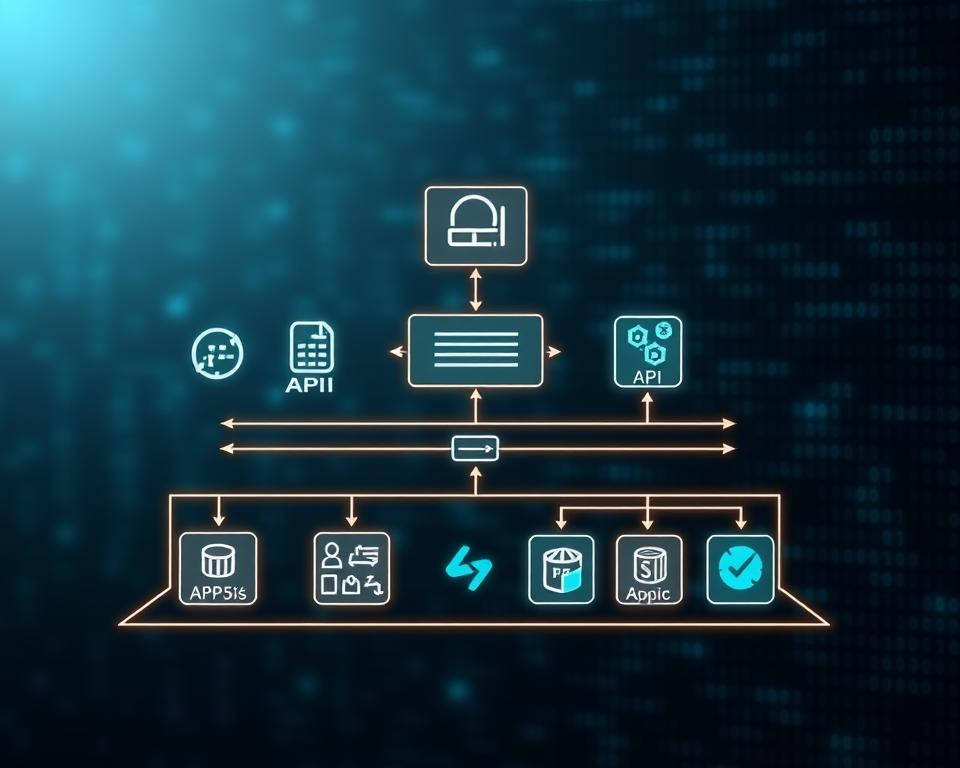
The backend framework handles data, storage, and API connections. Picking the right one is crucial for app performance and growth.
Node.js with Express or NestJS
Node.js is great for backend work, especially with Express or NestJS. Express is light and flexible. NestJS supports TypeScript and is more structured.
Python with Django or FastAPI
Python is versatile for backend, with Django and FastAPI. Django is high-level for complex apps. FastAPI is modern and fast for APIs.
RESTful API vs GraphQL Implementation
API design can be RESTful or GraphQL. RESTful APIs are common and easy. GraphQL is more flexible and efficient for data.
For more on choosing the best tech stack, check out this beginner’s guide to mobile app tech stacks.
Database Solutions for Form Data
The database choice depends on your app’s data needs. Both relational and NoSQL databases have benefits.
PostgreSQL for Relational Data
PostgreSQL is a reliable, open-source relational database. It’s great for complex queries.
MongoDB for Flexible Schema
MongoDB is a NoSQL database with a flexible schema. It’s perfect for apps with changing data structures.
User Experience and Interface Design Principles
Creating a seamless user experience is key for Typeform-like apps. They focus on interface design and accessibility. A good user interface boosts user engagement and makes the form builder more effective.
Designing these apps involves many factors. These include making the app look good, work well, and be easy to use. Developers must think about several important things. These include the one-question-at-a-time approach, visual design, accessibility, and responsive design.
Implementing the One-Question-at-a-Time Approach
The one-question-at-a-time method is a big reason for Typeform’s success. It makes filling out forms less scary and more fun for users. By showing one question at a time, it reduces confusion and boosts completion rates.
To make this approach work, developers should aim for a clean design. They should use clear fonts, lots of white space, and smooth animations. This helps users move through the form easily.
Visual Design Elements and Smooth Transitions
Visual design elements are vital for a great user experience. They include colors, fonts, and images that make the interface look good. It’s also important to have smooth transitions between form sections. This keeps the user moving smoothly and reduces any bumps.

To improve the visual design, developers can add micro-interactions. These can be animations or loading indicators that give users feedback. They make the experience more lively and engaging.
WCAG Accessibility Standards Compliance
Following WCAG accessibility standards is crucial. It makes the app usable for more people, including those with disabilities. This means adding features like keyboard navigation, screen reader support, and high contrast mode.
| WCAG Guideline | Description | Implementation Example |
|---|---|---|
| 1.1.1 Non-text Content | Provide text alternatives for non-text content | Using alt text for images |
| 2.1.1 Keyboard | Make all functionality available from a keyboard | Implementing keyboard navigation |
| 2.4.3 Focus Order | Ensure a logical navigation order | Using proper HTML structure and CSS styling |
Mobile-First Responsive Design Strategy
Using a mobile-first responsive design strategy is key. It makes sure the app works well on all devices, from phones to computers. Designing for small screens first helps adapt to larger ones.
For mobile-first design, simplify navigation and make form fields easy to use on touch screens. The layout should also adjust well to different screen sizes.
Development Process for Typeform Like App Development
Creating a Typeform-like app involves several key stages. These stages ensure the app is both functional and meets user needs. It’s designed to be user-friendly and effective for its target audience.
Discovery Phase and Requirements Gathering
The first step is the discovery phase. Here, we gather and analyze requirements. We understand the project’s scope, who it’s for, and what features are needed. Stakeholder interviews, market research, and competitor analysis help us find market gaps and opportunities.
Wireframing and Interactive Prototyping
Next, we create wireframes and interactive prototypes. Wireframes show the app’s layout and flow. Prototyping lets us test usability and functionality before we start coding. This stage is crucial for validating assumptions and making early adjustments.

Minimum Viable Product Strategy
Creating an MVP is a smart way to introduce the app. It focuses on the app’s essential features. The MVP lets us test the market, gather user feedback, and improve the app based on user experiences.
Agile Development and Sprint Planning
Using agile development is essential for a Typeform-like app. We break the development into sprints with clear goals. Regular sprint planning and review sessions keep us on track and adapt to feedback.
Comprehensive Testing and Quality Assurance
Before launch, we do thorough testing and quality assurance. We test the app in various ways to ensure it’s stable, secure, and works as expected. Quality assurance is key to a great user experience and a good market reputation.
Essential Security and Compliance Measures
Security and compliance are key in making Typeform-like apps safe. These apps handle lots of personal data. So, strong security is a must, not just a good idea.
End-to-End Data Encryption and Secure Storage
End-to-end encryption is a basic security step. It keeps data safe from start to finish. For example, a top form builder app saw a 90% drop in data breaches after using it.
Storing data securely is also vital. It should follow industry standards. Use SSL/TLS for data moving and strong encryption for data staying put.
“Encryption is the first line of defense against data breaches. It’s not just about protecting data; it’s about ensuring the trust of your users.”
GDPR, CCPA, and Global Privacy Compliance
Following global privacy laws like GDPR and CCPA is essential. These laws set rules for handling user data.
| Regulation | Key Requirements | Impact on Form Builders |
|---|---|---|
| GDPR | Data minimization, user consent, data protection by design | Must implement strict data handling practices and obtain explicit user consent. |
| CCPA | Right to know, right to delete, opt-out of sale | Requires transparency in data collection and processing, with options for users to opt-out. |
Multi-Factor Authentication and Role-Based Access
Multi-factor authentication (MFA) adds extra security. It makes it hard for hackers to get into data. Role-Based Access Control (RBAC) limits access to what users need for their jobs.

Regular Security Audits and Penetration Testing
Doing security audits and penetration testing regularly is crucial. They find and fix security holes before they’re used. This keeps the app safe and secure.
By focusing on security and following rules, app developers can keep user data safe. This builds trust and helps the app succeed.
Integration Capabilities and API Development
Integration and API development are key to a Typeform-like app’s success. They help extend its features.
A good integration lets users link their form builder with many services. This makes the app more useful and enjoyable. It can connect with email marketing tools, CRM systems, and payment gateways.
Webhook Implementation for Real-Time Data Transfer
Webhooks are vital for real-time data sharing between the app and other services. They let the app send instant updates when something happens, like a form being filled out.
Benefits of Webhook Implementation:
- Real-time data syncing
- Automated workflows
- Instant feedback for a better user experience
Essential Third-Party Integration Options
It’s important to offer integrations with popular services. This meets different user needs. It includes email marketing tools, CRM systems, and payment services.
Mailchimp and ActiveCampaign Email Marketing
Linking with Mailchimp and ActiveCampaign makes email list management easy. Users can handle their email campaigns right from the form builder.
Salesforce and HubSpot CRM Integration
CRM integration helps manage leads and customer interactions better. Salesforce and HubSpot are top choices for integration.
Stripe and PayPal Payment Processing
For apps that need to process payments, Stripe and PayPal are great. They ensure secure and smooth transactions.
| Integration Type | Benefits | Popular Services |
|---|---|---|
| Email Marketing | Streamlined email list management, automated campaigns | Mailchimp, ActiveCampaign |
| CRM Systems | Effective lead capture, enhanced customer management | Salesforce, HubSpot |
| Payment Processing | Secure and efficient transactions | Stripe, PayPal |
Building a Developer-Friendly REST API
A well-made REST API is essential. It lets developers add new features and connect with other services. It should be easy to use, well-documented, and secure.
Key Considerations for a Developer-Friendly REST API:
- Clear and detailed documentation
- Strong security, including authentication and rate limits
- Support for various data formats, like JSON

Analytics and Reporting Features
To get the most out of form builder apps, you need strong analytics and reporting tools. These tools help users understand how well their forms are doing. They also show how people are responding, helping make better decisions to improve the user experience.
Response Rate and Completion Tracking
It’s important to keep an eye on how many people finish your forms. You can see how many people start but don’t finish. This helps you make your form better.
Key metrics to track include:
- Form abandonment rate
- Average time taken to complete the form
- Number of submissions
Interactive Data Visualization Dashboards
Interactive dashboards give a clear view of how your forms are doing. You can customize them to show important data. This makes it easy to spot what needs work.
CSV, Excel, and PDF Export Functionality
Being able to export data in different ways (CSV, Excel, PDF) is key. It lets users work with their data in the way that works best for them.
| Format | Description | Use Case |
|---|---|---|
| CSV | Comma-separated values file | Data import/export for statistical analysis |
| Excel | Microsoft Excel spreadsheet | Advanced data analysis and visualization |
| Portable Document Format | Presenting data in a fixed-layout format |
Custom Report Builder for Advanced Users
A custom report builder lets advanced users make reports that fit their needs. They can pick the data they want, apply filters, and change the report’s look.
With these analytics and reporting tools, apps like Typeform can help users understand their form’s performance. This leads to ongoing improvement and better user experiences.
Monetization Strategies for Form Builder Applications
Monetizing form builder apps is key to their success. It’s important to find ways to make money. There are many strategies to choose from to keep the app growing and competitive.
Limited Free Features through Freemium Model
The freemium model is a common way to make money. It gives users basic features for free. Then, they can pay for more advanced features.
This model works well for form builder apps. It lets users try out the app before paying for more. They can see how it works and decide if they want more.
Tiered Subscription Plans for Different User Segments
Tiered plans offer different features for different users. This way, the app can serve everyone from individuals to big companies. It’s all about finding the right fit for each user.
These plans have many benefits. They offer flexible pricing and can grow with the user’s needs. They also make it clear what each plan offers, helping users choose the right one.
Enterprise Solutions with Custom Pricing
Enterprise solutions are for big companies with special needs. They offer custom features and support. This is tailored to meet the company’s specific requirements.
These solutions include special features and dedicated support. They also have advanced security and meet compliance standards. It’s all about giving big companies what they need.
Premium Add-Ons and Advanced Feature Modules
Premium add-ons and advanced modules are another way to make money. They can include things like advanced analytics or AI-powered form generation. These extras offer more value to users.
Some examples of these add-ons are:
| Add-On | Description | Benefits |
|---|---|---|
| Advanced Analytics | Provides detailed insights into form performance and user behavior | Helps optimize form design and improve user experience |
| AI-Powered Form Generation | Uses AI to generate forms based on user input and preferences | Saves time and improves form accuracy |
| Enhanced Integration Capabilities | Offers seamless integration with popular third-party applications | Streamlines workflows and enhances productivity |
By using these strategies, form builder apps can make more money. This helps them grow and succeed in the long run.
Development Costs and Timeline Estimation
When planning a Typeform-like app, several key factors come into play. These include development costs and how long it will take. Getting these right is key for budgeting and planning.
Key Factors Influencing Development Costs
Several things can change how much a Typeform-like app costs. These are:
- Complexity of Features: The more complex, the higher the cost.
- Technology Stack: The tech used can affect both time and cost.
- Team Composition: The team’s experience and location matter.
- Design Requirements: Custom designs can add to costs.
Budget Breakdown for MVP vs Full-Featured App
Knowing the difference between an MVP and a full app is key for budgeting. An MVP has only the basics, saving money. For more details, check out this guide on Android app costs.
Team Composition and Resource Allocation
A good team is essential for efficient work. This includes:
- Project Manager
- UX/UI Designers
- Frontend and Backend Developers
- Quality Assurance Testers
Realistic Timeline from Concept to Launch
Creating a realistic timeline is about understanding the development process. This includes planning, wireframing, development, testing, and deployment.
By considering these factors and planning well, you can launch your app successfully and on time.
Scalability and Performance Optimization
Typeform-like apps are getting more popular. It’s important to make sure they can handle more users. Scalability means keeping performance and user experience good, even when more people use the app.
Developers need to focus on performance optimization. This includes many parts of the app’s setup. Choosing the right cloud infrastructure is a big part of this.
Cloud Infrastructure with AWS, Google Cloud, or Azure
Cloud providers like AWS, Google Cloud, and Azure help apps grow. They offer services like computing power, storage, and database management. These can be adjusted as the app needs.
AWS has Auto Scaling, which adds or removes resources as needed. Google Cloud’s Autoscaling does the same, making sure resources are used well.
Load Balancing and Caching Implementation
Load balancing is key for scalability. It spreads traffic across servers, so no one server gets too busy. This keeps the app fast and responsive.
Caching is also important for performance optimization. It stores data in memory, so the app doesn’t have to ask the database as much. This makes the app faster.
Database Query Optimization and Indexing
Keeping database queries fast is crucial as the app grows. Techniques like indexing and query simplification help a lot. They make the database faster.
Indexing helps find data quickly. It lets the database look up data without scanning the whole database. This makes data retrieval much faster.
Content Delivery Network Integration
A Content Delivery Network (CDN) can also improve performance. It caches static content at locations near users. This cuts down on latency and makes pages load faster.
By using cloud infrastructure, load balancing, database optimization, and CDNs, developers can make sure their apps scale well. They will perform well even when more people use them.
Marketing and User Acquisition Strategies
In the world of form builder apps, marketing and getting users are key to success. Good marketing strategies are essential for drawing in and keeping users in a competitive market.
Knowing your target audience is the first step to a successful marketing plan. By figuring out who your ideal customer is, you can tailor your marketing to meet their needs and likes.
Defining Your Target Audience and Ideal Customer Profile
To find your target audience, you must do deep market research. This means looking at demographic data, user behavior, and feedback to make a detailed profile of your ideal customer.
Think about things like industry, company size, job role, and problems when defining your audience. This info helps you create marketing campaigns that speak to your audience.
| Target Audience Characteristics | Description |
|---|---|
| Industry | Find the industries that benefit most from your form builder app. |
| Company Size | See if your app fits better with small businesses, big companies, or both. |
| Job Function | Know the jobs in companies that are most likely to use your app. |
Content Marketing and Search Engine Optimization
Content marketing is a strong way to attract and keep your target audience. By making high-quality, relevant content, you can show your brand as a leader in the form builder market.
Search Engine Optimization (SEO) is key to making your content seen by your audience. By using the right keywords, you can get higher in search results and bring more people to your site.
“Content is king, but context is God.” –
To make your content marketing better, focus on making content that solves your audience’s problems. This can be blog posts, whitepapers, case studies, and webinars.
Strategic Partnerships and Integration Marketplace
Strategic partnerships can help you reach more people and make your app more valuable. By working with other popular tools and platforms, you can attract more users.
Creating an integration marketplace can also bring in more money and make customers happier. By offering easy integrations with other apps, you can help users use your form builder in their current workflows.
- Find potential partners that fit well with your app.
- Make APIs and tools for easy integration.
- Create a marketplace for users to find and integrate with other apps.
Customer Retention and Engagement Tactics
Keeping users is as important as getting them. To keep users happy, you need to keep providing value and support.
Use strategies like regular updates, new features, and good customer support to keep users happy. Also, talk to your users through email, social media, and in-app messages to keep them involved.
By focusing on getting and keeping users, you can build a strong growth plan for your Typeform-like app.
Future Trends and Innovation Opportunities
Emerging technologies are changing the form builder app world. Innovations like AI, voice activation, and blockchain are key. The form builder app market is growing fast, with a projected growth rate that shows the need to stay ahead.
AI-Powered Form Generation and Smart Suggestions
AI is changing how forms are made and used. AI-powered form generation uses user data to suggest better form designs. This makes creating forms easier and improves how users fill them out.
AI also offers smart suggestions to lower form abandonment. It makes filling out forms more intuitive and personal.
Voice-Activated Form Completion
Voice technology is making forms more accessible. Voice-activated form completion lets users fill out forms with voice commands. It’s great for people with disabilities and those always on the move.
Hyper-Personalization Using Machine Learning
Machine learning helps make forms more personal. It uses user data to tailor forms to individual tastes. This boosts engagement and completion rates, making the user experience better.
Blockchain Technology for Data Verification
Blockchain technology makes data collection safer and more transparent. It ensures data integrity and authenticity. This builds trust with users and reduces data tampering risks.
As the form builder app market grows, using these new technologies is key. It helps businesses stay competitive and offer top-notch solutions to users.
Conclusion
Creating a Typeform-like app is a big challenge. It requires looking at many important things. These include the app’s main features, how it works technically, keeping it safe, connecting it with other services, and making money.
To make a Typeform-like app successful, you need to know what people want. You also have to make the app easy to use and keep it secure.
Adding cool features like collecting data in real-time, working with other apps, and analyzing data helps a lot. This way, you can make a form-building app that lots of people can use.
As the world of apps keeps changing, it’s key to keep up with new ideas. This includes using AI to make forms and making the app more personal for each user. This will help your app stay popular and successful.


