







Today’s businesses are changing fast, especially how they manage daily tasks. Many teams find standard software too rigid for their complex needs. This need for better tools is driving a big increase in project management app development across many fields.
Engineering leaders face a big challenge: technical debt. But, recent data shows that operational friction from generic software is the main problem. A custom ClickUp alternative can quickly cut through these delays.
Creating your own app keeps your team focused on key goals. Tailored applications offer the exact features your company needs to succeed. This smart move turns a basic tool into a valuable asset for your business growth.
It lets you avoid the clutter of unused buttons and menus. Using a specialized system makes your workflow simpler and boosts results. Every business needs a tool that matches its unique daily needs.
Table of Contents
Key Takeaways
- Growing demand for specialized productivity software in the United States.
- Generic tools often create significant operational friction for teams.
- Custom solutions help eliminate hidden technical bottlenecks.
- Tailored features improve overall employee focus and speed.
- Standard software can sometimes hinder engineering progress.
- Building a specific tool reduces unnecessary digital clutter.
Understanding ClickUp and the Project Management Software Market
The project management software market is growing fast. It’s driven by the need for businesses to manage projects well. ClickUp is a key player in this market.
ClickUp is a work management platform that does it all. It manages projects, helps teams work together, keeps records, and automates tasks. It has advanced hierarchical task management, customizable views, and an automation engine. These features help teams work better together, making them more productive.
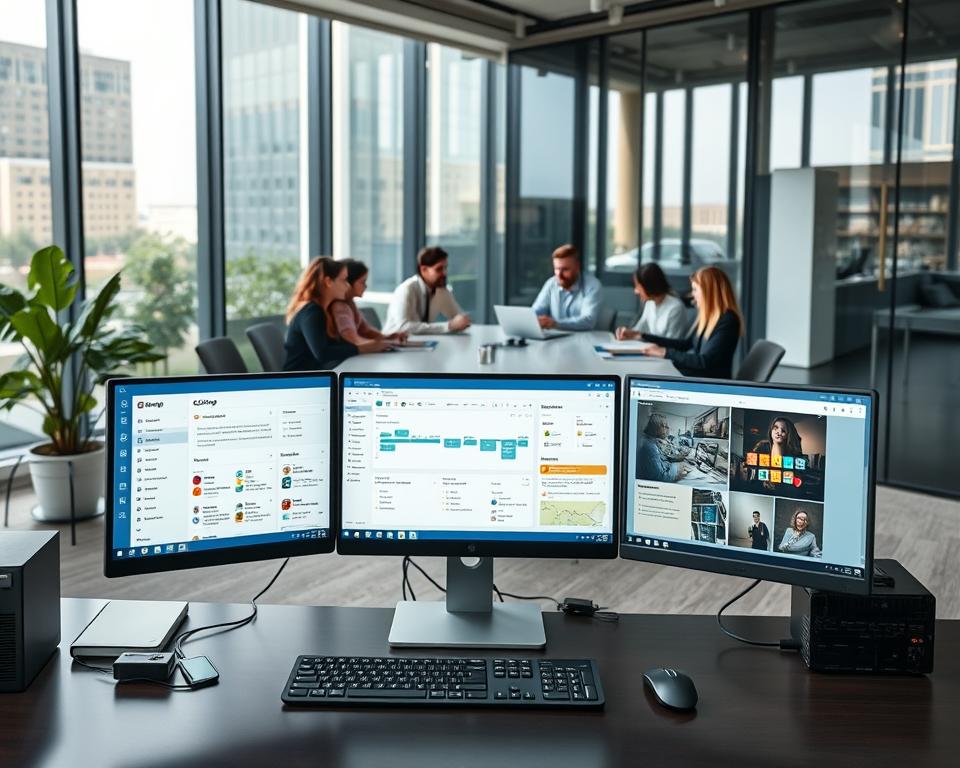
- Task Management: ClickUp lets teams create and assign tasks. They can set deadlines and priorities.
- Customizable Views: Users can see their projects in different ways. This includes lists, boards, or calendars, to fit their style.
- Automation: ClickUp’s automation engine helps automate tasks. This makes workflow smoother.
The project management software market is very competitive. Many players offer different solutions. The market is growing because businesses need to manage complex projects and work together well.
Customers want solutions that are easy to use, have lots of features, and can grow with their needs. They want solutions that work on any device, from anywhere. There’s also a trend towards solutions that handle all aspects of project management.
In summary, ClickUp is a big name in the project management software market. It offers a full solution for businesses. Knowing about ClickUp and the market trends is key for businesses looking for a project management tool.
Why Build a ClickUp-Like Application
The project management software market is booming. This is because businesses need better ways to work together. Creating a ClickUp-like app is smart, thanks to the high market demand for such tools.

Market Demand for Project Management Tools
More and more businesses want tools to manage their projects better. The global market for project management software is growing fast. This is because teams need to work together from anywhere and keep projects organized.
By making a ClickUp-like app, you can meet this growing need. You’ll offer businesses a way to make their work flow smoother.
For example, companies are searching for project management solutions that fit their unique needs. This gives them an edge in their markets.
Business Opportunities and Niche Targeting
Creating a ClickUp-like app opens up many business opportunities. You can focus on a specific industry or size of business that needs a tailored solution. This makes your app the top choice for that niche.
Targeting a niche also means you can tailor your marketing. This makes your campaigns more effective and saves money on getting new customers.
Competitive Advantages You Can Leverage
To stand out in the project management software market, your app needs to offer something unique. This could be new features, a better user experience, or top-notch customer support. These advantages help your app stand out and attract businesses looking for a more complete tool.
Some ways to gain an edge include advanced automation, easy integration with other tools, and customizable workflows.
Essential Features for Your ClickUp-Like App
Creating a ClickUp-like app means adding key features for project management teams. It should help teams manage tasks well, see projects from various angles, work together, and share documents safely.
Task Management and Organization
Task management is key for any project tool. It lets teams create, assign, and track tasks to finish projects on time.
Task Management and Organization
Task management is the heart of any project tool. It lets teams create, assign, and track tasks to finish projects on time.
Task Creation and Assignment
Being able to create tasks and assign them to team members is crucial. This feature should let you add detailed descriptions, due dates, and priority levels. Task assignment should be easy, with clear notifications for the assigned team members.
Priority Levels and Status Tracking
Tasks need priority levels to focus on the most important ones first. Also, tasks should have a status (e.g., to-do, in progress, completed) that’s easy to track. This helps in keeping an eye on progress and finding any hold-ups.
Multiple Project Views
Team members might like different ways to see projects. Offering various project views can meet these needs and boost productivity.
Multiple Project Views
Team members might like different ways to see projects. Offering various project views can meet these needs and boost productivity.
List and Board Views
List views show tasks in a simple, text-based way. Board views (like Kanban boards) show tasks as cards that move through stages.
Calendar and Timeline Views
Calendar views show tasks and deadlines on a calendar, helping plan around important dates. Timeline views show tasks over time, making it easier to see task sequences and dependencies.
Gantt Charts and Dependencies
Gantt charts are great for showing project timelines and task dependencies. They help plan and track complex projects by showing task relationships.

Collaboration and Communication Tools
A project app needs strong collaboration and communication tools. Features like real-time commenting, @mentions, and integrated chat can greatly improve team work.
Document Management and File Sharing
A good project app should also handle document management and file sharing. It should let you store, share, and work on documents, and control who can see them for security.
By adding these key features, a ClickUp-like app can offer a full solution for project management. It can make teams more productive and improve project results.
Advanced Features to Enhance Competitiveness
To stay ahead in the competitive project management software market, it’s key to add advanced features to your ClickUp-like app. These features improve user experience and give businesses the tools to streamline operations. They also help in improving productivity and making informed decisions.
Automation and Workflow Management
Automation is a crucial feature for your ClickUp-like app’s competitiveness. It automates repetitive tasks and workflows. This saves time, reduces errors, and boosts efficiency.
Custom Automation Rules
Letting users create custom automation rules tailored to their needs is a big plus. It allows businesses to automate complex workflows. This ensures tasks are done efficiently and on time.
Workflow Templates
Offering pre-built workflow templates helps users start automating quickly. These templates are for various industries or tasks. They make setting up automation easier for businesses.

Time Tracking and Reporting
Time tracking is a key feature for your ClickUp-like app’s competitiveness. It lets users track time on tasks and projects. This gives insights into productivity and resource use.
Detailed reporting adds value to this feature. It provides actionable data to improve workflows and project outcomes.
Goal Setting and Progress Monitoring
Allowing users to set goals and monitor progress is crucial for businesses. It helps teams stay focused on their targets. They can adjust as needed to stay on track.
Custom Fields and Dashboards
Offering custom fields and dashboards lets users tailor the app to their needs. Custom fields help track relevant data. Customizable dashboards give a personalized view of key metrics and performance indicators.
Choosing the Right Technology Stack
A good technology stack is key for a strong and flexible ClickUp-like app. The right mix of frontend, backend, database, and cloud hosting makes your tool efficient and ready to grow.
Frontend Technologies
Frontend techs shape your app’s look and feel. Picking the best frontend framework is vital for a smooth and engaging user experience.
React and Angular Frameworks
React and Angular lead in web development. React, from Facebook, excels in complex apps with its component-based design. Angular, by Google, focuses on structure and organization.
Mobile Development Options
For mobile apps, you can use native languages like Swift for iOS and Kotlin or Java for Android. Or, you can go for cross-platform tools like React Native or Flutter, which work for both iOS and Android.

Backend Infrastructure
The backend is the heart of your app, handling data and communication between the frontend and database.
Node.js and Python Solutions
Node.js is great for real-time apps with its event-driven design. Python, with Django and Flask, is strong for data analysis and machine learning.
Microservices Architecture
A microservices architecture breaks your app into small services. This boosts scalability, flexibility, and reliability.
Database Solutions
Choosing the right database is essential for managing data well. You can pick relational databases like MySQL or PostgreSQL, or NoSQL options like MongoDB or Cassandra, based on your data needs.
| Database Type | Examples | Use Cases |
|---|---|---|
| Relational Databases | MySQL, PostgreSQL | Structured data, complex transactions |
| NoSQL Databases | MongoDB, Cassandra | Unstructured or semi-structured data, high scalability |
Cloud Hosting and Scalability
Cloud hosting offers a flexible and scalable base for your app. Services from AWS, Google Cloud, and Microsoft Azure help you scale resources as needed.
Development Methodology and Project Phases
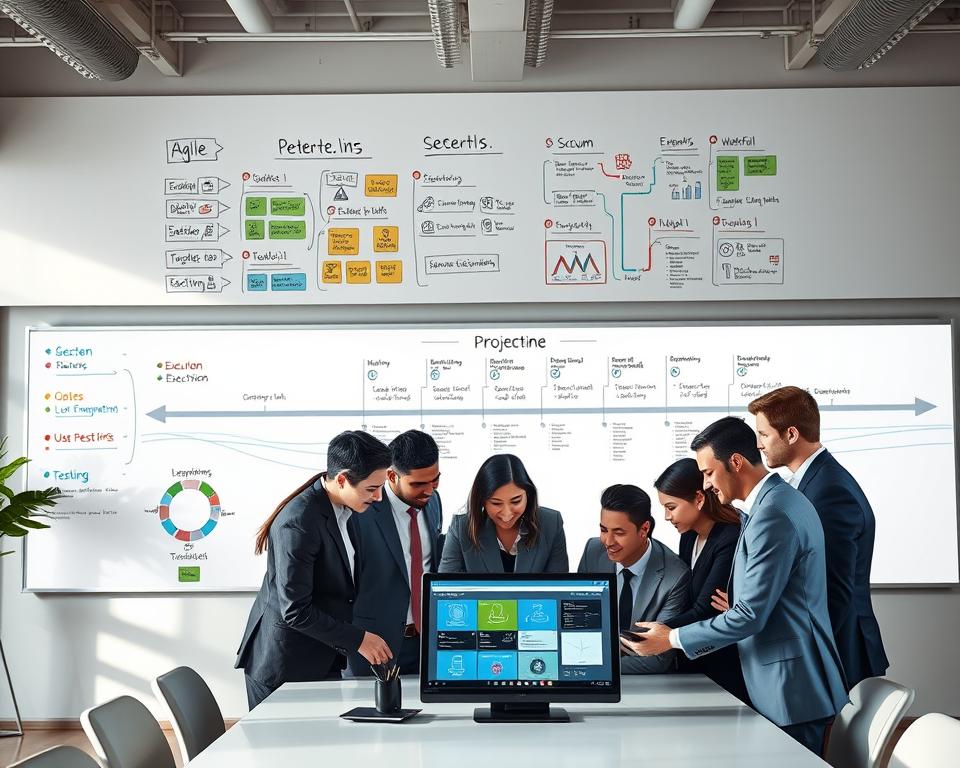
Creating a ClickUp-like app needs a clear plan to meet user needs and standards. A good development methodology helps manage the project’s complexity.
Discovery and Planning Phase
The first step is the discovery and planning phase. It’s key to define the project’s scope and understand the target audience’s needs. It also outlines the key features of the app.
Market Research and Requirements Gathering
This stage involves deep market research to know the competition and gather user needs. It looks at existing tools, finds market gaps, and spots the app’s unique points.
Feature Prioritization
After gathering needs, the next step is to sort features by importance and doability. This way, the most important features are built first. This allows for a working prototype to be released quickly. For more on feature prioritization, check out this app development guide.
Design and Prototyping
Once the feature list is set, the design and prototyping phase starts. It creates wireframes, mockups, and interactive prototypes. These help visualize the app’s layout, user flow, and overall experience.
Development and Testing
The development phase is where the app is coded. It’s often split into sprints, especially with agile development.
Agile Development Sprints
Agile development sprints mean building the app in small, easy-to-manage parts. Each sprint focuses on a few features or user stories. This lets the team work steadily and get feedback early.
Quality Assurance and Bug Fixing
Quality assurance is key during development. It ensures the app meets standards. This includes thorough testing, finding bugs, and fixing them before release.
Deployment and Launch
The last phase is deploying and launching the app. It sets up the infrastructure, deploys to production, and makes it live for users.
The table below shows the main activities in each development phase:
| Phase | Key Activities |
|---|---|
| Discovery and Planning | Market research, requirements gathering, feature prioritization |
| Design and Prototyping | Wireframing, mockups, prototyping |
| Development and Testing | Agile development sprints, quality assurance, bug fixing |
| Deployment and Launch | Infrastructure setup, deployment, launch preparation |
User Interface and User Experience Design Principles
The user interface and user experience of a ClickUp-like app are key to its success. A good UI/UX is more than looks; it’s about making the app easy to use. It should feel natural and smooth for the user.
Intuitive Navigation and Information Architecture
Good navigation is essential for a user-friendly app. It lets users find what they need quickly and easily. A well-organized layout helps keep content easy to find.
To make navigation better, consider these tips:
- Simplify menus and reduce clutter
- Use clear and concise labels
- Implement a robust search function
For more insights on UX design processes, you can refer to ClickUp’s UX Design Process.
Customization and Personalization Options
Customization lets users make the app their own, improving their experience. Personalization goes further by using data to make the app more relevant and engaging.
Key aspects include:
- Allowing users to customize dashboards and workflows
- Using user data to offer personalized recommendations
- Providing options for different views and layouts
Responsive Design for All Devices
A responsive design makes your app work well on all devices. This is important because people use different screens and devices.
To achieve a responsive design:
- Use flexible grids and layouts
- Optimize images and media
- Test across various devices and browsers

By focusing on these UI/UX design principles, you can make a ClickUp-like app that meets and exceeds user expectations. This will help keep users engaged and coming back.
ClickUp Like App Development: Building Your Development Team
Creating a skilled development team is key to making your ClickUp-like app a reality. This team will handle designing, building, and launching your app. It’s important to have the right skills and expertise.
In-House Team vs. Outsourcing
You have two main choices for your development team: an in-house team or outsourcing. In-house teams give you more control and can match your company’s culture and goals. Outsourcing offers a wide range of skills and can be cheaper and more flexible.
Key Roles and Expertise Required
Whether you choose an in-house team or outsource, some roles are crucial for a ClickUp-like app.
Frontend and Backend Developers
– Frontend Developers: They create the app’s UI and UX using React, Angular, or Vue.js.
– Backend Developers: They handle server-side logic, database, and API using Java, Python, or Node.js.
UI/UX Designers
UI/UX designers are vital for a good user interface. They work with frontend developers for a smooth user experience.
Project Managers and QA Engineers
– Project Managers: They manage the development process, keeping it on track and within budget.
– QA Engineers: They test the app, find bugs, and ensure it meets quality standards.
Team Size and Structure
The size and structure of your team depend on your app’s scope and complexity. A typical team might have:
| Role | Number of Team Members | Responsibilities |
|---|---|---|
| Frontend Developers | 2-3 | UI/UX implementation, client-side logic |
| Backend Developers | 2-3 | Server-side logic, database integration, API connectivity |
| UI/UX Designers | 1-2 | User interface and experience design |
| Project Managers | 1 | Project oversight, timeline, and budget management |
| QA Engineers | 1-2 | Testing, bug identification, and quality assurance |

Knowing the key roles and structuring your team well is key to a successful ClickUp-like app.
Integration Capabilities and Third-Party Connectivity
Being able to work with many business tools is crucial for a ClickUp-like app’s success. Today, teams use lots of apps every day. A project management tool needs to connect well with these apps.
To make users happy and productive, it’s key to add essential business tool integrations. These integrations fall into a few main areas:
Essential Business Tool Integrations
Communication Platforms
Connecting with platforms like Slack and Microsoft Teams lets team members get updates in their favorite places. This makes communication smoother.
File Storage Services
Working well with services like Google Drive, Dropbox, and OneDrive means users can share files easily. They don’t have to leave the app.
Calendar and Email Integration
Linking with Google Calendar and Outlook, and email services, helps manage time better. It lets users schedule tasks and set reminders.
API Development and Documentation
A strong API is key for any app’s integration plan. It lets developers add custom connections, making the app more useful.
Good API development needs clear documentation. This should cover API details, data formats, and examples. It helps developers start quickly.

| Integration Type | Examples | Benefits |
|---|---|---|
| Communication Platforms | Slack, Microsoft Teams | Streamlined communication, reduced notification fatigue |
| File Storage Services | Google Drive, Dropbox, OneDrive | Easy file access and sharing, reduced data duplication |
| Calendar and Email | Google Calendar, Outlook | Improved time management, automated scheduling |
Security Measures and Compliance Requirements
A ClickUp-like app must have strong security measures and follow compliance requirements. This ensures user data stays safe. It includes data encryption, secure login methods, and following industry rules.
Data Encryption and Protection
Data encryption is key for app security. It makes data unreadable if accessed without the right key.
End-to-End Encryption
End-to-end encryption encrypts data on your device before sending it. This way, only you and the sender can see the data. It’s a strong security feature.
Secure Authentication Methods
Keeping data safe means using secure login methods. Two-factor or multi-factor authentication adds extra security. For more on secure login, check out best practices for secure mobile apps.
Compliance Standards
Following industry standards and laws is important. It shows your app is secure and trustworthy.
GDPR and Data Privacy
The General Data Protection Regulation (GDPR) is a strict EU law. It sets rules for handling user data. If your app uses EU data, you must follow GDPR.
SOC 2 and Industry Certifications
SOC 2 is a standard for data security. Getting SOC 2 certified shows you’re serious about protecting data. It builds trust with your users.
Focus on security measures and compliance requirements to create a safe app. This way, you’ll meet and exceed user expectations for data safety.
Cost Estimation and Budget Planning
Creating a ClickUp-like app needs a detailed look at all costs. It’s important to know what each part of the cost is. This includes everything from making the app to keeping it updated.
Development Costs Breakdown
Development costs are a big part of the budget. They can be split into two main areas: making a basic version and a full app.
MVP Development Expenses
Starting with a Minimum Viable Product (MVP) is a smart move. It lets you test the market with a simple version. The cost of making an MVP can change a lot, based on what features you add.
For more info on managing project costs, check out project cost management software.
Full-Featured Application Costs
A full app has all the features you want. Making this type of app costs more than an MVP.
| Feature | MVP Development Cost | Full-Featured Development Cost |
|---|---|---|
| Task Management | $5,000 – $10,000 | $15,000 – $30,000 |
| Collaboration Tools | $3,000 – $6,000 | $8,000 – $15,000 |
| Reporting and Analytics | $2,000 – $4,000 | $5,000 – $10,000 |
Ongoing Maintenance and Support Expenses
After you make the app, there are ongoing costs. These include server costs, updates, and adding new features.
Server and Infrastructure Costs
Server costs depend on where you host your app and how big it needs to be.
Updates and Feature Enhancements
Keeping your app up-to-date and adding new features is key. It helps your app stay competitive and meet user needs.
| Maintenance Activity | Annual Cost |
|---|---|
| Server and Infrastructure | $5,000 – $10,000 |
| Updates and Enhancements | $10,000 – $20,000 |
Factors Affecting Overall Investment
Several things can change how much you’ll spend on a ClickUp-like app. These include the tech used, the team’s size and skill, and how complex the features are.
Knowing these factors and how they affect your budget is key for good planning.
Monetization Strategies for Your Project Management App
To make money from a project management app like ClickUp, you have several monetization strategies to choose from. It’s important to pick one that fits what your users need and like.
Getting your app to make money is key to its success. It not only brings in cash but also shows how valuable your app is.
Subscription-Based Models
One popular way to make money is through subscription plans. Users pay a fee, either monthly or yearly, to use the app’s features.
Tiered Pricing Plans
Using tiered pricing plans helps you serve different users. You can have a plan for small teams or individuals, another for growing businesses, and the most expensive for big companies.
| Plan | Features | Price |
|---|---|---|
| Basic | Task management, Limited users | $10/month |
| Premium | Task management, Multiple project views, Advanced reporting | $25/month |
| Enterprise | All premium features, Custom fields, Dedicated support | Custom pricing |
Per-User Pricing
Per-user pricing is another way to charge. You charge based on how many users you have. This works well for big teams where the number of users can really add up.
Freemium Approach
The freemium approach gives you a free version and charges for extra features. It’s great for getting lots of users and then making some of them pay.
For example, you could offer basic task management for free. Then, charge for things like automation, custom fields, or extra support.
Enterprise Licensing
Enterprise licensing is good for big companies. It offers special solutions and support that meet their needs.
Big companies are often willing to pay more for solutions that fit their complex needs. This can be a big source of income.
Conclusion
Creating a ClickUp-like app is a big challenge. It needs careful planning, execution, and upkeep. You must understand what businesses and teams need. This way, you can make a project management software that boosts collaboration and productivity.
A good ClickUp-like app can give you an edge in the market. It should have features like task management, multiple project views, and tools for working together. Choosing the right technology, development method, and integration is key to making a strong and growing app.
The need for project management tools is growing. Investing in making a ClickUp-like app can be smart for businesses. Focus on making it user-friendly, secure, and profitable. This way, you can make a project management software that meets the changing needs of businesses and teams.


