






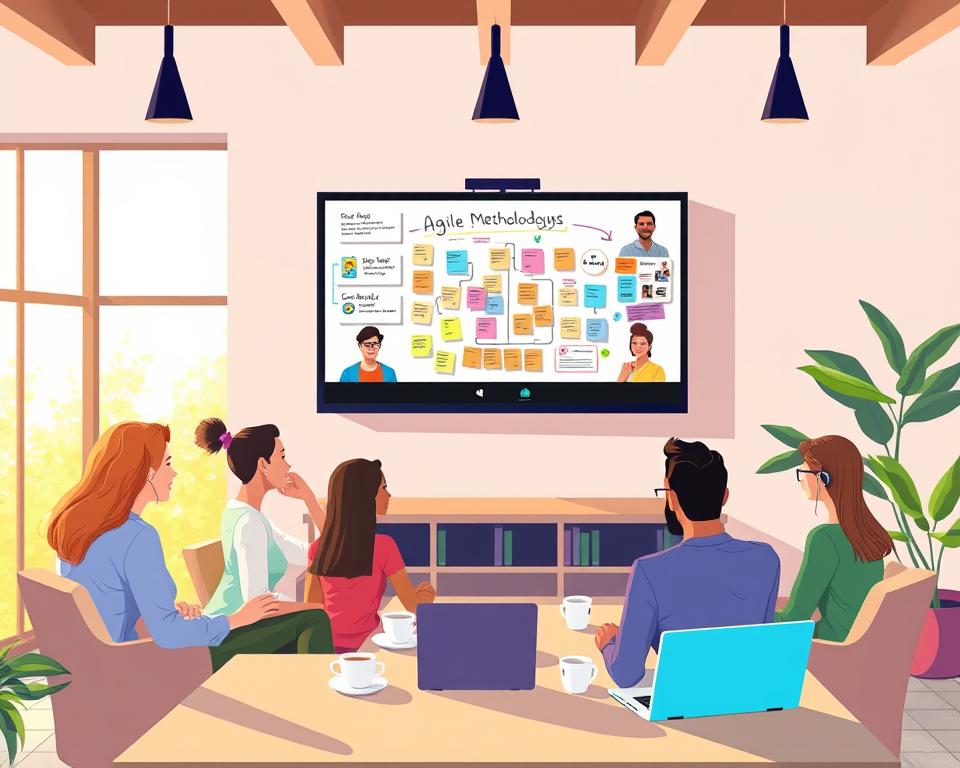
The world has seen a big change in how we work. Now, remote work is the new standard. Setting up a successful Agile team from different places is key.
This change brings new challenges. It’s vital to know how to build and manage a remote Agile development team. With more teams working from home, companies must adjust to stay ahead.
Table of Contents
Key Takeaways
- Understand the importance of setting up a remote Agile development team correctly.
- Learn how to build a successful distributed Agile team.
- Discover the challenges associated with remote Agile development.
- Find out how to manage a remote Agile team effectively.
- Explore strategies for successful remote team collaboration.
Understanding Remote Agile Development
Remote Agile development mixes Agile methods with the ease of working from home. It lets teams work well together, even if they’re far apart.
What Is Remote Agile Development
Remote Agile development is Agile for teams that work from different places. It uses Agile practices like Scrum or Kanban, but everyone works from home.
Benefits of Remote Agile Teams
Remote Agile teams save money, are flexible, and offer better work-life balance. 83% of employers have seen their remote teams work better.
Cost Savings and Resource Access
Remote Agile teams can find talent worldwide, cutting down on travel costs. This saves money for both employers and employees.
Flexibility and Work-Life Balance
Working from home lets team members plan their work hours. This improves their work-life balance and job happiness.
Key Differences from Traditional Agile
Remote Agile is different from traditional Agile in how it handles communication, teamwork, and managing projects. Using digital tools well is key to success in remote Agile settings.
| Aspect | Traditional Agile | Remote Agile |
|---|---|---|
| Team Location | Co-located | Distributed |
| Communication | Face-to-face | Digital |
| Collaboration Tools | Physical boards | Digital boards and tools |

Essential Prerequisites for Remote Agile Success
To succeed with remote Agile, organizations need a strong base. They must check if they’re ready for remote work. They also need the right tools and a good budget.
Organizational Readiness Assessment
Before starting remote Agile, check if your organization is ready. This means looking at two important things:
Leadership Buy-In
Getting leaders on board is key. They need to get the Agile method and be ready for remote work’s challenges.
Cultural Adaptability
Being open to change is also crucial. Your organization must be ready to adjust to remote work. This means building trust, being open, and working well together.
Infrastructure Requirements
A good setup is vital for remote Agile teams. You’ll need reliable ways to talk, manage projects, and keep track of changes.
Budget Considerations
Money matters a lot in remote Agile. You’ll need to set aside funds for tools, training, and any unexpected issues.
| Prerequisite | Description | Importance Level |
|---|---|---|
| Organizational Readiness | Assessing the organization’s readiness for remote Agile | High |
| Infrastructure | Implementing necessary tools and systems | High |
| Budget Allocation | Allocating sufficient resources for remote Agile development | Medium |
Companies that go flexible can see a 30% boost in productivity. By focusing on these key areas, you can make remote Agile work well for your team.

Building Your Remote Agile Team Structure
Creating a remote Agile team is more than just picking skilled developers. It needs a careful plan for team structure. A dedicated team model lets companies have a stable, long-term team of engineers for their product.
Optimal Team Size and Composition
The best team size for remote Agile development is 5 to 9 members. This size offers a variety of skills and keeps communication effective.
Cross-Functional Team Design
A cross-functional team has all roles needed to deliver a product increment. This design boosts teamwork and cuts down on dependencies.
Frontend and Backend Developers
Frontend developers work on the user interface and experience. Backend developers handle server-side logic and database integration. A mix of both is essential for a product’s success.
QA Engineers and DevOps Specialists
QA engineers check the product’s quality through testing. DevOps specialists connect development and operations, making deployment and monitoring smooth.

Distributed vs Fully Remote Models
It’s important to know the difference between distributed and fully remote teams. Distributed teams might have some members in an office, while fully remote teams work from anywhere.
As Agile expert says, “Remote teams need a special mindset and way to work together.” A good team structure is vital for success in both models.
Defining Roles and Responsibilities
In a remote Agile team, it’s key to know who does what. This helps everyone understand their jobs, deadlines, and how they help the project succeed.
Product Owner in Remote Settings
The Product Owner (PO) is very important in remote Agile teams. They make sure the product’s value is high thanks to the Development Team’s work.
Availability and Accessibility
The PO needs to be easy to reach for the Development Team. They should answer questions, clear up doubts, and make quick decisions.
Vision Communication
It’s important for the PO to share the product’s vision well. They must make sure the Development Team knows the product’s plan, what’s most important, and when things will be released.
Scrum Master Responsibilities
The Scrum Master helps the team follow Scrum rules, gets rid of obstacles, and teaches Agile ways. In remote teams, they need to be good at talking and leading discussions.
Development Team Member Roles
Development Team members aim to finish working software by the end of each Sprint. They work together, guess how long tasks will take, and agree on Sprint goals.
Stakeholder Engagement
It’s vital to keep stakeholders involved in remote Agile teams. This means telling them about the project’s progress, getting them to Sprint Reviews, and using their feedback.

When roles and responsibilities are clear, remote Agile teams can work better. This ensures projects are done on time and meet what stakeholders expect.
Communication Tools and Platforms
In remote Agile development, communication tools are key for teamwork. They help teams talk clearly, no matter where they are. This is vital for success.
Video Conferencing Solutions
Video conferencing tools are crucial for face-to-face talks in remote teams. They help teams meet virtually, improving teamwork and reducing loneliness.
Zoom for Team Meetings
Zoom is great for team meetings because of its top-notch video and audio. It also has screen sharing and is easy to use. It works for both small and big meetings.
Microsoft Teams Integration
Microsoft Teams has video conferencing built in. It lets teams talk and work together in one place. It also works well with other Microsoft tools, boosting productivity.
Google Meet Advantages
Google Meet is a simple and safe way to video chat. It works well with Google Calendar and other Google tools. It’s perfect for teams already using these services.

Instant Messaging Platforms
Instant messaging platforms are key for quick team talks. They help teams make fast decisions.
Slack for Team Communication
Slack is popular for team chats because it’s flexible and has lots of features. It has channels, direct messages, and file sharing.
Microsoft Teams Chat Features
Microsoft Teams also has great chat features. It’s good for both personal and group chats. It works well with other Microsoft tools, making it a full solution.
Asynchronous Communication Tools
Asynchronous tools are important for teams in different time zones. They let team members chat and work together whenever they can.
Email Management Best Practices
Good email management is key for remote teams to avoid info overload. It’s important to use clear subject lines, sort emails, and set response times.
Using these communication tools, remote Agile teams can work better together. This leads to more productivity and success in projects.
Project Management and Tracking Tools
In remote Agile development, project management tools are key. They help teams work together and stay productive. These tools track progress, manage tasks, and help team members collaborate.
Digital Scrum Boards
Digital Scrum boards are vital for Agile project management. They show the project’s workflow visually. Popular tools include:
- Jira for Agile teams, offering comprehensive project management.
- Azure DevOps Boards, integrating well with other DevOps tools.
- Trello for lightweight projects, with a simple interface.

Sprint Planning Software
Sprint planning is essential in Agile. Specialized software helps teams plan sprints, assign tasks, and set goals.
Backlog Management Tools
Good backlog management is key for Agile success. Tools help prioritize tasks, refine user stories, and keep the backlog current.
Integration Capabilities
Project management tools need to integrate with other tools. Good integration makes workflows smoother, cuts down on manual work, and boosts project visibility.
Development and Collaboration Infrastructure
In remote Agile development, a solid infrastructure is key for team success. It includes tools for managing code, integrating and deploying, reviewing code, and documenting work.
Version Control Systems
Version control systems are the base of any development setup. They help teams manage code changes well.
GitHub for Code Management
GitHub is a top version control platform. It has features like pull requests and code reviews. It works well with other tools, making it popular among remote Agile teams.
GitLab Features
GitLab is a strong version control system. It has features like CI/CD integration, issue tracking, and project management. Its all-in-one approach is appealing to teams seeking a single solution.
Bitbucket Integration
Bitbucket is a version control platform that integrates well with Atlassian tools like Jira. It’s flexible and scalable, fitting teams of all sizes.
Continuous Integration and Deployment
CI/CD are vital in Agile development. They help teams deliver quality software quickly and reliably.
Jenkins Automation
Jenkins is a widely-used automation server for CI/CD. It has many plugins for working with various tools, making it customizable.
CircleCI and Travis CI
CircleCI and Travis CI are top CI/CD platforms. They integrate easily with GitHub and other systems. They offer fast, scalable build environments for automating testing and deployment.
Code Review Platforms
Code review is crucial in Agile development. It ensures code is maintainable, efficient, and meets standards.
GitHub and GitLab have built-in code review features. They help teams collaborate and give feedback.
Documentation Systems
Good documentation is key for sharing knowledge and working together in remote Agile teams.
Confluence for Knowledge Base
Confluence is a top documentation tool. It’s great for creating and managing team knowledge bases. It works well with other Atlassian tools, making it a good choice for teams using Jira or Bitbucket.
Notion for Team Docs
Notion is an all-in-one workspace for documentation. It lets teams create notes, databases, and Kanban boards in one place. It’s flexible and meets different team needs.
Martin Fowler says, “Without proper infrastructure, remote teams can struggle to collaborate and deliver quality software.” A well-structured infrastructure is essential for remote Agile teams.
“The right tools can make or break a remote team’s productivity.”
| Tool | Purpose | Key Features |
|---|---|---|
| GitHub | Version Control | Pull requests, code reviews, integrations |
| GitLab | Version Control & CI/CD | CI/CD integration, issue tracking, project management |
| Jenkins | CI/CD Automation | Plugin ecosystem, customizable pipelines |
| Confluence | Documentation | Knowledge base, team collaboration, integrations |

Remote Agile Development Team Setup Guide Implementation
To set up a remote Agile development team, focus on key areas. You need to plan well, including setting goals, picking team members, and setting up tech. This ensures your team works smoothly from afar.
Step One: Define Your Team Vision and Goals
Start by setting your team’s vision and goals. This means creating a clear mission and defining what success looks like.
Mission Statement Creation
A good mission statement guides your team. It tells them what they’re working for. For example, “To deliver high-quality software products that meet customer needs through collaborative and iterative development practices.”
Success Metrics Identification
Choosing the right metrics to measure success is key. Look at things like how fast you work, how happy customers are, and how few mistakes you make.

Step Two: Recruit and Select Team Members
Having the right team members is crucial for success. Look for people who are good at working remotely and have the right skills.
Remote Work Competencies
Remote work skills include being self-motivated, able to communicate well, and work alone. Here’s a table of important remote work skills:
| Competency | Description |
|---|---|
| Self-Motivation | Ability to work without direct supervision |
| Effective Communication | Clear and concise communication in writing and speech |
| Independent Work | Capability to manage tasks and time efficiently |
Technical Skills Assessment
Assessing technical skills is important. You can do this with coding tests, interviews, or by looking at past work.
Step Three: Establish Communication Protocols
Good communication is essential for a remote team. Make sure everyone knows how to talk and share information.
Response Time Expectations
Set clear times for when team members should respond. For example, they might need to answer messages in 2 hours during work hours.
Communication Channel Guidelines
Make rules for how to use different ways to communicate. For example, use Slack for quick messages, Zoom for video calls, and email for formal stuff.
“The art of communication is the language of leadership.” – James Humes
Step Four: Set Up Technical Infrastructure
Having the right tech setup is crucial. This means choosing the right tools and making sure everything is secure.
Tool Stack Selection
Choose tools like Jira for managing projects, Git for version control, and Jenkins for continuous integration.
Security Configuration
Make sure your tech is secure. This includes setting up access controls, encrypting data, and following the law.
Adapting Agile Ceremonies for Remote Teams
Agile ceremonies can be adapted for remote teams with the right strategies. As teams work from home, it’s key to change traditional Agile practices. This keeps productivity and teamwork strong.
Virtual Daily Stand-ups
Daily stand-ups are vital for team alignment and progress tracking. In remote work, these meetings need careful planning.
Timing and Duration
Virtual daily stand-ups should fit most team members’ schedules. Keeping them short, under 15 minutes, keeps them effective.
Video-On Policies
Keeping cameras on during stand-ups helps team connection. But, respect team members’ comfort and internet limits.
Remote Sprint Planning Sessions
Sprint planning is crucial and needs changes for remote teams.
Preparation Requirements
Team members should review the backlog before planning. They should also prepare questions and ideas. This makes the meeting productive.
Collaborative Estimation Techniques
Tools like Planning Poker or T-Shirt Sizing help teams agree on task complexity. These can be used in virtual meetings through digital platforms.

Sprint Reviews and Demos
Sprint reviews and demos let teams show their work and get feedback. In remote settings, video conferencing tools allow stakeholders to join in.
For more insights on Agile ceremonies, visit Monday.com’s blog on Agile ceremonies.
Retrospectives in Virtual Settings
Retrospectives are key for improvement. In virtual settings, digital boards and anonymous tools help open discussions.
Digital Retrospective Boards
Tools like Mural or Miro let teams create digital boards for retrospectives. This allows for asynchronous contributions.
Anonymous Feedback Tools
Anonymous tools in retrospectives let team members share honestly without fear.
Building a remote software development team needs careful thought on Agile ceremonies. For more information, check out Next Big Technology’s guide on building remote.
| Agile Ceremony | Traditional Approach | Remote Adaptation |
|---|---|---|
| Daily Stand-ups | In-person meetings | Virtual meetings via video conferencing |
| Sprint Planning | In-person collaboration | Virtual collaboration using digital tools |
| Sprint Reviews/Demos | In-person presentations | Virtual presentations via video conferencing |
| Retrospectives | In-person discussions | Virtual discussions using digital boards and anonymous feedback tools |
Managing Time Zones and Scheduling
Remote Agile teams face big challenges with time zones and scheduling. Teams spread out over different places make it hard to coordinate work hours and meetings.
Core Hours Strategy
Core hours help teams work together better. These are times when everyone is available for teamwork.
Overlap Time Calculation
To find core hours, figure out when different zones overlap. For example, New York (EST) and London (GMT) might have a common time (like 10 AM EST to 2 PM EST) for team work.
Flexible Schedule Implementation
Flexible schedules also help with time zones. Team members can adjust their hours to fit core times for important tasks and meetings.
Meeting Rotation Practices
Meeting rotation makes things fair. It means changing meeting times so no one always has to meet at a bad time.
Asynchronous Work Optimization
Asynchronous work is key for teams in different zones. It lets team members work without being online at the same time.
Handoff Documentation
Good handoff documents are essential for asynchronous work. They help team members start tasks easily, no matter where they are or what time it is.
Video Updates and Recordings
Video updates and recordings help with asynchronous communication. Team members can share info or explain things that others can watch whenever they want.
By using these strategies, remote Agile teams can handle time zones and scheduling better. This boosts productivity and teamwork.
Building and Maintaining Team Culture
Remote Agile teams need a special effort to build a culture that supports teamwork and productivity. It’s key to create a team culture in remote Agile development. This culture affects how well the team works together, stays motivated, and performs.
Virtual Team Building Activities
Virtual team building activities are important for creating unity and friendship among remote team members. These activities help overcome distance and unite everyone with a common goal.
Online Games and Competitions
Online games and competitions are great for team interaction and bonding. For example, virtual escape rooms or online game nights can be fun ways to connect team members.
Virtual Coffee Breaks
Virtual coffee breaks help recreate the casual chats found in an office. These informal meetings allow team members to connect personally, building a sense of community.
Recognition and Appreciation Programs
Recognition and appreciation programs are key for motivating remote team members. Regularly acknowledging achievements and contributions boosts morale and job satisfaction. As
“You can’t build a great team without great relationships, and recognition is a key part of that.”
– Anonymous
Fostering Trust and Transparency
Building trust and transparency is crucial in remote teams. This can be done through open communication channels and promoting a culture of honesty and openness.
Open Communication Channels
Keeping communication open is essential. Using tools like video conferencing and instant messaging apps helps keep everyone connected and informed. For more tips on communication, check out our guide on how to find and hire remote developers for your.
Vulnerability and Authenticity
Encouraging vulnerability and authenticity helps build trust. This can be done through regular team-building activities and leadership setting an example of openness.
Onboarding Remote Team Members
To make sure your team works well together, a good onboarding process for remote team members is key.
Structured Onboarding Process
A structured onboarding process helps remote team members fit in smoothly. It includes:
- Clear communication of expectations and roles
- A comprehensive introduction to the team’s workflow and tools
- Regular check-ins during the initial period
First Week Checklist
A detailed checklist for the first week keeps new team members on track. It might include:
- Completing necessary administrative tasks
- Familiarizing themselves with project management tools
- Meeting with key team members
30-60-90 Day Plans
Setting specific goals for the first 30, 60, and 90 days helps new team members. It shows how they’re doing and if they’re fitting in.
Documentation and Resources
It’s important to give remote team members lots of documentation and resources. This includes:
- A centralized knowledge base or wiki
- Video tutorials for software and tools
- Access to previous project documentation
Wiki and Knowledge Base
A well-kept wiki or knowledge base is a go-to for team info. It should be easy to find and updated often.
Video Tutorials
Video tutorials are great for explaining complex things and how to use tools. They can be looked at many times by new team members.
Buddy System Implementation
Using a buddy system pairs new remote team members with experienced colleagues. This makes onboarding easier and helps the team bond.
Security and Compliance Considerations
In remote Agile development, security and compliance are key to success. Teams working from different places face higher risks of data breaches and not following rules.
Data Protection Measures
Strong data protection measures are a must. This includes:
- Encryption Standards: Advanced encryption to keep data safe while it moves and when it’s stored.
- Secure File Sharing: Using encrypted cloud storage for safe file sharing among team members.
Access Control and Authentication
Good access control and authentication stop unauthorized access to sensitive data.
- Multi-Factor Authentication: Needing more than one form of ID to make sure only the right people get into important systems.
- VPN Requirements: Making VPNs a must for safe remote access to company resources.
Compliance with Regulations
Following compliance regulations is a must. This means:
- GDPR Considerations: Making sure to follow the General Data Protection Regulation for EU citizen data.
- HIPAA for Healthcare Projects: Following Health Insurance Portability and Accountability Act rules for healthcare data projects.
By focusing on security and compliance, remote Agile teams can lower risks. They keep the trust of their clients and stakeholders.
Performance Metrics and Monitoring
Performance metrics are key to checking how well remote Agile teams do their job. It’s important to keep an eye on these metrics. This way, teams can work efficiently and deliver top-notch results.
Velocity Tracking
Tracking velocity is a big deal in Agile development. It shows how much work a team does in a sprint. Sprint velocity charts make it easy to spot trends and patterns.
Sprint Velocity Charts
Sprint velocity charts show a team’s velocity over many sprints. They help teams predict their future performance. This lets teams adjust their plans as needed.
Trend Analysis
Looking at velocity trends helps teams see how they’re doing. It guides them in planning their work and capacity. For more on working with dedicated teams, check out Next Big Technology.
Quality Metrics
Quality metrics are crucial for checking a project’s health. Important metrics include defect rates and code coverage metrics.
Defect Rates
Tracking defect rates helps teams spot where they can improve. This ensures they deliver better work.
Code Coverage Metrics
Code coverage metrics show how well the code is tested. They give insights into the software’s reliability and stability.
Team Health Indicators
Team health indicators, like how well teams collaborate and communicate, are vital. They keep remote teams working well together.
Individual Performance Assessment
Checking how each team member does is key in remote Agile teams. It makes sure everyone is helping the project succeed.
Overcoming Common Remote Agile Challenges
Using Agile methods in a remote team has its own hurdles. Teams face unique challenges that can affect their work and success.
Communication Breakdowns
Good communication is key in any team, but it’s harder when everyone isn’t together. Misunderstandings and context loss can happen when info isn’t clear or when team members aren’t in sync.
Misunderstandings and Context Loss
To avoid misunderstandings, teams should use clear and concise language. It’s also important that all team members have the same info and context.
Over-Communication Solutions
Being too communicative can help avoid misunderstandings. Regular updates and check-ins can make sure everyone is on the same page.
Isolation and Burnout
Remote work can lead to feelings of isolation and burnout. Teams need to focus on mental health support and work-life balance.
Mental Health Support
Offering mental health support can help team members deal with stress and stay well. This can include counseling services or mental health days.
Work-Life Boundary Setting
It’s important to encourage team members to set clear boundaries between work and personal life. This can include flexible hours or avoiding work outside work hours.
| Challenge | Solution |
|---|---|
| Communication Breakdowns | Regular check-ins, clear language |
| Isolation and Burnout | Mental health support, work-life boundary setting |
| Technical Issues | Reliable infrastructure, prompt issue resolution |
Technical Issues and Downtime
Technical problems can really affect remote Agile teams. Having reliable infrastructure and a plan for quick fixes can reduce downtime.
Maintaining Productivity
To stay productive in a remote setting, teams need to manage distractions and have accountability systems. There are many tools and strategies to help stay focused.
Distraction Management
Encouraging team members to avoid distractions during work hours can boost productivity. Techniques like the Pomodoro Technique can help.
Accountability Systems
Having systems for accountability, like regular updates, can ensure team members meet their goals and stay on track.
Conclusion
Setting up a remote Agile development team needs careful planning and the right tools. Understanding remote Agile development helps organizations build and manage successful teams. This guide offers strategies for achieving this goal.
A good team setup is key for remote Agile success. It involves defining roles, setting up communication, and choosing the right tools. These steps help teams work well together.
Remote work success depends on teamwork and managing time zones. The right tools, like video conferencing and version control, help teams work efficiently. This leads to high-quality results.
As more organizations use remote Agile, it’s important to keep improving. Monitoring performance and solving challenges helps teams stay agile and productive. This leads to better project outcomes.


