







The rise of AI-driven productivity tools has changed how we work and manage tasks. Notion AI leads this change, offering features that boost productivity and make workflows smoother.
As more people want these tools, making an app like Notion AI is a great idea. This article will cover the important parts of making such an app. We’ll look at its features, cost, tech stack, and timeline for development.
Knowing these details helps developers and businesses create an AI productivity tool that meets today’s user needs.
Table of Contents
Key Takeaways
- Understanding the concept of Notion AI and its impact on productivity.
- Identifying the key features required for an AI-driven productivity app.
- Estimating the cost involved in developing such an app.
- Choosing the right tech stack for app development.
- Establishing a realistic timeline for the development process.
1. Understanding Notion AI and Its Market Impact
Notion AI is changing how we work with its smart features. It’s a tool that does it all: notes, projects, and teamwork. This makes work easier and faster for everyone.
Notion AI’s effect on work is huge. It uses AI to help with daily tasks and improve how we work. This saves time and makes work better.
1.1. What Makes Notion AI a Game-Changer in Productivity
Notion AI stands out because it does so much in one place. It has AI for writing, editing, and organizing notes. This makes it a must-have for work and personal projects.
It also lets users tailor their work to fit their needs. This flexibility, along with AI insights, helps people work smarter.

1.2. Market Reception and User Adoption Statistics
People love Notion AI, and it’s getting more users fast. It’s grown a lot, with many switching from other tools.
| Metric | Statistic |
|---|---|
| User Growth Rate | 50% YoY |
| Adoption Rate | 75% within first 6 months |
| Customer Satisfaction | 90% |
These numbers show Notion AI is on the rise. It’s a top choice for those looking for AI in productivity tools. As more people want AI in their work, Notion AI is ready to help.
2. Why Invest in Notion AI Like App Development
Investing in Notion AI-like app development is a smart move for companies. It taps into the growing demand for AI in productivity. The AI productivity tools market is booming, thanks to the need for better operations, teamwork, and efficiency.

2.1. Explosive Growth of AI Productivity Tools Market
The market for AI productivity tools is growing fast. Many industries are adopting these solutions to stay ahead. The growth is driven by:
- More demand for automation
- The need for better collaboration tools
- The rise of remote work
- Advances in AI technology
Market research shows the global AI productivity tools market will grow at a compound annual growth rate (CAGR) of over 30% in the next five years.
2.2. Business Value and Revenue Opportunities
Investing in Notion AI-like app development brings big benefits and revenue chances. These apps can:
- Boost productivity with AI features
- Give a competitive edge
- Bring in new revenue through subscriptions
- Offer scalable solutions for all business sizes
By creating an app with AI-powered features, businesses can significantly improve user experience and keep customers coming back.
2.3. Competitive Advantages for Early Movers
Being an early mover in Notion AI-like app development offers big advantages. These include:
- Building brand recognition
- Capturing a big market share
- Shaping market trends and standards
- Creating a loyal customer base
By getting in early, businesses can lead the way in AI productivity solutions. This gives them a lasting competitive edge.
3. Must-Have Core Features for a Notion AI Like App
A Notion AI-like app needs advanced features for better content creation and teamwork. These features boost user productivity and give it a market edge.
3.1. AI-Powered Content Generation and Writing Assistant
The app should have an AI-powered content generation tool. It helps users make quality content fast. It can write articles, come up with ideas, and even finish tasks by suggesting content.
For example, AI can solve writer’s block by offering new phrases or sentences. This makes writing better.
3.2. Intelligent Document Editing and Auto-Formatting
Intelligent document editing makes the app better by auto-formatting documents. It uses templates or user preferences. This saves time and keeps documents consistent.
3.3. Smart Note Organization and Categorization
The app should have a smart note organization system. It sorts notes by content, making it easy to find information. AI-driven tagging and categorization help with this.
3.4. Real-Time Collaborative Workspaces
Real-time collaborative workspaces boost team work. The app lets many users edit a document at once. Changes are seen right away.
3.5. Multi-Format Content Support
Supporting multi-format content is key for flexibility. The app should handle text, images, and videos. This meets different user needs.
Here’s a summary of the core features in a tabular format:
| Feature | Description | Benefit |
|---|---|---|
| AI-Powered Content Generation | Assists in creating high-quality content | Enhances writing productivity |
| Intelligent Document Editing | Automatically formats documents | Saves time and ensures consistency |
| Smart Note Organization | Categorizes notes based on content | Easier information retrieval |
| Real-Time Collaborative Workspaces | Allows simultaneous document editing | Enhances team productivity |
| Multi-Format Content Support | Handles various content types | Caters to different user needs |

4. Advanced AI Capabilities to Differentiate Your App
Advanced AI can make your app much better. It can offer a unique experience to users. This makes your app stand out from others.

4.1. Natural Language Understanding and Processing
Natural language understanding (NLU) lets your app understand what users say. It supports voice commands, text analysis, and smart search. This makes using your app easier and more fun.
4.2. Context-Aware Content Suggestions
Context-aware content suggestions help users work smarter. They get tips and ideas that fit their current task. This is super helpful for writing and editing.
4.3. Automated Summarization and Knowledge Extraction
The app can automatically summarize long texts and pull out important points. This saves a lot of time. It’s great for research and data analysis.
4.4. Predictive Text and Smart Completion
Predictive text and smart completion make typing faster and less error-prone. They guess what you’re about to type. This makes writing easier and faster.
With these AI features, your app will be smarter and more helpful. It will meet and exceed what users expect. Your app will be a top-notch productivity tool.
5. Essential Supporting Features for User Experience
A Notion AI app works better with key features that boost user experience. These features make the app functional, enjoyable, and easy to use. Let’s look at the important features that can make your Notion AI app better.
5.1. Cross-Platform Synchronization and Accessibility
Cross-platform synchronization is key for users to access data on any device easily. It ensures a smooth experience on desktops, tablets, or smartphones.
Developers can use cloud services for real-time data syncing. This makes data current on all devices, improving user experience.
5.2. Robust Offline Functionality
Robust offline functionality is crucial for users without constant internet. It lets them work on tasks without any breaks.
To make this work, developers need to plan data caching and syncing. This ensures data syncs up when the user goes back online.

5.3. Customizable Templates and Workflows
Customizable templates and workflows let users adjust the app to fit their needs. This boosts productivity and satisfaction, especially in business settings where teams have different needs.
| Template Type | Description | Benefit |
|---|---|---|
| Project Management | Templates for managing projects, including task lists and timelines. | Enhances project organization and tracking. |
| Meeting Notes | Templates for taking and organizing meeting notes. | Improves note-taking efficiency and follow-up actions. |
5.4. Third-Party Integrations and API Support
Third-party integrations and API support are vital for adding more features. They connect the app with other tools and services users use.
API access lets developers create custom integrations. This makes the app more versatile and appealing.
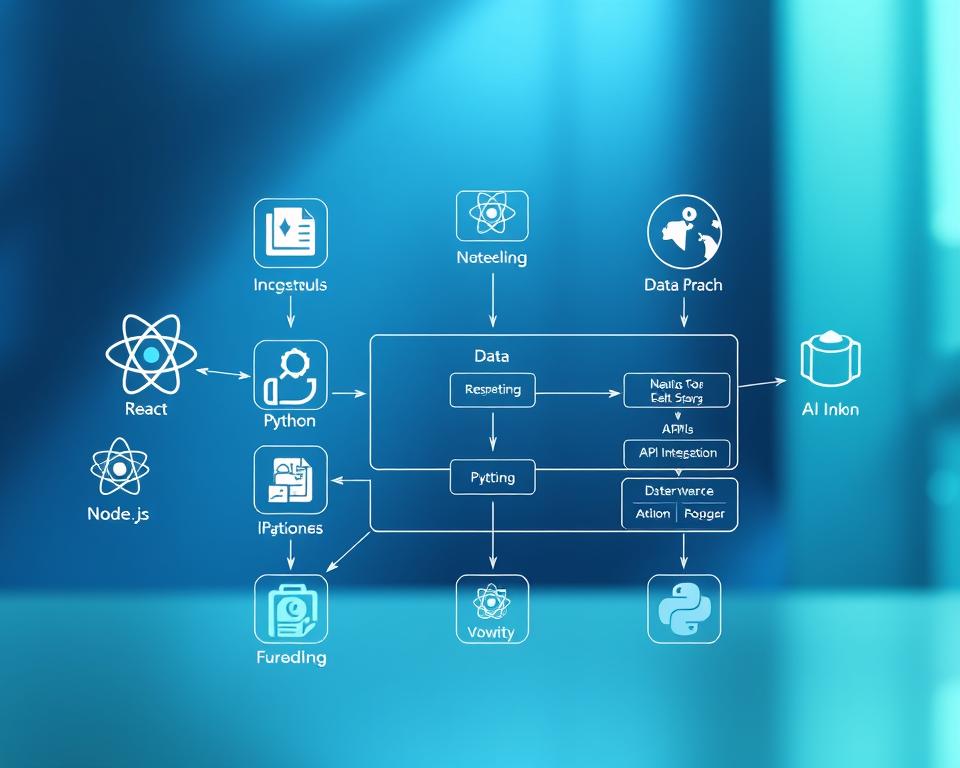
6. Comprehensive Tech Stack for Notion AI Like App Development
Choosing the right tech stack is key for a Notion AI-like app. It ensures a smooth user experience with AI features. A good tech stack means your app can grow, perform well, and use advanced AI.
Frontend Development Technologies
When picking frontend tech, consider if you’re making a web app, mobile app, or both.
6.1.1. React.js for Web Applications
React.js is top for web apps. It’s known for its component-based design and fast rendering. It helps create reusable UI parts and has a big community backing it.
6.1.2. React Native or Flutter for Mobile Apps
For mobile apps, React Native and Flutter lead the way. They let you build apps for both iOS and Android without separate code.
“React Native allows you to build mobile apps using JavaScript and React, making it a great choice for developers already familiar with web development.”
Backend Framework Selection
The backend framework is crucial for server-side tasks, database work, and API connections.
6.2.1. Node.js with Express
Node.js with Express is a favorite combo. Node.js is event-driven and non-blocking, while Express makes web app building easier.
6.2.2. Python with Django or FastAPI
Python is a strong backend choice, with Django and FastAPI as options. Django is full-featured, while FastAPI is fast and simple.
Database Architecture
Choosing the right database is essential for efficient data storage and retrieval.
6.3.1. PostgreSQL for Relational Data
PostgreSQL is great for complex data and transactions. It’s perfect for apps needing detailed relational data.
6.3.2. MongoDB for Flexible Document Storage
MongoDB is a NoSQL database for flexible data storage. It’s best for apps with changing data or lots of semi-structured data.
Cloud Infrastructure Platforms
Cloud platforms are key for scalability and reliability in modern apps.
AWS, Google Cloud, and Microsoft Azure are top choices. They offer services like compute, storage, AI, and machine learning.
By picking the right tech stack, you can create a Notion AI-like app that’s both strong and easy to use.
7. AI and Machine Learning Technology Integration
Adding AI and machine learning to a Notion AI-like app is key. It brings advanced features that boost user experience and productivity.
Large Language Model Integration Options
Large language models (LLMs) power your app’s AI. They help with content creation, writing, and smart document editing.
OpenAI GPT-4 and GPT-4 Turbo
OpenAI’s GPT-4 and GPT-4 Turbo are top LLMs. GPT-4 Turbo is great for demanding tasks because it’s fast and efficient.
Google Gemini and PaLM API
Google’s Gemini and PaLM API are known for their language skills. They help your app suggest content and improve AI functions.
Anthropic Claude
Anthropic Claude is a strong LLM for AI tasks. It helps your app understand and handle natural language better.
Machine Learning Frameworks
Machine learning frameworks are vital for your app’s AI. They help train, test, and refine AI algorithms.
TensorFlow and PyTorch
TensorFlow and PyTorch are top frameworks. They have tools and libraries for building AI models.
Hugging Face Transformers
Hugging Face Transformers offers pre-trained models and an easy interface. It speeds up AI feature development in your app.
Vector Databases for Semantic Search
Vector databases are key for semantic search in your app. They store and query vector embeddings for text and images.

Vector databases improve your app’s search. It makes finding information quick and easy. This is crucial for productivity apps.
8. Step-by-Step Development Process
Creating a Notion AI-like app takes many steps, from requirements analysis to deployment. This guide will show you each important step. It helps make sure your app is built well and meets user needs.
8.1. Requirements Analysis and Planning
The first step is to do a deep requirements analysis. You need to find the main features and understand what users want. It’s also key to talk to users and stakeholders to plan the project well.

8.2. UI/UX Design and Prototyping
After gathering requirements, the next step is to design a user-friendly UI/UX design. This means making an interface that’s easy to use. Prototyping lets developers see how the app works and make changes before starting to build it.
8.3. Agile Development Methodology
Using an agile development methodology is key for a Notion AI-like app. It makes the app flexible and lets it grow with new needs and feedback.
8.4. Quality Assurance and Testing Protocols
Quality assurance is very important in making the app. Testing makes sure the app is reliable, safe, and works right. This includes different tests to find and fix problems before it’s released.
8.5. Deployment and Continuous Integration
The last step is deployment, when the app is shared with everyone. After that, using continuous integration helps keep the app updated. It makes sure the app stays good and meets changing user needs.
9. Detailed Cost Analysis for Notion AI Like App Development – Features, Cost, Tech Stack & Timeline
When planning to create a Notion AI-like app, a detailed cost analysis is key. It helps in budgeting and ensures the project is completed successfully.
Development Team Cost Components
The cost of the development team is a major factor in app development. It includes several key parts:
UI/UX Designers
UI/UX designers are crucial for a user-friendly interface. Their hourly rates are between $50 to $150, depending on their experience and location.
Frontend and Backend Developers
These developers are vital for the app’s functionality. Their rates range from $75 to $200 an hour, based on the technology used and project complexity.
AI/ML Engineers
AI/ML engineers add AI capabilities to the app. Their rates are higher, from $100 to $250 an hour, due to their specialized work.
Project Managers and QA Specialists
Project managers oversee the development, while QA specialists check the app’s quality. Their rates are from $50 to $150 an hour for managers and $40 to $100 for QA specialists.
Infrastructure and Operational Costs
Infrastructure and operational costs are also important:
Cloud Hosting Expenses
Cloud hosting costs depend on the provider and scalability needs. They can be from $500 to $5,000 a month.
AI API Usage Costs
AI API usage can add extra costs, charged per call or volume. Costs are from $0.0004 to $0.01 per call.
Third-Party Service Subscriptions
Subscriptions for services like security and analytics can increase costs. They range from $50 to $500 a month.
Total Investment by Project Scope
The total cost for developing a Notion AI-like app varies by project scope:
| Project Scope | Estimated Cost | Timeline |
|---|---|---|
| MVP Development | $50,000 – $150,000 | 3-6 months |
| Full-Featured Application | $200,000 – $500,000 | 9-18 months |
The table shows estimated costs and timelines for different project scopes.

10. Realistic Timeline Expectations for Development
Knowing the development timeline is key for a successful Notion AI-like app project. A good timeline helps set milestones, use resources well, and meet stakeholder expectations.
Minimum Viable Product Timeline
The Minimum Viable Product (MVP) is a big step in development. It has the main features needed for the app to work and offer value to early users. Making an MVP for a Notion AI-like app can take 12 to 20 weeks. This depends on the feature complexity and team size.
As “The Lean Startup” by Eric Ries says, an MVP is about learning and improving fast. For a Notion AI app, this means starting with basic AI features and improving based on user feedback.
Complete Application Development Duration
After the MVP launch and first feedback, the next step is adding all planned features. This part takes longer, usually 6 to 12 months. The exact time depends on the project’s scope, technology, and available resources.
A detailed timeline should include time for:
- Feature enhancements
- Adding more AI capabilities
- Quality checks and testing
- Improving based on user feedback
Post-Launch Iteration and Enhancement Phase
After launch, focus shifts to improving the app based on feedback and trends. This ongoing phase can last forever as the app grows. A typical iteration cycle is 4 to 8 weeks, based on change scope and team capacity.
“The key to success is not just launching a product, but continuously improving it based on user feedback and market demands.” –
Variables That Affect Development Speed
Several things can change how fast a Notion AI app is made, including:
| Factor | Impact on Development Speed |
|---|---|
| Team Size and Experience | A bigger, more skilled team can work faster but needs more resources. |
| Technology Stack | The tech used can greatly affect speed, with some being faster than others. |
| Feature Complexity | More complex features take longer to make and test. |
By knowing these factors and planning well, developers can make a realistic timeline for their Notion AI app project.
11. Revenue Models and Monetization Strategies
The success of a Notion AI-like app depends on its revenue models and monetization strategies. As the AI productivity tools market grows, developers must find ways to make money while offering value to users.
Freemium Approach with Premium Features
A freemium model gives basic features for free and charges for more advanced ones. This lets users try the app before paying for upgrades. For a Notion AI-like app, premium features could include advanced AI insights, better collaboration tools, or more storage.
Tiered Subscription Plans
Tiered subscription plans meet the needs of different users. For example, a basic plan might offer core AI features. Higher plans could include extra analytics or dedicated support.
Enterprise and White-Label Solutions
Enterprise and white-label options can increase revenue. Enterprise plans often include customized workflows, better security, and support. White-label solutions let other companies sell the app as their own, growing its user base.
API Access Monetization
Monetizing API access is a good strategy for a Notion AI-like app. It allows developers to use the app’s AI in their own projects or apps.
Here’s a comparison of these revenue models:
| Revenue Model | Key Features | Target Audience |
|---|---|---|
| Freemium | Basic features free, premium upgrades | Individual users, small businesses |
| Tiered Subscriptions | Multiple plans with varying features | Individuals, businesses of all sizes |
| Enterprise/White-label | Customized solutions, enhanced security | Large enterprises, resellers |
| API Access | AI capabilities for integration | Developers, businesses |
By offering different revenue streams and meeting various user needs, developers can build a strong business model for their Notion AI-like app.
12. Critical Challenges and Risk Mitigation
Creating an app like Notion AI comes with its own set of challenges. To succeed, it’s important to tackle several key issues. These can affect the app’s success and how many users it will have.
Ensuring AI Accuracy and Reducing Hallucinations
One big challenge is making sure the AI model works well and doesn’t make up information. To solve this, developers need to use good training data and keep learning.
Strategies for Improvement include using a wide range of high-quality data. They also need to check the AI’s work often and use feedback from users to fix mistakes.
Data Privacy and Security Compliance
Data privacy is a big concern today. It’s important to follow rules like GDPR and CCPA. This means using strong encryption, keeping data safe, and getting clear consent from users.
- Do regular security checks
- Use access controls based on roles
- Follow global data protection laws
Managing Infrastructure Scalability
As more people use the app, it needs to grow too. This means having a strong cloud setup that can handle more users without slowing down.
Key Considerations include picking the right cloud services. Also, design the app to be flexible and use features that automatically adjust to more users.
Handling AI Processing Costs at Scale
AI work can be expensive and hard to do. To manage costs, developers can make AI models more efficient. They can also use affordable cloud services and charge users based on how much they use.
| Cost Management Strategy | Description |
|---|---|
| Model Optimization | Make AI work less hard without losing accuracy |
| Cloud Service Selection | Pick providers that offer good deals for AI work |
By tackling these challenges, developers can make a better, more reliable, and scalable app like Notion AI.
13. Assembling Your Development Dream Team
Creating a Notion AI-like app needs a skilled team. You must decide between working in-house or with outsourcing partners. This choice affects the project’s success, cost, and how long it takes.
In-House Development vs. Outsourcing Partners
Choosing between in-house and outsourcing involves many factors. Working in-house means you control the project and can oversee the team. But, it costs a lot to hire and keep a skilled team.
- Pros of In-House Development:
- Direct control over the development process
- Better alignment with company culture and values
- Enhanced security and IP protection
- Cons of In-House Development:
- High recruitment and training costs
- Limited access to specialized skills
- Resource constraints
Outsourcing lets you tap into a global talent pool and can save money. But, managing quality and meeting project needs is key.
- Pros of Outsourcing:
- Access to specialized skills and expertise
- Cost savings on recruitment and infrastructure
- Flexibility in scaling the team
- Cons of Outsourcing:
- Less control over the development process
- Potential communication and cultural barriers
- Risk of IP leakage
Critical Roles and Required Expertise
Whether you choose in-house or outsourcing, knowing the key roles is essential. These include:
- AI/ML Engineers: Responsible for designing and implementing AI and ML models.
- Software Developers: Focus on developing the app’s core functionality.
- Data Scientists: Work on data analysis, model training, and validation.
- UX/UI Designers: Create user-friendly and intuitive interfaces.
- Project Managers: Oversee the project timeline, budget, and resources.
These roles need technical skills, creativity, and problem-solving. Having the right team mix is crucial for success.
Hiring Considerations for AI-Focused Projects
For AI projects, look for candidates with AI and ML experience. They should also understand the industry or application domain. Consider these points:
- Relevant Experience: Look for experience in AI/ML development, deployment, and maintenance.
- Technical Skills: Assess proficiency in relevant technologies and programming languages.
- Problem-Solving Abilities: Evaluate candidates’ ability to tackle complex problems and adapt to new challenges.
- Cultural Fit: Ensure that the candidate aligns with your company’s culture and values.
By carefully considering these factors and assembling a well-rounded team, you can set your Notion AI-like app development project up for success.
14. Future-Proofing Your AI Productivity Application
Future-proofing is essential for AI-driven productivity apps. The AI world is always changing. It’s important to keep up by adding new technologies and trends to your app.
14.1. Emerging AI Technologies to Watch
The AI world is changing fast. New technologies are coming that will change how apps work. Explainable AI (XAI) is one. It makes AI decisions clearer, building trust in AI tools.
Edge AI is another big trend. It makes apps work faster by moving AI closer to the user.
14.2. Multimodal AI Integration Trends
Multimodal AI is getting more important. It uses text, voice, and visual data together. This makes apps more natural to use.
“The future of productivity lies in seamless multimodal interaction, allowing users to interact with applications in the most natural way possible.”
This is thanks to better natural language processing, computer vision, and speech recognition.
14.3. Personalization and Adaptive Learning Systems
Personalization is key for a good user experience in AI apps. Adaptive learning systems make apps fit each user’s needs. They get better at understanding what users like and need.
These systems use machine learning to learn from user behavior. They suggest things like templates or automate tasks.
By using these new trends and technologies, your AI app will stay ahead. It will keep meeting the changing needs of your users.
Conclusion
Creating a Notion AI-like app is a big chance in the fast-growing AI market. It needs advanced AI, a great user experience, and the right tech stack.
The outlook for these apps is bright, thanks to more people wanting smart productivity tools. Developers must keep up with new AI tech and trends. This includes things like multimodal AI and making things more personal.
To make great AI apps, developers need to know the market well and use the best tech. They should also think about what users need. As the world of AI changes, being able to adapt and improve is crucial to stay ahead.


