






Many organizations depend on aging software that runs core operations. You may wonder how to modernize a legacy application without rebuilding everything when upgrades require a risky, expensive, complete overhaul. Fortunately, controlled, incremental changes can improve your digital infrastructure while preserving your current setup.
This approach lets your team improve performance while preserving valuable business logic. Modular updates reduce operational risk and avoid unnecessary disruption to daily workflows.
We will explore practical strategies for architecture, data management, and deployment pipelines. You can achieve significant results by prioritizing security and team alignment. This path helps maintain stability while keeping your technology stack competitive in a fast-paced market.
Table of Contents
Key Takeaways
- Incremental updates minimize operational risk compared to full system replacements.
- Preserving existing business capabilities protects your long-term investment.
- Strategic architectural changes allow for better scalability and performance.
- Focusing on security and testing ensures a smooth transition during upgrades.
- Aligning your team and budget helps manage costs effectively throughout the process.
How to Modernize a Legacy Application Without Rebuilding Everything
You can renew aging software without the chaos of a total rebuild. Many organizations feel trapped by old systems and fear the risks of starting over. A smarter path improves your technology while keeping business operations running smoothly.

Why Incremental Modernization Often Beats a Full Rewrite
A full rewrite can drain resources for years and place the project at high risk. In contrast, incremental modernization helps your team deliver value in small, manageable steps. This approach provides steady feedback, so you can adjust plans before spending too much time or money.
When you choose full rewrite alternatives, you protect continuity for customers. You avoid the “big bang” release, which can cause unexpected bugs and downtime. Smaller steps keep the system stable while you modernize specific parts of the architecture.
What Modernization Should Improve for Users and the Business
The goal of any legacy application modernization project is measurable value. Focus on key performance indicators, such as faster response times and greater system reliability. These technical gains create a better experience for end users.
Beyond speed, prioritize security and maintainability. Modern code helps developers fix issues and add features faster. When your team spends less time fighting technical debt, it can build tools that help the business grow.
How to Set Practical Boundaries for the Project
Before writing code, define clear project boundaries. State which system parts are in scope and which remain off-limits for now. This prevents scope creep and keeps your team focused on important tasks.
Clarify ownership and decide what disruption level is acceptable during the transition. Early expectations keep everyone aligned with the goals. These guardrails create a safe setting for incremental modernization without overwhelming daily operations.
Assess the Legacy Application Before Changing It
A thorough legacy application assessment supports successful digital transformation. Before changing code, learn how the system works in real-world settings. This process prevents costly surprises and aligns modernization with business needs.

Map the Application’s Architecture, Dependencies, and Data Flows
Start by creating a visual map of your current environment. Identify how modules communicate and where data lives. Hidden coupling often blocks progress because changing one part can break another.
Document every external integration, API call, and database connection. These paths show where your system is most fragile. This clarity supports a safe move to modern infrastructure.
Identify the Most Expensive Sources of Technical Debt
Not all technical debt has the same effect. Focus on areas that cause the most trouble, such as frequent outages or slow development. Measuring these costs helps justify modernization resources.
Find code that needs constant patches or manual work. These areas are strong candidates for early replacement or refactoring. Addressing these bottlenecks first offers the best return on investment.
Document Unsupported Frameworks, Libraries, and Infrastructure
Many legacy systems use outdated tools without current security updates. Create a complete inventory of every library, framework, and server version in use. This list reveals urgent security risks and compliance gaps.
A component without vendor support is a ticking time bomb. Replace these items first to protect your business from vulnerabilities. Keep this documentation current as part of ongoing maintenance.
Separate Business-Critical Components From Low-Value Code
Not every application part needs a complete overhaul. Categorize code by business value and current performance. This helps you choose what to keep, refactor, or retire.
Spend your modernization budget on features that drive revenue and customer satisfaction. Rarely used, low-value code can stay or be replaced with simple, off-the-shelf solutions. The following table helps you prioritize these efforts.
| Component Type | Risk Level | Technical Debt Impact | Recommended Action |
|---|---|---|---|
| Core Business Logic | High | Critical | Refactor or Rearchitect |
| Reporting Modules | Medium | Moderate | Replatform |
| Legacy UI/UX | Low | Low | Replace or Retire |
Define Modernization Goals That Can Be Measured
Clear application modernization goals keep engineering work aligned with organizational needs. You cannot improve legacy systems without measuring them. Without clear targets, projects can drift into endless refactoring without improving business performance.
Connect Technical Improvements to Business Outcomes
Every technical change should connect to a specific business result. For example, reducing checkout latency can increase conversion rates and raise revenue. Clear outcomes help stakeholders support the long-term investment needed for success.

Choose Metrics for Performance, Reliability, Security, and Cost
Choosing the right modernization metrics helps you track progress. Use a balanced scorecard that covers key areas of your infrastructure. These indicators help you maintain a healthy balance:
- Performance: Average response time and throughput capacity.
- Reliability: Uptime percentages and mean time to recovery (MTTR).
- Security: Number of open vulnerabilities and patch cycle duration.
- Cost: Total cloud infrastructure spend per transaction.
Set Baseline Measurements Before Making Changes
Before changing code, document your application’s current state. These baselines provide the ground truth for your project. Without current data, you cannot prove that your changes improved the system.
Gather data from logs, monitoring tools, and user feedback. This history supports your strategy when you explain it to leadership. It also shows which system parts are broken and which are simply outdated.
Prioritize Customer-Facing Improvements Over Cosmetic Updates
Framework upgrades and code cleanup can seem appealing for their elegance. Yet successful projects prioritize changes that customers and employees can feel. Focusing on user experience gives immediate value to people who rely on your software.
Avoid spending months on internal refactoring that does not improve speed, stability, or security. Changes that do not solve real user problems should have lower priority. Focusing on tangible benefits keeps modernization productive and relevant.
Choose the Right Modernization Strategy for Each Component
Modernizing your technology stack means choosing the right strategy for each component. You do not need one approach for every system part. Assess software value and technical health to save time and money.
When to Rehost an Application With Minimal Code Changes
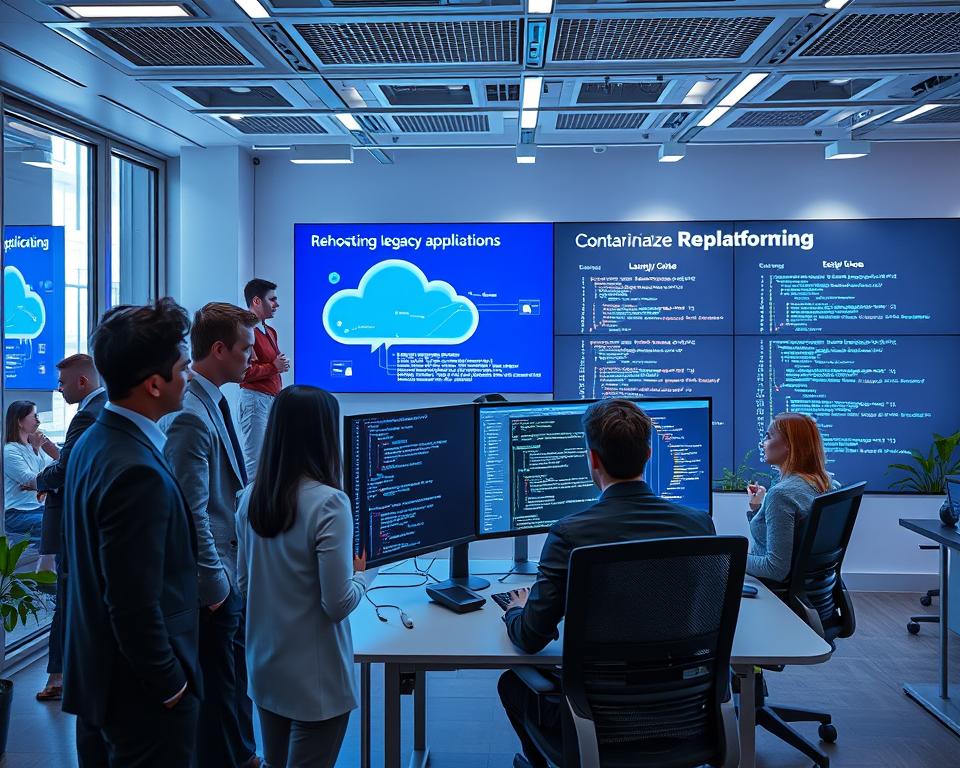
Sometimes, the best choice is moving software to a new environment without changing its logic. When you rehost a legacy application, you move it to the cloud or a modern server as-is. A rehost legacy application plan is often called a “lift and shift” approach.
This strategy suits stable systems that run well on aging hardware. It offers quick benefits, such as better scalability and lower maintenance costs, without breaking existing features.
When to Replatform for Better Infrastructure and Operations
If your application is stable but needs modern tool integration, you might replatform a legacy application. This means making small, targeted code changes that use new platform features. A replatform legacy application plan balances speed and modernization.
You might update the database connection or move to a managed container service. This approach improves performance without requiring a full redesign.
When to Refactor High-Value Code Without Changing Its Behavior
When critical business logic is hard to maintain, it is time to refactor legacy code. Refactoring cleans the software’s internal structure while keeping its external behavior unchanged.
This process makes code easier to read and test. It is an essential step for high-value components you plan to keep for many years. Better code quality lowers the risk of future bugs.
When to Rearchitect a Component With Structural Limitations
Some components use outdated architectures that cannot support modern demands. In these cases, you must change how the software is built to unlock new capabilities. Rearchitecting can break monolithic structures into smaller, more flexible services.
This work requires more effort, but it helps when the current design blocks scaling or new features. It is a strategic investment in your platform’s long-term health.
When Replacing or Retiring a Component Makes More Sense
Not every software component deserves a second life. If it no longer provides value or costs too much to maintain, replacing it with modern SaaS often makes sense.
Retiring obsolete features simplifies your environment and focuses resources on what matters. Always compare the cost of keeping a system alive with a modern, supported alternative.
Build a Safe Modernization Road Map
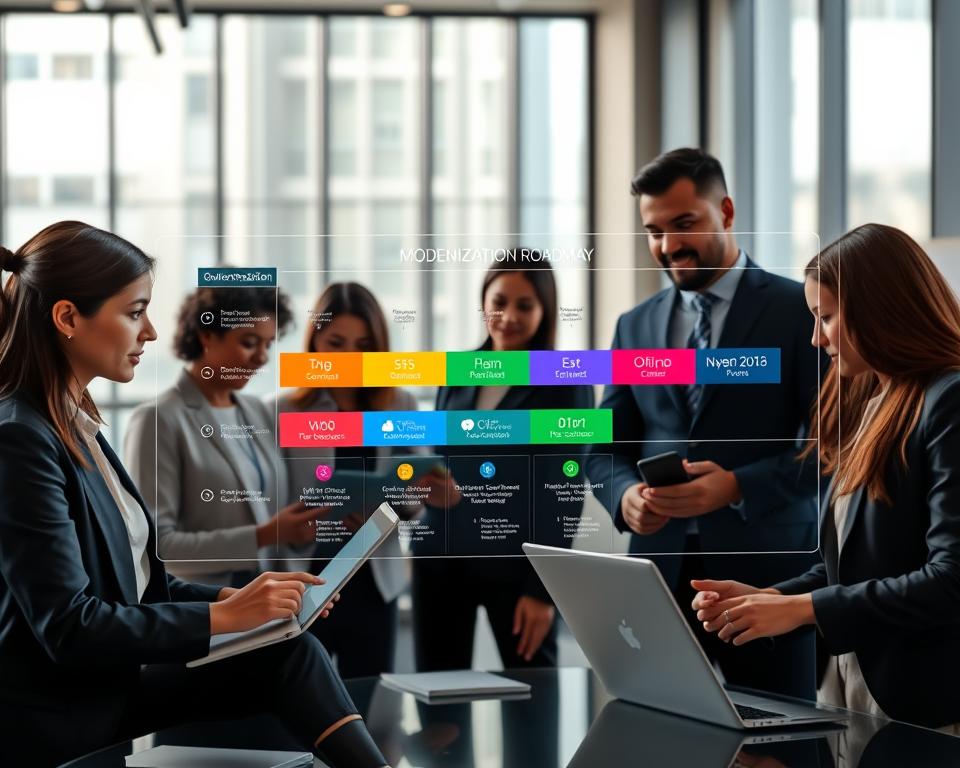
Building a safe modernization roadmap reduces risk and delivers steady value. Instead of a massive overhaul, create a clear plan linking technical work to your organization’s goals. Each step should provide measurable business benefits.
Rank Work by Business Value, Risk, and Technical Readiness
Not every task has equal value when your journey begins. Evaluate each change by its user impact and the effort your engineering team needs. Prioritization keeps the project moving without delays.
Focus on high-value tasks with manageable risk. A revenue-critical but fragile component should rank first. Use the table below to categorize upcoming tasks.
| Priority Level | Business Value | Technical Risk | Readiness |
|---|---|---|---|
| High | Critical Revenue | Low | Immediate |
| Medium | Operational Efficiency | Moderate | Short-term |
| Low | Cosmetic/Minor | High | Long-term |
Divide the Project Into Small, Reversible Milestones
Large projects often fail because they are too complex to manage at once. Break your modernization roadmap into small, reversible milestones. This limits failures and helps your team improve each step.
Small milestones give stakeholders tangible evidence of progress. Short delivery cycles build trust and maintain momentum. If a change fails, you can roll it back without affecting the whole system.
Sequence Infrastructure, Application, Data, and User-Experience Changes
Modernization is rarely linear. Sequence changes carefully to prevent new bottlenecks. First, stabilize infrastructure to support later application and data work.
After securing the foundation, improve the user experience. Handle Data migration with care, often alongside application updates. Keep testing and operations teams aligned with the change sequence.
Plan Decision Points for Revising the Road Map
A rigid plan can fail in complex environments. Add decision points to your modernization roadmap for progress reviews and needed changes. These checkpoints show whether your strategy still supports your business goals.
Use these moments to review performance metrics and team capacity. Update your plan if technical debt or market needs change. Flexibility supports a successful, long-term modernization strategy.
Use the Strangler Fig Pattern to Replace Legacy Features Gradually
The Strangler Fig pattern offers a proven, low-risk way to evolve software without shutting it down. Instead of a risky “big bang” rewrite, replace outdated features one piece at a time. This thoughtful strategy keeps your business running as you modernize its technology.

Place a stable interface in front of the legacy application
First, place a stable interface, often called a facade, before your existing system. This layer acts as a traffic cop and intercepts requests before they reach legacy code. It creates a clean separation between the old environment and modern services.
“The only way to go fast is to go well.”
Route individual capabilities to modern services
After the interface is ready, route specific functions to new, independent services. Move a low-risk feature first to test your deployment pipeline. As confidence grows, migrate complex logic with the Strangler Fig pattern for a smooth user transition.
Keep legacy and modern components working together
During this process, legacy and modern components must work together. They may share data or communicate through internal APIs to maintain operational consistency. Keep them synchronized to prevent data silos and broken user experiences.
Retire replaced features without disrupting users
With the Strangler Fig pattern, retire legacy features only after fully validating the new implementation. Monitor usage patterns to find hidden dependencies in the old code. When the new service proves stable, safely decommission its matching legacy module.
Manage routing, authentication, and error handling during the transition
Managing traffic during this phase requires close attention. Ensure that authentication tokens pass correctly between the old and new systems. Unified error handling helps users avoid noticing which architecture component serves their request.
Modernize the Data Layer Without Losing Business-Critical Information
Moving your data from an old system is often the most stressful part of modernization. A successful legacy data migration needs more than file transfers; it requires understanding how information supports daily work. A careful plan reduces risk and keeps your business running during the change.
Inventory Databases, Reports, Integrations, and Data Ownership
Before moving any bytes, map your full data landscape. Many organizations discover hidden dependencies in old reports and undocumented integrations. Create an inventory that includes:
- All active databases and their primary functions.
- Automated reports that rely on specific data schemas.
- Third-party integrations that pull or push information.
- Clear documentation on who owns and manages each data set.

Introduce an Anti-Corruption Layer Around Legacy Data Models
A major modernization risk is allowing messy, outdated data structures into clean, new code. To prevent this, implement an anti-corruption layer. This pattern protects modern services from the legacy database.
The anti-corruption layer changes requests from your new system into a format the old system understands. It keeps your modern architecture separate from past constraints. This lets you improve internal models without copying flaws from the original design.
Use Dual Writes and Change Data Capture Carefully
When moving data, use a strategy that keeps both systems in sync. Dual writes update old and new databases at once, but one failed write can cause risk. Many teams instead use Change Data Capture (CDC) to stream updates from the legacy system in real-time.
CDC helps maintain consistency without overloading legacy infrastructure. It supports incremental migration while business operations continue. Monitor these streams closely so no information is lost during synchronization.
Validate Data Quality Before Switching Systems of Record
Never assume data is perfect because it has been used for years. Before switching systems of record, perform rigorous data quality checks to find inconsistencies or missing values. Compare records between both systems to ensure they match perfectly.
Protect Backups, Recovery Procedures, and Audit Trails
Your safety net matters as much as the migration itself. Before major changes, verify your backups are complete and can be restored quickly if something goes wrong. Maintain detailed audit trails to track changes, and keep a recovery procedure for returning to a stable state after critical issues.
Improve APIs and Integrations Before Replacing the Core System
Improving your integration layer is a key step before changing your legacy application APIs. Better communication between systems can unlock value without the risks of a total overhaul. This approach supports gradual modernization while keeping daily business operations running smoothly.
Expose Stable APIs Around High-Value Legacy Capabilities
Start by wrapping your most important business logic in clean, stable interfaces. Instead of letting outside services access your database directly, create a well-defined API layer as a gatekeeper. This protects the core system from breaking changes and helps modern services use your data.
“The most successful modernization projects treat the legacy system as a black box, exposing only what is necessary through modern, reliable interfaces.”
Replace Point-to-Point Integrations With Managed Interfaces
Many older systems use fragile, hard-coded connections that are difficult to maintain. These point-to-point links often create a “spaghetti” architecture, making updates risky. Managed interfaces or an API gateway offer several key benefits:
- Centralized control over traffic and security policies.
- Easier monitoring of data flow between services.
- Reduced coupling between the legacy application and modern modules.
Apply Versioning, Authentication, Rate Limits, and Contract Testing
When you expose legacy application APIs, treat them as carefully as new software. Versioning keeps changes from breaking existing consumers. Strict authentication and rate limits also protect your system from unexpected traffic spikes.
Contract testing is another essential practice for this phase. Clear expectations between providers and consumers help you catch integration errors early. This prevents changes in the legacy core from breaking downstream services.
Handle Synchronous and Asynchronous Workflows Appropriately
Not every task needs an immediate response. Synchronous requests work well for simple data lookups but may bottleneck complex, long-running processes. For these tasks, asynchronous messaging is often better.
Message queues decouple services and improve system resilience. If a downstream service fails, the message stays in the queue until processing can resume. This asynchronous approach keeps your legacy application responsive while other infrastructure struggles.
Modernize Deployment and Operations With Safer Delivery Practices
How you deploy applications often shapes the success of modernization. Replacing manual, error-prone work creates a stable environment for new features and legacy code.
Move From Manual Releases to Repeatable Deployment Pipelines
Manual releases create major risks for any IT organization. With deployment automation, you reduce human errors that cause configuration drift and deployment failures. A repeatable pipeline uses the same testing and validation steps for every release, making modernization more predictable.
Use Infrastructure as Code for Consistent Environments
Consistent development, staging, and production environments support debugging and reliability. With infrastructure as code, your team defines server configurations and network settings in version-controlled files. This approach makes infrastructure reproducible and easy to audit, a critical advantage for complex legacy systems.
Introduce Feature Flags, Canary Releases, and Fast Rollbacks
Modern delivery practices separate deployment from release. Feature flags turn functionality on or off without redeploying code, while canary releases test changes with a small user group. If problems occur, fast rollbacks prevent minor issues from becoming major outages.
Apply Containers and Cloud Services Where They Solve a Real Problem
Containers package applications with their dependencies, so they run consistently across environments. Adopt these technologies only when they solve a specific business or technical problem. Strategic adoption beats chasing trends without a clear goal.
Avoid Creating Distributed-System Complexity Without Operational Readiness
Moving to microservices or cloud-native architectures can add major overhead. Without monitoring, logging, and team training, your system may become harder to manage than the original legacy application. Before leaving monolithic structures, ensure your team has the operational readiness to manage distributed networking and security.
| Practice | Traditional Approach | Modern Approach |
|---|---|---|
| Deployment | Manual Scripts | Automated Pipelines |
| Environment | Manual Configuration | Infrastructure as Code |
| Risk Mitigation | Full System Downtime | Canary Releases |
| Rollback | Manual Reversion | Automated Rollbacks |
Strengthen Testing, Observability, and Security During the Transition
Modernizing legacy systems requires balancing innovation with stability. As you change internal parts, keep existing functions working while adding new features. A strong quality and security plan helps prevent costly downtime during this sensitive phase.
Create Characterization Tests Around Existing Behavior
Before changing code, learn exactly how the current system behaves. Characterization testing records the current outputs of legacy code and creates a safety net. These tests set a baseline and help prevent changes from breaking established workflows.
Expand From Regression Testing to Integration and Contract Testing
Basic regression tests are rarely enough for complex architectures. Add integration tests to check how different modules communicate. Contract tests help services remain compatible as they evolve independently.
Track Logs, Metrics, Traces, and User-Experience Signals
Visibility helps you manage a system transition. Track logs, metrics, and distributed traces to find performance bottlenecks quickly. User-experience signals can reveal problems before they affect customers and show overall system health.
Address Identity, Secrets, Dependencies, and Vulnerability Management
Improving legacy system security is vital during modernization. Audit identity controls and store secrets in secure vaults instead of hard-coded files. Update dependencies and scan for vulnerabilities to protect infrastructure from modern threats.
Use Production-Like Test Data Without Exposing Sensitive Information
Real data can improve testing accuracy, but it creates serious privacy risks. Use masked or synthetic data sets that match your production environment without real customer details. This method lets your team test complex scenarios safely and effectively.
| Testing Strategy | Primary Benefit | Risk Mitigation |
|---|---|---|
| Characterization Tests | Preserves current logic | Prevents regressions |
| Contract Testing | Ensures service compatibility | Reduces integration errors |
| Synthetic Data | Protects user privacy | Avoids data leaks |
| Observability Signals | Provides real-time insight | Speeds up troubleshooting |
By using these practices, you create a stable foundation for technical growth. Early investment will save your team major headaches as the project grows. Security and quality are ongoing commitments to your users, not tasks you simply finish.
Manage People, Costs, and Change Adoption
Technical hurdles matter, but people remain the key to a successful transition. Upgrading software helps, yet organizational change determines whether the results last. Managing legacy modernization costs requires attention to staff, processes, and long-term business goals.
Give Product, Engineering, Security, and Operations Shared Ownership
Modernization is not only an engineering task. When product managers, security teams, and operations staff share ownership, the project gains essential momentum. This teamwork builds security into the design instead of adding it later.
By aligning these departments, you break down silos that often delay progress. Everyone invests in the outcome, which helps maintain focus during difficult migration phases.
Preserve Legacy-System Knowledge Before It Leaves the Team
Veteran developers understand why the system works as it does. Before they take new roles, document their tribal knowledge carefully. This protects critical context that could otherwise slow future progress.
Pairing senior staff with newer team members connects the old system with the new one. This mentorship preserves business logic details for future generations of the platform.
Train Employees on New Workflows and Operational Responsibilities
New tools require new habits. Comprehensive training is crucial for team morale and efficient operations. Employees are more likely to accept new workflows when they understand their purpose.
Focus on hands-on workshops that model real-world situations. This builds confidence and reduces anxiety during major system updates.
Estimate Modernization Costs Beyond Cloud and Software Licenses
Many leaders look only at the price of new cloud services. True legacy modernization costs include staff training, parallel operations, and productivity dips during the transition. Also budget time for testing and possible temporary downtime.
Planning for these expenses early prevents surprises that could stop a project halfway through. A realistic budget should include a buffer for unexpected technical debt discovery.
Communicate Benefits and Temporary Disruptions Clearly
Transparency helps manage expectations across the company. Explain modernization benefits, such as increased speed and better security. Also be honest about temporary disruptions during the rollout.
When stakeholders know what to expect, they show more patience and support. Consistent communication keeps the organization aligned with the final goal.
Know When to Continue, Pause, or Replace the Modernization Plan
Knowing when to change your strategy matters as much as making the first plan. Modernization rarely follows a straight line, so your team must stay agile and respond to real-world feedback. Whether you choose a gradual transition or a full legacy system replacement, use objective data to guide each decision.
Review Progress Against Performance, Reliability, and Delivery Metrics
Compare your current results with the baselines you set at the start. If performance growth stalls or reliability problems continue, pause the work and investigate. Consistent delivery speed shows that your modernization strategy is working as planned.
If your team struggles to meet milestones, do not ignore the warning signs. Honest reflection helps you find bottlenecks before they damage the project. Use these findings to improve your approach instead of continuing a failing process.
Recognize Warning Signs of Scope Creep and Architecture Overload
Scope creep often hides behind “small, necessary additions” to the original plan. As the project grows, maintaining focus and momentum becomes harder. Architecture overload happens when you force too many technologies into an unsupported system.
“The most dangerous phrase in the language is, ‘We’ve always done it this way.'”
If your team feels overwhelmed by the new architecture, you may have lost sight of your core goals. Simplify your requirements and ensure each change provides tangible value to the end user. A manageable scope supports long-term success.
Decide Whether a Full Rewrite Has Become Justifiable
Sometimes, patching a failing foundation costs more than building something new. A legacy system replacement may make sense when technical debt becomes impossible to manage. Yet this choice carries major risk, so choose it only when benefits clearly outweigh disruption.
Evaluate whether structural limits keep you from reaching your business goals. If maintaining the old system costs more each year, a clean break may be the most prudent financial decision. Always compare the risks of a full rewrite with your current, although aging, infrastructure’s stability.
Calculate the Remaining Cost of Operating the Legacy Components
To make a sound choice, examine the total cost of ownership. This includes software licenses, engineers’ maintenance time, and the opportunity cost of delaying new features. Transparency in your financial reporting helps stakeholders understand why a change in direction is necessary.
Tracking these costs helps you build a strong case for your next steps. Whether you continue your current path or choose a full legacy system replacement, evidence will support your decision. Stay focused on your organization’s long-term health and your customers’ needs.
Conclusion
Modernizing digital infrastructure requires a new mindset. Your team can improve performance and agility without tearing down the entire stack. Learning how to modernize a legacy application without rebuilding everything helps deliver value while core business processes remain stable.
Success depends on clear assessments and measurable goals. Prioritize high-value components and use incremental strategies, such as the Strangler Fig pattern, to reduce risk significantly. This approach turns a daunting legacy system replacement into manageable, evidence-based decisions.
Focus on small, reversible milestones to maintain momentum. Whether you refactor, replatform, or improve API integrations, keep users at the center of every choice. This disciplined delivery model helps technology evolve alongside your business needs.
Treat modernization as continuous improvement, not a one-time event. You have the tools to build resilient, modern architecture that supports long-term growth. Take your first small step today and see immediate gains in operational efficiency.