







Making smart digital choices can help businesses grow. Many leaders in the United States are reviewing the AI automation cost of updating daily operations.
These tools do not fit every business. Costs may include affordable monthly software subscriptions, custom system integrations, and team training.
Your final budget depends on several key factors. These include workflow scope, data readiness, and security needs. Understanding these variables is essential for any small business AI automation strategy.
Success depends on your internal team’s skills and the ongoing support you need. Careful planning can help your technology spending deliver real value.
Table of Contents
Key Takeaways
- Implementation prices vary based on software complexity and integration needs.
- Budgeting should account for both initial setup and long-term maintenance.
- Data readiness plays a critical role in determining your total financial commitment.
- Security and compliance requirements often influence the final project scope.
- Internal team training is a vital component of a successful digital transition.
What AI Automation Means for a Small or Mid-Sized Business
Many business owners confuse simple scripts with true artificial intelligence. Traditional tools follow fixed rules, but AI systems learn, interpret, and adapt. This difference matters when calculating your AI implementation cost and setting realistic expectations for your team.
How AI automation differs from basic software automation
Basic automation acts like a digital assembly line. It performs the same task whenever the input stays exactly the same. If a file is missing or its format changes, the process often breaks down.
By contrast, intelligent automation uses machine learning to handle change. It can read unstructured text, classify complex information, and generate human-like responses. This flexibility lets it manage tasks that once needed human judgment.

Business processes that are realistic candidates for AI
Look for tasks involving large amounts of data and some interpretation. These processes are ideal for testing midsize business AI integration.
- Customer Inquiries: Sorting emails by sentiment or urgency.
- Invoice Processing: Extracting data from non-standard PDF documents.
- Lead Qualification: Scoring potential clients based on interaction history.
- Internal Knowledge Searches: Helping staff find policy documents instantly.
| Feature | Basic Automation | AI Automation |
|---|---|---|
| Decision Making | Fixed Rules | Pattern Recognition |
| Data Handling | Structured Only | Structured & Unstructured |
| Adaptability | Low | High |
| Primary Benefit | Speed | Intelligence |
Why company size, goals, and process complexity affect cost
The financial commitment for a midsize business AI project is rarely a flat fee. Larger organizations with several departments often pay more for cross-departmental data synchronization.
Companies using legacy software may need custom connectors between old systems and new AI models. Complex approval rules also require thorough testing to ensure accuracy. Your AI implementation cost will reflect the integration depth and your specific goals.
The Main AI Automation Cost Ranges to Expect
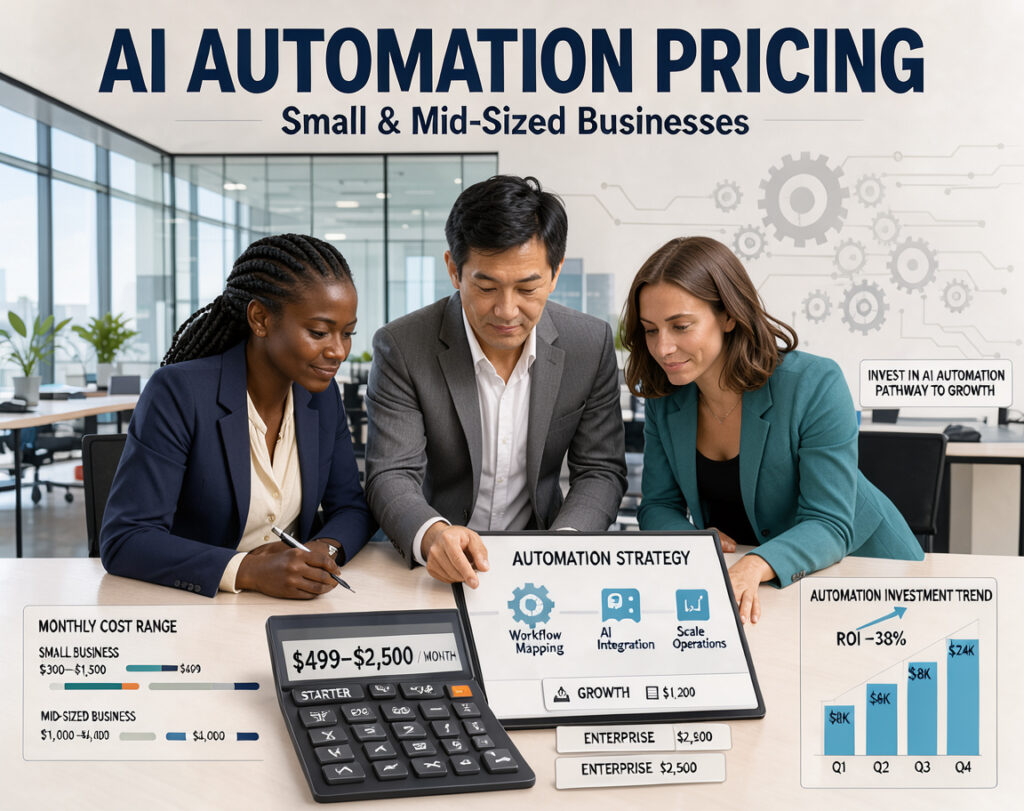
AI tools rarely have one price for success. Costs depend on your goals and the technical work needed to reach them. Understanding different tiers of automation pricing helps match your budget with business objectives.
Entry-level automation using no-code and low-code tools
For many small businesses, no-code AI automation offers a cost-effective starting point. These platforms let you build simple workflows without software engineers. Drag-and-drop designs significantly reduce initial development time.
You can often begin with a modest monthly subscription fee. This approach suits repetitive tasks, including email sorting and basic data entry. With low-code automation, your team can maintain systems with little technical training.
Custom workflows connected to existing business software
As your needs grow, you may need more than basic templates. Connecting AI to existing CRM or accounting software often requires custom workflows. This stage needs more technical planning and system testing.
You must allow time to map data movement between applications. Documentation and security checks help keep systems stable. This level costs more than entry-level tools but offers much higher efficiency for complex operations.
Advanced implementations with custom AI models and integrations
Advanced projects build or fine-tune custom AI models for unique business logic. This tier costs most because it needs expertise in data science and software architecture. These systems suit businesses needing highly specific, high-volume automation.
These costs include extensive development, rigorous testing, and ongoing support. You pay for a tailored solution that offers a distinct competitive advantage. These systems often connect multiple enterprise platforms into a seamless digital environment.
Why published price ranges are only starting points
Advertised rates are rarely final costs. Usage volume, data quality, and security needs can shift your budget significantly. Vendor service levels and custom API connectors can also change the final estimate.
| Implementation Tier | Primary Focus | Complexity Level | Estimated Cost Range |
|---|---|---|---|
| Entry-Level | No-code/Low-code | Low | $50 – $500/mo |
| Custom Workflow | System Integration | Medium | $1,000 – $5,000+ |
| Advanced | Custom AI Models | High | $10,000+ (Project-based) |
Treat published automation pricing as a planning reference, not a fixed quote. Preparing for data cleaning and maintenance can prevent unexpected expenses. A thoughtful approach to your budget helps your investment deliver long-term value.
The Biggest Factors That Determine AI Automation Cost
Budgeting for AI automation means managing project factors, not choosing one price. Each business has unique needs, and costs depend on how deeply tools enter daily operations. A custom AI integration can add great value, but careful planning keeps costs predictable.

Number and complexity of automated workflows
Each automated workflow adds complexity to the project. You must plan for business rules, exception paths, and thorough testing. As processes grow, clear ownership becomes critical for avoiding delays.
Data volume, quality, and accessibility
AI systems perform only as well as the data they process. If information is scattered across departments, cleaning and organizing it will cost more. High-quality, accessible data supports every successful automation strategy.
Integration requirements across CRM, ERP, finance, and support systems
Connecting new tools to existing software can be the hardest project step. A custom AI integration costs more when data is split among legacy systems, CRM platforms, and financial software. These bridges connect data islands that were never designed to communicate.
“Complexity is the enemy of execution. When automating, focus on the simplest path to value before layering on advanced integrations.”
Accuracy, speed, security, and uptime requirements
Greater performance demands usually increase costs. Near-perfect accuracy or sub-second response times require a stronger architecture. Strict security rules and 24/7 uptime also require constant monitoring and advanced validation layers.
| Factor | Low Complexity | High Complexity |
|---|---|---|
| Workflow Scope | Single task | Multi-departmental |
| Data Source | Unified database | Fragmented legacy systems |
| Uptime Needs | Business hours only | Mission-critical 24/7 |
| Security Level | Standard encryption | Regulatory compliance |
Understanding these drivers helps you manage your budget. Whether you plan a simple task or a custom AI integration, finding these variables early saves time and money.
Comparing AI Automation Implementation Options
Choosing the right automation path is a major decision for any growing business. Options, including AI consulting, have trade-offs in speed, cost, and long-term control. Understanding these differences helps match your technical plan to your company goals.

Building with no-code and low-code platforms
No-code and low-code tools help teams build workflows without deep programming skills. These platforms are excellent for rapid prototyping and simple tasks. They let teams test ideas before making a major investment.
Hiring an AI automation consultant or systems integrator
When needs become complex, professional AI consulting adds needed technical depth. Experts can design strong architectures and help systems meet strict security standards. This option often offers the fastest route to enterprise-grade solutions.
Developing an in-house automation team
An internal team gives your company full ownership of its processes. Your employees bring the deep institutional knowledge needed to improve workflows over time. Hiring costs more, but the team learns your business culture.
Combining internal employees with external specialists
A blended model often works best for mid-sized businesses. You can use AI consulting for setup and complex integrations while staff handles daily operations. This partnership provides expert guidance and keeps your team involved.
| Implementation Model | Speed of Deployment | Customization Level | Long-term Ownership |
|---|---|---|---|
| No-code/Low-code | Very Fast | Limited | High |
| AI Consulting | Fast | High | Moderate |
| In-house Team | Slow | Very High | Very High |
| Blended Model | Moderate | High | High |
Software, Platform, and API Expenses
Modern technology costs become clearer when you understand how digital tools create expenses. Investing in AI automation software means paying more than one license; it creates recurring operational expenses. Managing these costs protects your bottom line as your business grows.

Subscription pricing for AI automation platforms
Most vendors offer tiered subscriptions for their core automation features. Plans often change with user numbers or feature complexity. Separate daily tools from premium enterprise features that may not help your business yet.
Usage-based charges for models, tokens, and API calls
Many modern systems create API costs that change with actual use. You may pay for language-model tokens or total API calls during each billing cycle. Carefully monitoring these metrics matters because longer prompts, larger models, or more documents can raise costs quickly.
Connector, integration, and workflow execution fees
Connecting your platform to software such as a CRM or accounting system may add charges. Some providers charge for each active connector, while others bill for successful workflow executions. Review expected monthly volume to prevent overage charges from inflating your budget.
Storage, monitoring, analytics, and administrative licenses
You must also budget for infrastructure that keeps the system running well. This includes secure data storage, real-time monitoring tools, and detailed analytics dashboards. Administrative licenses give your team permissions to manage and audit automated processes.
| Expense Category | Billing Frequency | Primary Cost Driver |
|---|---|---|
| Platform Subscription | Monthly/Annual | User seats or feature tiers |
| API & Model Usage | Per-use/Consumption | Tokens, calls, and data volume |
| Workflow Executions | Monthly | Number of tasks completed |
| Storage & Analytics | Monthly | Data size and reporting depth |
Data Preparation and System Integration Costs
Data preparation often powers smooth, effective automation projects. Many business owners think AI tools can read any file instantly, but systems need a strong foundation first. Investing time in data integration helps automated workflows run with fewer errors and less manual work.

Cleaning inconsistent or incomplete business data
Before automating, improve the quality of your existing records. Duplicate entries, missing fields, or uneven formats can produce unreliable results. Clean data helps automation logic work as intended.
- Standardizing date formats and address fields across all departments.
- Removing duplicate customer profiles that confuse automated systems.
- Filling in critical missing information that the AI requires to make decisions.
Connecting legacy applications and disconnected data sources
Most small businesses use modern cloud apps alongside older, siloed software. Effective data integration connects these systems through application programming interfaces (APIs) or secure file transfers. This process often maps data so information flows correctly between your CRM, accounting software, and operational tools.
You may need custom transformation rules to convert data into a format another system can understand. Without these bridges, automation stays in one application and offers less value to your company.
Creating secure data pipelines and access controls
As you connect systems, prioritize security and identity management. Define who or what can access each data point during automation. Strict permissions ensure AI uses only the information needed for its task.
Secure pipelines protect sensitive business information from unauthorized access. Set these controls early to avoid costly security risks and compliance problems later.
Testing data flows before an automated process goes live
Testing is the final critical phase of setup. Verify that information arrives complete, accurate, and on time before the system affects customers or employees. Rigorous testing helps catch logic errors before they disrupt daily operations.
Always run a trial to confirm that the data integration works as expected in real-world conditions. If the system cannot handle an exception or data mismatch, you can fix it before a disruption.
Employee, Consultant, and Internal Labor Costs
Beyond software licenses, your team’s time may be the largest investment in an automation project. Vendor invoices are easy to track, but internal work to build and maintain these systems often goes unnoticed. Understanding AI automation labor costs helps you build a realistic budget and avoid financial surprises later.

Assigning process owners and subject-matter experts
Each successful project needs a champion who knows the current workflow well. Assign process owners to set the automation’s rules and success criteria. These subject-matter experts give developers the critical context needed to build effective tools.
Estimating technical, operational, and change-management hours
Implementation combines technical setup with organizational change. Budget time for process mapping, testing, and system integration. Also, AI change management helps staff feel comfortable with new technology instead of threatened by it.
Training employees to supervise AI-assisted workflows
Automation does not make your team obsolete; it changes their roles. Train employees to monitor AI outputs and handle exceptions the system cannot resolve. This human-in-the-loop approach helps your business maintain high quality and accuracy standards.
Accounting for ongoing maintenance and improvement work
The work continues after the system goes live. Budget for periodic updates, prompt adjustments, and needed workflow improvements as your business grows. Treating these tasks as part of your operating budget supports long-term success.
| Role | Primary Responsibility | Impact on Budget |
|---|---|---|
| Process Owner | Defining business rules | High (Initial phase) |
| Technical Lead | System integration | High (Implementation) |
| Change Manager | Staff training & adoption | Medium (Ongoing) |
| System Supervisor | Exception handling | Low (Recurring) |
Security, Privacy, Compliance, and Risk Expenses
Security, privacy, and AI security support your business strategy. New tools require careful plans to protect sensitive data throughout its lifecycle.
Protecting customer, employee, financial, and health information
Your automation strategy must cover your data’s full journey. This includes collecting, processing, storing, transmitting, and deleting sensitive information.
Encryption and strict access controls are essential for every automated workflow. Use detailed logs to track who accesses your data and when.
Evaluating vendor security and data-use policies
Before signing a contract, thoroughly review your vendor’s security practices. Ask how the vendor handles your data and whether it trains its models with it.
A transparent data-use policy signals a trustworthy partner. Ensure your vendor’s security standards match your internal requirements.
Meeting industry and regulatory requirements in the United States
Compliance can be complex for small and mid-sized businesses. Regulations often differ by industry and state, so legal review belongs in your budget.
Documented governance keeps you organized and ready for potential inquiries. Staying proactive helps you avoid costly legal problems and maintain client trust.
Budgeting for audits, access reviews, backup systems, and incident response
Security requires ongoing investment, not just a one-time cost. Set aside funds for regular audits and access reviews to keep systems secure.
Include costs for strong backup systems and a clear incident response plan. Preparing for unexpected events protects your business and reputation over time.
One-Time Implementation Costs Versus Recurring Costs
To succeed with AI, separate the costs of building a system from the costs of keeping it running. A clear financial strategy helps you calculate the total cost ownership of your automation project. Separating these expenses gives you better control of your business budget.
Typical one-time expenses during discovery and deployment
Initial implementation includes upfront investments that build a foundation for success. These costs cover discovery, where you define goals and map existing processes. You also pay to design, configure, and connect your chosen AI tools.
Testing is another critical one-time expense. You must ensure your new workflows work correctly before they go live. Finally, training your team to manage these tools is a necessary investment for long-term adoption and efficiency.
Monthly and annual costs after the system launches
When your system goes live, you begin paying recurring operating expenses. These costs often include platform subscription fees and ongoing support services. You must also budget for regular monitoring to keep your AI accurate and reliable.
These recurring charges are often predictable, but they need steady oversight. Watching these figures helps maintain a healthy total cost ownership profile. Regular audits of service agreements can prevent unnecessary spending over time.
How model changes, higher usage, and new workflows increase recurring spending
As your business grows, your AI needs will likely change. You may update models for complex tasks or higher transaction volumes. These changes often increase API costs or usage-based fees.
Adding workflows or retraining staff for advanced features will also affect your budget. Security reviews and compliance updates remain essential for protecting your data. Planning for these incremental costs supports accurate financial forecasting.
Separating capital planning from operating expenses
Good financial management treats implementation as a capital expense and maintenance as an operating expense. This framework shows the full financial commitment throughout the system’s expected life. Keeping these categories separate helps you evaluate the total cost ownership of your investment.
| Expense Category | Type | Frequency | Primary Focus |
|---|---|---|---|
| Discovery & Design | Capital | One-time | Strategy & Planning |
| System Integration | Capital | One-time | Technical Setup |
| Platform Subscriptions | Operating | Monthly/Annual | Software Access |
| Monitoring & Support | Operating | Ongoing | System Health |
| Model Updates | Operating | Variable | Performance Scaling |
How to Build an AI Automation Budget
Building an effective automation budget requires more than guessing software costs. Review your project’s full lifecycle to ensure enough funding. Careful planning helps prevent funding shortages before your system works fully.
Define the business outcome and measurable baseline
Before spending money, identify exactly what you want to achieve. Do you want to reduce handling time for customer tickets or increase processing capacity? Establish a clear baseline for current performance.
Without these metrics, you cannot justify the investment to stakeholders. Focus on results such as lower error rates or faster response speeds. These numbers will guide your entire financial strategy.
List process, technology, people, and risk-related expenses
A complete automation budget must cover more than platform subscriptions. Group expenses to prevent hidden costs from surprising you. Use the following breakdown to organize your financial planning.
| Category | Primary Expense Items | Impact Level |
|---|---|---|
| Technology | API fees, software licenses, cloud storage | High |
| People | Consultant fees, internal training, staff time | High |
| Process | Data cleaning, workflow mapping, documentation | Medium |
| Risk & Compliance | Security audits, insurance, data privacy tools | Medium |
Create low, expected, and high-cost budget scenarios
Technical projects naturally involve uncertainty. Create three financial scenarios: low, expected, and high. This helps decision-makers understand the possible range of your automation budget.
The low-cost scenario assumes smooth progress with few integration problems. The high-cost scenario includes complex data issues or unexpected technical debt. These ranges help you prepare for any outcome.
Reserve funds for testing, delays, and post-launch adjustments
Do not spend your entire budget on the initial build. Reserve funds for testing and refinement. Real-world performance often differs from simulations, requiring quick fixes and configuration changes.
Set aside at least 15% to 20% of your total project cost as a contingency fund. This buffer covers delays and supports the system after launch. Planning today helps prevent emergency funding tomorrow.
Estimating the Return on an AI Automation Investment
Making sense of your AI automation return on investment means weighing costs, gains, and ROI. Price matters, but true value often comes from more efficient daily operations. A balanced review helps your technology choices support long-term growth.
Calculating labor savings without treating employees as a simple cost
When you automate repetitive tasks, you do more than cut hours; you reclaim human potential. Rather than treating each saved hour as payroll savings, give your team time for high-value work. Strategic redeployment lets staff focus on creative problem-solving and customer relationships, which can create more value.
Measuring faster response times, fewer errors, and higher capacity
Automation creates measurable gains beyond the balance sheet. You will likely see faster response times for customer inquiries and fewer manual data entry errors. These gains raise business capacity, so you can handle more volume without hiring extra staff during busy periods.
Including revenue gains and customer-experience improvements
Speed and accuracy can directly affect your bottom line. Smooth systems give customers a more consistent, reliable experience. This enhanced customer satisfaction often leads to higher retention rates and new revenue opportunities that slower manual processes might miss.
Using payback period, ROI, and total cost of ownership together
To measure success clearly, combine several financial metrics. One number can mislead because some projects look strong early but cost more to maintain later.
Review the payback period, your ROI, and the total cost of ownership to see the project’s full health. This approach helps you avoid investments that look attractive on paper but fail to deliver sustainable results over time.
Choosing the Right First Workflow to Automate
Choosing your first workflow automation project sets the direction for your technical roadmap. Start with simple tasks that offer measurable value. This builds confidence and proves the technology works before you tackle harder tasks.
Prioritizing repetitive, rules-based, high-volume work
The best candidates for your initial workflow automation efforts follow predictable patterns. Choose tasks needing little or no personal judgment, because digital logic can handle them more easily.
- High-volume tasks that consume significant employee time.
- Rules-based activities where the outcome is binary or clearly defined.
- Repetitive data entry or file management duties.
Finding processes with reliable data and clear success criteria
Automation works best with clean, consistent information. Before starting, confirm the process receives reliable data the system can read.
“Success in automation is not about replacing human effort, but about amplifying the impact of your team by removing the friction of mundane tasks.”
You must also define success. Set a clear measure, such as cutting processing time by 50% or removing manual errors. This measure helps justify the investment to stakeholders.
Avoiding high-risk workflows before governance is established
Avoid sensitive or high-impact decisions during your first phase. This includes complex legal compliance, high-value financial transfers, and critical customer-facing interactions. Wait until strong governance is established.
Build a foundation of security and oversight. After your team learns to manage and monitor automated systems, you can safely handle more complex, sensitive workflows.
Examples in customer service, sales, finance, operations, and human resources
Consider these common areas where workflow automation can deliver quick results:
| Department | Potential Task | Primary Benefit |
|---|---|---|
| Customer Service | Ticket Categorization | Faster Response |
| Sales | Lead Qualification | Higher Conversion |
| Finance | Invoice Processing | Reduced Errors |
| Human Resources | Onboarding Paperwork | Improved Efficiency |
These manageable projects create a scalable framework for future growth. This careful approach keeps your business agile while delivering modern technology benefits.
A Practical AI Automation Implementation Roadmap
A structured approach helps you integrate new technology into daily operations. Following a clear AI implementation roadmap reduces risks and increases your tools’ benefits. The journey starts with understanding your current environment.
Document the current process and identify avoidable manual work
Before adding software, map your existing workflows in detail. Look for repetitive, rules-based tasks that often cause human errors. These tasks suit automation because they consume team time without adding unique value.
- Identify bottlenecks where work piles up.
- List every step in the current manual process.
- Highlight tasks that require high data entry volume.
Run a small proof of concept with defined performance targets
Start with a proof of concept instead of changing your entire business at once. Choose one specific, low-risk workflow to test your assumptions. Set clear goals, such as reducing processing time by 20% or cutting data entry errors by half, to measure success.
This limited test shows how the technology works with your actual business data. If results meet expectations, you can move forward with confidence. If not, you can change your strategy without disrupting the entire operation.
Test accuracy, exceptions, permissions, and human review points
When your pilot runs, verify that the system handles data correctly. Accuracy is paramount when dealing with financial or customer records. Define clear escalation paths for exceptions the system cannot resolve alone.
Security is another critical part of this testing phase. Ensure that only authorized personnel access sensitive information and that every automated action is logged for audits. A human-in-the-loop review point keeps your team in control of critical decisions.
Launch gradually and expand after the first workflow proves its value
After the initial test succeeds, begin a phased rollout. Apply the automation first to a small user group or one department. This gradual expansion helps you find issues before they affect the entire company.
Scale to more complex processes only after the first workflow proves reliable value. This measured approach protects resources and keeps your automation strategy sustainable long term.
How to Control AI Automation Cost Without Cutting Value
Smart business owners use AI automation cost control to support long-term success. You can modernize operations without overspending by staying disciplined during implementation. Focus on high-impact areas so each dollar creates measurable value for your company.
Start with focused use cases instead of automating the entire business
Automating every task at once can create bloated budgets and project fatigue. Instead, choose one or two repetitive processes that consume the most time. Starting small helps you prove the idea and measure return on investment before larger projects.
Use existing software before purchasing another platform
Many businesses already pay for tools with built-in automation features. Before buying an expensive AI platform, check whether your CRM or project management software can handle the task. Maximizing your current tech stack keeps costs low while improving efficiency.
Set usage limits, approval rules, and human-in-the-loop safeguards
When sensitive data or financial decisions are involved, you must control the process. A human-in-loop strategy requires an employee to review critical outputs before approval. This safeguard limits costly errors and adds needed security for your business.
“Automation should be viewed as a tool to augment human potential, not a replacement for the judgment that drives business growth.”
Set strict usage limits and approval rules in your software. These safeguards stop runaway costs from unexpected spikes in API calls or token usage. Human approval for high-stakes actions reduces risk and protects quality.
Review vendor contracts, model performance, and workflow utilization regularly
Costs can rise quickly when you ignore subscriptions and usage patterns. Schedule a quarterly review to check active licenses and test current AI models. Pause or adjust any workflow that fails to deliver promised results.
| Strategy | Primary Benefit | Implementation Effort |
|---|---|---|
| Focused Use Cases | Faster ROI | Low |
| Leverage Existing Tools | Reduced Licensing Fees | Medium |
| Human-in-loop Safeguards | Risk Mitigation | Medium |
| Regular Audits | Cost Optimization | Low |
Maintaining AI automation cost control requires regular attention and a willingness to adapt. A human-in-loop approach for sensitive tasks keeps technology helpful instead of costly. Stay focused on your goals, and your automation journey can remain efficient and profitable.
Questions to Ask AI Automation Vendors and Consultants
When you seek automation help, asking the right AI automation vendor questions can protect you from hidden costs. Selecting the right partner for your AI implementation services requires a clear plan and careful attention to detail. Thorough checks help ensure your investment brings real value, not unexpected problems.
What is included in discovery, implementation, and support?
Before you proceed, define the exact work included. Ask whether discovery is a separate paid service or part of the project fee. Make sure the proposal lists deliverables for configuration, testing, and final deployment.
Clarify the support included after the system goes live. Ask whether you are paying for a finished product or a long-term partnership. Clear documentation of these responsibilities prevents scope creep and keeps your project on track.
Which costs are fixed, usage-based, or likely to change?
Budgeting for AI implementation services can be difficult without separating fixed fees from variable charges. Ask your provider to separate one-time setup fees from recurring monthly expenses. Also ask about overage rates if transaction volume exceeds your initial estimates.
Watch for price increases tied to model updates or platform changes. Ask for a clear schedule of renewal increases to avoid surprises during your second or third year.
How will the provider handle data ownership, security, and portability?
Your business data is valuable, so keep full ownership at all times. Ask the vendor to explain data-use policies and confirm your information will not train public models. Discuss exit procedures so you can move your workflows to another provider if needed.
What service levels, training, documentation, and maintenance are provided?
A successful launch is only the start. Ask about service level agreements (SLAs) that guarantee system uptime and performance. Confirm that the vendor provides comprehensive staff training and keeps technical documentation updated.
| Service Category | Fixed Cost | Usage-Based | Maintenance |
|---|---|---|---|
| Discovery Phase | Yes | No | N/A |
| API/Model Calls | No | Yes | Periodic |
| Staff Training | Yes | No | Optional |
| System Updates | No | No | Included |
When AI Automation Is Worth the Investment
Not every business process suits AI-driven transformation. Before spending your budget, confirm that the technology solves a real operational problem. Successful implementation needs high volume, repeatable work, and measurable benefits.
Signs that automation can create measurable business value
Successful projects often begin with tasks that are highly repetitive and rules-based. A process that takes significant employee time may create AI automation business value. Use these signs to check whether your project is on track:
- The process involves high-volume data entry or document processing.
- There is a clear, documented set of rules that governs the workflow.
- You have a designated process owner who is accountable for the results.
- The current manual process is prone to human error that costs the company money.
Situations where process redesign should come before AI
Sometimes, fix your workflow before adding new technology. If the process is inconsistent, poorly documented, or based on outdated policies, automation will speed up mistakes. Prioritize process redesign when you face these hurdles:
- The workflow changes frequently due to unresolved policy decisions.
- Data inputs are fragmented across disconnected, legacy systems.
- The process is so poorly understood that no one can explain the steps clearly.
- The underlying business logic is flawed or unnecessary.
Warning signs of an expensive project with weak business justification
Stay alert for automation project risks that could derail your budget. Without clear success measures, a project may cost more than it saves. Watch for these red flags:
- Unclear success measures that make it impossible to track ROI.
- Reliance on unreliable or “dirty” data that requires constant manual cleaning.
- A push for excessive customization that makes the system hard to maintain.
- Low adoption rates among the employees who are supposed to use the tool.
How to decide whether to scale, pause, or replace an automation
Your work continues after the system goes live. Review performance often to see whether the project meets your goals. If automation project risks outweigh the benefits, create a clear plan to pivot.
Use these criteria to choose your next step:
- Scale: If the workflow is stable, accurate, and delivering consistent time savings, expand it to other departments.
- Pause: If the system requires constant troubleshooting or human intervention, stop and re-evaluate the technical setup.
- Replace: If the underlying technology is outdated or the vendor cannot support your needs, look for a more robust solution.
Conclusion
Modern technology demands a clear view of your operational goals. To manage AI automation cost, balance workflow complexity, data readiness, and integration needs with long-term growth targets.
Small and mid-sized businesses can reduce risk through smart planning. Choose one high-impact workflow first, and prove its value before you scale. This keeps your initial AI automation cost predictable while your team learns the new system.
A strong strategy looks beyond software or consultant sticker prices. Compare AI automation cost and total ownership costs, including security, compliance, and ongoing maintenance, with clear efficiency gains. Whether you build an internal team or partner with experts, focus on measurable business outcomes.
Evaluate your specific needs before choosing a platform or service provider. Align your budget and AI automation cost with your operational requirements to support sustainable success. Your path to digital transformation starts with one well-planned step.