







Teams today need flexible ways to handle complex work. Many professionals rely on Airtable alternatives to bridge the gap between simple sheets and advanced database management systems. While current solutions provide great starts, they often fail when you need deep customization.
Scaling a business requires software that grows with you easily. Some users find that standard project management tools lack the specific control they need. High costs and functionality gaps can also slow down a busy team.
Finding the right fit means looking at options that solve these exact issues. This guide looks at different choices to help you decide which platform works best for your team.
Table of Contents
Key Takeaways
- Identify scalability issues in current setups.
- Evaluate how pricing impacts your monthly budget.
- Compare different ways to customize your workspace view.
- Understand the power of using linked data for better organization.
- Choose software that helps your team collaborate in real time.
- Explore tools that offer more than basic lists and grids.
Why Consider Alternatives to Airtable
Airtable has been a game-changer in visual databases. Yet, its scalability, interface flexibility, and data control have led users to look elsewhere. As teams grow, so do their project management needs, revealing Airtable’s limitations.
The pricing model of Airtable is a major concern. Costs rise with more records or users, which can be a big hit on the budget for bigger teams or companies. This price scaling issue makes budget-conscious organizations think twice.
Airtable’s lack of custom interface flexibility is another drawback. While it offers many templates and customization options, some users find it doesn’t fit their specific workflow needs. They also want more personalization in the interface.
Data privacy and control are also key factors in choosing alternatives. With data security becoming more critical, some users might not find Airtable’s data handling and storage up to their standards. This could be a problem for organizations with strict data security requirements.
For teams seeking more adaptable project management software or better workflow automation, looking at Airtable alternatives is a smart move. Here’s a table that highlights important points to consider when looking at Airtable alternatives:
| Consideration | Airtable | Alternatives |
|---|---|---|
| Pricing Model | Can become expensive with scale | Often more flexible pricing options |
| Customization | Limited interface flexibility | More personalized interface options |
| Data Control | Data handling practices may not meet all compliance needs | Enhanced data security and compliance features |

Key Criteria for Evaluating Airtable Alternatives
When looking for Airtable alternatives, it’s important to know what you need. You should consider your database and productivity software needs. Several key criteria help you find the right tool for your workflow and organization.
Database capabilities are a top priority. This means looking at the database type, data modeling, and handling complex data. A strong database is key for managing and growing your data.
Ease of use is also crucial. The tool should have an easy-to-use interface. It should offer customizable views, simple data entry, and be easy to learn.
Automation capabilities are important too. Tools that automate tasks can boost productivity. Look for features like conditional logic, API integrations, and automated data sync.
The pricing structure is another key factor. Pricing models vary, from per-user to flat-rate plans. Choose a tool that fits your budget now and grows with your organization.
| Criteria | Importance Level | Key Features to Look For |
|---|---|---|
| Database Capabilities | High | Relational database, data modeling flexibility, complex data handling |
| Ease of Use | High | Intuitive interface, customizable views, straightforward data entry |
| Automation Capabilities | Medium to High | Conditional logic, API integrations, automated data synchronization |
| Pricing Structure | High | Scalable pricing models, cost transparency, value for money |

All-in-One Workspace Alternatives
Beyond Airtable, all-in-one workspace solutions offer a complete approach to productivity and project management. They combine databases, documents, and project management into one platform.
For students and professionals, a unified workspace boosts productivity. If you’re searching for productivity tools for different needs, consider all-in-one workspace alternatives.
1. Notion
Overview
Notion is a versatile tool for creating databases, notes, and Kanban boards in one place. It’s highly customizable, fitting various workflows and projects.
Key Features
- All-in-one workspace for notes, tasks, and databases
- Highly customizable with templates and drag-and-drop functionality
- Collaboration features for team projects
- Integration with other tools and services
Pros
- Flexibility: Notion is great for many tasks, from simple notes to complex projects.
- Customization: Users can make custom templates and workflows.
- Collaboration: Notion supports real-time collaboration and commenting.
Cons
- Steep Learning Curve: Notion’s flexibility can overwhelm new users.
- Performance Issues: Large databases or complex pages can slow it down.

2. Coda
Overview
Coda is an all-in-one workspace that combines documents, spreadsheets, and databases. It focuses on interactive and dynamic content. It aims to bring teams together with a more interactive and connected workspace.
Key Features
- Interactive documents that can include tables, buttons, and more
- Dynamic templates for various use cases
- Real-time collaboration and @mentioning
- Integration with other tools and services
Pros
- Interactive Content: Coda lets you create highly interactive documents.
- Dynamic Templates: Offers a variety of templates that can be customized easily.
- Collaboration: Supports real-time collaboration and has features like @mentioning.
Cons
- Complexity: The interactive features can be hard to set up for beginners.
- Cost: Coda can be expensive, especially for larger teams or complex use cases.
Visual Project Management Platforms
Visual project management is key for teams wanting to make their workflows smoother and improve teamwork. These platforms are more user-friendly and flexible than old table-based views.
Monday.com
Overview
Monday.com is a customizable visual project management tool. It lets teams create workflows that match their needs. It has many templates and views, like boards, lists, and calendars.

- Customizable Boards: Teams can make boards that fit their workflow.
- Multiple Views: It has views like Kanban, calendar, and Gantt charts.
- Automations: It helps teams automate tasks they do over and over.
Pros
- Highly Flexible: It can fit many project management styles.
- User-Friendly Interface: It’s easy for new team members to get started.
Cons
- Learning Curve: While easy to use, learning all its features takes time.
- Cost: Prices can rise for bigger teams or complex projects.
ClickUp
Overview
ClickUp is a tool for managing projects, tasks, and team work. It has visual project management features too.
Key Features
- Multiple Task Views: It has list, board, and calendar views.
- Customizable Tasks: Tasks can be detailed and customized.
- Integrations: It works with many other tools.
Pros
- Comprehensive Toolset: It has lots of features beyond visual project management.
- Highly Customizable: It can be adjusted for different project needs.
Cons
- Overwhelming Features: Its many features can be too much for new users.
- Customer Support: Some have found it hard to get help from customer support.
Asana
Overview
Asana is a well-liked project management tool. It has visual project management through its workflow builder and task management.
Key Features
- Workflow Builder: Teams can make their own workflows.
- Task Management: It has detailed task management.
- Reporting: It gives insights into team performance and project progress.
Pros
- Effective Task Management: It helps teams manage tasks and deadlines well.
- Scalable: It works for teams of all sizes.
Cons
- Limited Customization: Some find it doesn’t offer enough customization options.
- Cost for Advanced Features: Advanced features cost more in higher-tier plans.
Spreadsheet-Style Database Alternatives
Teams used to spreadsheet interfaces have many alternatives to Airtable. These options offer similar functionality but with unique twists. They make it easier for teams to move from traditional spreadsheets to new data management tools.

6. Smartsheet
Overview
Smartsheet is a spreadsheet-style database alternative. It’s great for project management and data analysis. It combines the ease of spreadsheets with the power of databases.
Key Features
- Project management with Gantt charts and resource allocation
- Automated workflows and reporting
- Integration with many third-party apps
- Advanced data analysis and visualization tools
Pros
- Easy to use for those familiar with spreadsheets
- Strong project management features
- Works well for big teams and complex projects
Cons
- Can be pricey for big teams or companies
- Some find the many features too much
7. Microsoft Lists
Overview
Microsoft Lists is a spreadsheet-style database alternative. It works well with the Microsoft 365 ecosystem. It helps users manage data in a structured way.
Key Features
- Works well with Microsoft 365 apps
- Customizable lists and views
- Collaboration features with real-time updates
- Conditional formatting for better data visualization
Pros
- Great with Microsoft 365 tools
- Customizable for different data tracking needs
- Familiar for Microsoft users
Cons
- Limited on its own without Microsoft 365
- May need extra setup for advanced features
8. Rows
Overview
Rows is a spreadsheet-database hybrid. It offers a user-friendly interface for managing and analyzing data. It aims to make complex data tasks easier while keeping the flexibility of a spreadsheet.
Key Features
- Spreadsheet-like interface with database features
- Web scraping and data integration
- Automated calculations and data processing
- Collaboration tools for team projects
Pros
- Easy to use for those who know spreadsheets
- Powerful data integration and automation
- A cost-effective option for teams of all sizes
Cons
- May lack some advanced database features
- Less customizable than more complex databases
Open-Source Airtable Alternatives
Teams are looking for more control and flexibility in database management. This has led to open-source Airtable alternatives. These solutions let teams customize their databases a lot. They also ensure data ownership, solving some issues with proprietary software.

9. Baserow
Overview
Baserow is an open-source, self-hosted alternative to Airtable. It has a spreadsheet-like interface for managing databases. Users can create custom databases without needing a lot of technical knowledge.
Key Features
- Self-hosted: Offers complete control over data by allowing hosting on personal servers.
- Customizable: Enables extensive customization to fit specific workflow needs.
- User-friendly interface: Provides an intuitive interface similar to Airtable.
Pros
- Data ownership: Users have full ownership and control over their data.
- Flexibility: Highly customizable to suit various project requirements.
Cons
- Requires technical expertise for self-hosting.
- The user community and support might not be as extensive as commercial products.
10. NocoDB
Overview
NocoDB is another open-source Airtable alternative. It turns any database into a smart spreadsheet. It supports various databases, including MySQL, PostgreSQL, and SQLite.
Key Features
- Database agnostic: Works with multiple database systems.
- Spreadsheet interface: Offers a familiar spreadsheet-like interface for database management.
- API access: Provides API access for further customization and integration.
Pros
- Versatility: Can be used with various databases, offering flexibility.
- Powerful API: Enables developers to extend functionality through APIs.
Cons
- May require technical knowledge to fully leverage its capabilities.
- Some users might find the interface less intuitive compared to Airtable.
11. SeaTable
Overview
SeaTable is an open-source alternative. It combines the simplicity of a spreadsheet with the power of a database. It has a user-friendly interface and robust features for team collaboration.
Key Features
- Collaborative: Designed for team collaboration with features like real-time updates.
- Customizable forms and views: Allows users to create custom forms and views to suit their needs.
Pros
- Real-time collaboration: Enhances team productivity with real-time updates.
- Flexible data management: Offers various ways to manage and view data.
Cons
- Some advanced features might require technical setup.
- As an open-source solution, the initial setup might be challenging for non-technical users.
Hybrid Database and Spreadsheet Tools
There’s a growing need for tools that mix database structure with spreadsheet flexibility. These hybrid solutions aim to offer the best of both worlds. They help teams manage complex data sets more effectively.
12. Stackby
Stackby is a top example of a hybrid database and spreadsheet tool. It’s gaining popularity for its flexibility and ease of use.
Overview
Stackby is a hybrid tool that combines databases and spreadsheets. It’s perfect for teams that handle complex data but like the ease of spreadsheets. Experts say, “The future of data management is in tools that meet diverse team needs.”
The future of data management lies in tools that can adapt to the diverse needs of teams.
Key Features
Stackby has several key features:
- Flexible data modeling
- Customizable views
- Integration with other productivity tools
- Advanced data analysis capabilities

- Enhanced flexibility in data management
- Ease of use, thanks to its intuitive interface
- Improved collaboration through customizable views and real-time updates
For more insights on databases for web applications, you can visit Top 15 Best Databases for Web.
Cons
While Stackby has many benefits, there are some downsides:
- A learning curve for those unfamiliar with hybrid tools
- Limited advanced features compared to specialized database solutions
Low-Code Database Builders
Teams can now build custom databases easily without needing to code a lot. Low-code solutions make it simple to create complex apps with just a little coding. This speeds up the development process and cuts down on the need for a lot of IT help.
These tools are great for businesses wanting to digitize their operations and work more efficiently. They let users make their own databases and apps. This makes it easy to fit the solution to their specific needs.

13. Zoho Creator
Overview
Zoho Creator is a low-code platform that lets users build apps without needing to code a lot. It has a simple interface for designing forms, reports, and workflows. This makes it easy for those who aren’t developers to use.
Key Features
- Drag-and-drop interface for building applications
- Customizable forms and reports
- Workflow automation
- Integration with other Zoho apps and third-party services
Pros
Zoho Creator is easy to use and has lots of features. It works well with other Zoho apps and third-party services. This makes it very useful for businesses.
- Easy to use, even for those without coding experience
- Highly customizable
- Robust integration capabilities
Cons
Zoho Creator is powerful but can be too complex for simple apps. It can also be expensive for big teams or complex projects.
- Can be overwhelming for simple applications
- Cost may be a factor for large-scale implementations
14. Knack
Overview
Knack is another low-code database builder that focuses on being easy to use and fast to develop apps. It lets users create custom databases and apps with a drag-and-drop interface.
Key Features
- Drag-and-drop interface for database and application creation
- Customizable records and views
- User management and access controls
- Integration with various third-party services
Pros
Knack is easy to use and flexible. It lets users create custom records and views. This makes it great for tailored solutions.
- User-friendly interface
- Highly customizable
- Robust user management features
Cons
Knack is versatile but might lack advanced features compared to more complex platforms. It also might not fit all budgets.
- May lack advanced features for complex applications
- Cost considerations for additional features
Specialized Database Solution
Teams looking for a custom database solution might find Ninox appealing. It’s a strong alternative to Airtable. Ninox is built for teams with complex data needs, offering advanced features for creating custom databases.
Ninox
Overview
Ninox is a specialized database solution that stands out. It’s great for creating custom databases that meet specific team needs. Its interface is both flexible and easy to use, making it simple for teams to manage complex data.
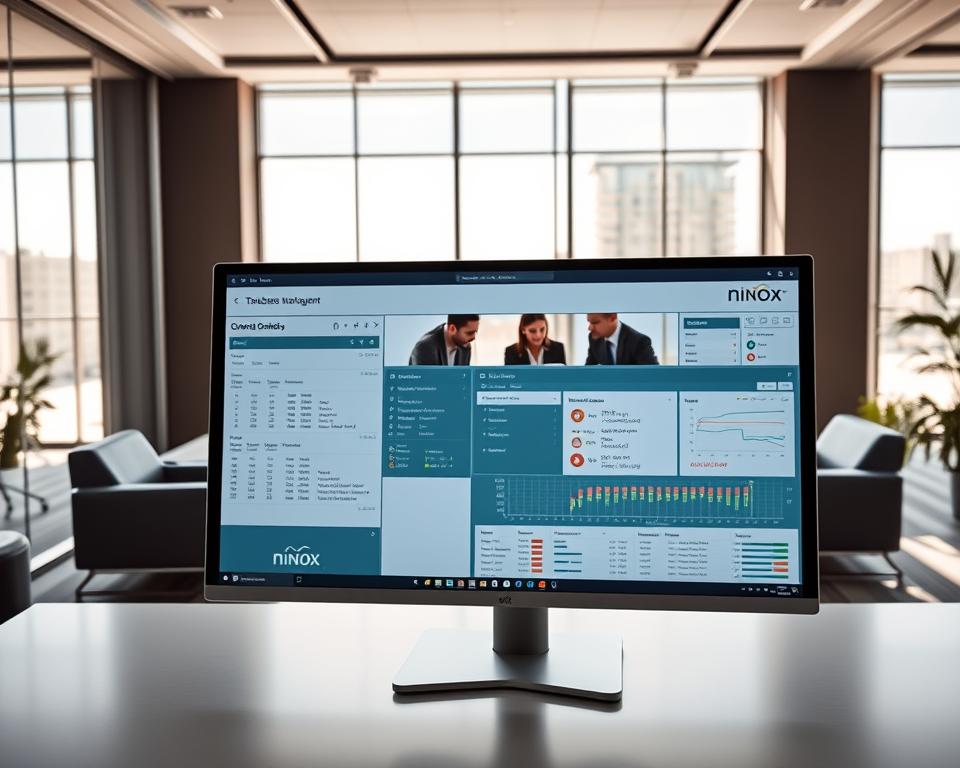
Ninox has several key features that make it a top choice for teams. These include:
- Custom database creation with tailored fields and forms
- Advanced data management capabilities, including calculations and scripting
- Integration with various external services for enhanced functionality
- User-friendly interface for non-technical users
Pros
Ninox’s flexibility in database creation is a big plus. It lets teams adapt the tool to their needs. Plus, it has powerful data management features that handle complex data sets easily.
Cons
While Ninox has a lot to offer, it might be hard for new users to learn. It also might be pricey for smaller teams or individuals.
Top 15 Airtable Alternatives – Features, Pros & Cons Comparison
When looking at Airtable alternatives, it’s key to know their unique features, pros, and cons. The top 15 alternatives have different strengths and weaknesses. This helps teams choose the best one for their needs.
This comparison shows the main features, benefits, and drawbacks of these alternatives. It helps teams find the perfect fit for their work.
All-in-One Workspace Alternatives like Notion and Coda have many tools in one place. Notion is very flexible, and Coda’s tables are based on formulas. But, they can be hard to learn for some.
Visual Project Management Platforms like Monday.com, ClickUp, and Asana are easy to use for project management. Monday.com lets you customize workflows, and ClickUp is great for tasks. Asana is easy to use, but its reporting might be limited for some.
Spreadsheet-Style Database Alternatives like Smartsheet, Microsoft Lists, and Rows have familiar spreadsheets with extra database features. Smartsheet is strong in project management, and Microsoft Lists works well with Microsoft Office. Rows is easy to use, but its database features are still growing.
Open-Source Airtable Alternatives like Baserow, NocoDB, and SeaTable offer customizable solutions. Baserow can be self-hosted, and NocoDB works with many databases. SeaTable makes working together in real-time easy.
Hybrid Database and Spreadsheet Tools like Stackby mix database and spreadsheet benefits. Stackby is easy to use and flexible, but it’s still building its feature set.
Low-Code Database Builders like Zoho Creator and Knack let users make custom databases easily. Zoho Creator has lots of customization options, and Knack is easy to use. But, they can be hard to learn for complex tasks.
Specialized Database Solutions like Ninox are made for specific needs. Ninox is great for custom app development, but it’s complex and might not be for everyone.
By looking at the features, pros, and cons of these top 15 Airtable alternatives, teams can make smart choices. They can pick the best one for their specific needs and workflows.
How to Choose the Right Alternative for Your Team
Choosing the right Airtable alternative for your team is a detailed process. It requires looking at your specific needs and how you work.
Think about your team’s size and how complex your work is. Some tools are better for small teams with simple needs. Others are more suited for big teams with complex tasks.
Look at the features your team really needs. This includes how you organize data, manage projects, and integrate with other tools. Key features to check are data organization, collaboration tools, and customization options.
Also, consider how easy the new tool is to use. A tool that’s easy to navigate can save a lot of time and effort in training.
For a deeper look at Airtable alternatives, check out JotForm’s blog on Airtable alternatives. It offers detailed comparisons and insights into different options.
| Feature | Notion | Monday.com | Smartsheet |
|---|---|---|---|
| Database Capabilities | Advanced | Robust | Strong |
| Project Management | Integrated | Advanced | Comprehensive |
| User Interface | User-friendly | Intuitive | Customizable |
The best Airtable alternative for your team will depend on several factors. By carefully looking at your team’s needs and the features of different tools, you can choose wisely. This choice will help your workflow and boost productivity.
Making the Switch from Airtable
Switching from Airtable means looking at new tools and processes. You need a good plan for moving data, training your team, and getting used to the new platform.
The first step is planning. You should check how you use Airtable now, see what features you need next, and match those with your team’s work. It’s key to get your team involved to make sure the new tool works for everyone.
Data migration is very important. You must move your data safely and right to the new platform. Many Airtable alternatives have tools to help with this, so look into them.
After moving your data, training your team on the new platform is next. This means teaching them how to use it and how to work better with it. Good training and support can help your team adjust faster.
- Develop a detailed migration plan and timeline.
- Conduct thorough training sessions for your team.
- Monitor the transition process closely and address any issues promptly.
- Continuously evaluate and improve your workflow on the new platform.
A comparison of key features to consider during the migration process is provided in the table below:
| Feature | Airtable | Alternatives |
|---|---|---|
| Data Migration Tools | Limited native support | Most offer robust migration tools |
| Customization | Highly customizable | Varies by platform |
| User Training | Extensive resources available | Varies, but most offer support |
With good planning, effective data migration, and team training, you can switch to a better alternative. This will boost your team’s productivity and make your workflow more efficient.
Conclusion
Choosing the right Airtable alternative is key to better project and database management. Each tool has its own strengths, fitting different needs and workflows.
Tools like Notion and Coda offer all-in-one workspaces. Ninox is great for specialized databases. Monday.com and ClickUp have visual interfaces for easy project management. Smartsheet and Microsoft Lists are similar to spreadsheets, making them familiar.
Think about what your team needs before picking an alternative. This ensures a smooth transition. It will help improve how you manage projects and databases, boosting productivity and efficiency.


