







Today’s digital tools make it easier for teams to share ideas. A custom platform for teamwork can streamline workflows and enhance brainstorming sessions. Many businesses are looking for new ways to boost productivity.
This digital whiteboard concept offers a large canvas for mapping out big plans. By exploring unique Miro alternatives, your business can gain an edge in the current market. The demand for visual software is growing fast in the United States.
Starting a collaboration app development project lets businesses create a special space for remote teams. Creating high-quality software focuses on real-time multi-user interaction.
Sticky notes and drawing features make these systems vital for modern offices. This process changes how people connect across long distances. It also ensures that every team member stays aligned on their goals and tasks.
Table of Contents
Key Takeaways
- Streamline team workflows effectively with custom tools.
- Enhance real-time brainstorming capabilities for remote groups.
- Provide an infinite canvas for detailed visual planning.
- Improve overall productivity for various departments.
- Support multi-user interaction through sticky notes and sketches.
- Integrate essential drawing features for creative designers.
Understanding Miro and Its Impact on Digital Collaboration
In today’s world of remote teams, Miro is key for teamwork and creativity. It helps teams work together like they’re in the same room. This makes it a top choice for many businesses.
Miro stands out because it meets the needs of teams working apart. It has an easy-to-use interface. This lets users share ideas and work on projects together smoothly.
What Makes Miro a Leading Collaboration Platform
Several things make Miro a top choice for teamwork.
- Infinite Canvas: Miro’s endless canvas lets teams brainstorm freely, without being limited by space.
- Real-Time Collaboration: It allows teams to work together live, keeping everyone in sync.
- Extensive Template Library: Miro has many templates for different tasks, from planning to brainstorming.
Miro’s impact is big, helping remote teams work better together. It makes work more interactive and fun.
The Growing Demand for Visual Collaboration Tools
More people want tools for visual teamwork as remote work grows.
| Year | Remote Workforce Growth | Demand for Visual Collaboration Tools |
|---|---|---|
| 2020 | 42% | 60% |
| 2021 | 45% | 70% |
| 2022 | 48% | 80% |
The table shows how the need for visual teamwork tools grows with remote work.
Why Companies Are Looking for Miro Alternatives
Even though Miro is popular, some find it missing certain tools or too complicated. This search for Miro alternatives is driven by the need for tools that better fit their specific needs.
Companies want platforms that offer more customization, simpler designs, or specialized features. These features should meet their unique teamwork needs.

Why Businesses Are Investing in Custom Collaboration Solutions
More businesses want tools that fit their needs, not just any tool. Custom solutions help them work better together. This can lead to more people using the tools and better results.
Market Opportunities in Collaborative Software
The market for tools that help teams work together is growing fast. Companies see how important it is to communicate and manage projects well.
The global market for these tools is set to grow a lot. This is because more people are working from home. It’s a big chance for companies to find tools that really fit their needs.
Competitive Advantages of Custom-Built Platforms
Custom platforms have big advantages. They fit right into what teams already do, making work smoother and easier to learn.
Key benefits include:
- Features that match what the business needs
- Better security to keep important info safe
- Easy to use with what teams already have
ROI Expectations for Collaboration Tools
Companies think they’ll get a lot back from these tools. They make teams work better together, which saves time and money.
Good tools also make employees happier and more likely to stay. They make work more fun and efficient.
| Feature | Off-the-Shelf Solutions | Custom Collaboration Solutions |
|---|---|---|
| Customization | Limited | Highly customizable |
| Integration | Variable | Seamless integration with existing systems |
| Security | Standard security measures | Enhanced security features tailored to business needs |

In short, companies are choosing custom solutions for many reasons. They want to take advantage of new opportunities, stay ahead of the competition, and see a good return on their investment. By knowing what these tools can do, companies can make smart choices about their tools.
Key Steps in Miro Like Collaboration App Development
Creating a collaboration app like Miro involves several important steps. Each step is crucial for the app’s success. It starts with understanding what the app needs to do and who it’s for. This journey goes from the first idea to the final test.
Discovery and Requirements Gathering
The first step is the discovery phase. Here, we figure out what the app should do, who it’s for, and what features it needs. We do market research, look at what others are doing, and talk to people who will use the app.
Planning the Product Roadmap
After we know what the app needs, we plan the product roadmap. We decide which features are most important, make a timeline, and figure out how to do it all. A good plan helps us stay on track and reach our goals.
Design and Prototyping Phase
In this phase, the app starts to look like something real. We make sketches, design the user interface, and create prototypes. This lets us test how the app works and how easy it is to use. 
Development and Testing Stages
Now, we turn the design into a working app. Then, we test it a lot to find and fix problems. We make sure it works on different devices and does what it’s supposed to do.
| Development Stage | Description | Key Activities |
|---|---|---|
| Discovery | Identifying project objectives and requirements | Market research, competitor analysis, stakeholder interviews |
| Planning | Creating a product roadmap and timeline | Prioritizing features, resource allocation, timeline creation |
| Design and Prototyping | Designing the app’s UI and testing prototypes | Wireframing, UI design, prototype development, usability testing |
| Development and Testing | Building the app and ensuring its quality | Coding, unit testing, integration testing, user acceptance testing |
Essential Features for a Miro-Like Collaboration Application
Miro’s success comes from its wide range of features. These features boost visual collaboration and team productivity. A Miro-like app should have tools for effective team work, brainstorming, and organizing ideas.
Infinite Canvas and Zoom Capabilities
An infinite canvas lets users tackle big projects without limits. With zoom capabilities, they can zoom in on details or see the big picture.
- Enables large-scale project management
- Facilitates detailed work and overview
- Enhances user experience with flexible navigation

Real-Time Collaboration and Cursor Tracking
Real-time collaboration is key for today’s team tools. It lets many users work together at once. Cursor tracking adds to this by showing who’s doing what.
- Enhances teamwork and interaction
- Provides immediate feedback through cursor tracking
- Supports simultaneous multi-user collaboration
Templates and Pre-Built Frameworks
Templates and pre-built frameworks make collaboration easier. They help teams start quickly on common tasks like brainstorming and planning.
- Accelerates project initiation
- Standardizes processes across teams
- Reduces the need for starting from scratch
Sticky Notes and Drawing Tools
Sticky notes and drawing tools are vital for brainstorming. They let users share their ideas freely and organize them visually.
- Facilitates creative thinking and idea generation
- Supports visual organization of thoughts
- Enhances engagement during brainstorming sessions
Advanced Functionality to Enhance User Experience
In the world of collaboration tools, having advanced features is crucial. Users now rely more on digital platforms for teamwork. This has led to a big increase in demand for apps with lots of features.

Video Conferencing Integration
Adding video conferencing to a collaboration app makes it better. It lets team members talk face-to-face, making communication more personal. Seamless video conferencing is possible with APIs from top providers, ensuring great video and audio quality.
Screen Sharing and Presentation Mode
Screen sharing and presentation mode are key for teamwork. They let users share screens or specific content, making communication clearer and presentations more engaging. These features are great for remote teams and client meetings.
Third-Party App Integrations
Integrating third-party apps is important for flexibility. It lets users use many tools and services right in the app. Popular integrations include project management tools, file storage, and productivity apps, making the app more useful.
Smart Diagramming and Flowchart Tools
Smart diagramming and flowchart tools help users create detailed diagrams and flowcharts in the app. These tools are essential for brainstorming, planning projects, and showing processes. They make collaboration apps more versatile, meeting a wide range of user needs.
By adding these advanced features, developers can make collaboration apps that go beyond what users expect. This sets their product apart in the competitive world of Miro alternatives and collaboration app development.
Technical Architecture for Collaborative Whiteboard Apps
The technical setup of a collaborative whiteboard app is key for its success. It must handle many users, support real-time work, and store data well. A good design ensures a smooth user experience.
Client-Server Architecture Considerations
Most collaborative whiteboard apps use a client-server setup. The client is the user’s device, and the server handles data and updates. It’s important to balance server load, keep data consistent, and manage network delays.
For example, Next Big Technology can help build a scalable architecture for your app.
WebSocket Implementation for Real-Time Synchronization
WebSocket technology is key for real-time collaboration. It lets the client and server talk back and forth instantly. This is crucial for apps where many users work together on the same canvas.
Database Design for Canvas Data Storage
The database design is vital for storing data and user info. It should handle lots of data, keep it consistent, and support quick queries. The choice between relational and NoSQL databases depends on the app’s needs.
| Database Type | Advantages | Disadvantages |
|---|---|---|
| Relational Database | Supports complex transactions, ensures data consistency | May not handle large amounts of unstructured data |
| NoSQL Database | Handles large amounts of unstructured data, flexible schema | May lack support for complex transactions |
Microservices versus Monolithic Architecture
There are two main architectures for collaborative whiteboard apps: microservices and monolithic. Monolithic is a single unit, while microservices are smaller, independent services.
Microservices Architecture brings benefits like scalability and flexibility. But, it’s more complex and needs better management.

The choice between microservices and monolithic depends on the project’s needs. Understanding the technical architecture is crucial for creating a user-friendly app.
Choosing the Right Technology Stack
Building a Miro-like collaboration app requires a smart choice in technology stack. This choice affects the app’s performance, scalability, and how easy it is to develop.
The technology stack is the base of your app. It includes frontend and backend tech, and cloud infrastructure. A good stack ensures your app can handle lots of users, big data, and real-time interactions.
Frontend Technologies and Frameworks
The frontend is what users see and use. So, picking the right tech for a smooth user experience is key.
React and Canvas API
React is a top choice for building UIs. Paired with the Canvas API, it makes dynamic whiteboards possible. React’s design makes handling complex UIs easier.
Vue.js and Fabric.js Alternatives
Vue.js is another strong option for the frontend. With Fabric.js, it’s great for interactive graphics and teamwork features.
WebGL for High-Performance Rendering
WebGL is perfect for apps needing top-notch graphics. It lets you create complex graphics and animations right in the browser, boosting the user experience.
Backend Technologies
The backend manages data, user logins, and live collaboration. The backend tech you pick greatly affects the app’s performance and growth.
Node.js with Express
Node.js and Express make a fast and efficient backend. Node.js is great for live apps because of its design.
Python with Django or Flask
Python is great for the backend with Django or Flask. Django is full-featured, while Flask is more lightweight.
Cloud Infrastructure Solutions
Cloud infrastructure is crucial for a collaboration app’s scalability and reliability. Choose a cloud provider based on data storage, computing power, and service integration.
For a detailed guide on web app development, check out this resource. It offers tips on building scalable and efficient apps.
When picking cloud infrastructure, consider:
- Scalability for more users or traffic
- Reliability and uptime
- Security like encryption and access controls
- Integration with other services

User Interface and Experience Design Principles
Creating a user interface for a collaboration app like Miro needs a deep understanding of user needs. A good UI is key for user adoption and satisfaction. It affects how users use the app and its features.
The success of team collaboration tools and digital whiteboard solutions depends on their user-friendly design. This involves several design principles. They work together to make a user-friendly and productive space.
Intuitive Navigation and Tool Placement
Intuitive navigation is crucial for users to find and use tools easily. It means placing often-used features in easy spots and using clear labels.
- Use clear and consistent icons and labels
- Group related tools together
- Provide easy access to frequently used features
For example, adding video conferencing can improve the user experience. It reduces the need to switch between apps.
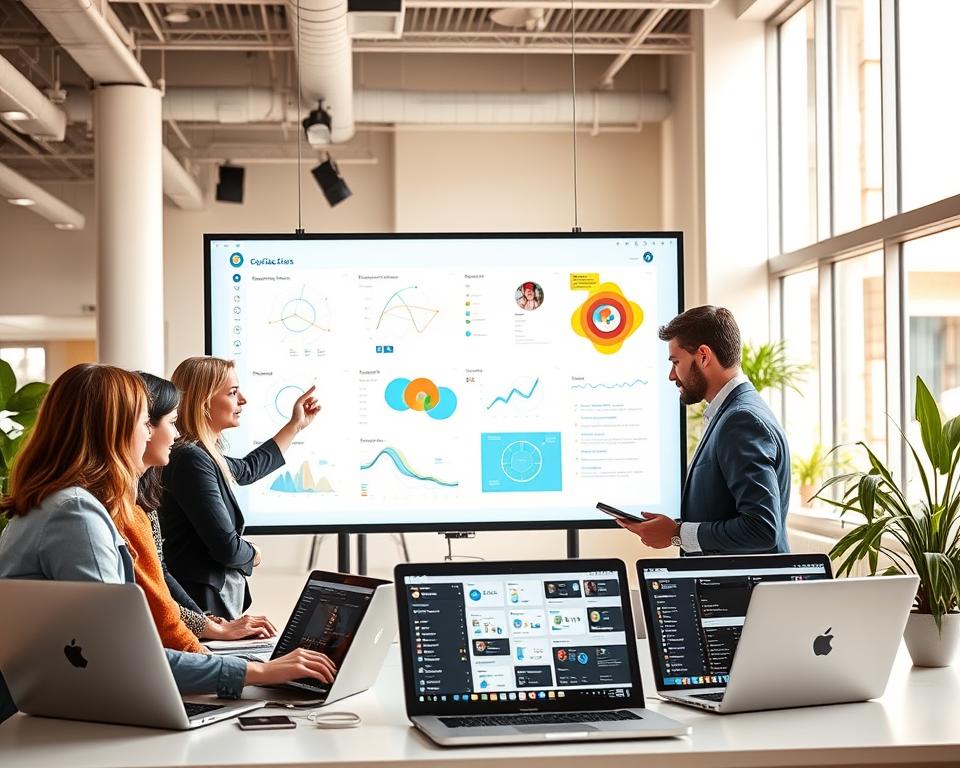
Responsive Design for Multiple Devices
With more people using mobile devices, a responsive design is essential. It makes sure the app works well on different devices and screen sizes.
Accessibility Standards and WCAG Compliance
It’s important to meet accessibility standards and follow WCAG guidelines. This means designing for people with various abilities.
- Ensure color contrast and readable fonts
- Provide alternative text for images and icons
- Make the application navigable using assistive technologies
Color Schemes and Visual Hierarchy
The color scheme and visual hierarchy are key in guiding the user’s attention. A good color scheme also reflects the brand’s identity, making the app more engaging.
By focusing on these design principles, developers can make team collaboration tools and digital whiteboard solutions that are both functional and user-friendly.
Implementing Real-Time Collaboration Features
In today’s fast-paced work environment, real-time collaboration features are essential. They help teams work together, no matter where they are.
Operational Transformation and Conflict Resolution
Managing updates and solving conflicts is a big challenge in real-time collaboration. Operational Transformation (OT) is a key technology. It makes sure all users see the same thing by changing updates into a form that works with the current document or canvas.
Key aspects of Operational Transformation include:
- Handling concurrent operations
- Maintaining document or canvas integrity
- Ensuring a seamless user experience
Presence Indicators and User Awareness
Presence indicators are key for better user awareness in real-time collaboration tools. They show who is online, viewing, or editing content. This makes collaboration more interactive and engaging.
Effective presence indicators can include:
- Live cursors or avatars
- User status updates (e.g., online, offline, editing)
- Real-time typing indicators

Permission Management and Access Controls
Strong permission management and access controls are crucial for effective and secure collaboration. These features let administrators set roles, assign permissions, and control user actions in the platform.
| Permission Level | Description | Typical Roles |
|---|---|---|
| Admin | Full control over the platform, including user management and settings. | Administrators, IT Managers |
| Edit | Ability to edit content, invite others, and manage certain settings. | Team Leaders, Content Creators |
| View | Read-only access to content. | Stakeholders, Guests |
Version History and Change Tracking
Version history and change tracking are essential for keeping a record of all changes. They allow users to go back to previous versions if needed. They also show how content or projects have evolved.
Benefits of version history include:
- Tracking changes over time
- Reverting to previous versions if necessary
- Auditing and compliance purposes
Security and Data Protection Measures
Team collaboration tools need strong security to protect user data and keep trust. As more businesses use digital platforms, good security is key.
Ensuring Data Integrity is vital. This means using many layers of protection. One important step is end-to-end encryption. It keeps data safe by encrypting it from start to finish.
End-to-End Encryption Implementation
End-to-end encryption is a must for Miro alternatives. It keeps data safe from hackers. Only the sender and the receiver can see the data.
Compliance with GDPR and Data Privacy Laws
Collaboration tools must follow global data privacy laws like GDPR. They need to handle and store data carefully. This keeps user privacy safe.
Secure Authentication and Authorization
Tools need strong login systems, like multi-factor authentication (MFA). This stops unauthorized access. It also makes sure users only see what they should.
Regular Security Audits and Penetration Testing
Regular checks and tests are needed to keep tools safe. These find and fix weak spots. This way, tools stay secure for everyone.
By focusing on security, Miro-like apps can earn user trust. They offer a safe place for teams to work together.
Scalability and Performance Optimization
A collaboration app’s success depends on its ability to grow and keep performance high. As more people use digital whiteboard solutions, developers must focus on keeping the app fast and reliable. This means handling more users without slowing down.
To do this, several strategies are key. These include load balancing, caching, CDN integration, and database optimization. Each one is important for a great user experience.
Load Balancing Strategies
Load balancing spreads network traffic across servers. This improves how fast and reliable the app is. It makes sure no server gets too busy, keeping performance steady.
For example, a collaboration app might use different load balancing methods. This could include round-robin and least connection techniques to manage user requests well.
Caching Mechanisms for Faster Performance
Caching stores data in an easy-to-access place. This makes data retrieval faster. Using good caching can make a collaboration app run smoother.
For instance, Hazelcast can speed up real-time features. It does this by cutting down on data retrieval delays.
CDN Integration for Global Accessibility
A Content Delivery Network (CDN) serves web content based on where users are. Adding a CDN to a collaboration app can make it load faster worldwide. This is especially true for content that’s heavy on media.
CDNs cache static assets near users. This makes the app feel faster, especially for media-heavy features.
Database Optimization Techniques
Keeping a database efficient is key as a collaboration app grows. Techniques like indexing, query optimization, and data partitioning help. They make the database work better.
| Technique | Description | Benefits |
|---|---|---|
| Indexing | Creating indexes on frequently queried columns | Faster query execution |
| Query Optimization | Rewriting queries for better performance | Reduced query execution time |
| Data Partitioning | Dividing large tables into smaller, manageable pieces | Improved data management and query performance |
For more insights on optimizing collaboration software, you can refer to enterprise collaboration software solutions.
Cost Estimation and Budget Planning
Getting the cost right is key for a Miro-like app’s success. Knowing what affects the cost helps businesses plan better. This way, they can make smart choices during development.
Development Team Composition and Costs
The team’s makeup greatly influences the cost. Whether you hire in-house, outsource, or mix freelancers and agencies matters. It affects the project’s complexity and how long it takes.
In-House versus Outsourced Development
Deciding between in-house and outsourced development depends on several things. This includes your company’s setup, skills, and budget. In-house development means more control but costs a lot in hiring and training. Outsourced development is cheaper and brings in specialized skills.
Freelancers versus Development Agencies
Freelancers are good for small projects or specific tasks. Development agencies handle big projects with a team of experts. They offer a wide range of services and ensure a solid solution.
Infrastructure and Maintenance Expenses
Development costs aren’t the only thing to think about. You also need to budget for infrastructure and maintenance. This includes server costs, data storage, and keeping the app running smoothly and securely.
Timeline Expectations for Different Scopes
The time it takes to develop a Miro-like app depends on its scope. A simple app can be done fast, but a full-featured one takes longer. Knowing your project’s scope and setting realistic timelines is crucial for budgeting.
By understanding these factors and making a detailed budget, businesses can develop their app successfully. They can stay within budget and achieve their goals.
Monetization Strategies for Collaboration Platforms
Visual collaboration platforms need good ways to make money. As more people look for Miro alternatives, it’s key to know how to make money. This is important for developers and businesses.
Many ways to make money work well for these platforms. These include:
- Freemium models that offer basic services for free and charge for premium features
- Enterprise licensing options tailored to the needs of large organizations
- API access and developer ecosystems that enable third-party integrations and extensions
- White-label solutions for partners who wish to rebrand the platform as their own
Freemium Model Implementation
The freemium model is a hit for collaboration platforms. It lets users try the service before paying. It’s important to balance free features that attract users and premium features for paid subscribers.
To make a freemium model work, think about this:
- Find core features that are valuable but don’t take away from paid options
- Limit free features to encourage users to pay for more
- Watch how users behave to see what makes them pay
Enterprise Licensing Options
Enterprise licensing is a big money-maker for platforms targeting big businesses. Custom solutions and support are big draws for big clients.
When setting up enterprise licensing, remember:
- Make sure it can grow with big teams and organizations
- Include advanced security and compliance features
- Offer dedicated support and account management
API Access and Developer Ecosystem
Letting developers use APIs can grow a platform’s value. A clear API and tools for developers are key to attracting them.
To build a developer community:
- Give detailed API documentation and support
- Offer rewards for developers to create integrations and extensions
- Create a place for developers to share and learn
White-Label Solutions for Partners
White-label solutions let partners use the platform as their own. This is great for getting into new markets, especially big ones or specific ones.
When offering white-label solutions, focus on:
- Custom branding and options
- Easy integration with the partner’s setup
- Support for the partner’s customers
Diversifying how platforms make money helps them grow. It lets them reach more users and businesses. This drives growth and adoption in the visual collaboration tool market.
Common Challenges in Building Collaboration Apps
Creating collaboration apps is complex. It involves technical, usability, and performance hurdles. As more people want digital whiteboard solutions, knowing these challenges is key for developers and businesses.
Technical Challenges and Solutions
One big technical challenge is making sure all users see updates in real-time. This means using strong WebSocket protocols and algorithms for handling updates together.
Key Technical Challenges:
- Real-time data synchronization
- Conflict resolution during concurrent edits
- Scalability to handle a growing user base
To solve these issues, developers can use microservices architecture. They can also use load balancing and caching to improve performance.
User Adoption and Onboarding Strategies
Getting users to use your app is crucial. A user-friendly interface and easy onboarding are key. They help keep users engaged and coming back.
Effective Onboarding Strategies:
- Interactive tutorials and guided tours
- Pre-built templates for common use cases
- In-app support and feedback mechanisms
Maintaining Performance with Growing User Base
As more users join, keeping the app fast is harder. You need a scalable setup that can handle more traffic and data.
| Scalability Strategy | Description | Benefits |
|---|---|---|
| Load Balancing | Distributes incoming traffic across multiple servers | Improved responsiveness and reduced downtime |
| Caching Mechanisms | Stores frequently accessed data in memory for quick retrieval | Faster data access and reduced server load |
| CDN Integration | Delivers content from edge servers closer to users | Reduced latency and improved global accessibility |
Cross-Browser and Cross-Platform Compatibility
It’s important that your app works well on different browsers and platforms. This means testing and optimizing for various screen sizes, operating systems, and browsers.
By tackling these challenges, developers can make apps that meet user needs. These apps offer a strong and engaging experience for everyone.
Conclusion
Creating a Miro-like app needs careful planning and ongoing work. It involves understanding what people need and what features are key. You also need to pick the right technology and make sure it can grow.
Designing an app that’s easy to use and offers real-time collaboration is crucial. It should also be secure. This way, businesses can make tools that help teams work better and make processes smoother.
As more people look for ways to work together online, making your own app can set you apart. With the right approach, you can build an app that meets team needs and helps your business grow over time.


