







The rise of remote work has made project management tools crucial. Creating an application similar to Asana boosts team productivity and collaboration. It helps teams organize tasks, track progress, and meet deadlines.
Building a comprehensive project management app requires careful planning. You need to include essential features, figure out the cost of development, pick the right tech stack, and set a realistic timeline. Knowing these aspects is key for businesses looking to create a tool that fits their needs.
Table of Contents
Key Takeaways
- Understanding the importance of project management tools in today’s work environment.
- Identifying key features for a comprehensive project management application.
- Factors influencing the cost of developing a project management app.
- Selecting the right technology stack for project management app development.
- Establishing a realistic development timeline.
Understanding Asana and Why Build a Similar App
Asana is a top name in project management. It’s known for its strong features, easy-to-use interface, and flexibility for different business needs. This makes it a great example to follow when creating your own app.
What Makes Asana a Market Leader
Asana excels in making project management easier and team work better. It offers flexible workflow management and customizable dashboards. These features help teams fit the tool to their unique needs.
Growing Demand for Project Management Solutions
More and more projects are getting complex. This means teams need better ways to work together. With more people working remotely, digital tools for planning and tracking projects are becoming essential.
Business Opportunities in This Space
Creating an app like Asana can open up big business chances, especially in enterprise project management. By making a tool that meets business needs, you can enter a growing market and make a mark.
Some key benefits of building a project management app include:
- Improved team collaboration and productivity
- Enhanced project visibility and control
- Increased customer satisfaction through timely delivery

Target Users for Your Project Management Application
Finding the right people for your project management app is crucial. Knowing who uses your app and what they need helps you build better features. This way, you meet their expectations.
Individual Contributors and Team Members
Individual contributors and team members are vital for any project. They need tools to manage tasks, work together, and see how things are going. Features like assigning tasks, setting deadlines, and getting updates in real-time are key for them.
Project Managers and Team Leads
Project managers and team leads need tools to plan, organize, and watch over projects. They must assign tasks, set deadlines, and track progress. Features like Gantt charts, project templates, and managing resources are important for them.
Executives and Stakeholders
Executives and stakeholders want to see the big picture of a project. They need to know about project status, budget, and how resources are used. They need dashboards and reports to help them make smart decisions.
| User Category | Key Needs | Essential Features |
|---|---|---|
| Individual Contributors and Team Members | Task management, collaboration, progress tracking | Task assignment, due dates, real-time updates |
| Project Managers and Team Leads | Project planning, organization, monitoring | Gantt charts, project templates, resource allocation |
| Executives and Stakeholders | High-level project insights, decision-making | Dashboards, reports, project status updates |

Core Features for MVP Development
Creating a Minimum Viable Product (MVP) for an Asana-like app needs careful thought. It must have key features for users to manage tasks and projects well. The MVP should have the basics for effective project management.
User Authentication and Profile Management
A strong user authentication system is key to protect user data. It ensures only authorized users can access their accounts. Users should be able to create profiles, manage settings, and reset passwords. Secure authentication is essential for user trust.
Project Creation and Organization
Being able to create and organize projects is vital. Users should start new projects, assign them to teams, and use tags or folders. This keeps work organized and easy to find.

Task Management and Assignment
Task management is central to any project app. The MVP should let users create tasks, assign them, set deadlines, and track progress. This ensures projects stay on track.
Basic Collaboration Tools
Basic tools like commenting and file sharing are crucial for team work. They help team members discuss tasks, share updates, and work together better. Adding real-time collaboration features improves the user experience.
By focusing on these key features, you can build a useful Asana-like app. Prioritizing these features ensures a strong start and opens the door for future growth.
Advanced Features to Scale Your Application
To grow your project management app, you need advanced features. These features should meet the needs of more users. As your app gets bigger, so does the need for better tools.
Multiple Project Views
Having different project views is key. You can choose from list, board, calendar, and timeline views. A survey found that 71% of teams like these options to work better.
“The ability to switch between different views has been a game-changer for our team,” says a project manager at a leading tech firm.

Custom Fields and Templates
Custom fields and templates let users make the app their own. They can add important details and make things easier. A product manager at a software company says,
“Customization is key to meeting the diverse needs of our clients,”
highlighting its importance.
Workflow Automation and Rules
Workflow automation and rules make tasks automatic. This cuts down on mistakes and saves time. It’s especially helpful for teams with lots of tasks, as it can reduce task completion time by up to 30%.
Advanced Reporting and Analytics Dashboards
Advanced reporting and analytics dashboards give insights into how projects are doing. They help teams work better and make smart choices. A senior project manager says, “Data analytics has transformed our project management approach,” showing its impact.
Time Tracking and Resource Management
Time tracking and resource management help teams keep track of their work. This is crucial for accurate billing and planning. It’s vital for businesses that need to track hours or manage resources.
Adding these advanced features makes your app more useful and appealing. It helps attract and keep users happy.
Real-Time Collaboration and Communication
To stay ahead, project management apps need strong real-time collaboration and communication tools. These features help teams work better together. They cut down on misunderstandings and boost productivity.
In-App Messaging and Comments
In-app messaging and comments let team members talk about tasks and projects right in the app. This cuts down on the need for other communication tools. It keeps all important talks organized and easy to find.
File Attachments and Document Sharing
Being able to share files and documents in the app is key for teamwork. It makes sure everyone has the latest versions of documents. This avoids problems with different versions.

Smart Notifications and Alerts
Smart notifications and alerts keep users up-to-date on key events. This includes task assignments, deadline changes, or new comments. These alerts can be set up to only show important updates.
Activity Feed and Updates
An activity feed shows a timeline of all project actions. It helps team members understand what’s happening. This boosts transparency and keeps everyone on track with project goals.
With these real-time collaboration and communication tools, project management apps can greatly enhance team work and project success.
Integration Capabilities and API Development
To make an app better, it needs strong integration capabilities. This means it can work well with many other tools and services. Users use these tools every day.
Third-Party Tool Integrations
Working with tools like Google Drive, Slack, and Microsoft Teams is key. These integrations help users share files, get updates, and work together better.
RESTful API for External Connections
A good RESTful API is vital for linking with outside services. It should use standard HTTP methods and have clear documentation. This helps developers start building integrations easily.
Webhook Support
Webhook support lets the app send updates to other services right away. This is great for making other apps do things when something happens in the project management tool.

Adding these features makes an Asana-like app more valuable. It becomes a central place for managing projects and working together. It’s not just a tool; it’s a hub for everything.
Frontend Technology Stack for Web and Mobile
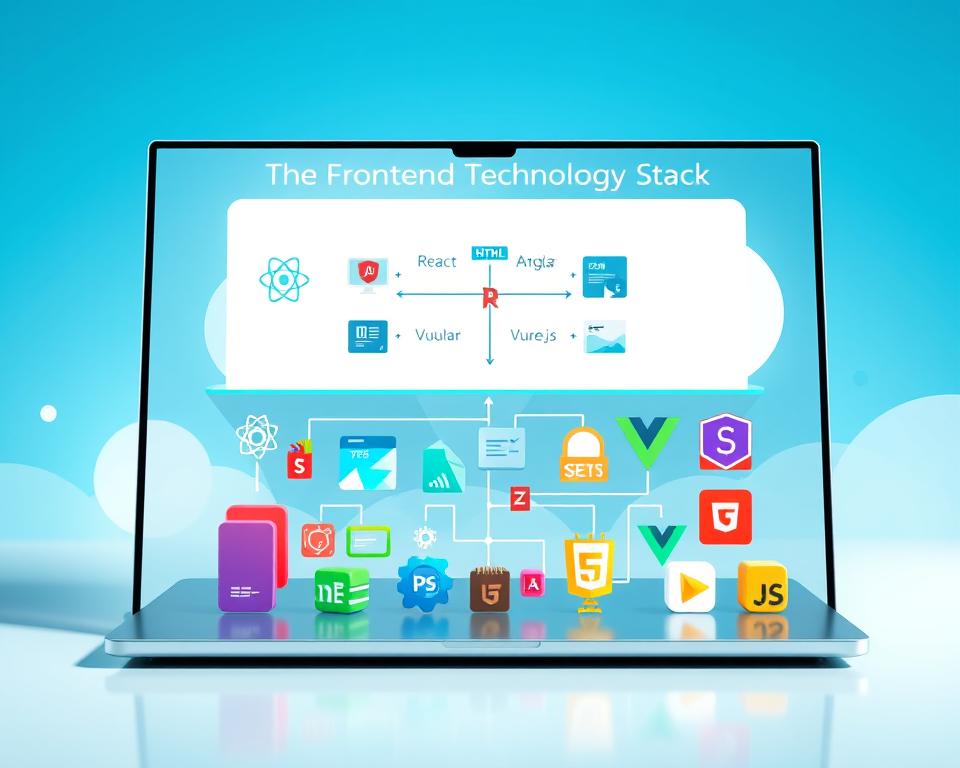
Choosing the right frontend technology stack is key for a smooth user experience on web and mobile. The frontend stack handles the user interface and interaction. It directly affects how users feel and how well the app works.
React.js for Web Application Development
React.js is a top choice for building web interfaces, especially for single-page apps. It uses a component-based system for easy reuse and maintenance. React’s virtual DOM boosts performance by reducing direct DOM changes.
React Native or Flutter for Mobile Apps
React Native and Flutter lead in mobile app development. React Native lets developers create native apps for iOS and Android with shared code. Flutter, using Dart, offers widgets for mobile, web, and desktop apps.
State Management with Redux or MobX
Good state management is vital for complex apps. Redux and MobX are top picks for React apps. Redux is strict and predictable, while MobX is more reactive and less complex. Both manage global state effectively.
UI Component Libraries
Libraries like Material-UI and Ant Design offer pre-made components. They speed up development and keep the app’s look consistent. These libraries are customizable to fit your app’s brand and design.
| Technology | Description | Use Case |
|---|---|---|
| React.js | JavaScript library for UI development | Web application development |
| React Native | Framework for native mobile app development using React | Cross-platform mobile apps |
| Flutter | UI toolkit for natively compiled applications | Mobile, web, and desktop applications |
| Redux/MobX | State management libraries | Managing global state in complex applications |
| Material-UI/Ant Design | UI component libraries | Rapid development of consistent UI |
Backend Technology Stack and Architecture
Choosing the right backend technology stack is key when building an app like Asana. The backend is crucial, handling data, storage, and communication between the client and server.
Node.js with Express.js Framework
Node.js and Express.js are top picks for backend work. They offer high performance and scalability thanks to their architecture. Express.js makes handling HTTP requests and responses easier, helping in building RESTful APIs.
Alternative: Python with Django REST Framework
Python users might prefer Django REST Framework for their backend. Django’s ORM system makes database interactions simpler. It also comes with many built-in features to speed up development.
Microservices Architecture Approach
Using a microservices architecture means building a modular backend. This way, different services can be worked on, deployed, and scaled separately. It boosts flexibility and fault tolerance.
Real-Time Communication with WebSockets
WebSockets allow for real-time communication between the client and server. They’re great for apps that need instant updates, like project management tools.
| Technology | Description | Use Case |
|---|---|---|
| Node.js with Express.js | High-performance, scalable backend framework | Building RESTful APIs |
| Python with Django REST Framework | Robust backend framework with ORM capabilities | Complex data-driven applications |
| Microservices Architecture | Modular backend development for scalability | Large-scale enterprise applications |
| WebSockets | Real-time communication protocol | Collaborative features and live updates |

Database Solutions and Data Management
Choosing the right database solution is key for a strong project management tool. The database holds and manages data well. This is vital for the app’s performance and growth.
PostgreSQL for Structured Data
PostgreSQL is a top-notch, open-source database for structured data. It has advanced features like complex queries and foreign keys. This makes it great for apps needing strong data management.
MongoDB for Flexible Document Storage
For apps needing flexible data storage or handling lots of semi-structured data, MongoDB is perfect. It’s a NoSQL database that stores data in a JSON-like format. This offers flexibility and growth.

Redis for Caching and Session Management
Redis is an in-memory data store for databases, caching, and messaging. It’s great for caching data and managing sessions in web apps. This boosts performance and cuts down on database load.
Amazon S3 or Google Cloud Storage for Files
Amazon S3 or Google Cloud Storage are top picks for file storage. They ensure data safety, availability, and security. They’re perfect for storing and managing files in project management apps.
By using these database solutions together, developers can build a strong, scalable data system. This ensures their project management app runs smoothly and reliably.
Infrastructure and DevOps Technology
Choosing the right infrastructure and DevOps technologies is key for your app. A strong infrastructure supports the app’s backend. It makes sure the app can handle user needs and store data well.
Cloud Platforms
Cloud platforms like AWS, Google Cloud, or Microsoft Azure are great for scalable solutions. They offer computing power, storage, and database management. These are crucial for a project management app.
Docker and Kubernetes for Containerization
Docker and Kubernetes make deploying and managing app parts easy. They ensure apps work the same everywhere and make scaling simpler.
CI/CD Pipeline Setup
A good CI/CD pipeline automates testing, building, and deploying your app. It cuts down on human mistakes and speeds up updates. This is vital for keeping software quality high and improving fast.
| Technology | Purpose |
|---|---|
| AWS/Google Cloud/Azure | Cloud Infrastructure |
| Docker | Containerization |
| Kubernetes | Container Orchestration |
| CI/CD Pipeline | Automated Testing and Deployment |
Asana Like App Development – Features, Cost, Tech Stack & Timeline
Creating a project management tool like Asana needs a deep look at its features, costs, tech stack, and timeline. The app’s development goes through several important phases. Each phase is key to the app’s success.
Complete Development Timeline Breakdown
The timeline for making an Asana-like app can be split into several main phases:
Discovery and Planning Phase (2-3 weeks)
This first phase is about doing market research, setting the project’s scope, and figuring out who the app is for. It lays the groundwork for the project.
Design Phase (3-4 weeks)
In this phase, the app’s UI/UX design is worked on. It focuses on making the app easy to use and look good. A good design is key for users to like and keep using the app.
MVP Development (3-4 months)
The MVP phase is when the app’s basic features are built. It’s important for testing and getting feedback from users.
Full-Featured App Development (6-9 months)
After the MVP, the app gets more features and its current ones are improved. This phase makes the app fully functional and rich in features.
Factors Affecting Development Timeline
Several things can change how long it takes to develop an app, including:
- Complexity of Features: More complex features take longer to develop.
- Team Size and Experience: A bigger, more experienced team can work faster but costs more.
- Technology Choices: The tech stack chosen can affect how fast and scalable the app is.
- Integration Requirements: Adding third-party services can extend the development time.
Knowing these factors is important for planning and doing the development of an Asana-like app well.
Comprehensive Cost Breakdown
Understanding the cost breakdown is key for making an Asana-like app. The total cost includes development time, technology, and where it’s developed.
MVP Development Cost Range
Creating an MVP is a smart way to test your app with basic features. The cost for this can be between $40,000 and $100,000. This depends on the features and technology used.
Full-Scale Application Costs
A full Asana-like app with more features costs more. The price can go from $150,000 to $300,000 or more. This depends on the project’s scope and complexity.
Cost by Development Region
Costs change a lot based on where you develop. Here’s a look at costs in different regions:
North America Rates
In North America, especially the U.S., costs are high. Developers charge between $100 and $200 an hour.
Eastern Europe Rates
Eastern Europe has lower costs, with rates from $30 to $75 an hour. Poland, Ukraine, and Romania are top choices for outsourcing.
Asia Rates
Asia, like India, Vietnam, and Indonesia, has the lowest rates. They charge between $20 and $50 an hour.
| Region | Hourly Rate Range |
|---|---|
| North America | $100 – $200 |
| Eastern Europe | $30 – $75 |
| Asia | $20 – $50 |
Hidden Costs to Consider
There are hidden costs like maintenance, updates, and scalability. It’s important to plan for these to keep your app running well.
Key Takeaways:
- MVP development costs range from $40,000 to $100,000.
- Full-scale application costs can exceed $300,000.
- Development region significantly impacts overall costs.
Building Your Development Team
To create an Asana-like project management tool, you need a team with different skills. A good team is key to a project’s success.
Essential Roles and Responsibilities
The team for an Asana-like app should have several important roles:
- Product Manager: This person makes sure the product meets market needs and stays on budget.
- UI/UX Designers: They focus on making the app easy to use and look good.
- Frontend Developers: They turn the designs into a working app.
- Backend Developers: They handle the app’s server-side logic, database, and API connections.
- QA Engineers: They check the app for bugs and performance issues.
- DevOps Engineers: They keep the development environment running smoothly and handle deployments.
Optimal Team Size for Different Scopes
The right team size depends on the project’s scope and complexity. A small MVP might need 5-7 people, while a big app could need 10-15 or more.
Security, Privacy, and Compliance
Security, privacy, and compliance are key for any project management app. They protect user data. These tools are vital to business, so keeping data safe is essential.
Data Encryption Standards
Using strong data encryption is crucial. This means using TLS for data in transit and AES for data at rest. It keeps sensitive info safe from hackers.
Authentication and Authorization Security
Strong authentication mechanisms like MFA are vital. They check who’s logging in. Role-based access control (RBAC) limits what users can see. This lowers the chance of data leaks.
GDPR and CCPA Compliance
Apps for EU and California users must follow GDPR and CCPA. This means clear data handling, getting user consent, and letting users control their data.
SOC 2 Certification Considerations
SOC 2 certification shows a service organization’s dedication to security. It involves thorough audits and meeting Trust Services Criteria. It builds trust with customers and stakeholders.
Monetization Models and Revenue Strategies
Creating a successful Asana-like app needs a smart monetization plan. Good revenue strategies are key to making your project management tool profitable.
Freemium with Premium Upgrades
The freemium model gives basic features for free and asks for money for more. It lets users see the app’s value before paying for extra features.
Tiered Subscription Plans
Tiered plans meet different user needs with various features and support. This way, you can attract more users and make more money from each one.
Enterprise Custom Solutions
Custom solutions for big businesses can bring in a lot of money. Tailoring your app for specific needs can lead to high prices and strong client ties.
Using these monetization models and revenue strategies can make your Asana-like app both profitable and lasting.
Challenges and Best Practices in Development
Starting to build an Asana-like project management tool? It’s key to know the common pitfalls and best practices. Development challenges can greatly affect your app’s success.
Common Development Pitfalls
Ensuring a smooth user experience and strong functionality is a big challenge. Inadequate planning can cause delays and extra costs. Also, not focusing on the right features can make the app too busy for users.
Performance Optimization Strategies
To avoid performance problems, use caching mechanisms and optimize database queries. Keeping an eye on app performance helps spot issues early.
Scalability Planning
Scalability is key for your app’s long-term success. A microservices architecture lets you scale parts of the app as needed, making it more flexible.
User Adoption Tactics
Getting users to stick with your app depends on a simple interface and good onboarding. Interactive tutorials and quick support can really help keep users engaged.
By tackling these challenges and using best practices, developers can make a better, more scalable, and user-friendly Asana-like app.
Asana-Like App Development: A Comprehensive Overview
Creating a successful Asana-like app needs careful planning and the right tools. We’ve looked at the key features, cost, and time needed for such a project. This article has covered everything from start to finish.
To build a strong project management app, know your audience well. Include essential features like user login, project setup, and task handling. Adding advanced features like different views, custom fields, and automated workflows can make the app better.
The tech stack you choose is vital for the app’s performance and growth. It includes the frontend, backend, database, and infrastructure. A solid development plan, focusing on security and privacy, is key to success.
In summary, making an Asana-like app is a big chance in the market. By following this guide, you can make a top-notch project management app. It will meet your users’ needs and shine in a crowded field.


