






Today’s fast market leaves many organizations burdened by large, permanent software suites. These systems often miss unique, short-term needs. Teams now choose purpose-specific software tools for one task, then remove them after meeting the goal.
Our goal is to show you how to effectively build disposable business applications. Lean development solves immediate workflow problems without long-term technical debt or unnecessary maintenance costs.
This guide covers the full lifecycle of these agile assets, from problem selection through development and security. It also explains responsible retirement of your disposable business applications and shows how temporary, high-impact technology can streamline operations.
Table of Contents
Key Takeaways
- Temporary software reduces long-term technical debt and maintenance overhead.
- Focus on solving a single, well-defined workflow problem per project.
- Security and data privacy remain critical even for short-term tools.
- Measurement is essential to determine when a tool has served its purpose.
- Responsible retirement prevents digital clutter and ensures data integrity.
Why Disposable Business Applications Matter for Modern Companies
Why do successful teams build disposable software instead of buying costly, permanent platforms? They need agility in a fast-paced market. Many organizations use small business software tools for one problem, rather than tools trying to serve everyone.

How small tools solve narrow operational problems
When a team faces a unique bottleneck, a large enterprise system may add more complexity than it removes. A lightweight application targets one pain point with precision. This approach to business workflow automation helps employees work faster, without irrelevant menus or features.
These tools provide clear ownership of each process. With a limited scope, the responsible team knows exactly how the tool works. This cuts maintenance effort and keeps the solution aligned with the work people perform.
When a focused application is better than a large platform
Large platforms serve general use cases, so they rarely fit the details of a niche internal process. A focused application works best when you need to streamline a workflow beyond your current tech stack. It avoids the “feature creep” found in larger systems and keeps the user experience clean and intuitive.
A dedicated tool also avoids complex workarounds in your primary software. Instead of forcing a square peg into a round hole, build a tool that fits the task. This leads to higher adoption rates among staff, who value software that actually helps them finish work without unnecessary hurdles.
Balancing speed, usefulness, and expected lifespan
A disposable application’s true value comes from its lifecycle. You need not build software for a decade if its problem may change in six months. By prioritizing business workflow automation that is quick to deploy, companies gain immediate results and keep development costs low.
The goal is to invest less time building the tool than the time it saves. When the operational need shifts or disappears, retire the tool without regret. This mindset makes software development a practical asset, not a long-term technical debt obligation.
What Makes an Application Disposable
Software does not need to last a decade to be valuable. Some effective tools solve one short-term problem, then retire.
This approach uses temporary business software with a narrow purpose and planned lifespan. Teams can meet urgent needs without the bloat found in permanent platforms.
Purpose-built scope instead of permanent expansion
A truly disposable tool does one thing very well. It solves one narrow workflow problem instead of becoming a company-wide system.
Resisting “just one more feature” keeps the application lean. The tool stays easy to understand and quick to deploy for its users.
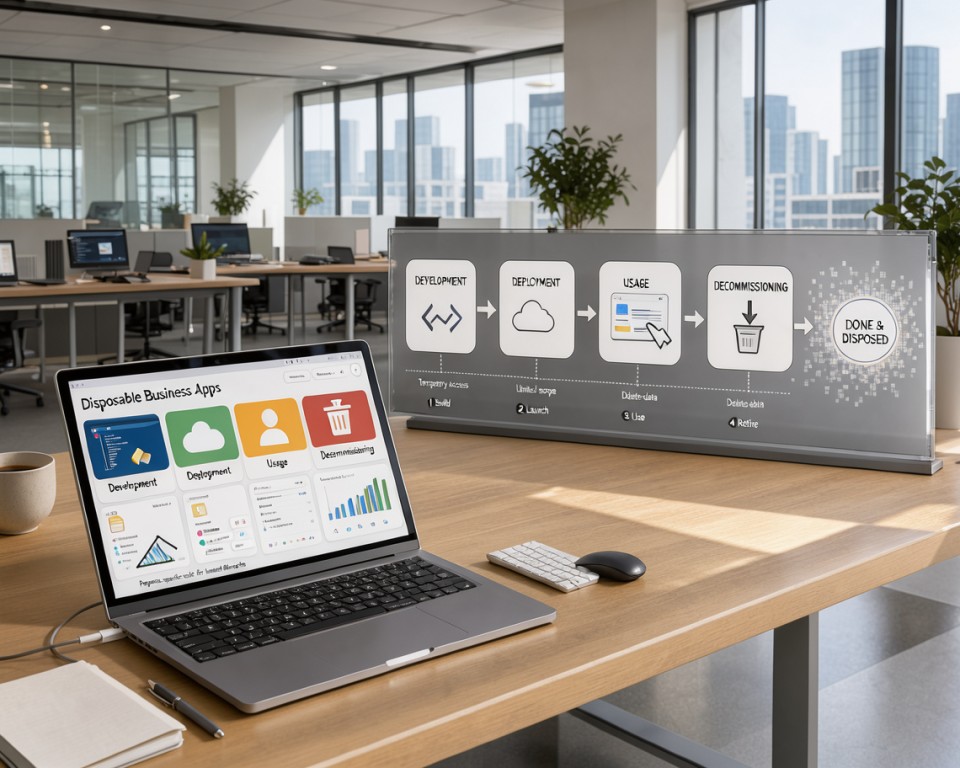
Short development cycles and limited maintenance expectations
The disposable software lifecycle uses fast creation and a clear exit plan. Development often takes days or weeks, not months.
Teams set maintenance expectations from the start. They know when to review the tool for retirement, limiting technical debt.
Disposable does not mean careless, insecure, or unreliable
Some people think short-lived tools need less care. Even a temporary application must be secure, reliable, and well-documented to protect company data.
“Quality is not an accident; it is the result of high intention, sincere effort, intelligent direction and skillful execution.”
Treat these tools like any other professional software. Use access controls, careful data handling, and clear instructions for future managers.
Defining the difference between temporary and throwaway software
Temporary software differs from software that is simply “throwaway.” Both have limited lifespans, but their purpose and execution differ:
- Temporary business software: Built with a clear purpose, documented for its duration, and retired according to a planned schedule.
- Throwaway software: Often built in haste without documentation, security, or a plan, leading to hidden risks and data loss.
A structured approach keeps your disposable software lifecycle a strategic asset instead of a liability. This mindset helps your organization stay agile while maintaining high operational standards.
How to Identify the Right Business Problem
Successful software development starts by finding repetitive work that drains your team’s energy. Look for small, annoying tasks that stop staff from doing their best work. small business software tools work best when they solve one clear problem.
Finding repetitive work that wastes employee time
Watch your team’s daily routine for manual data entry or constant app switching. If someone copies email information into a spreadsheet for hours, automation may help. These repetitive tasks often harm morale and efficiency.

Separating a specific workflow bottleneck from a company-wide system need
Separate a minor workflow bottleneck from a major structural issue. A platform overhaul costs more and brings greater risk than a focused tool. Fixing one workflow bottleneck can bring relief without disrupting company systems.
Interviewing employees who perform the process every day
The person doing the work provides the best information. Leaders may think they understand the problem, but daily users see the process clearly. Team interviews reveal details that reports and spreadsheets may miss.
Questions that reveal a practical opportunity for a small tool
Ask your team these questions to find the right opportunities:
- What is the one task you dread doing every single day?
- Where do you find yourself waiting for information from another person or system?
- If you could automate one part of your current process, what would it be?
- What data do you have to manually re-type or copy into different files?
Setting a measurable outcome before development begins
Before building, define success for your employee productivity tools. Choose a clear metric to show whether the tool helped. You might save two hours per week or cut error rates in half.
Clear outcomes help your employee productivity tools deliver real value. They also keep development short and results strong. The goal is easier work, not more daily complexity.
How to Build Disposable Business Applications Around a Clear Use Case
Creating purpose-specific software tools starts with a clear vision for the application’s single goal. To build disposable business applications, limit the scope and avoid feature bloat found in larger platforms. Solving one problem helps your team deliver value quickly and efficiently.

Writing a focused problem statement
A strong problem statement guides the team throughout development. It should name the bottleneck you want to fix without describing technical solutions. Keep it simple by naming who is affected, the pain point, and why it matters now.
Defining the single primary user and workflow
To move quickly, identify one primary user for the tool. Serving multiple departments can create complex requirements that derail the project. Map one linear workflow so the application stays intuitive and easy to maintain.
Listing essential inputs, actions, and outputs
After defining the user, list only the inputs and actions needed to complete the task. Each field or button should help produce the final output. If a feature does not help users reach the goal, leave it out of the first version.
Using a minimum viable workflow instead of a broad feature backlog
A minimum viable application follows the core path instead of a long list of “nice-to-have” features. This focused software development approach helps you launch faster and gather real-world feedback. You can add functionality later, but removing complexity from the code is difficult.
Establishing success criteria and an end-of-life condition
Before writing code, define what success means for this project. You might measure hours saved or fewer manual data-entry errors. Also set an end-of-life condition, such as a specific date or a temporary project’s completion, so it does not linger.
| Feature | Traditional Platform | Disposable Application |
|---|---|---|
| Development Scope | Broad and Scalable | Narrow and Targeted |
| Primary Goal | Long-term Growth | Immediate Efficiency |
| Maintenance | Ongoing Updates | Minimal or None |
| Lifespan | Indefinite | Defined by Use Case |
Scope the Tool Before Writing Code
Turning a vague business request into a working tool takes careful planning and clear limits. Effective application scope planning is a blueprint for needed features, without wasted resources or unnecessary bells and whistles.

Mapping the current process from trigger to completion
Start by visualizing the entire workflow, from the initial trigger to the final output. Identify every step an employee takes to complete the task manually. This visual map shows where the process stalls or data gets lost.
Removing unnecessary approvals, screens, and data fields
After mapping the process, look for ways to simplify it. Many legacy workflows contain redundant approvals or data fields that no longer serve a purpose. Stripping away these layers creates a faster, more intuitive experience for the end user.
Choosing which exceptions the first version must handle
You cannot solve every edge case in the first release. Focus on the 80% of scenarios that happen most often. A reliable tool for standard tasks is better than a complex tool that fails on rare exceptions.
Documenting out-of-scope requests to prevent feature creep
Stakeholders often suggest new ideas after seeing a prototype. Implementing feature creep prevention is vital for keeping the project on track. Keep a “parking lot” document for review after the core tool is deployed.
Estimating development effort, operating cost, and useful lifetime
Before writing code, define the tool’s expected lifespan. A short-lived script needs less investment than a permanent platform. Use the table below to evaluate your project requirements and ensure your application scope planning matches your business goals.
| Project Metric | Low Complexity | Medium Complexity | High Complexity |
|---|---|---|---|
| Development Time | 1-2 Weeks | 3-6 Weeks | 2+ Months |
| Maintenance Needs | Minimal | Periodic | Continuous |
| Expected Lifetime | Under 6 Months | 6-18 Months | 2+ Years |
Setting these boundaries early keeps your team focused on feature creep prevention. This disciplined approach ensures that small, purpose-specific software delivers maximum value with minimal overhead.
Choose an Architecture That Matches the Tool’s Lifespan
Choosing the right architecture for a purpose-specific tool means matching your technical investment to the problem’s scale. With focused software development, your team solves the business problem instead of managing complex infrastructure. Build a tool that works for its intended lifespan without becoming a permanent burden.

Deciding between a script, internal web app, mobile app, and automation
Not every problem needs a full-scale application. A simple Python script or Zapier automation may bridge a workflow gap. If users need an interface, choose an internal web app; reserve mobile apps for physical mobility or device-specific hardware.
Using low-code platforms for simple, short-lived workflows
For many teams, low-code business applications offer the fastest route to a functional prototype. They assemble logic and data-entry forms without extensive custom code for processes changing or disappearing within months. Speed is your primary advantage here, as these tools let you deploy solutions in days rather than weeks.
“Simplicity is the ultimate sophistication.”
Choosing custom development when integration or control matters
When a tool must connect deeply with legacy systems or process data quickly, custom engineering becomes necessary. This approach provides control for complex security needs and unique API limits. It takes more effort but helps the tool fit smoothly into your existing ecosystem.
Comparing serverless functions, managed databases, and traditional hosting
Modern serverless business applications let you run code without managing underlying servers, reducing operational work. Managed databases simplify your stack by handling backups and scaling automatically. Traditional hosting needs more maintenance but gives total control for highly specialized needs.
| Architecture Type | Best For | Maintenance Level | Lifespan |
|---|---|---|---|
| Automation/Scripts | Data movement | Low | Short |
| Low-Code Apps | Internal forms | Low | Medium |
| Serverless Apps | Event-driven tasks | Medium | Long |
| Custom Hosting | Complex integrations | High | Long |
Avoiding architecture that creates unnecessary long-term obligations
The biggest mistake in building small tools is choosing an architecture that requires constant updates. Ask whether the technology will be easy to decommission when the project ends. Keep your stack lean and avoid over-engineering to protect your team from unnecessary technical debt.
Design the Data Model and Business Rules
A lean business data model keeps small applications agile and useful. Store only information needed to run and assess the workflow, avoiding needless complexity. This keeps the tool lightweight and easy to maintain during its short lifespan.

Identifying the minimum data the application must store
List only the essential inputs and outputs needed to complete the task. If information does not support the primary workflow, leave it out. Simplicity is your best friend when building tools for a specific, temporary purpose.
Defining ownership, retention, and access for each data field
Each database field needs a clear owner who understands its purpose. Set strict software data retention policies, so sensitive information is not kept too long. Define who may view or edit each field to protect security and data integrity.
“Data is a precious thing and will last longer than the systems themselves.”
Encoding business rules clearly enough for future handoff
Document your logic so another team member can take over without confusion. Use clear names for variables, and keep validation rules easy to follow. This clarity supports your project’s long-term health.
Handling duplicate records, missing values, and conflicting updates
Small tools often handle messy data, so plan for these issues early. Use basic checks to prevent duplicates and keep required fields from staying empty. If two users update one record, set a clear rule for which change takes priority.
- Validation: Use strict input masks to prevent formatting errors.
- Conflict Resolution: Implement “last-write-wins” or manual review flags.
- Completeness: Ensure critical fields are marked as required.
Planning exports and migration before the tool is retired
Even a temporary application should create data that remains useful after retirement. Plan export formats early, so your business data model can move into a spreadsheet or permanent system. Proper software data retention keeps your work accessible after the original code is decommissioned.
Create a Simple Experience Employees Will Actually Use
A great internal application should feel like a natural part of a worker’s current workflow. Prioritizing user-friendly internal tools removes friction that causes frustration and low adoption. By studying how your team works, you can build tools that feel clear from the first login.
Designing screens around the user’s real sequence of actions
Most software fails when it forces users to follow database logic instead of their own. Before writing code, map each step an employee takes to complete a task. Aligning the interface with their mental model helps the tool support their natural rhythm instead of interrupting it.
Reducing training with familiar labels and visible status cues
Effective employee productivity tools rely on clear communication. Use industry-standard terms your staff already knows to shorten the learning curve. Visible request or file status builds confidence and reduces formal training needed to get started.
Providing useful validation and error messages
Nothing ends momentum faster than a vague error message that leaves users guessing. Always provide clear, actionable feedback when something goes wrong. Helpful validation guides users toward correct input, prevents mistakes, and keeps work moving.
Making the most common task possible with minimal clicks
Efficiency defines a well-designed application. Make the primary user action available within one or two clicks. Fewer screens and navigation steps make your employee productivity tools much faster.
Testing the interface with representative employees
Never assume your design works until people who use it daily have tested it. Observe them as they navigate the tool to find hidden bottlenecks or confusing layouts. This feedback loop helps create user-friendly internal tools that provide genuine value.
| Design Feature | Complex Approach | Simple Approach |
|---|---|---|
| Navigation | Deep, multi-level menus | Flat, task-oriented layout |
| Error Handling | Generic “System Error” | Specific, actionable guidance |
| Data Entry | All fields visible at once | Progressive disclosure of fields |
| User Training | Requires long manuals | Self-explanatory interface |
Connect the Application to Existing Business Systems
Smooth data flow makes small business tools more useful. Linking custom software to core systems enables business workflow automation and saves hours of manual work. Each connection also adds operational duties that require careful management.
Choosing integrations that remove manual copying
Integrations should stop employees from copying data between windows. Choose the minimum viable connection needed for each task. A simple one-way data push may work better than a full sync.
Working with APIs, webhooks, spreadsheets, and file exchanges
Your technical setup offers several ways to move data. API integrations for business can trigger actions in real time, while webhooks react to events in other platforms. Automated file exchanges or shared spreadsheets can bridge systems for simpler needs.
“Integration is not just about moving data; it is about creating a unified experience where the user never has to leave their primary workflow.”
Handling authentication, rate limits, and service outages
System connections need strong security and steady performance. Store authentication tokens securely, and follow platform rate limits to avoid blocked access. Plan for external service outages and unexpected changes.
Creating a fallback process when an integration stops working
Even reliable systems fail, so you need a safety net. If an automated link breaks, your team needs a clear fallback process to keep work moving. This process might include:
- A manual override button within the application interface.
- Email alerts sent to the administrator when a sync fails.
- A temporary spreadsheet log to capture data until the connection is restored.
Preventing duplicate or inconsistent data across systems
Data integrity matters when you automate business workflow automation tasks. Use unique identifiers so records update instead of creating duplicates. Validate inputs before they leave your tool to keep bad data out of core business systems.
Build Security and Governance Into a Small Tool
Even a small business application needs a strong security plan to protect your company’s assets. Treating safety as an optional add-on creates risk, so business application security must guide development from day one. Early safeguards help prevent vulnerabilities, data leaks, and unauthorized access.
Applying least-privilege access from the first release
The principle of least privilege access gives users only the permissions needed for their tasks. Limiting access lowers the risk of accidental data changes or exposure. Always grant each role only the authority it needs to use your tool.
Protecting sensitive customer, employee, and financial information
Disposable software may have a short life, but it often handles sensitive data. Protect customer, employee, and financial information as carefully as data on a permanent enterprise platform. Encryption at rest and in transit keeps this information safe from prying eyes.
Managing secrets, credentials, and environment settings
Hardcoding passwords or API keys in source code creates a major security risk. Use secure environment variables or dedicated secret management services to protect sensitive credentials. This separates configuration data from application logic and makes key rotation easier after a breach.
Separating development, testing, and production access
Never let development share a database or credentials with production. Strict separation stops developers from changing live data while testing new features. This simple barrier helps maintain system integrity.
Keeping an audit trail for important actions
An audit trail records who accessed the system and which changes they made. This visibility helps troubleshoot errors and maintain accountability across your team. Documenting key actions lets you trace unexpected behavior to its source quickly.
Checking compliance requirements before storing regulated data
Before building, check whether your tool will handle data covered by GDPR, HIPAA, or CCPA. Ignoring these legal standards can bring significant penalties for your organization. Consult your legal or compliance team to ensure your business application security meets industry requirements.
Test the Workflow Before Launch
Even small software tools need careful testing before reaching your team. Skipping this step can turn minor bugs into major workflow problems. A proactive approach ensures your tool delivers value from day one.
Testing normal user paths from start to finish
Start by following the main workflow as a typical user would. Check every button, form, and screen change to confirm each works as expected. Consistency is key when building employee trust.
Testing invalid inputs, missing information, and unusual cases
Software often fails when users do unexpected things. Enter incorrect data, leave required fields blank, or click buttons in the wrong order. Make sure the application handles errors without crashing or damaging data.
Verifying integrations and generated outputs
For connected tools, confirm that data moves correctly between systems. Check that exported files, emails, and database entries use the expected format.
“Quality is not an act, it is a habit.” — Aristotle
Technical testing shows what code does, but pilot testing software shows how people work. Include a few typical employees to find problems automated tests might miss. Their feedback can show whether the tool feels easy or difficult to use.
Creating a practical launch checklist
A clear software testing checklist keeps deployment organized and prevents last-minute mistakes. Use the table below to track progress before launch.
| Test Category | Action Item | Status |
|---|---|---|
| User Path | Complete full workflow | Pending |
| Data Integrity | Validate invalid inputs | Pending |
| Integration | Verify external sync | Pending |
| Output | Check generated reports | Pending |
After checking these boxes, you can move forward with confidence. A well-tested tool stays reliable, even when its lifespan is short.
Deploy the Tool With Clear Ownership
Successful deployment takes more than working code. Establishing application ownership before the tool goes live keeps someone responsible for its health and usefulness. Without a lead, helpful software can quickly become frustrating.
Choosing a release method that fits the risk level
Not every tool needs a complex rollout. For low-risk internal utilities, a simple “soft launch” for a small group of power users often works well. This approach lets you gather feedback and fix minor bugs before a wider release.
- Phased Rollout: Best for tools that impact multiple departments.
- Direct Cutover: Suitable for small, isolated tasks with low disruption potential.
- Parallel Running: Recommended if the tool replaces a critical manual process.
Writing concise instructions and support guidance
Users should not have to guess how to use your new tool. Provide a single-page guide with essential steps and instructions for getting help when problems occur. Use simple language and focus on the workflow the tool was built to solve.
Assigning owners for technical issues and business decisions
Every tool needs two owners: a technical lead and a business sponsor. The technical lead handles bugs and updates, while the business sponsor decides when the tool has served its purpose. Clear application ownership prevents “orphan software” from staying active after it loses value.
Recording dependencies, credentials, and recovery procedures
Documentation protects your software. Keep a secure, accessible record of all external connections and login requirements. If the primary owner is unavailable, the team should recover the system or shut it down cleanly without delay.
Monitoring errors, usage, performance, and operating costs
After launch, watch the tool’s health closely. Regular reviews track software monitoring costs and show whether the tool remains efficient. If usage drops or errors rise, use the data to decide whether to patch or retire the system.
| Metric | Purpose | Frequency |
|---|---|---|
| Error Logs | Identify stability issues | Weekly |
| User Adoption | Measure actual value | Monthly |
| Operating Costs | Check budget alignment | Quarterly |
Measure Whether the Application Is Worth Keeping
Not every application deserves a permanent place in your company’s digital ecosystem. A disposable software lifecycle check asks objectively whether the tool serves its purpose or has become a burden.
Tracking time saved and workflow completion rates
The best way to judge a tool is to study hard data. Track how much time employees save compared with their previous manual processes.
High completion rates show that software is intuitive and effective. When users finish tasks without help, the tool is likely meeting its goal.
Measuring adoption without confusing activity with value
High login numbers can look like success. However, frequent usage does not always mean the tool is solving a problem.
If employees use the app but still struggle to finish work, the software may create more friction than it removes. Focus on workflow improvement, not just how often employees open the application.
Comparing maintenance costs with business benefits
Every software tool needs ongoing attention. Weigh your software monitoring costs against the clear benefits the tool provides to the team.
If time spent fixing bugs or updating integrations outweighs time saved by users, the balance has shifted. A tool that costs more to maintain than it saves in productivity is a candidate for retirement.
Collecting feedback from frequent and occasional users
Numbers only tell half the story. Talk to people who use the tool every day to learn about their frustrations and successes.
Occasional users often give the clearest insight into whether the interface is truly simple. Their perspective helps show whether the tool is too complex for its intended lifespan.
Deciding whether to improve, replace, or retire the tool
Once you gather data, you must make a firm decision. If the tool remains valuable but has minor flaws, you might improve it.
If the original problem changed or the technology is outdated, it may be time to replace the application with a better solution. Finally, if the workflow is no longer necessary, retire the tool to keep your digital environment clean and efficient.
Retire or Replace the Application Responsibly
Knowing when to retire business software matters as much as knowing how to build it. Every tool has a natural lifecycle that eventually ends. Keeping a tool after it loses value can create technical debt and security risks.
Recognizing signs that the original purpose has ended
Watch your tools for signs they no longer serve their purpose. A larger platform may automate the original workflow, or the business problem may disappear. When maintenance costs outweigh time saved, it is time to move on.
Planning data export, migration, and archival
Before shutdown, prioritize software data retention. Export all critical information in a readable format, such as CSV or JSON, for long-term storage. Careful planning protects historical records needed for future audits or reporting.
Communicating the replacement process to employees
Transparency matters when you sunset a tool. Tell your team early about the changes, and explain why you will retire it. Clear transition instructions can reduce frustration and protect productivity.
Disabling access, removing credentials, and closing infrastructure
After the transition, secure the environment against unauthorized use. Revoke user permissions, delete API keys, and remove stored credentials from your systems. Then decommission the infrastructure so no temporary business software runs in the background.
Capturing lessons for the next purpose-specific application
Every retirement phase offers a chance to learn. Record what worked well and where future projects could improve. Recording software data retention strategies and development hurdles creates a valuable knowledge base for your next temporary business software initiative.
Conclusion
Modern organizations thrive when they solve specific bottlenecks with care. Build disposable business applications around one narrow problem and a clear, minimal workflow. This approach limits technical debt while giving your team immediate value.
Success takes more than writing code; choose an architecture that fits your tool’s expected lifespan. Secure data, assign clear ownership, and test carefully to ensure reliability. These steps turn simple scripts into effective assets that serve your company exactly when needed.
Measure your software’s impact to decide when to retire it. A responsible exit plan protects your data and keeps your team productive during transitions. Disposable business applications help your company stay agile without permanent, bloated software platforms.
Start small to achieve big results in daily operations. Targeted solutions build a culture of efficiency that adapts to changing business needs. Your next project could unlock hidden productivity across your entire organization.