






Scaling a business creates opportunities but also expands its digital footprint. New cloud services, users, and applications make infrastructure security harder. Teams often struggle to see all assets while facing emerging cyber threats.
Learning how to develop vulnerability management platform capabilities helps protect your growth. A strong system replaces manual tracking with automated asset discovery and risk checks. It helps your security posture grow with your company.
Building a successful vulnerability management platform needs a clear plan. Prioritize asset records, regular scans, and smart risk rankings. Workflows connecting IT, DevOps, and security teams can make defense a business advantage.
These steps help protect your data as you scale.
Table of Contents
Key Takeaways
- Establish a comprehensive asset inventory to gain full visibility into your environment.
- Automate scanning processes to identify security gaps before they become major issues.
- Prioritize risks based on business impact to focus your team on what matters most.
- Streamline remediation workflows to help IT and DevOps teams fix issues faster.
- Integrate security into your existing operations to support sustainable business growth.
Define the Business Case and Platform Goals
Before writing code, understand why your business needs a dedicated security platform. Learning how to develop a vulnerability management platform requires technical skill and a clear view of your organization’s unique risk profile. A strong business case keeps development focused on high-impact outcomes.

Identify the Security and Compliance Problems to Solve
Every growing business faces digital threats that can disrupt operations. Start by documenting security gaps that hinder your team, such as unpatched software or visibility blind spots. effective security vulnerability management helps maintain a stable environment.
Many industries must follow strict regulatory standards. Automating your compliance reporting helps prove active risk management to auditors and stakeholders. Identify these pain points early, so features solve real problems instead of adding complexity.
Set Measurable Goals for Risk Reduction and Response Speed
Clear, measurable metrics make success easier to track. Set targets for reducing overall risk exposure during the first year. For example, reducing the time between finding a vulnerability and applying a patch is a powerful way to measure progress.
Speed matters in incident response. Clear service-level agreements for remediation create accountability across your IT and security teams. These goals provide data to justify continued platform investment.
Align the Platform With Business Growth Plans
Your security infrastructure must scale with your company. As you enter new markets or adopt cloud-native technologies, your security vulnerability management strategy must stay flexible. A platform built for a small team may fail as infrastructure grows more complex.
Plan how your platform will handle more data and new asset types. Planning for growth today helps you avoid costly re-architecting later. Your goal is a system that supports business agility while maintaining robust compliance reporting standards.
Map the Needs of Security and IT Teams
Bridging security and operations supports a modern security vulnerability management strategy. When you build a platform that matches team workflows, you reduce friction and improve response times. This alignment helps every stakeholder feel supported, not burdened by new tools.
Document Responsibilities Across Security, IT, DevOps, and Compliance
Clear ownership helps teams reduce risk. Define who identifies, prioritizes, and fixes vulnerabilities across your infrastructure. Documented roles keep tasks from falling through during high-pressure incidents.
- Security: Responsible for scanning, risk assessment, and policy enforcement.
- IT Operations: Manages the deployment of patches and system configurations.
- DevOps: Integrates security checks into the CI/CD pipeline for DevSecOps maturity.
- Compliance: Monitors adherence to internal standards and external regulations.
Identify the Users Who Need Vulnerability Data
Teams need different views of the same data. A security analyst needs a broad view of the threat landscape. A system administrator needs focused, actionable tasks.

Translate Operational Pain Points Into Platform Requirements
Platform requirements should address your staff’s daily struggles. If your team faces too many manual tasks, the platform must automate them. Listening to users helps create a tool they want to use.
Reduce Alert Overload for Small Security Teams
Small teams often face thousands of alerts without context. Your platform must filter out noise and highlight only critical risks. This helps your team focus on business protection.
Support Collaboration Between Security and System Owners
Effective DevSecOps depends on clear communication between security teams and system owners. Design workflows that let these groups share context and track progress in one place. Shared visibility builds collective responsibility for system health.
| User Role | Primary Need | Platform Benefit |
|---|---|---|
| Security Analyst | Threat Context | Faster Triage |
| IT Admin | Patch Instructions | Reduced Downtime |
| DevOps Engineer | Pipeline Integration | Automated Security |
Choose a Scalable Vulnerability Management Architecture
Choosing the right architecture is the most critical step in building a sustainable security program. A well-designed vulnerability management platform supports your entire security operations strategy. A flexible framework helps tools adapt to new threats and business needs over time.

Compare Centralized, Modular, and Cloud-Native Designs
Centralized designs keep all data in one place, making them useful for smaller teams. Modular designs offer flexibility because teams can replace parts as needs change. Cloud-native architectures use auto-scaling and managed services for massive data volumes.
Separate Data Collection, Analysis, and Presentation Layers
Separating your system into data collection, analysis, and presentation layers supports long-term success. Each layer can be updated without breaking the others. This design simplifies performance tuning and new security tool integrations as your environment grows.
Plan for Multi-Tenant and Multi-Environment Deployments
Modern businesses often span departments or business units that need strict data isolation. A robust cloud security strategy keeps sensitive findings available only to authorized users. Design your platform to enforce these boundaries from the beginning.
Design for Cloud, On-Premises, and Hybrid Infrastructure
Your architecture must support assets in public clouds and private data centers. A hybrid approach provides visibility across your entire footprint without creating silos. This consistency helps maintain high standards of cloud security across all digital assets.
Use APIs and Event-Driven Services for Extensibility
APIs and event-driven services let your platform communicate with other tools in your stack. This approach avoids tight coupling, so you can add integrations without overhauling the system. This is the most effective way to build a vulnerability management platform that remains agile in a fast-paced market.
| Architecture Type | Scalability | Complexity | Best For |
|---|---|---|---|
| Centralized | Low | Low | Small Businesses |
| Modular | Medium | Medium | Growing Enterprises |
| Cloud-Native | High | High | Global Organizations |
Build Reliable Asset Discovery and Inventory
You cannot secure what you cannot see, so visibility anchors your security strategy. A comprehensive asset discovery process supports every risk decision your team makes. Without an accurate inventory, critical defense gaps may let attackers enter.

Discover Servers, Workstations, Containers, Applications, and Cloud Resources
Modern infrastructure includes physical servers, remote workstations, and temporary cloud environments. Your platform must connect to many data sources to show your entire digital estate. Continuous monitoring captures traditional hardware and modern containerized microservices.
Create a Normalized Asset Identity Model
Raw data from different scanners often arrives in conflicting formats. Use a normalized identity model to combine these inputs into one reliable record. This model helps security tools describe each machine or application in the same way.
Track Ownership, Business Context, and Asset Criticality
Technical data alone rarely supports informed security decisions. Map each asset to its business owner and importance to operations. Assigning criticality levels helps your team prioritize remediation based on a breach’s impact on your company.
Prevent Duplicate Assets From Distorting Risk Scores
Duplicate records can create inaccurate risk reports. If one server appears as three entries, risk scores become skewed and unreliable. Strong deduplication logic keeps a clean and trustworthy inventory.
Detect Unknown and Newly Deployed Resources
Shadow IT and fast cloud deployments can create security blind spots. Your asset discovery platform should flag unknown or newly discovered resources as soon as they appear on the network. This vigilance helps ensure no asset remains unprotected for long.
Integrate Vulnerability Scanning and Security Data Sources
Bring fragmented security alerts together by linking scanning tools to one central hub. A unified platform connects security tools and shows your risk landscape clearly. Centralizing your vulnerability scanning helps reveal critical gaps as your business grows.

Connect Network, Endpoint, Web Application, and Container Scanners
Modern businesses use many environments, so data collection must stay flexible. Connect specialized tools to capture a complete view of your digital footprint. These tools include:
- Network scanners for perimeter and internal infrastructure visibility.
- Endpoint agents to monitor workstation and server health.
- Web application scanners to identify flaws in custom code.
- Dedicated container security tools to protect ephemeral cloud workloads.
Ingest Findings From Common Security Tools
Effective vulnerability assessment pulls data from industry-standard tools, including Nessus, Qualys, and Rapid7. Your platform should store these findings centrally while preserving their original context. Consistency is key when comparing risks across departments or technology stacks.
Normalize Scanner Results Into a Common Vulnerability Record
Different vendors often send raw data in unique formats, which makes task priority difficult. Normalization maps these details into one readable record. This process helps your team spend less time translating reports and more time fixing security issues.
Handle CVE, CWE, CPE, and Vendor-Specific Identifiers
To understand your data, standardize how you track vulnerabilities. A common schema helps match findings from every source tool. The table below shows how various identifiers map into one unified record:
| Identifier Type | Purpose | Example |
|---|---|---|
| CVE | Standardized Vulnerability | CVE-2023-1234 |
| CWE | Weakness Classification | CWE-79 |
| CPE | Platform Identification | cpe:/a:vendor:product |
Manage Scanner Authentication, Rate Limits, and Failed Jobs
A reliable vulnerability assessment pipeline needs active integration management. Handle authentication securely, and use secrets management to protect API keys and credentials. Monitor failed jobs and respect scanner rate limits to prevent data gaps, keeping your container security posture accurate over time.
Design Accurate Vulnerability Data Processing
Raw scanner output becomes useful intelligence for a strong security program. During a vulnerability assessment, large amounts of information can overwhelm your team. Good processing helps you focus on real threats instead of noise.

Correlate Findings With Assets, Software Versions, and Exposure
Raw data rarely helps by itself. Link each finding to one asset, its exact software version, and its current network exposure. This contextual mapping helps your team understand a vulnerability’s true business impact.
Deduplicate Repeated Findings Without Losing Evidence
Scanners often report one issue across several scans. A strong platform removes duplicates, prevents inflated risk scores, and keeps the original evidence. One clean record keeps your vulnerability data reliable and easy to manage.
“Data is a precious thing and will last longer than the systems themselves. Quality processing is the bridge between raw noise and strategic security decisions.”
Track Vulnerability Status Across Its Full Lifecycle
Managing each security finding’s lifecycle supports long-term success. You need a clear view from discovery through final resolution. This visibility helps teams set priorities and track progress over time.
Distinguish New, Reopened, Accepted, Mitigated, and Resolved Findings
Correct categories prevent confusion during remediation. Each status shows your infrastructure’s current security posture.
| Status | Definition | Action Required |
|---|---|---|
| New | First time detected | Triage and assign |
| Reopened | Previously fixed but returned | Root cause analysis |
| Accepted | Risk acknowledged by business | Periodic review |
| Mitigated | Compensating control applied | Monitor effectiveness |
| Resolved | Vulnerability fully patched | Verify and close |
Preserve Historical Scans and Remediation Evidence
Keeping detailed vulnerability data supports compliance and auditing. Preserve past scan records and evidence that verifies remediation. This history shows active risk management and compliance with internal service-level agreements.
Prioritize Risks With Contextual Scoring
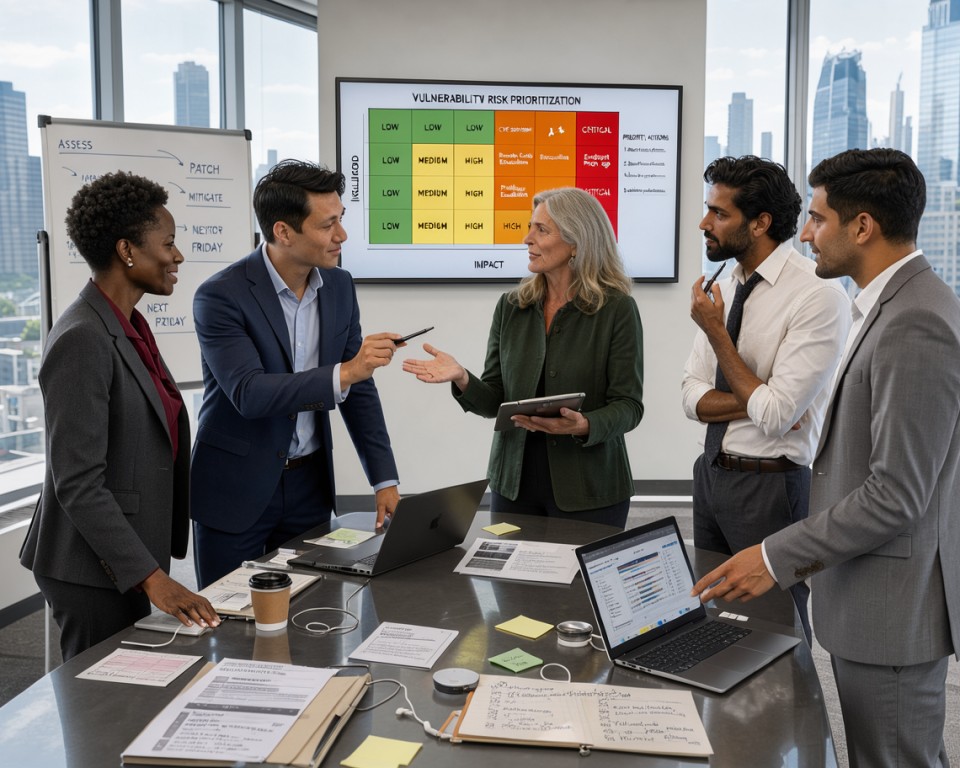
Managing security for a growing business takes more than counting vulnerabilities. Relying only on standard CVSS scoring can create a huge backlog of issues. A smarter model helps you focus limited resources on threats that truly matter.
Combine CVSS With Exploitability and Threat Intelligence
Base scores offer a helpful starting point, but they lack the detail needed for modern defense. Add threat intelligence feeds that track active campaigns in the wild. This helps you separate a theoretical flaw from one attackers actively use to breach systems.
Account for Asset Criticality and Business Impact
Not every server or application has equal importance in your organization. A vulnerability on a public-facing payment gateway is more dangerous than the same issue on an isolated testing machine. Map each asset to its business function, so high-impact systems receive quick attention.
Factor in Internet Exposure, Attack Paths, and Compensating Controls
Context helps reveal the true danger of a security gap. A firewall or strong compensating controls can lower a patch’s urgency. However, an internet-facing asset with a clear attack path needs immediate remediation to prevent unauthorized access.
Use EPSS and Known Exploited Vulnerabilities Data
Modern risk prioritization benefits from data-driven models like the Exploit Prediction Scoring System (EPSS). Use it with the CISA Known Exploited Vulnerabilities (KEV) catalog to make defensible decisions from empirical evidence. This approach removes guesswork from your daily triage process.
Explain Every Priority Score in Plain Language
Transparency helps gain support from IT and development teams. Each priority score should include a simple explanation that anyone can understand. When a developer knows why a task ranks as “Critical,” they are more likely to prioritize the fix without friction.
- High Priority: Active exploit exists and the asset contains sensitive customer data.
- Medium Priority: Vulnerability is reachable from the internet but no public exploit is currently active.
- Low Priority: Internal-only asset with compensating controls in place to block common attack vectors.
Develop Remediation Workflows That Teams Will Use
Security automation turns overwhelming vulnerability reports into manageable daily tasks. Integrating these processes into existing workflows helps teams spend less time searching and more time fixing critical issues.
Convert Findings Into Clear, Actionable Remediation Tasks
Scanner data rarely supports immediate action. You must turn technical findings into clear, actionable remediation tasks developers and IT staff can understand. This requires removing noise and adding context that helps teams resolve issues quickly.
“The goal of any security program is not just to find vulnerabilities, but to ensure they are fixed in a way that supports the business.”
Assign Owners, Deadlines, and Service-Level Agreements
Accountability drives successful vulnerability remediation. Each task needs an owner who understands the responsibility. Firm deadlines and Service-Level Agreements (SLAs) create a steady rhythm for security operations.
Support Patching, Configuration Changes, Upgrades, and Mitigations
Not every security gap needs a software patch. Your platform must support configuration changes, system upgrades, and temporary mitigations when patches are unavailable. These options help teams reduce risk without disrupting production services.
Route Tasks Through Jira, ServiceNow, and Microsoft Teams
To increase adoption, meet teams where they already work. Use security automation to route tasks into Jira, ServiceNow, or Microsoft Teams. Engineers can manage security work beside their standard project tickets.
Escalate Overdue High-Risk Vulnerabilities Automatically
When high-risk vulnerabilities pass their deadlines, the system should act. Automated escalation notifies leadership before a minor oversight becomes a major security incident. This approach keeps attention on the most dangerous threats.
Create Dashboards and Reports for Different Stakeholders
Turning raw security data into useful insights supports a strong risk management strategy. Team members have different duties, so your platform must show vulnerability data for their specific goals. The right view helps engineers, executives, and everyone between them act effectively.
Build an Analyst Workspace for Investigation and Triage
Security analysts need a detailed view of the environment for effective investigations. The workspace should let them move easily among assets, threats, and past events. Efficiency is key when they sort through thousands of issues to find the most serious risks.
- Interactive filtering for specific CVEs or asset groups.
- Visual attack path mapping to understand exploitability.
- Customizable triage queues to track investigation progress.
Give IT Teams Focused Remediation Views
Long lists of technical findings can overwhelm IT teams. To support vulnerability remediation, show only the tasks they must complete. Removing extra technical details helps them focus on patches and configuration changes.
These views should rank tasks by business impact, not severity scores alone. Clear, actionable instructions help IT teams resolve issues much faster. This approach improves teamwork between security and operations departments.
Present Executive Metrics Without Excessive Technical Detail
Executives need a high-level summary of the organization’s security posture. They do not need every scanner result; they need trends and overall risk levels. Clear communication helps them make informed choices about resources and security investments.
Measure Risk Reduction, Remediation Time, and SLA Compliance
Performance metrics show the value of your security program. Use the table below to show how your platform tracks key indicators for vulnerability remediation:
| Metric | Purpose | Target Audience |
|---|---|---|
| Risk Reduction | Shows decrease in exposure over time | Executives |
| Remediation Time | Tracks speed of fixing critical issues | IT Managers |
| SLA Compliance | Ensures adherence to internal policies | Compliance Teams |
Generate Audit-Ready Reports for Compliance Teams
Compliance reporting is critical for any growing business. Your platform should create reports automatically, proving that security controls work as intended. Reports must be accurate, consistent, and easy to export for external auditors.
“Automated reporting reduces the manual burden on teams and ensures that audit evidence is always ready for review.”
A clean audit trail of all vulnerability data simplifies the compliance process. It helps your organization meet regulatory requirements without disrupting daily operations.
Secure the Platform and Protect Its Data
A strong security posture begins with access to sensitive vulnerability insights. Your platform stores critical infrastructure data, making it a valuable target for attackers. Prioritizing security keeps defensive tools from becoming a liability.
Apply Role-Based Access Control and Least Privilege
Least privilege supports effective security. With role-based access control, users access only the data and functions their jobs require. This limits accidental exposure and insider threats.
Administrators should set detailed permissions for each team. A developer may need remediation tasks only for specific applications, while a security analyst needs a wider view of network-wide risks. Using role-based access control keeps organizational boundaries clear.
Protect Credentials, Scan Results, and Business Context
Your platform stores sensitive information, including service account credentials and detailed asset inventories. If exposed, these details could help attackers map your entire network. Protect this data as carefully as your production systems.
Store credentials in a secure vault, never in plain text. Protect business context, such as asset criticality, from unauthorized changes. Data integrity is essential for accurate risk prioritization.
Implement Encryption, Secrets Management, and Audit Logging
Encryption defends data at rest and in transit. Strong cryptographic standards keep intercepted data unreadable to unauthorized people. Robust audit logging records who accessed each item and when.
Support Single Sign-On With SAML and OpenID Connect
Centralized identity management simplifies use and improves security. Supporting SAML and OpenID Connect lets employees use existing corporate credentials. This reduces password fatigue and helps you revoke access when someone leaves.
Separate Customer Data in Multi-Tenant Environments
In multi-tenant deployments, logical isolation is mandatory. One business unit or client must not view another’s vulnerability data. This separation prevents cross-tenant leaks and supports strict privacy compliance.
| Security Control | Primary Benefit | Implementation Level |
|---|---|---|
| Encryption | Data Confidentiality | High |
| Audit Logging | Accountability | High |
| Secrets Management | Credential Safety | Critical |
| Identity Federation | Access Control | Medium |
Plan APIs, Integrations, and Automation
Automation turns a static security platform into an active defense system. A connected ecosystem sends security data where teams need it, without constant manual work. This approach helps modern DevSecOps teams move quickly while keeping risks low.
Design Stable APIs for Assets, Findings, and Remediation Tasks
A strong platform depends on clear, stable API integrations. These interfaces connect security tools with ticketing systems, asset databases, and configuration management tools. Standard data formats help other departments use vulnerability information in their preferred tools.
Consistency is key when designing these endpoints. Make sure your API supports versioning, so platform updates do not break existing connections. This stability lets developers and IT staff build custom tools using your data.
Use Webhooks and Message Queues for Timely Updates
Polling wastes resources and can delay critical responses. Use webhooks to send real-time alerts when a new vulnerability appears. Your team then works with the most current information.
Message queues handle data spikes without overwhelming your infrastructure. They separate data collection from notification services, creating a stronger architecture. This security automation pattern keeps systems responsive during large-scale scanning operations.
Automate Repetitive Triage and Remediation Activities
Manual triage creates a major bottleneck and limits focus on serious threats. Predefined rules can classify findings by asset criticality and exploitability. Analysts can then investigate complex issues instead of sorting routine alerts.
Connect CI/CD Pipelines to Prevent Vulnerable Releases
Connecting your platform to CI/CD pipelines can transform DevSecOps. Automated checks during builds can block vulnerable code from reaching production. This early action finds flaws sooner and lowers remediation costs.
Integrate With Amazon Web Services, Microsoft Azure, and Google Cloud
Modern infrastructure often spans several providers. Your platform needs native cloud security integrations with Amazon Web Services, Microsoft Azure, and Google Cloud. These connections pull metadata from cloud APIs and keep asset inventories accurate as environments grow.
Native cloud security features simplify management of containers and serverless functions. When your platform understands cloud context, it provides more useful and actionable insights. This integration supports a strong security posture in a changing digital landscape.
Test Platform Accuracy, Performance, and Usability
Rigorous testing separates a buggy prototype from a reliable security tool. Before opening your platform to the organization, verify that it works correctly under pressure. This process helps find false positives and missing data that could weaken your security efforts.
Validate Finding Accuracy Against Known Vulnerable Systems
Start by testing your platform against systems with known, documented vulnerabilities. This baseline validation confirms that your detection logic finds known threats. If the platform misses an issue, adjust your detection rules before moving forward.
“Quality is not an act, it is a habit.”
Test Data Quality Across Scanners and Asset Types
Effective vulnerability scanning requires consistent data across different environments. Compare scanner results to confirm that findings are normalized correctly. Whether scanning cloud containers or legacy servers, keep the data accurate and easy to understand.
Measure Performance Under Growing Scan and User Loads
As your business grows, its data volume will increase significantly. Simulate high-traffic situations to ensure the platform stays responsive during peak times. Performance bottlenecks can delay alerts, which is unacceptable in a fast-paced security environment.
Run Security Testing for APIs, Interfaces, and Integrations
Your platform is only as secure as its weakest connection point. Thoroughly test all APIs and third-party integrations to prevent unauthorized access. Confirm that authentication protocols are strong and sensitive data stays encrypted during transit.
Use Feedback From Analysts and Remediation Teams
The best way to improve usability is to listen to daily users. Gather feedback from analysts and remediation teams about confusing workflows or missing features. Continuous improvement based on real-world use makes your vulnerability scanning process more efficient and user-friendly.
Launch an MVP and Expand in Controlled Releases
A successful deployment of a vulnerability management platform starts small and grows with confidence. A controlled release lets you test workflows without overwhelming engineering teams or security staff.
Prioritize Core Capabilities for the First Release
Focus on essentials so the first launch delivers value right away. Build a strong foundation that fixes the most critical security gaps first. Simplicity is your best friend during these early development stages.
Roll Out the Platform to a Representative Business Unit
Choose one representative business unit to pilot your new tools. This lets you see how the platform works in a real-world setting. You can collect honest feedback from daily users.
Use Adoption Metrics to Guide Product Improvements
Tracking team use of the platform supports long-term success. Use adoption metrics to find helpful features and those needing improvement. This data helps align future updates with real user needs.
Start With Asset Inventory, Scanning, Prioritization, and Remediation
Your first release must prioritize asset discovery for full visibility across your environment. With a clear inventory, add automated scanning and risk prioritization. Make remediation workflows simple so teams can fix issues quickly.
Expand Into Attack Surface Management and Exposure Validation
After core processes become stable, broaden your scope. Add attack surface management to better understand your external footprint. Later, use exposure management to validate how specific vulnerabilities might be exploited in your unique environment.
Operate and Improve the Platform Over Time
Once your platform goes live, operational excellence begins. A security tool depends on current data, which supports effective exposure management. Treat the platform as a living system that needs regular care and business alignment.
Monitor Data Freshness, Scan Health, and Integration Reliability
Reliable security starts with proof that your environment scans correctly. Failed scanners or integrations reduce visibility for your attack surface management. Set automated alerts for scan failures or stopped data flows.
- Check daily for stale scan results that indicate connectivity issues.
- Verify that all API connections to cloud providers remain active.
- Audit your asset inventory to ensure new devices are being discovered.
Update Vulnerability Intelligence and Scoring Models
The threat landscape changes daily, so your platform must adapt. Static scores can miss threats and weaken risk prioritization. Add the latest threat intelligence so scoring models reflect current dangers.
Review your scoring logic for new exploit techniques. Adjust weights for active threats to focus your team on dangerous vulnerabilities. This keeps your exposure management strategy effective against modern attackers.
Review Workflows as Infrastructure and Threats Change
Your business will grow, and your technology stack will change. New cloud services or container platforms may make remediation workflows outdated. Revisit these processes to support your security goals.
Establish Ownership for Platform Maintenance
Without a clear owner, platform maintenance can fail. Assign an engineer or team to apply updates and fix bugs promptly. This model keeps your risk prioritization accurate and reliable over time.
Use Feedback, Metrics, and Incidents to Refine Prioritization
Operational data helps you improve. Analyze past incidents and team feedback to refine vulnerability rankings. Use the following table to track key platform performance indicators:
| Metric | Purpose | Action |
|---|---|---|
| Mean Time to Remediate | Track efficiency | Optimize slow workflows |
| False Positive Rate | Measure accuracy | Refine threat intelligence |
| Coverage Gap | Identify blind spots | Expand attack surface management |
Use these metrics consistently to turn raw data into useful insights. Regular review keeps your risk prioritization sharp and helps your business stay ahead of emerging threats.
Conclusion
Creating a robust security posture takes more than automated scans. Learn how to develop vulnerability management platform capabilities as a long-term commitment to operational excellence. Success requires business goals, clear asset visibility, and normalized data streams.
Your journey starts by defining measurable risk outcomes for your specific infrastructure needs. Contextual prioritization and usable remediation workflows help teams address critical threats first. This approach turns security from a reactive task into a proactive business advantage.
Remember, learning how to develop vulnerability management platform features is an iterative process. Treat your setup as an evolving capability that grows alongside your organization. Start with a focused minimum viable product to prove value, then expand as technical maturity increases.
Engage stakeholders early so the platform provides meaningful insights for every department. Maintaining data quality and integration reliability builds a foundation that stands the test of time. These principles help keep your business secure in an ever-changing digital landscape.