






Many organizations face fragmented buying processes that slow daily operations. Manual spreadsheets and scattered emails make expense tracking a major headache. Investing in procurement software development creates a connected digital workflow for everyone.
Smart tools can simplify tasks like budget tracking and vendor management. A key benefit is purchase order automation, which removes repetitive data entry. This change gives your team more time for strategic growth.
Our goal is to create a friendly, intuitive experience while controlling company spending. Digital solutions speed up approvals and supplier coordination, making internal processes more reliable.
Table of Contents
Key Takeaways
- Replace manual, fragmented purchasing tasks with a unified digital system.
- Improve operational speed through automated purchase order workflows.
- Gain better visibility into company budgets and spending patterns.
- Simplify the approval process to reduce bottlenecks for your team.
- Enhance vendor relationships with clear, consistent communication tools.
Why Procurement Teams Are Moving Beyond Manual Purchasing
Using email threads and static spreadsheets for procurement creates hidden friction. As organizations grow, manual requests become complex and cause significant bottlenecks that reduce productivity. Legacy methods limit visibility, so teams struggle to track spending in real time.

The operational cost of email, spreadsheets, and disconnected tools
Manual procurement uses scattered communication, which increases the risk of human error. When data sits in separate spreadsheets, finance teams spend more time reconciling discrepancies than studying spending patterns. This burden uses resources needed for strategic sourcing or vendor negotiations.
Disconnected tools also block a clear view of the purchasing lifecycle. Without a central system, tracking one order requires follow-ups across several departments. This gap creates wasted labor hours and a broken audit trail, complicating compliance efforts.
How purchasing delays affect budgets, employees, and supplier relationships
Purchasing delays affect every part of the business. When approvals stall, employees become frustrated while waiting for essential tools or services. These delays may push staff outside official channels, causing maverick spending that weakens budget control.
Slow payment cycles and unclear communication can harm long-term supplier relationships. Vendors value reliability and transparency, but manual purchase orders make both difficult. Late payments or unclear updates may cost discounts or end critical supply contracts.
When custom procurement software makes more sense than an off-the-shelf platform
Many businesses start with generic tools, but specialized solutions become necessary over time. Custom procurement software can match your internal policies and approval hierarchies. Unlike rigid, off-the-shelf platforms, a tailored solution fits your industry needs and existing technology stack.
Choosing custom procurement software helps companies with complex procurement categories or specific compliance needs. An exact workflow removes workarounds and helps every stakeholder follow one standard process. This investment improves efficiency and provides data-driven insights for effective growth.
What Procurement Software Development Should Accomplish
Custom software creates value by turning chaotic spending into a streamlined, transparent operation. Organizations can track, approve, and align every dollar with company goals.

Creating one controlled process from requisition to payment
A primary goal of procurement workflow automation is connecting initial requests with final settlement. Connected steps reduce lost invoices and forgotten purchase orders. This unified process gives finance teams clear cash-flow visibility at any time.
Matching automation with company-specific purchasing policies
Every business follows unique rules, so software should match those needs. Embedding internal policies into the system makes compliance is automatic rather than optional. This stops unauthorized spending before it happens instead of fixing errors later.
Giving finance, procurement, department managers, and employees the right level of control
Effective software gives each stakeholder the tools needed to succeed. Finance teams gain oversight, while department managers approve requests quickly without paperwork. Employees enjoy a frictionless experience and get the tools needed for their jobs.
Balancing usability with compliance requirements
Successful systems balance strict oversight with ease of use. If a procurement approval workflow becomes too complex, employees may bypass it. An intuitive interface encourages adoption while meeting rigorous United States compliance standards.
| Feature | Manual Process | Automated System |
|---|---|---|
| Data Accuracy | High Error Rate | High Precision |
| Approval Speed | Days or Weeks | Minutes or Hours |
| Policy Enforcement | Reactive/Manual | Proactive/Systemic |
| Audit Readiness | Difficult/Fragmented | Instant/Centralized |
Mapping the Purchase-to-Pay Workflow Before Development Begins
Mapping your purchase-to-pay workflow is vital when building effective software. Before coding, understand how your team handles spending today. This preparation helps your procurement workflow automation match your business needs.
Documenting each handoff helps you find bottlenecks that slow operations. This clarity helps you build a system that supports employees without adding hurdles. Taking the time to map these steps now prevents expensive rework later.
Capturing purchase requests and business justifications
The process starts when an employee needs goods or services. Your software must record clear business reasons for each request. This data supports successful purchase-to-pay automation.
Checking budgets, catalogs, contracts, and preferred suppliers
After submission, the system should check the request against current limits. It must review available budgets, approved catalogs, and negotiated contracts in real-time. Using preferred suppliers helps control quality and prices across the organization.

Routing approved requests into purchase order creation
After passing policy checks, the request should move to the next phase. The software must turn approved requisitions into formal purchase orders. This step removes manual entry and keeps records accurate and consistent.
Connecting receiving, invoice matching, and payment status
The final stage links received goods with the business’s financial records. accounts payable automation lets finance teams match invoices with purchase orders and receiving reports automatically. This connection reduces errors and shows payment status to stakeholders across the United States.
| Process Step | Manual Approach | Automated Approach |
|---|---|---|
| Request Submission | Email or Paper | Digital Form |
| Budget Check | Spreadsheet Review | Real-time Validation |
| Invoice Matching | Manual Comparison | System-Driven Match |
| Data Visibility | Fragmented | Centralized Dashboard |
Designing a Purchase Requisition Experience Employees Will Use
A well-designed purchase requisition experience drives high adoption. When the process feels intuitive, employees follow company policies instead of bypassing them. High-quality purchase requisition software removes buying guesswork and checks each request before it reaches a manager.

Building guided request forms for goods and services
Modern systems use guided workflows that guide employees through buying. Instead of facing a blank page, users answer prompts about quantity, delivery dates, and project codes. This structured approach prevents common errors and gives procurement teams the details needed to process orders quickly.
Using dynamic fields to collect the right information
The best purchase requisition software adapts to each user’s choices in real time. When an employee selects a category, the form shows related fields, such as software license keys or hardware specifications. Showing only needed questions keeps the interface clean and cuts data-entry time.
Supporting catalogs, recurring purchases, and free-form requests
Flexibility matters for a diverse workforce. Employees can browse pre-approved catalogs for standard office supplies or create recurring orders for monthly subscriptions. For unique items, a free-form request lets users add custom details while following the standard approval chain.
Making request status visible from submission through fulfillment
Transparency builds trust within an organization. When employees see where requests are in the approval cycle, they stop emailing finance for updates. Real-time status updates offer peace of mind and show when goods will arrive.
Reducing friction with saved preferences and mobile-friendly access
Efficiency improves when users save favorite suppliers or frequently ordered items. Also, providing mobile-friendly access lets managers approve requests on the go and prevents bottlenecks. These small choices make procurement feel like a modern consumer app, not a chore.
| Feature | Manual Process | Automated Software |
|---|---|---|
| Data Entry | Error-prone spreadsheets | Dynamic, guided forms |
| Status Updates | Manual email inquiries | Real-time dashboard tracking |
| Accessibility | Desktop-only access | Mobile-responsive design |
| User Experience | High friction and confusion | Intuitive and fast |
Automating Purchase Order Creation and Management
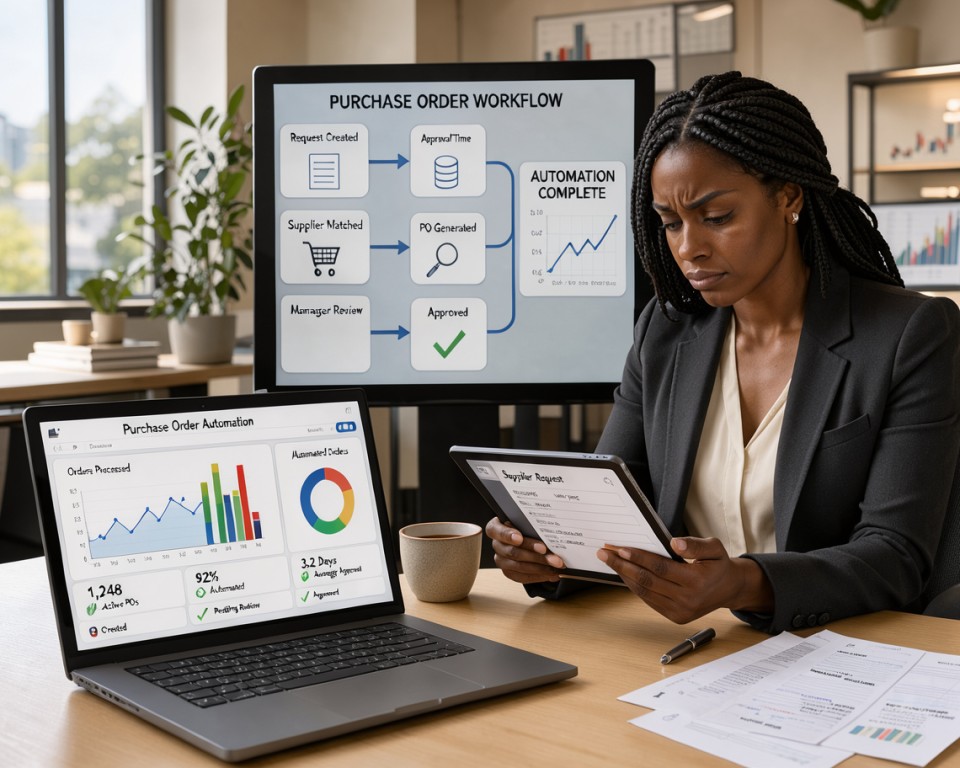
Moving from a simple request to a formal purchase order is a key step in modern procurement. With purchase order automation, organizations can remove delays from manual workflows. Each transaction then moves with greater speed and precision.
Converting approved requisitions into accurate purchase orders
After a department manager approves a request, the system should create a formal document at once. This removes manual data entry, a common source of human error. Accuracy is paramount when a requisition becomes a binding legal document.
Applying numbering, templates, terms, and supplier details consistently
Consistent documents build trust with vendors. Automated systems use standard templates with your payment terms and legal clauses every time. They pull supplier details from your verified database, so no critical information is missing or incorrect.
Managing purchase order changes, partial orders, cancellations, and closures
Procurement is rarely static. Your software must handle partial shipments and changes made during an order. If a supplier fills only part of an order, the system should track the balance and update its status.
Sending purchase orders through secure supplier communication channels
Security is a top priority for United States businesses that handle sensitive financial data. Instead of insecure email attachments, modern platforms use encrypted portals or direct system-to-system integrations. This keeps your purchase order automation compliant and protected from external threats.
Preventing duplicate orders and unauthorized commitments
One of the greatest risks in manual purchasing is creating duplicate orders by accident. Our software flags possible overlaps before orders reach the supplier. Strict validation rules prevent unauthorized commitments and ensure each dollar follows your company’s financial policies.
Building Flexible Approval Workflows
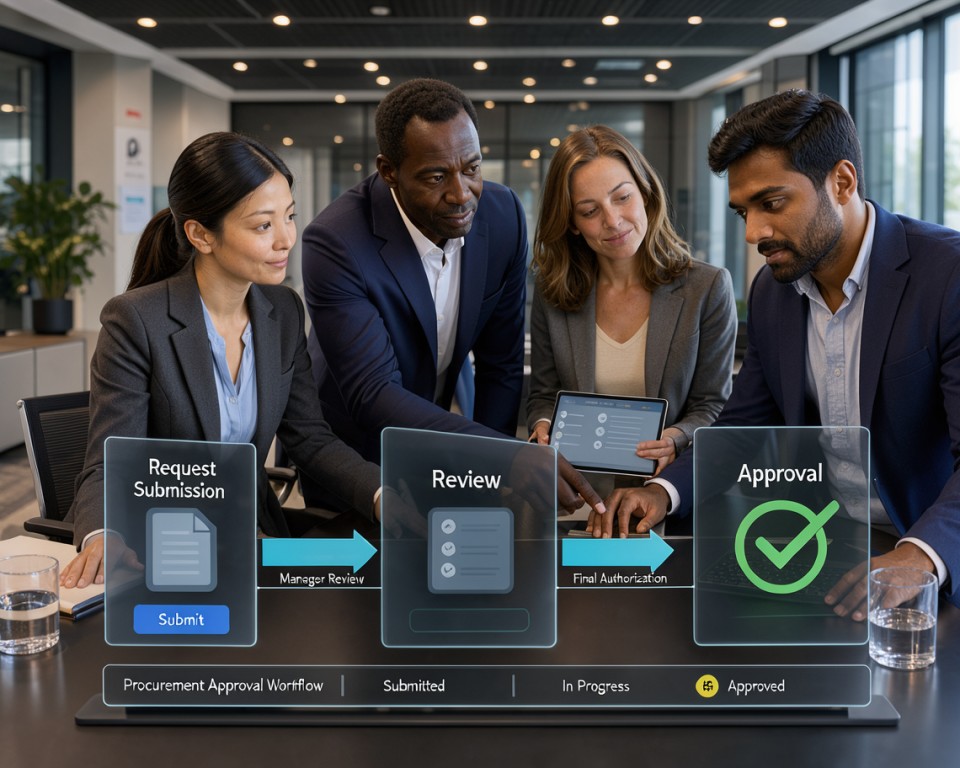
Managing complex spending calls for a smart, flexible way to move requests through your organization. A well-designed procurement approval workflow ensures each purchase follows company policy while keeping operations moving steadily.
Setting approval rules by amount, department, category, location, and risk
Modern software lets you set detailed rules that trigger actions based on each request’s nature. It can route high-value purchases to executives while department heads approve smaller, routine items.
- Amount-based thresholds: Automatically escalate requests that exceed specific budget limits.
- Departmental routing: Ensure managers only see requests relevant to their specific cost centers.
- Risk-based logic: Flag purchases from new or unverified suppliers for additional compliance review.
Supporting sequential, parallel, and delegated approvals
Every business has its own hierarchy, so software should match that structure. It should support a simple sign-off or a complex review by several people.
Sequential approvals work best for standard processes when one person must sign off before the next. In contrast, parallel approvals let several stakeholders review a request at once, reducing cycle times for urgent projects.
Handling escalations, reminders, absences, and approval substitutions
Bottlenecks arise when a key decision-maker is unavailable or misses a notification. A robust procurement approval workflow sends reminders and uses escalation paths so requests never stall.
“Efficiency in procurement is not just about speed; it is about ensuring the right eyes see the right data at the right time.”
If a manager is out, the system should support temporary approval substitutions. Designated delegates can step in, keeping business continuity during vacations or unexpected absences.
Keeping a complete record of decisions, comments, and timestamps
Accountability matters for United States finance teams facing internal or external audits. A complete digital trail records every decision with clear timestamps and user comments.
This transparency shows teams why a request was approved or rejected. Historical data makes it easier to refine your procurement approval workflow and improve spending habits.
Making Budget and Spend Controls Part of Every Request
Effective procurement starts by checking available funds before anyone spends a dollar. With budget control software in your request workflow, every purchase supports your financial goals. This proactive step stops overspending before it starts, instead of fixing budget gaps later.

Checking available budgets before approval
When an employee submits a request, the system should quickly check the department’s available funds. This real-time validation gives the requester immediate feedback. If funds are low, the system can send an alert or request more justification to protect your financial health.
Separating committed, approved, received, and paid spend
Clear finances require separate tracking for each procurement stage. Separate committed, approved, received, and paid spend to give finance teams a clear picture of the organization’s actual financial position. This view prevents double-counting funds already allocated but not yet paid.
Flagging purchases that exceed thresholds or violate policy
Automated guardrails help maintain compliance across your organization. Your spend management software should flag requests above spending thresholds or against company policy. This process sends high-risk or non-compliant purchases to the right stakeholders for manual review.
Using spend categories and cost centers for reliable reporting
Organizing data by spend categories and cost centers turns raw numbers into useful insights. Managers can see where money goes and find possible savings. Consistent tagging makes reliable reporting part of each monthly financial review.
Supporting multi-entity, multi-department, and multi-currency operations
Modern spend management software must support complex business structures. Your organization may manage multiple entities, several departments, or international vendors. The system should handle these needs smoothly. Support for multi-currency operations keeps budget tracking accurate across locations and business activities.
Connecting Suppliers, Contracts, and Procurement Data
Effective supplier management needs one central system, not scattered spreadsheets. With supplier management software, organizations combine fragmented data into one trusted source. Teams can replace manual tracking with data-driven decisions.
Maintaining supplier profiles, payment details, and compliance documents
A strong system stores all vendor information in a secure digital vault. It keeps payment details, tax forms, and insurance certificates current and easy to find. Maintaining compliance becomes proactive instead of a last-minute audit scramble.
Linking purchases to negotiated contracts and pricing terms
When procurement software connects with your contract repository, it applies negotiated pricing automatically. It stops maverick spending by matching every purchase order with approved terms. Teams can find the right contract for each request, reducing errors and saving time.
Tracking supplier performance, renewals, and risk indicators
Clear vendor health data supports long-term success. Modern platforms track delivery speed and quality to identify top-tier partners. They also show risk factors and renewal dates, helping prevent service gaps.
“The most successful procurement teams treat their suppliers as strategic partners, not just vendors. Centralized data is the bridge that makes this partnership possible.”
Providing supplier portals for order confirmations and document exchange
A dedicated supplier portal gives vendors a secure place to work with your team. Suppliers can confirm orders, upload invoices, and exchange critical documents in real-time. This transparency strengthens relationships and reduces your staff’s administrative work.
- Automated alerts for expiring compliance documents.
- Direct integration between purchase orders and contract terms.
- Real-time status updates via the supplier portal.
- Comprehensive audit trails for every vendor interaction.
Integrating Procurement Software With the Existing Technology Stack
An efficient purchasing system connects new software with your current tech stack. When tools share data, you reduce manual entry and human error. Strategic procurement integrations help your team spend less time moving files and more time making high-value purchasing decisions.
Connecting accounting and enterprise resource planning systems
Your procurement platform should extend your core financial systems. Linking it to your ERP or accounting software makes every purchase order update your general ledger automatically. This real-time data flow supports successful accounts payable automation and helps finance teams reconcile invoices quickly and accurately.
Synchronizing identity providers, employee directories, and single sign-on
Connect your existing identity providers to improve security and user experience. Single Sign-On (SSO) lets employees enter the procurement portal with standard company credentials. This method simplifies onboarding and keeps access rights consistent across your organization.
Integrating inventory, warehouse, expense, contract, and payment systems
A unified platform should collect data from departments and show total company spending. Connecting warehouse management prevents over-ordering, while contract databases help capture negotiated pricing. These connections create a cohesive workflow that supports better budget management.
- Inventory Systems: Sync stock levels to trigger automatic reorder points.
- Expense Management: Streamline reimbursement by matching receipts to approved purchase orders.
- Payment Gateways: Facilitate faster vendor payouts through secure, automated channels.
Using APIs, webhooks, and integration platforms to keep data current
Modern software uses robust APIs and webhooks to protect data accuracy across environments. These tools let your procurement system listen for updates in other apps and respond instantly. Middleware or native integration platforms keep records synchronized without constant manual work.
Planning for data ownership, synchronization failures, and reconciliation
Even strong systems face occasional problems, so plan for reliable data. Set clear ownership rules so one system remains the “source of truth” for specific records. Automated reconciliation checks help teams find and fix synchronization failures before they affect financial reporting.
| Integration Type | Primary Benefit | Frequency |
|---|---|---|
| ERP/Accounting | Financial Accuracy | Real-time |
| Identity (SSO) | Security & Access | On-login |
| Inventory | Stock Optimization | Scheduled |
Designing Security, Compliance, and Auditability Into the Platform
Security and compliance must guide custom software design from the start. A modern system does more than speed tasks; it creates a fortress for your sensitive business data. Early planning helps protect your organization from internal and external threats.
Applying role-based access and least-privilege permissions
Effective procurement security starts by controlling who can view or change each type of data. Use role-based access control (RBAC) so employees access only tools needed for their jobs.
Least-privilege access limits each person to the minimum data and tools required. For example, a procurement clerk might create orders, but only a finance manager should approve payments. This reduces the risk of unauthorized actions and keeps your workflow clean.
Protecting supplier, financial, employee, and payment information
Your platform handles sensitive details, including bank account numbers, tax IDs, and personal employee records. Protect this information with strong encryption at rest and in transit. Your database architecture must isolate these records from general system logs.
Creating tamper-resistant audit trails for every procurement action
Accountability is central to procurement compliance. Log every action, from the initial request through final payment, in a tamper-resistant audit trail. This digital history shows who approved a purchase, when they approved it, and what changed.
Supporting internal policies and relevant United States compliance obligations
Custom software lets you build company policies directly into the code. Whether you follow Sarbanes-Oxley (SOX) requirements or internal spending limits, the system can enforce these rules automatically. This approach supports procurement compliance without constant manual oversight.
| Security Feature | Primary Benefit | Compliance Impact |
|---|---|---|
| Role-Based Access | Limits user exposure | High |
| Audit Trails | Ensures accountability | Critical |
| Data Encryption | Protects sensitive info | Mandatory |
| Policy Automation | Prevents human error | High |
Using Analytics to Improve Purchasing Decisions
Your procurement data can reveal major cost savings and better operational efficiency. With procurement analytics, you can replace reactive purchasing with a proactive strategy that benefits your entire organization.
Building dashboards for spend, cycle time, approvals, and savings
Modern spend management software gives you real-time visibility into every transaction. Custom dashboards can track total spend, average cycle time, and approval bottlenecks. These visuals help finance teams see where savings are gained or lost in real time.
Identifying maverick spend, duplicate suppliers, and policy exceptions
Visibility helps prevent unauthorized purchasing. Analytics tools automatically flag maverick spend, when employees buy outside established contracts. Monitoring these patterns helps you consolidate duplicate suppliers and align each purchase with company policies.
Measuring supplier reliability and purchase order accuracy
Tracking supplier performance helps maintain a healthy supply chain. You should measure on-time delivery rates and purchase order error frequency. This data helps you hold vendors accountable and negotiate better terms using their actual performance history.
Turning procurement data into forecasts and strategic sourcing insights
Data analysis can predict future needs before they arise. Historical trends help you forecast seasonal demand and find new strategic sourcing opportunities. This approach helps United States business leaders make informed budget decisions with confidence.
| Metric Category | Key Performance Indicator | Business Impact |
|---|---|---|
| Financial | Total Spend vs. Budget | Prevents overspending |
| Efficiency | Average Cycle Time | Speeds up operations |
| Compliance | Maverick Spend Rate | Reduces hidden costs |
| Supplier | On-Time Delivery Rate | Ensures production stability |
Choosing a Custom Procurement Software Development Approach
Choosing the right path for your procurement software development is vital to digital transformation. Instead of automating every process at once, successful teams use a phased strategy. This approach delivers the biggest changes first and gives staff immediate relief.
Defining the minimum viable procurement workflow
First, identify the core steps that keep your business running each day. A minimum viable workflow should cover the essential path from a simple purchase request to final approval. Removing non-essential features helps you launch a useful tool that quickly fixes urgent bottlenecks.
Prioritizing automation opportunities by business value and complexity
Automation does not give every task the same return on investment. Start with high-volume, low-complexity tasks, such as standard office supply orders. This helps your team gain confidence in the custom procurement software before tackling complex, high-risk purchasing categories.
Deciding between a custom build, configuration, and hybrid delivery
Your technical resources and long-term goals should guide the delivery model. Some companies choose a full custom build for total control, while others configure existing platforms to save time. A hybrid approach often balances speed and flexibility best.
| Approach | Best For | Speed | Flexibility |
|---|---|---|---|
| Custom Build | Unique, complex needs | Slow | High |
| Configuration | Standard processes | Fast | Moderate |
| Hybrid | Balanced requirements | Medium | High |
Planning iterative releases with procurement and finance stakeholders
Collaboration drives every successful software project. Involving finance and procurement leaders in each release cycle keeps the tool aligned with company policies. Regular feedback loops prevent scope creep and keep the project focused on business objectives.
Validating workflows with realistic purchasing scenarios
Before releasing features, test them against real-world situations your team faces each day. Use examples such as an urgent software subscription renewal or a bulk hardware order to test exceptions. This validation ensures your custom procurement software can handle the United States market’s complexities.
Estimating Development Costs, Timeline, and Return on Investment
Investing in custom software development cost requires a clear view of your financial commitment and its long-term value. Successful procurement software development balances immediate needs with future scalability.
Factors that influence custom procurement software development costs
Several variables shape your platform’s final cost. Workflow scope, unique user roles, and custom features drive most expenses.
- Complexity of workflows: Simple, linear processes cost less than multi-layered, conditional logic.
- Data migration needs: Moving legacy data from spreadsheets or old systems adds time and labor.
- Custom UI/UX design: Tailoring the interface to match your specific brand or internal processes increases development hours.
How integrations, approval complexity, security, and scale affect delivery time
Your project timeline is rarely fixed. Integrating existing ERP or accounting systems often requires custom API work, extending development. High-level security protocols and role-based access controls support compliance but require extra testing time.
Scale also affects your delivery schedule. A system for a small department finishes faster than an enterprise platform handling thousands of concurrent users and complex global tax rules.
Calculating savings from fewer errors, faster approvals, and stronger spend control
To justify the investment, measure the procurement ROI. Automation reduces human error and speeds up the entire purchase-to-pay cycle. The following table shows where these savings typically come from:
| Efficiency Metric | Manual Process | Automated System |
|---|---|---|
| Approval Time | Days or Weeks | Hours or Minutes |
| Data Entry Errors | High Frequency | Near Zero |
| Spend Visibility | Reactive/Delayed | Real-time |
Stronger spend control prevents maverick purchasing and keeps every dollar aligned with your budget. These gains create direct savings and often pay for the software within its first year.
Budgeting for maintenance, enhancements, user support, and security updates
Many organizations focus only on the initial build. Set a recurring budget for your system’s ongoing health, including security patches and updates.
Security patches protect sensitive financial data, while updates keep software compatible with changing business needs. Training and help-desk resources help your team use the platform fully, protecting your procurement ROI over time.
Launching and Continuously Improving the Procurement Platform
Launching a new procurement tool is exciting, but it requires careful planning and user support. A successful procurement implementation needs more than working code; it must fit your staff’s daily habits.
Preparing data, permissions, suppliers, and approval policies for launch
Before launch, make sure your master data is clean and accurate. Outdated supplier records or incorrect pricing tiers can quickly frustrate users.
Set clear role-based permissions so only authorized staff can approve high-value requests. Early limits prevent bottlenecks and protect financial controls from day one.
Training employees and communicating the benefits of the new workflow
Change can feel difficult, so explain why the new system matters. When employees see that the e-procurement platform saves time and cuts paperwork, they are more likely to use it.
“The secret of change is to focus all of your energy, not on fighting the old, but on building the new.”
Hold hands-on training sessions that cover common tasks. Quick-reference guides and short video tutorials can help during the initial transition.
Monitoring adoption, exceptions, system performance, and user feedback
After launch, watch how the system performs in real-world conditions. Key metrics can show where users struggle or workflows cause unexpected delays.
| Metric | Goal | Action |
|---|---|---|
| User Adoption | High | Provide extra training |
| System Latency | Low | Optimize server response |
| Policy Exceptions | Minimal | Refine approval rules |
Ask your team to share honest feedback. Their concerns can guide targeted improvements that keep the system running smoothly.
Expanding automation as purchasing needs evolve
Your e-procurement platform should grow with your business. As your organization expands, you may automate recurring orders or connect additional financial tools.
Continuous improvement marks a mature procurement implementation strategy. Regular process reviews help your software remain a powerful asset for years.
Conclusion
A custom procurement system can change how your organization manages money and resources. Linking requisitions, approvals, and payments gives you clear visibility into every dollar spent. A well-designed e-procurement platform supports these essential financial tasks.
Success depends on balancing automation with strong internal controls. Your team needs a secure, user-friendly system that works smoothly with existing accounting tools. Clear workflows and real-time analytics help staff make smarter purchasing decisions each day.
United States organizations should begin by mapping their current purchasing process. Identify specific bottlenecks before development begins. Measured, iterative releases help your e-procurement platform grow with your business needs.
Take the first step toward better spend management today. Refining your approach to procurement software development will deliver long-term efficiency and stronger financial health for your entire company.