






Digital transformation takes more than moving servers. It requires a strategic approach that values lasting efficiency over quick fixes. This resource offers a practical roadmap for moving business infrastructure into modern environments.
We divide this complex process into 16 manageable phases. You will learn to set clear goals, follow security protocols, and improve database performance. Success depends on careful planning, not simple data transfers.
Our detailed cloud migration checklist covers key decisions about architecture, testing, and final cutover. Using these steps helps you control costs and improve system reliability. Let us guide you through this transition with confidence and clarity.
Table of Contents
Key Takeaways
- Successful transitions require thorough planning rather than just server relocation.
- The process involves 16 distinct phases, from initial goal setting to post-launch improvements.
- Security, database integrity, and architecture design are foundational pillars of the project.
- A structured checklist helps teams avoid common pitfalls during the cutover phase.
- Cost optimization remains a primary focus throughout the entire lifecycle.
Define Your Cloud Migration Goals and Success Criteria
A strong cloud migration strategy connects technical plans with business goals. Without a clear roadmap, teams may struggle to explain the effort or measure its impact.

Connect Migration Goals to Business Outcomes
Your cloud migration strategy links IT work to organizational success. Moving servers alone is not enough; show how the change can improve revenue, resilience, or customer experience.
For example, to improve customer experience, reduce latency for global users. If resilience is the priority, focus on high availability and disaster recovery. Linking these changes to business outcomes helps stakeholders support the project.
Set Measurable Targets for Performance, Availability, and Cost
Before moving any workload, establish clear baselines for your current environment. These metrics help you track progress and prove the value of your cloud migration strategy once the project ends.
Set performance targets, such as page load times or transaction throughput. Set availability goals, such as 99.99% uptime, and create a detailed cloud consumption budget. Compare these targets with current performance to find gaps early.
| Metric Category | Baseline Goal | Success Indicator |
|---|---|---|
| Performance | Latency under 200ms | Improved user retention |
| Availability | 99.99% Uptime | Reduced downtime incidents |
| Cost | 15% reduction in TCO | Optimized resource usage |
Establish Migration Ownership and Decision-Making Roles
A successful cloud migration strategy needs clear ownership across the organization. Include leaders from business, application, infrastructure, security, finance, and operations teams.
Assign decision-makers to prevent delays during difficult tradeoffs. When teams know who decides between speed and risk, they can move ahead with confidence. Clear communication and defined roles support a smooth cloud transition.
Cloud Migration Guide: Moving Your Application to AWS, Azure or Google Cloud
Choosing among AWS, Azure, and Google Cloud requires understanding your unique business needs. Each provider offers a vast ecosystem of tools, but their core philosophies differ. An informed choice ensures that your infrastructure aligns with your long-term goals.
Compare AWS, Microsoft Azure, and Google Cloud Service Models
All three major providers offer robust Infrastructure as a Service (IaaS) and Platform as a Service (PaaS). They also offer Software as a Service (SaaS), but service depth differs across each catalog. Understanding these differences is essential for a successful transition.
| Feature | AWS | Azure | Google Cloud |
|---|---|---|---|
| Primary Strength | Broad Service Depth | Enterprise Integration | Data & AI Analytics |
| Best For | Complex Architectures | Microsoft-Centric Shops | Cloud-Native Innovation |
Match Application Requirements to Cloud Provider Strengths
Your current technology stack often shows the easiest path. If your team knows certain tools, using that expertise can speed up your timeline. Review current licensing agreements for possible savings on specific platforms.
For instance, an AWS migration might be ideal if you need a massive array of specialized services. Conversely, an Azure migration often feels natural for organizations invested heavily in Windows Server and SQL Server. A Google Cloud migration often suits teams focused on high-performance data analytics and containerized workloads.
Evaluate Regional Availability, Compliance, and Enterprise Agreements
Global reach matters to businesses serving customers across several continents. Confirm that your provider has data centers near your users. Also, ensure the platform meets industry standards, including HIPAA or GDPR.
When AWS May Be the Best Fit
AWS often suits organizations needing the widest range of services and global reach. It offers mature tools for almost any use case, making it a reliable partner for complex, large-scale deployments. Its large community also helps engineering teams solve problems.
When Microsoft Azure May Be the Best Fit
Azure works well when your organization relies on Microsoft software. It integrates with Active Directory and Office 365, simplifying identity management. Existing Microsoft licensing agreements may also create major savings during the transition.
When Google Cloud May Be the Best Fit
Google Cloud excels with data-driven applications and machine learning projects. It leads in container orchestration, especially with Kubernetes, which it originally developed. For highly scalable, cloud-native applications, this platform offers a clear competitive advantage.
Inventory Applications, Dependencies, and Infrastructure
A successful migration begins with a close look at your current IT landscape. A thorough cloud readiness assessment shows the full picture before data moves.
This process involves more than counting servers. It helps you understand how your business works in the digital space.
Catalog Servers, Databases, Storage, and Network Components
Start with a master list of all physical and virtual assets. Record every server, database instance, storage volume, and network configuration in use.
Include peripheral components such as load balancers and firewalls. A clear inventory prevents critical hardware from being missed during the transition.

Map Application Dependencies and External Integrations
Modern software rarely runs alone. Effective application dependency mapping helps connected services communicate after the move.
Identify every API call, database connection, and third-party service your application uses. Missing one hidden dependency could break core functions during cutover.
“The complexity of modern systems means that discovery is not a one-time task, but a continuous requirement for operational success.”
Identify Unsupported Versions, Technical Debt, and Single Points of Failure
Migration offers a good chance to clean house. Find outdated software versions without security patches or vendor support.
Find technical debt that could hurt cloud performance. Also, locate single points of failure that could threaten availability as you scale.
Document Data Flows and Authentication Paths
Knowing how data moves through your system supports security. Map traffic patterns and confirm secure authentication paths in the new environment.
This work helps you build a strong security perimeter. It also keeps your application dependency mapping accurate with cloud-native identity services.
Record Performance Baselines Before Migration
You cannot improve what you do not measure. Before making changes, record current latency, throughput, and error rates.
These metrics create your cloud readiness assessment benchmark. Compare pre-move results with your cloud environment to show the migration’s value.
Treat this discovery phase as a living document. Turn findings into a prioritized remediation backlog and address risks systematically, not through a static spreadsheet.
Choose the Right Migration Strategy for Each Workload
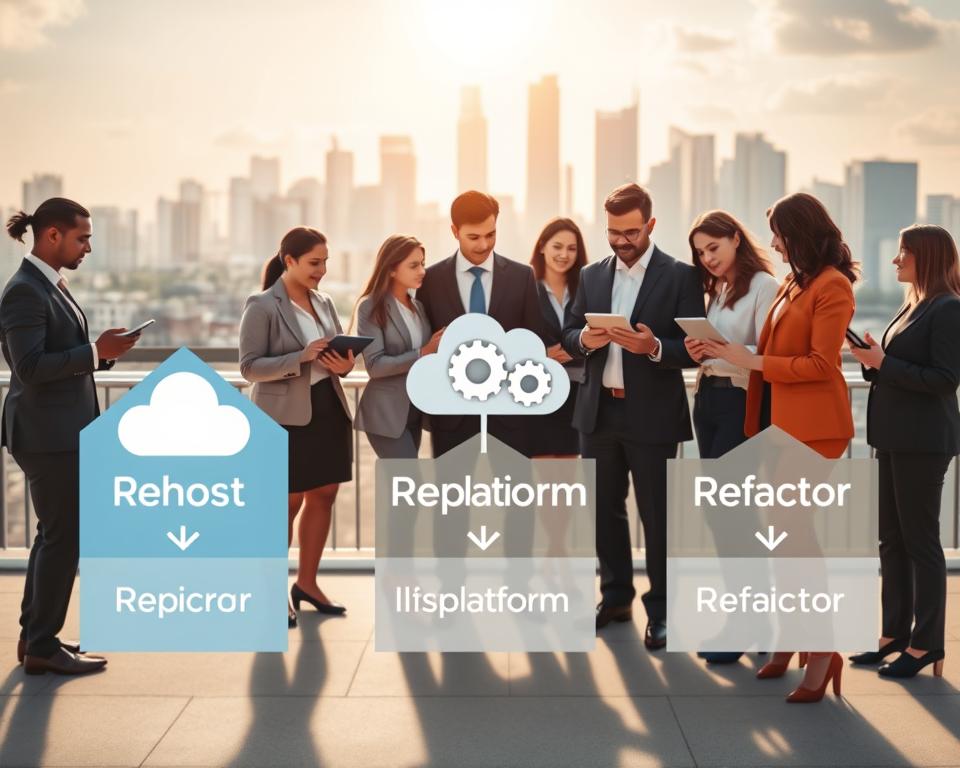
Choosing the right migration path is the most critical decision for your cloud journey. When evaluating your portfolio, weigh technical complexity against business goals. Understanding rehost vs replatform vs refactor helps each application thrive in its new environment.
Use Rehosting for Fast, Low-Change Migrations
Rehosting, often called lift-and-shift, moves applications to the cloud with minimal changes. This approach suits organizations that need to leave a data center quickly. It preserves existing processes while providing cloud infrastructure benefits.
Use Replatforming to Improve Managed-Service Adoption
Replatforming makes small application improvements to use cloud-native features. You might move a self-managed database to Amazon RDS or Azure SQL. This strategy offers a balanced middle ground, improving performance without a complete code rewrite.
Use Refactoring for Cloud-Native Performance and Scalability
Refactoring requires major code changes to use cloud-native features, such as serverless computing or microservices. This path demands the most effort but provides the greatest long-term value. It delivers unmatched scalability and resilience beyond traditional architectures.
Consider Repurchasing, Retiring, or Retaining Specific Applications
Not every workload belongs in the cloud. You might repurchase a legacy system by switching to a SaaS provider, or retire applications without a business purpose. Sometimes, the best choice is to retain an application on-premises until its natural end-of-life.
Balance Migration Speed Against Long-Term Operating Costs
When analyzing rehost vs replatform vs refactor, consider immediate speed and future technical debt. Fast migrations often create higher operating costs through inefficient resource use. Conversely, refactoring reduces technical debt and lowers your monthly cloud bill over time.
| Strategy | Effort Level | Cloud Benefit | Best Use Case |
|---|---|---|---|
| Rehosting | Low | Infrastructure agility | Legacy migration |
| Replatforming | Medium | Managed services | Database optimization |
| Refactoring | High | Cloud-native scale | High-growth apps |
| Retiring | Variable | Cost reduction | Obsolete software |
Design the Target Cloud Architecture
A well-structured cloud architecture design serves as the blueprint for your digital transformation. Planning your environment before migration helps keep infrastructure scalable, secure, and cost-effective. This phase balances technical needs with long-term business goals.
Separate Production, Staging, Development, and Security Environments
Isolation is the foundation of a stable environment. Maintain separate accounts or subscriptions for production, staging, development, and security workloads. This approach prevents development changes from affecting live users.
Security environments should remain separate, hardened zones. Limiting access reduces the blast radius of possible threats. This separation lets your team test features safely without compromising production data.
Design Virtual Networks, Subnets, Routing, and Private Connectivity
Effective cloud architecture design depends on a well-planned network topology. Define virtual networks and subnets that match your security and performance needs. Private connectivity, such as AWS Direct Connect or Azure ExpressRoute, keeps traffic off the public internet.
“The complexity of your network should match the needs of your application, not the capabilities of the cloud provider.”
Routing tables and security groups control access to your data. Keeping database and application tiers in private subnets reduces your attack surface. Prioritize internal communication paths to maintain low latency and strong security.
Choose Compute Services for the Application Workload
The right compute service depends on your application’s specific needs. Major providers offer options with operating system control or managed environments.
Compare Amazon EC2, Azure Virtual Machines, and Google Compute Engine
These services provide a foundation for traditional lift-and-shift migrations. They offer maximum flexibility and control over virtual hardware. Use the following table to understand their core differences:
| Provider | Service Name | Best Use Case |
|---|---|---|
| AWS | Amazon EC2 | High customization and broad instance types |
| Azure | Azure Virtual Machines | Deep integration with Windows and enterprise tools |
| Google Compute Engine | High-performance networking and fast boot times |
Assess Containers with Amazon ECS, Azure Container Apps, and Google Kubernetes Engine
Containers are often preferred for modern, scalable applications. Amazon ECS runs containers simply, while Azure Container Apps provides a serverless experience for microservices. Google Kubernetes Engine remains the industry standard for complex container orchestration.
Plan for High Availability Across Availability Zones and Regions
High availability is essential for maintaining uptime during unexpected failures. Distribute resources across multiple Availability Zones (AZs), so one data center outage cannot take your application offline. A thoughtful cloud architecture design balances redundancy with cross-region data transfer costs.
Multiple regions provide the highest resilience but increase operational complexity. First, ensure your application can survive a single zone failure. As needs grow, expand to multi-region failover strategies.
Build a Secure Cloud Landing Zone
A well-designed cloud landing zone becomes the digital foundation for your migration. It gives teams guardrails for fast application deployment while meeting strict compliance and security standards. Build it early so every new cloud resource receives baseline protection.

Set Up AWS Organizations, Azure Management Groups, or Google Cloud Folders
To maintain order at scale, organize cloud resources into logical hierarchies. Native tools let you apply policies across multiple accounts or subscriptions at once.
- AWS Organizations: Use this to manage multiple accounts and apply Service Control Policies (SCPs).
- Azure Management Groups: These provide a level of scope above subscriptions for governance and compliance.
- Google Cloud Folders: These act as containers to group projects and apply IAM policies at the folder level.
Apply Identity and Access Management with Least Privilege
The principle of least privilege supports strong cloud security best practices. Grant users and services only the permissions they need for specific tasks. This approach greatly limits damage if someone compromises a credential.
“Security is not a product, but a process. By enforcing strict identity controls from the start, you build a culture of safety that scales with your business.”
Centralize Logging, Monitoring, and Security Findings
Clear visibility helps maintain a healthy cloud environment. Gather logs and security alerts in one central location to detect threats in real time. This gives your security team one clear view of the entire infrastructure.
Use AWS IAM, Microsoft Entra ID, and Google Cloud IAM Appropriately
Each provider offers strong tools for effective identity management. Use AWS IAM, Microsoft Entra ID, or Google Cloud IAM to centralize identity management and require multi-factor authentication. Prefer role-based access control over individual permissions to simplify administration.
Define Encryption, Key Management, and Secrets-Handling Policies
Protecting data requires a proactive plan for data at rest and in transit. Use automatic encryption for all storage volumes and databases by default. Also, never hard-code sensitive information in application source code.
Instead, use dedicated services to manage secrets and encryption keys. These services rotate keys regularly and keep access to sensitive credentials audited and restricted. Following these cloud security best practices will keep your data safe as operations grow.
Prepare Databases and Data for Migration
Preparing databases for a cloud transition is a key step in modernization. A well-structured database migration to the cloud keeps business operations smooth and efficient.
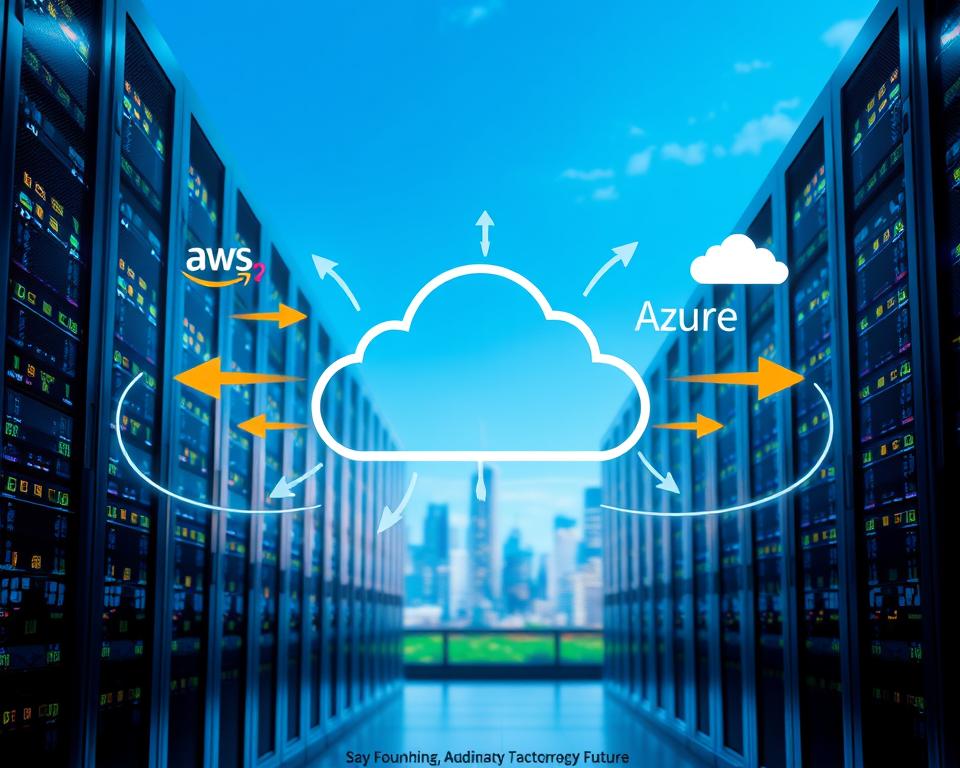
Choose Between Backup Restore, Replication, and Data Transfer Services
Choose your cloud data migration method based on downtime limits and data volume. For smaller datasets, backup and restore is often enough and cost-effective.
For mission-critical applications, continuous replication is usually better. It keeps source and target databases in sync, enabling a near-zero downtime cutover.
Plan Database Compatibility and Schema Changes
Before moving, check whether your current schema works with the target environment. You may need to adjust data types, stored procedures, or triggers for the new platform.
Evaluate Amazon Aurora, Azure SQL Database, and Cloud SQL
Choosing the right managed service supports long-term performance. Amazon Aurora offers high-performance scaling for MySQL and PostgreSQL, while Azure SQL Database fully manages SQL Server. Cloud SQL integrates smoothly with the Google Cloud ecosystem.
Protect Data Integrity During Synchronization
Data integrity is the most important part of any migration project. Perform regular row counts and checksum checks to confirm every piece of data arrives correctly.
“Data integrity is not just a technical requirement; it is the foundation of trust for your entire application ecosystem.”
Always keep a robust rollback plan for synchronization problems. Test your application with the migrated data before the final cutover to confirm everything works as expected.
Estimate Transfer Time, Bandwidth, and Data-Movement Costs
Migration time depends on total data volume and available network bandwidth. Allow for possible throttling and encryption overhead during the transfer.
Use AWS Database Migration Service, Azure Database Migration Service, and Google Database Migration Service
Cloud providers offer tools that simplify this complex task. The AWS Database Migration Service, Azure Database Migration Service, and Google Database Migration Service automate data movement while reducing risks.
| Migration Method | Best For | Downtime | Complexity |
|---|---|---|---|
| Backup & Restore | Small Databases | High | Low |
| Continuous Replication | Mission-Critical Apps | Minimal | High |
| Managed Migration Tools | Large-Scale Projects | Low | Medium |
Modernize Application Components Before the Move
Modernizing code before migration helps your systems thrive in a cloud-native environment. Effective application modernization does not require rewriting every line of code. Focus on high-impact changes that reduce technical debt and improve operational agility.
Externalize Configuration and Store Secrets Securely
Hard-coded configuration files often create deployment bottlenecks. Move these settings into environment variables or dedicated configuration services. This lets you change settings without rebuilding your application. Security is equally vital, so move sensitive credentials, such as API keys and database passwords, into managed secret stores.
Replace Local File Storage with Durable Cloud Storage
Legacy applications often rely on local disk storage, which does not suit dynamic cloud environments. A server restart can permanently erase local data. Object storage keeps your data durable and highly available across multiple zones.
Prepare Applications for Stateless Operation and Horizontal Scaling
A stateless design lets any instance handle any request, which supports scaling. Removing session state from local server memory lets infrastructure grow or shrink with real-time demand. This shift supports successful application modernization strategies.
Use Amazon S3, Azure Blob Storage, or Google Cloud Storage
Cloud providers offer strong object storage solutions that replace traditional file systems. Amazon S3, Azure Blob Storage, and Google Cloud Storage provide virtually unlimited capacity with built-in redundancy. These services let applications store and retrieve files securely anywhere in the cloud.
Adapt Messaging, Caching, and Background Jobs to Managed Services
Self-managed messaging queues can become single points of failure. Managed services handle asynchronous tasks more reliably while reducing maintenance work. Managed caching also improves performance by reducing load on primary databases.
Compare Amazon SQS, Azure Service Bus, and Google Cloud Pub/Sub
Choose a messaging service based on your architectural needs. The table shows the main managed options across major cloud platforms.
| Service Name | Primary Cloud | Best Use Case |
|---|---|---|
| Amazon SQS | AWS | Decoupling microservices and buffering tasks. |
| Azure Service Bus | Azure | Enterprise messaging and complex workflows. |
| Google Cloud Pub/Sub | Google Cloud | Global event ingestion and real-time analytics. |
Prioritizing updates by business value helps your application modernization efforts deliver the highest return on investment. Addressing these core components creates a stable foundation for your future in the cloud.
Automate Provisioning and Deployment
A reliable cloud foundation starts with treating your infrastructure as code. Define your environment in version-controlled files to reduce risks from manual configuration changes. This makes setup repeatable, reviewable, and easier to recover when problems occur.
Manage Infrastructure as Code with Terraform or Native Tools
Tools like Terraform let you manage multi-cloud environments through one consistent workflow. They turn architectural designs into executable code and create one source of truth for your platform. Version control links each code change to running infrastructure, creating an audit trail and limiting configuration drift.
Build Repeatable CI/CD Pipelines for Cloud Environments
A robust cloud CI/CD pipeline moves applications safely and efficiently. It automates delivery so every deployment follows the same strict standards. Automated testing finds issues early, before they reach production.
Use AWS CloudFormation, Azure Bicep, or Google Cloud Deployment Manager
Each major cloud provider offers native tools for seamless resource deployment. Choose AWS CloudFormation, Azure Bicep, or Google Cloud Deployment Manager for deep platform integration. These tools manage complex dependencies and provision resources in the correct order.
| Tool Name | Primary Provider | Language Type | Best For |
|---|---|---|---|
| Terraform | Multi-Cloud | HCL | Cross-platform consistency |
| CloudFormation | AWS | JSON/YAML | Deep AWS integration |
| Azure Bicep | Azure | Bicep DSL | Simplified Azure deployments |
| Deployment Manager | Google Cloud | YAML/Python | Native GCP orchestration |
Automate Configuration, Testing, Rollbacks, and Approvals
Automation covers more than provisioning; it supports the application’s entire lifecycle. Automated tests check whether infrastructure meets security and performance requirements before changes go live. If deployment fails, automated rollbacks restore the last known good state and reduce downtime.
Apply Consistent Naming, Tagging, and Resource Policies
Cloud order requires clear naming conventions and tagging strategies. These policies help teams track costs, manage security, and organize resources. Deployment code can enforce these rules, making every new resource compliant at creation.
Control Access to Deployment Pipelines and Production Changes
Security is vital when you manage automated deployments. Limit access to your cloud CI/CD pipeline to authorized personnel. Strict approval workflows keep changes out of production without review, protecting your business from accidental or unauthorized modifications.
Test the Migrated Application Before Cutover
Rigorous testing is the final gate between current infrastructure and a successful cloud deployment. Treat cloud migration testing as a required phase to prevent unexpected downtime and performance bottlenecks. It confirms that every component works as intended in the new environment.
Validate Functional Behavior and Third-Party Integrations
Start by checking that application logic remains intact after the move. Confirm that internal modules communicate correctly and external APIs or third-party services stay connected. Consistency is key when moving data between legacy systems and modern cloud services.
Run Load, Stress, Failover, and Disaster-Recovery Tests
Your application must run well and handle pressure. Conduct stress tests to find the breaking point of your new architecture. Simulate regional failovers to ensure disaster-recovery protocols trigger automatically without manual intervention.
“Testing leads to failure, and failure leads to understanding.”
Compare Cloud Performance with Pre-Migration Baselines
To validate cloud migration testing, compare current metrics with original on-premises benchmarks. This data-driven approach shows whether cloud resources are optimized or need further tuning.
Measure Latency, Throughput, Error Rates, and Resource Utilization
Focus on these four pillars to measure system health. High latency or unexpected error rates can signal misconfigured network routes or database bottlenecks. Use the following table to track performance goals during testing.
| Metric Category | Primary Objective | Success Indicator |
|---|---|---|
| Latency | Minimize response time | Under 200ms average |
| Throughput | Handle peak traffic | Matches baseline + 10% |
| Error Rates | Ensure stability | Below 0.01% threshold |
| Resource Usage | Optimize costs | CPU under 70% load |
Verify Security Controls, Compliance Evidence, and Data Accuracy
Security validation is non-negotiable. Ensure encryption keys, identity policies, and firewall rules work as designed. Also, use checksum validation to confirm that synchronization caused no data corruption or loss.
Define Go-Live Acceptance Criteria
Before testing begins, establish clear, written acceptance criteria. Assign specific owners to each test case and require documented evidence for every pass or fail result. If defects arise, use formal triage to resolve them instead of waiving them, ensuring a smooth transition to production.
Plan and Execute the Production Cutover
A well-structured cloud cutover plan is your blueprint for the final move to the cloud. This phase completes your work as you move live traffic from legacy infrastructure to the new environment. Success means managing risk while limiting disruption for end users.
Choose a Big-Bang, Phased, Blue-Green, or Canary Cutover
Choose a strategy based on risk tolerance and application architecture. A big-bang approach moves everything at once, making it fast but riskier. A blue-green deployment switches traffic between identical environments, creating a safety net for your AWS migration or Azure migration.
| Strategy | Risk Level | Complexity | Best For |
|---|---|---|---|
| Big-Bang | High | Low | Small, simple apps |
| Blue-Green | Low | High | Critical production apps |
| Canary | Medium | Medium | Gradual feature rollouts |
Freeze Changes and Confirm the Migration Runbook
Before you begin, implement a strict change freeze on your source environment. This prevents configuration drift and keeps your final data synchronization accurate. Your team must review the migration runbook one last time to confirm every step, from initial shutdown to final verification.
Synchronize Final Data and Redirect Application Traffic
Final data synchronization is the most sensitive part of the process. You must ensure that all delta changes are captured before switching traffic. Once the data is consistent, redirect users to the new cloud environment.
Use Amazon Route 53, Azure Traffic Manager, or Google Cloud DNS
Use cloud-native DNS services to manage this transition. For a Google Cloud migration or another provider move, use Amazon Route 53, Azure Traffic Manager, or Google Cloud DNS. These services let you update records quickly and monitor health checks, so traffic reaches only healthy endpoints.
Monitor the Cutover and Communicate Status to Stakeholders
Active monitoring is essential during the cutover window. Establish a dedicated communication channel to keep stakeholders informed about progress and potential issues. Real-time dashboards help your team spot anomalies immediately, allowing quick intervention if performance metrics differ from established baselines.
Keep a Tested Rollback Plan Available
Even with careful planning, always keep a tested rollback plan ready. If the new environment fails to meet performance or functional requirements, you must quickly return traffic to the original system. Never proceed without a clear, rehearsed path back to safety.
Optimize Cloud Costs After Migration
Long-term cloud success depends on steady cost management. Cloud cost optimization is an ongoing practice that keeps your infrastructure efficient and affordable. Monitor your environment closely to prevent waste and get the most value from your resources.
Measure Actual Spending Against the Migration Business Case
Compare current monthly invoices with the financial projections made before migration. This check reveals gaps early and shows whether your workloads perform as expected. Transparency helps engineering and finance teams stay accountable.
Right-Size Compute, Database, and Storage Resources
Many teams over-provision resources during migration to prevent performance problems. However, cloud cost optimization means reviewing usage data to find idle instances. Regularly downsize underused servers and databases to match workload demands without reducing speed or availability.
Use Reserved Instances, Savings Plans, and Committed-Use Discounts
After setting a stable usage baseline, you can lower expenses through long-term commitments. Providers reward steady usage with programs lasting one or three years. These options often offer deep discounts compared with standard on-demand pricing.
Compare AWS Cost Explorer, Azure Cost Management, and Google Cloud Billing Reports
Each major cloud provider offers tools to track and visualize spending patterns. The best choice depends on your provider, but all three tools offer useful insights:
- AWS Cost Explorer: Excellent for granular analysis of usage trends and forecasting future costs.
- Azure Cost Management: Provides deep integration with resource tagging and budget alerts for enterprise environments.
- Google Cloud Billing Reports: Offers a clean, intuitive interface for identifying cost drivers across projects and services.
Automate Shutdowns, Storage Tiering, and Budget Alerts
Manual management can cause errors, so automation supports effective cloud cost optimization. Schedule non-production environments to shut down during off-hours and save money. Automated storage tiering moves older data to cheaper, long-term storage classes. Budget alerts immediately flag spending above predefined limits.
Operate, Monitor, and Improve the New Cloud Environment
Once your application goes live, maintaining a healthy cloud environment becomes the main task. Successful cloud monitoring and operations move beyond passive data collection toward active, insight-driven management. Focus on performance and reliability to keep your infrastructure aligned with long-term business goals.
Define Service-Level Objectives and Operational Dashboards
Start by setting clear Service-Level Objectives (SLOs) that reflect the user experience. These targets help your team prioritize work based on customer needs. Visualizing these metrics with custom operational dashboards helps you spot trends and issues before users feel them.
Centralize Logs, Metrics, Traces, and Incident Alerts
Fragmented data makes troubleshooting slow and difficult. Centralize logs, metrics, and traces in a single pane of glass for a complete view of system health. This approach helps your team respond to incidents quickly and precisely.
Use Amazon CloudWatch, Azure Monitor, and Google Cloud Operations Suite
Use native tools such as Amazon CloudWatch, Azure Monitor, or the Google Cloud Operations Suite to streamline workflows. These platforms track system performance and support automated alerts. Using these tools well is central to modern cloud monitoring and operations.
Establish Backup, Disaster-Recovery, and Business-Continuity Procedures
Even in the cloud, you must prepare for unexpected events. Test backup and disaster-recovery plans regularly to protect data integrity and availability during a crisis. Business continuity is not a one-time setup; it needs regular checks to protect critical assets.
Schedule Post-Migration Reviews and Continuous Optimization
Treat the post-migration phase as a cycle of continuous learning. Schedule regular reviews to study operational evidence and improve security, capacity, and cost. By continuously optimizing your environment, you turn your cloud investment into a scalable engine for growth.
Avoid Common Cloud Migration Pitfalls
Before finalizing your production migration, review common hurdles that can catch teams off guard. Understanding these cloud migration risks early can save your organization significant time and budget. A proactive approach keeps the transition smooth and aligned with your business goals.
Prevent Underestimated Dependencies and Incomplete Discovery
Many projects fail because teams overlook hidden connections between legacy systems. Without mapping every database, API, and network dependency, you may face outages during cutover. Thorough discovery forms the foundation of a successful move.
- Audit all server-to-server communication paths.
- Identify hard-coded IP addresses that will break in the cloud.
- Document every external integration point before moving a single byte.
Avoid Treating Lift-and-Shift as Automatic Modernization
Moving an application to a cloud virtual machine does not make it “cloud-native.” This strategy, often called rehosting, preserves technical debt and operational weaknesses. Plan future refactoring to gain the full benefits of cloud scalability.
Ignoring this can make cloud infrastructure cost more than on-premises hardware. Modernization requires intentional changes in how your application handles state, storage, and configuration.
Reduce Security Risks from Excessive Permissions and Public Exposure
Security is a shared responsibility, but you control the configuration. Following cloud security best practices starts with the principle of least privilege. Avoid broad administrative access for developers or automated services.
Also, ensure storage buckets and databases are not exposed to the public internet. Use private endpoints and strong firewall rules to protect your data. Audit identity and access management policies regularly to maintain a strong security posture.
Control Unplanned Egress, Licensing, and Managed-Service Costs
Cloud providers often charge for data leaving their networks, causing “bill shock” without monitoring. Bringing your own licenses also requires careful tracking to avoid compliance issues. Use the following table to track potential cost drivers:
| Risk Factor | Impact Level | Mitigation Strategy |
|---|---|---|
| Data Egress | High | Optimize regional traffic |
| Licensing | Medium | Use license mobility tools |
| Managed Services | Medium | Set strict budget alerts |
Address Skills Gaps, Change Resistance, and Weak Documentation
Technology is only half the battle; people matter just as much. If your team lacks needed cloud skills, invest in training or hire outside experts. Change resistance often comes from fear of the unknown, so explain the new environment’s benefits clearly.
Finally, never underestimate documentation’s value. Keep runbooks updated, and ensure every team member understands their role in the new cloud ecosystem. Addressing these cultural and operational gaps builds a resilient foundation for long-term success.
Conclusion
Successful digital transformation needs discipline, from setting goals through post-migration optimization. This Cloud Migration Guide: Moving Your Application to AWS, Azure or Google Cloud offers a framework for complex infrastructure changes. Focus on workload needs, not generic provider choices, to use Amazon Web Services, Microsoft Azure, or Google Cloud effectively.
Keep your momentum with a comprehensive cloud migration checklist. It helps you track measurable outcomes, maintain tested rollback procedures, and enforce strict security controls. Review cost visibility and operational ownership often to keep your environment lean and responsive to business needs.
Treat migration as the beginning of continuous improvement, not a single event. As applications settle into their new cloud environment, refine performance and scale resources. Consistent monitoring and regular updates can turn the initial move into a long-term competitive advantage for your organization.