






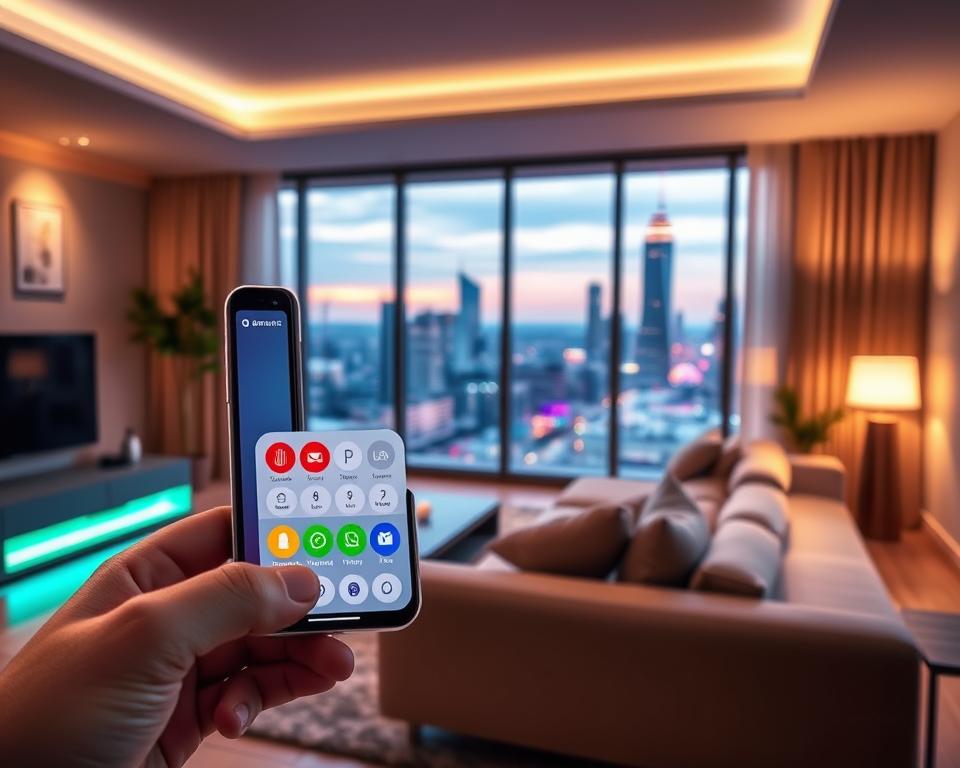
The rise of IoT integration has changed how we live. It has made home automation a key part of our homes today.
Technology keeps getting better, and so does the need for smart home solutions. App development is at the heart of this change.
A good smart home app development lets users control their devices easily. It makes life better with more convenience, safety, and saving energy.
Table of Contents
Key Takeaways
- The growing demand for smart home solutions is driven by advancements in IoT integration.
- Home automation is becoming increasingly popular, with app development at its core.
- A well-designed smart home app enhances the living experience with increased convenience and security.
- Smart home app development is crucial for managing devices and improving energy efficiency.
- The importance of smart home control app development lies in its ability to transform living spaces.
Understanding Smart Home Control Apps and Their Growing Market
Smart home control apps are changing how we live. They let us control and watch our homes from anywhere. This makes life easier, safer, and more energy-efficient.
What Are Smart Home Control Apps
Smart home control apps manage smart devices in our homes. They offer a single place to control things like lights, thermostats, cameras, and entertainment systems.
Market Growth and Opportunities
The smart home market is booming. More people want smart homes. The global market is expected to hit $146.3 billion by 2025, growing 12.6% each year.
| Year | Market Size (Billion USD) | CAGR (%) |
|---|---|---|
| 2020 | 80.2 | – |
| 2025 | 146.3 | 12.6 |
Consumer Adoption Trends
More people are using smart home apps. This is because of more smartphones, voice assistants, and a need for better home security and automation.

Key Benefits of Developing a Smart Home Control App
Smart home control apps bring many advantages to both homeowners and businesses. They make life easier, save money, and boost convenience.
For Homeowners
Homeowners gain a lot from smart home apps. They get better energy use, more security, and easier living.
Energy Efficiency and Cost Savings
These apps let homeowners watch and manage their energy use live. This leads to big energy efficiency and savings. They can cut down on bills and help the planet.

They also add enhanced security features. This includes watching security cameras, getting alerts for odd activity, and locking doors from afar. It makes homeowners feel safe, no matter where they are.
Convenience and Comfort
Smart home apps bring unmatched convenience and comfort. They let homeowners control lights, temperature, and entertainment with one app. It makes life at home better.
For Businesses
Businesses also gain a lot from smart home apps. They make money and keep customers happy.
Revenue Generation Opportunities
By offering smart home solutions, businesses can earn more. They can sell subscriptions, hardware, or services like setup and upkeep.
Customer Engagement and Retention
Smart home apps help businesses keep customers coming back. They offer a service that makes life better. This builds strong customer bonds, leading to more loyalty and retention.
Essential Features for Smart Home Control App Development
Creating a smart home control app needs key features for a great user experience. These features make the app easy to use and manage smart devices well.
Device Management and Control
At the core of a smart home app is managing devices. It gives users a place to control and check their smart devices.
Centralized Device Dashboard
A central dashboard lets users manage all their devices in one spot. It should be easy to use, showing device status, battery, and connection info.
One-Touch Control Functions
One-touch controls make it simple to use smart devices. Users can turn lights on, adjust thermostats, or lock doors with just one tap.

Automation and Scheduling
Automation and scheduling let users set up routines and custom scenarios for their devices.
Scene Creation and Management
Users can create scenes like “Good Night” or “Welcome Home.” These scenes can start a series of actions on different devices.
Time-Based and Trigger-Based Automation
Time-based automation controls devices by schedule. Trigger-based automation responds to events like door opening or motion detection.
Real-Time Monitoring and Notifications
Real-time monitoring and alerts keep users updated on their devices. They notify users of any important events.
Voice Control Integration
Voice control makes the app more convenient. It lets users control devices without their hands, using voice assistants.
Multi-User Access and Permissions
Multi-user access lets homeowners share the app with family or guests. Users can set permissions for each person.
With these features, a smart home app offers a full and easy-to-use experience. It’s a key tool for managing smart homes.
Smart Home Devices and IoT Integration
Smart home devices and IoT are making our homes more convenient, secure, and energy-efficient. As more devices connect in our homes, it’s key for them to work well together. This ensures a smooth experience.
Compatible Device Categories
Smart home devices come in many types, making our lives easier and more controlled. The main types include:
- Lighting Systems: These let you control lights from anywhere or set them to turn on/off automatically.
- Climate Control Devices: Smart thermostats adjust the temperature based on your habits and schedule.
- Security Equipment: Smart cameras, locks, and alarms boost security and let you monitor your home in real-time.
- Entertainment Systems: Smart TVs, speakers, and devices work together for a better entertainment experience.

Communication Protocols and Standards
For devices to work together, they need to use the same language. The main ones are:
WiFi and Bluetooth Connectivity
WiFi and Bluetooth are easy to use and work with many devices. WiFi is best for high-bandwidth needs, while Bluetooth is good for device-to-device talks.
Zigbee and Z-Wave Protocols
Zigbee and Z-Wave are low-power, low-data-rate options for home automation. They create networks that let devices talk directly to each other, improving reliability and range.
Matter Protocol Standard
The Matter protocol aims to unite the smart home industry. It lets devices from different makers talk to each other easily, making setup and use simpler.
Cross-Platform Device Support
One big challenge is getting devices from different makers to work together. It’s important for a seamless smart home experience. This means:
| Feature | Description | Benefit |
|---|---|---|
| Device Agnosticism | Support for devices from various manufacturers | More choices and flexibility for users |
| Unified Control | A single interface for all smart devices | Easier to use for everyone |
| Interoperability Standards | Following common communication protocols | Devices work better together |
By focusing on these areas, smart home apps can offer a more integrated and user-friendly experience. This unlocks the full potential of IoT integration.
Technology Stack for Smart Home App Development
Creating a smart home app needs a strong technology stack. It must blend frontend, backend, and IoT platforms well. The right tech stack affects how well the app works, grows, and feels to users.
Frontend Technologies
Frontend tech is key for a user-friendly interface. There are two main ways to do this: native or cross-platform.
Native Development with Swift and Kotlin
Using Swift for iOS and Kotlin for Android means top-notch performance. But, it means writing separate code for each platform. This can make development longer and more expensive.
Cross-Platform Frameworks like React Native and Flutter
Frameworks like React Native and Flutter let you make apps for both iOS and Android from one codebase. This cuts down on development time and costs.
| Framework | Performance | Development Time | Cost |
|---|---|---|---|
| Native (Swift, Kotlin) | High | Longer | Higher |
| React Native | Good | Moderate | Moderate |
| Flutter | High | Moderate | Moderate |
Backend Infrastructure
The backend is essential for managing data, handling user requests, and linking with IoT devices.
Node.js and Python Backend Solutions
Node.js and Python are top picks for backend work. Node.js is great for handling lots of data at once. Python is simple and has a huge library of tools.
Database Management Systems
Good database management is key for storing and getting user and device data. MySQL, MongoDB, and PostgreSQL are popular choices.
IoT Platforms and APIs
IoT platforms and APIs connect smart devices to the app. They make controlling and monitoring devices easy.
AWS IoT Core
AWS IoT Core is a cloud service for connected devices. It supports many messaging protocols and has strong security.
Microsoft Azure IoT Hub
Microsoft Azure IoT Hub is a cloud IoT platform. It offers device management, data processing, and analytics. It supports two-way communication between devices and the cloud.
Google Cloud IoT
Google Cloud IoT securely connects, manages, and analyzes IoT data. It works well with other Google Cloud services, offering a full IoT solution.
Cloud Services
Cloud services provide the infrastructure for scaling smart home apps. They ensure the app is reliable and performs well.

Security and Privacy Considerations
Keeping user data safe is key in smart home app development. As smart home tech grows, so do the risks of data breaches. It’s vital to use strong security to protect user data and keep privacy intact.
Data Encryption Methods
Data encryption is crucial for smart home app security. It makes sure data is unreadable if intercepted, needing a decryption key to access.
End-to-End Encryption
End-to-end encryption encrypts data on the user’s device. It stays encrypted until it reaches its final destination, keeping it safe from others.
SSL and TLS Protocols
SSL (Secure Sockets Layer) and TLS (Transport Layer Security) are protocols for secure web communication. TLS is more secure than SSL.

Authentication and Authorization
Authentication and authorization are key. They ensure only approved users can access and control smart home devices.
Two-Factor Authentication
Two-factor authentication adds an extra security layer. It requires two different factors to access an account.
Biometric Security
Biometric security uses unique physical traits like fingerprints or facial recognition. It offers high security for user authentication.
OAuth and Token-Based Systems
OAuth and token-based systems let users grant access to third-party apps without sharing login details.
Privacy Compliance Requirements
Developers must follow privacy laws to protect user data.
GDPR Compliance
The General Data Protection Regulation (GDPR) is a EU law. It sets rules for handling personal data.
CCPA Regulations
The California Consumer Privacy Act (CCPA) is a state law. It gives California residents rights over their personal data.
To meet these standards, developers need to have strong data protection policies. Regular audits and clear data usage information are also necessary.
- Implement end-to-end encryption for data protection.
- Use two-factor authentication to enhance security.
- Comply with GDPR and CCPA regulations.
- Regularly update and patch systems to prevent vulnerabilities.
User Experience Design Principles
User experience design is key to making smart home control apps easy to use and appealing. It ensures homeowners can manage their smart devices smoothly. This boosts their smart home experience.
Intuitive Interface Design
An intuitive interface is vital for user adoption and satisfaction. It makes it simple for users to interact with their smart home systems.
Minimalist Dashboard Layouts
A minimalist dashboard layout reduces cognitive load. It makes it easier for users to navigate and control their devices.
Visual Device Status Indicators
Visual indicators give immediate feedback on device status. This enhances the user’s ability to monitor and control their smart home environment.

Dashboard Customization
Dashboard customization makes the app more user-friendly and efficient. It allows users to personalize their experience.
Widget Configuration
Widget configuration lets users tailor the dashboard to their needs. They can prioritize the information and controls that matter most to them.
Personalized Room Views
Personalized room views offer detailed control. Users can manage devices room by room, which is helpful in larger homes.
Accessibility Features
Accessibility features ensure the app is usable by many users. This includes those with disabilities.
| Accessibility Feature | Description | Benefit |
|---|---|---|
| Voice Control | Allows users to control devices with voice commands | Enhances usability for users with mobility or dexterity impairments |
| High Contrast Mode | Adjusts the color scheme for better visibility | Assists users with visual impairments |
| Screen Reader Compatibility | Provides auditory feedback for on-screen content | Essential for visually impaired users |
The Smart Home App Development Process
Creating a smart home app is a detailed process. It starts with planning and ends with deployment. This ensures the app works well, is easy to use, and is secure.
Planning and Requirements Analysis
The first step is planning and analyzing needs. This stage is key to the project’s success.
Market Research and Competitor Analysis
Doing market research and competitor analysis is important. It helps understand the market and find what your app can offer.
Target Audience Definition
Knowing your target audience is crucial. It helps design the app to meet their needs.
Feature Prioritization
Choosing features based on user needs and trends makes the app competitive and user-friendly.
Design and Prototyping
After planning, the next step is design and prototyping. This stage makes a visual version of the app.
Wireframing and User Flow Mapping
Wireframing and user flow mapping help show the app’s layout and how users will navigate.
Interactive Prototype Creation
An interactive prototype lets stakeholders test the app’s functionality and user experience.

Development and Integration
The development phase turns the prototype into a real app.
Agile Development Methodology
Using an Agile development methodology makes the process flexible and allows for continuous improvement.
API Integration and Testing
API integration is key for the app to talk to smart devices.
Testing and Quality Assurance
Testing is vital to check the app’s functionality, security, and usability.
Functional Testing
Functional testing makes sure the app works as expected.
Security Testing
Security testing finds and fixes vulnerabilities.
User Acceptance Testing
User acceptance testing (UAT) lets real users test the app to see if it meets their needs.
| Testing Type | Description | Importance |
|---|---|---|
| Functional Testing | Verifies app functionality | High |
| Security Testing | Identifies vulnerabilities | Critical |
| User Acceptance Testing | Ensures user satisfaction | High |
Deployment and Launch
The last step is deployment and launch. The app is then released to the public.
Integration with Popular Smart Home Ecosystems
To make smart homes better, it’s key to link control apps with many ecosystems. This lets users manage their devices easily from one place. It makes their smart home life better.
Amazon Alexa Integration
Amazon Alexa is a top choice for smart homes. Linking your app with Alexa makes it work even better.
Alexa Skills Kit Implementation
The Alexa Skills Kit (ASK) lets developers add new skills for Alexa. This means users can control devices with voice commands. To use ASK, you need to set up intents, utterances, and slots for voice interactions.
Voice Command Configuration
Setting up voice commands for Alexa means picking specific phrases for device control. It’s important to make these commands simple and easy to remember.
Google Home Compatibility
Google Home is another big name in smart homes. Making sure your app works with Google Home can attract more users.
Google Assistant Actions
Google Assistant Actions let users control devices with Google Assistant. You need to create actions for voice commands to work with your app.
Smart Home Device Types
Google Home supports many devices like lights and cameras. Making sure your app works with these can improve its Google Home compatibility.

Apple HomeKit Support
Apple HomeKit lets users control devices with Siri and the Apple Home app. Integrating with HomeKit gives Apple users a smooth experience.
HomeKit Accessory Protocol
The HomeKit Accessory Protocol (HAP) talks to HomeKit devices. To use HAP, you create accessories for the HomeKit framework.
Siri Integration
Siri lets users control devices with voice commands. You need to set up intents and phrases for Siri to understand your app’s devices.
Samsung SmartThings Connection
Samsung SmartThings is a platform for controlling devices in one app. Integrating with SmartThings can make your app more useful and user-friendly.
| Ecosystem | Integration Benefits | Key Features |
|---|---|---|
| Amazon Alexa | Voice control, seamless integration | Alexa Skills Kit, voice commands |
| Google Home | Expanded user base, voice control | Google Assistant Actions, device types |
| Apple HomeKit | Seamless experience for Apple users | HomeKit Accessory Protocol, Siri integration |
| Samsung SmartThings | Enhanced functionality, unified control | SmartThings API, device integration |
As Mark Zuckerberg once said, “The biggest risk is not taking any risk.” Working with many smart home systems is smart. It makes your app future-proof.
“The future of smart homes lies in their ability to integrate seamlessly with various ecosystems, providing users with a unified and intuitive experience.”
Cost Factors in Smart Home App Development
Smart home app development costs depend on many things. It’s important for businesses and developers to understand these factors. This helps them plan and budget for their projects.
Development Team Structure
The cost of developing a smart home app is influenced by the team structure. Whether you build an in-house team or outsource, it affects the cost.
In-House vs Outsourced Development
Building a team in-house means big costs for hiring, training, and equipment. Outsourcing can save money and bring in specialized skills.
John Smith, CEO of SmartHomeTech, says, “Outsourcing can be cheaper, but pick vendors carefully to meet your needs.”
Required Team Roles and Expertise
The cost also depends on the roles and skills needed. Key roles include:
- Project Manager
- UX/UI Designer
- Backend Developer
- Frontend Developer
- Quality Assurance Engineer
Each role adds to the cost. The project’s complexity determines how many specialists you need.
Timeline and Budget Considerations
The app development time varies with feature complexity and technology. Budgets should cover initial costs and ongoing maintenance.
MVP Development Costs
Creating an MVP is a cost-effective way to test the market. An MVP has fewer features than a full app, so it’s cheaper.
Full-Featured App Investment
A full-featured app needs more investment. Costs depend on feature complexity, device support, and technology.
Industry estimates say a full-featured app can cost from $100,000 to over $500,000. This depends on the project’s scope and complexity.
Maintenance and Updates
Keeping the app updated is key for its functionality and security. Regular updates fix bugs, improve performance, and add new features.
As
“The key to a successful smart home app is not just the initial development but also ongoing maintenance and support,”
says
Plan for maintenance and updates in your overall budget. This ensures the app stays competitive and functional.
Monetization Strategies for Smart Home Apps
The smart home industry is growing fast. Developers are looking at different ways to make money from their apps. They need to know what users want and use the best ways to make money.
Subscription Models
Subscription models give developers a steady income. They offer extra features or services for a fee. This helps build a loyal user base.
Tiered Pricing Structures
Using tiered pricing lets developers reach more users. A basic plan might have basic features. Premium plans offer more advanced stuff.
| Plan | Features | Price |
|---|---|---|
| Basic | Device control, basic automation | $4.99/month |
| Premium | Advanced automation, voice control, priority support | $9.99/month |
| Pro | All premium features, custom integrations, dedicated support | $14.99/month |
Premium Feature Access
Offering special features for a fee can keep users engaged. For example, advanced energy tracking or better security can be for premium users.
“The freemium model has been a game-changer for our smart home app. It allows users to experience the core functionality while offering in-app purchases for advanced features.” –
Freemium Approaches
The freemium model is also popular. It gives the app for free but lets users buy extra features or upgrades.
- Basic app functionality is free
- In-app purchases for premium features
- Optional upgrades for additional services
Hardware Bundling
Hardware bundling packages the app with devices. It gives users a complete smart home setup.
Device Package Deals
Device package deals are appealing to users. For example, a smart thermostat with a discounted app subscription can boost sales and user adoption.
Choosing the right way to make money is crucial for smart home app developers. They can earn money and give value to users. Whether through subscriptions, freemium, or bundling, the goal is to meet user needs and follow market trends.
Challenges in Smart Home Control App Development
Creating smart home control apps comes with big challenges. These include dealing with different devices and network issues. Developers must make apps that work well with many devices and stay connected reliably.
Device Fragmentation
Device fragmentation is a big challenge. There are many devices from various makers, each with its own way of working. Making an app that can handle all these devices is hard.
Multiple Protocol Support
To solve this, apps need to support many protocols. This means handling Zigbee, Z-Wave, Bluetooth, and Wi-Fi, among others. Implementing multiple protocol support needs a deep understanding of each protocol.
Compatibility Testing Requirements
Testing for compatibility is crucial. Developers must do extensive compatibility testing to find and fix problems before the app is released. This takes a lot of time and resources.
Network Reliability Issues
Network reliability is also a big challenge. Smart home devices need a stable network to work right. Any network problem can make the user experience bad.
Offline Functionality
To deal with network issues, apps should have offline functionality. This lets users keep using their devices even without a network, but with some limits.
Latency Management
Latency management is key. High latency can make responses slow, which is bad for the user. It’s important to make the app fast and responsive.
User Adoption Barriers
Getting users to adopt smart home apps is hard. Some people find the tech too complex or worry about security and privacy.
To get past these hurdles, apps should be easy to use. Clear instructions and simple navigation can help more people use the app.
“The key to successful smart home control app development lies in understanding the challenges and proactively addressing them through robust design and thorough testing.”
By tackling these challenges, developers can make smart home apps that are useful and appealing to users.
Future Trends in Smart Home Technology
Smart home tech is about to change a lot. New things like AI, 5G, and better energy use are coming. These will make smart homes work better, use less energy, and be more eco-friendly.
Artificial Intelligence and Machine Learning
Artificial Intelligence (AI) and Machine Learning (ML) are making smart homes smarter. They learn what we like and how we live. This means our homes can do more for us, making life easier and more efficient.
Predictive Automation
Machine learning algorithms help predict what we need. For example, a smart home might turn up the heat or lights when we’re coming home. It’s all about making our lives a little easier.
Behavioral Learning Systems
These systems keep getting better at understanding us. They learn from how we use our homes. This makes our homes more personal and responsive to our needs.
“The future of smart homes lies in their ability to learn and adapt to our needs, making our lives more comfortable and convenient.” – Expert in Smart Home Technology
5G Connectivity Impact
5G connectivity is going to change smart homes a lot. It will make data transfer faster, reduce delays, and connect more devices. This means we can control more things in our homes easily.
Faster Response Times
With 5G, devices will react quicker. This is great for things like security systems that need to work fast. It makes our homes safer and more responsive.
Enhanced Device Capacity
5G will let more devices connect at once. This means we can add more smart gadgets to our homes without slowing things down.
Energy Management Focus
Smart homes are becoming more focused on saving energy. They want to use less power and help the planet. This is all about making our homes more eco-friendly.
Sustainability Features
Future smart homes will have features to save energy. They’ll track how much power we use and find ways to use less. This helps us save money and be kinder to the environment.
Grid Integration
Smart homes will also work better with the energy grid. They’ll help manage energy use and store power for later. This makes the grid more stable and can lower our energy bills.
Conclusion
The smart home industry is growing fast. Smart home control apps are key to this growth. They let users control their homes from one place.
The future looks bright for these apps. New tech like AI, 5G, and better energy management will help them grow. Developers need to make apps that are easy to use, safe, and full of features.
Knowing what makes a good smart home app is important. Businesses can make apps that people want. As the market grows, staying ahead is key to success.


