







Running a modern enterprise in the United States needs speed and precision. Many leaders find old methods slow down their business operations. Improving efficiency lets teams focus on growth, not fixing errors.
Tailored tools bridge the gap between human effort and digital speed. Working with a specialized automation testing company ensures your tools work flawlessly. This makes your systems reflect real work habits, giving you clearer data and smoother integrations.
Switching from manual processes leads to better reporting and fewer mistakes. Custom software is made for your specific needs and reporting. This change is crucial for staying competitive and building a reliable team.
Table of Contents
Key Takeaways
- Streamline complex production workflows through tailored digital tools.
- Reduce human error to ensure higher accuracy in daily tasks.
- Gain clearer data insights for more informed business decisions.
- Improve team reliability by using systems that match real work habits.
- Boost overall operational speed to stay ahead of market competitors.
- Ensure smoother integrations between different departments and systems.
The True Cost of Manual Business Operations
Manual business operations have a deeper impact than you might think. They affect many parts of a business. As a company grows, these manual processes can become major problems.
Manual tasks take up a lot of time and effort. For example, data entry is a common task that eats into employee hours. Studies show that employees spend a lot of their day on tasks that could be automated. This means they can’t focus on more important and creative work.
Time Waste and Productivity Drain
Manual tasks waste a lot of time, hurting productivity. Employees could be doing more creative and strategic work. By automating these tasks, businesses can make the most of their team’s skills.

Error Rates in Manual Data Handling
Manual data handling is slow and often wrong. Mistakes in data can mess up important decisions. Fixing these errors costs a lot, taking away from the business’s main goals.
For instance, one wrong data entry can cost a lot of money and harm the company’s reputation.
Scalability Limitations of Manual Systems
As businesses grow, manual systems hold them back. They can’t handle more data or transactions efficiently. This limits growth and increases costs.
Using custom software can help businesses grow better. It’s important to think about the long-term effects of choosing custom software or off-the-shelf solutions. For more information, check out this resource.
What Custom Software Solutions Bring to Your Business
Custom software solutions are made just for your business. They fit your unique workflows and processes. This makes your operations smoother and more efficient.
Tailored to Your Unique Workflows
Off-the-shelf software often makes you change your ways to fit it. But, custom software lets you keep your edge. It supports the workflows that make your business stand out.
Industry experts say, “Custom manufacturing software is different. It’s built to support what you do best, not the other way around.” This makes your software a key part of your strategy.

Integration with Existing Systems
Custom software works well with your current systems. This means you can improve your setup without starting over. It saves money and keeps your operations running smoothly.
By linking custom software with your systems, you create a unified tech environment. It supports your business goals effectively.
Ownership and Control Benefits
Custom software gives you full control. You can update it as needed, without relying on someone else.
Having full control also means your software is secure and compliant. It keeps your business safe from risks.
Replace Manual Processes with Custom Software: The Strategic Advantage
Custom software solutions give a strategic advantage by making operations smoother and boosting productivity. They automate tasks, letting businesses focus on tasks that grow and innovate.
Choosing custom software is more than just making things more efficient. It’s about staying ahead in a fast-changing business world. Experts say, “The right choice can remove friction, support scale, and give your business the flexibility to adapt as priorities change.”
Competitive Edge Through Automation
Automation is key to staying ahead. It automates tasks that take a lot of time and effort, reducing mistakes and boosting productivity. This lets companies quickly adapt to market changes and customer needs.

Enhanced Decision-Making with Real-Time Data
Custom software gives businesses real-time data, helping them make better decisions. With current and accurate info, companies can spot trends, find new opportunities, and make strategic moves for growth.
| Benefits of Real-Time Data | Description |
|---|---|
| Improved Accuracy | Real-time data reduces errors and improves the accuracy of business insights. |
| Enhanced Decision-Making | With real-time data, businesses can make informed decisions quickly. |
| Increased Agility | Real-time data enables businesses to respond rapidly to changing market conditions. |
Resource Reallocation to High-Value Tasks
Automating tasks lets businesses move resources to high-value tasks that drive innovation and growth. This smart use of resources helps companies focus on what’s most important for their success.
In summary, custom software solutions bring a strategic advantage by automating tasks, providing real-time data, and letting businesses focus on key tasks. By using custom software, companies can stay competitive, make better decisions, and grow.
Identifying Which Manual Processes to Automate First
Choosing the right manual processes to automate first is crucial. Businesses need to look at their operations closely. They should find tasks that are time-consuming and key to their workflow.
High-Volume Repetitive Tasks
Tasks done many times are good candidates for automation. These tasks use up a lot of resources and take away from more important work. By automating tasks like data entry, report making, or customer service, businesses can work more efficiently.
Error-Prone Operations
Manual tasks that often go wrong can cost a lot in time, money, and reputation. Automating these tasks can cut down on mistakes and keep things consistent. For example, automating money transactions or data handling can lower error rates and improve quality.
Bottleneck Processes Slowing Growth
Processes that slow down growth are a big problem. Finding and automating these bottlenecks can boost productivity and efficiency. For instance, automating inventory or order fulfillment can help businesses meet customer needs faster and adapt to market changes.
Assessment Framework for Process Selection
To pick the right processes to automate, businesses should use a clear framework. They should look at how important each process is, how often mistakes happen, and how much it can improve with automation.
| Process | Frequency | Error Rate | Automation Potential |
|---|---|---|---|
| Data Entry | High | Medium | High |
| Report Generation | Medium | Low | High |
| Customer Service Inquiries | High | Medium | Medium |
Prioritization Matrix for Maximum Impact
A prioritization matrix helps businesses choose which processes to automate first. By comparing processes based on their impact and how easy they are to automate, companies can pick the best ones to automate. This way, they can get the most benefits.
For more insights on custom software solutions, visit Next Big Technology. They offer expert advice on using technology for business success.

Common Business Processes Perfect for Custom Automation
Custom automation can change how businesses work, making them more efficient. It helps by cutting down on mistakes, boosting productivity, and making customers happier.
Many business tasks are great for custom automation. These are tasks that are repetitive, often wrong, or very important for running smoothly.
Invoice Processing and Accounts Payable
Custom automation can make invoice processing and accounts payable much easier. It cuts down on manual work and mistakes. Automated systems can read data from invoices, check it against orders, and handle payments.
Key benefits of automating invoice processing include:
- Less time spent on processing
- More accurate work
- Better view of financial duties
Employee Onboarding and HR Management
Custom automation can also change how we onboard employees and manage HR. It makes workflows for tasks like:
- Gathering and checking documents
- Assigning training
- Setting up benefits
This makes the start of a new job better and keeps the company in line with rules and policies.
Order Fulfillment and Supply Chain
Order fulfillment and supply chain management can also be improved with custom automation. By linking systems and automating tasks like managing stock and shipping, businesses can:
- Ship orders faster
- Save on stock costs
- Make customers happier
Experts say, “From managing stock to tracking customers, everything works better together,” showing the power of integrated automation.

Reporting and Analytics Generation
Custom automation can also help with making reports and analytics. It gives businesses quick insights into how they’re doing. Automated tools can mix data, do complex analyses, and show results in easy-to-use formats.
Benefits include:
- Better decision-making
- Clearer view of operations
- Less time making reports
By automating these common tasks, businesses can get a lot better at being efficient, accurate, and competitive.
Calculating Return on Investment for Custom Software
Understanding the return on investment (ROI) for custom software is key for businesses. It helps them improve their operations. Custom software costs more upfront but saves money in the long run. It does this by cutting out unnecessary features and making workflows smoother.
To figure out ROI, businesses need to look at a few important things. These include saving on labor, reducing errors, and boosting productivity.
Labor Cost Reduction Analysis
Custom software automates tasks, which lowers labor costs. By streamlining workflows and reducing manual work, businesses save a lot. They should compare costs before and after using custom software to see the savings.
Error Correction Savings
Manual data handling often leads to errors, which cost a lot to fix. Custom software cuts down on these errors, saving money. By reducing errors, businesses avoid financial and reputation losses. These savings are a big part of the ROI.

Productivity Gain Measurements
Custom software boosts productivity by automating tasks. This lets employees do more important work. Businesses should track how tasks are done before and after the software to see the improvement.
Break-Even Timeline Expectations
Knowing when the software investment pays off is crucial. Businesses need to set a timeline for when they expect to see returns. This helps ensure the investment is worth it within a reasonable time.
By looking at labor savings, error reduction, productivity boosts, and break-even times, businesses understand their software’s ROI. This knowledge helps them make smart tech choices and achieve long-term success.
Custom Software vs Off-the-Shelf Solutions
Off-the-shelf software might seem easy to use, but it often doesn’t fit your business needs perfectly. You need to think about what your business really needs. This helps you decide between custom software and off-the-shelf solutions.
Customization is key. Off-the-shelf solutions are made for many users, not just you. Experts say these tools can lead to workarounds and inefficiencies.
When Generic Software Falls Short
Generic software has its drawbacks, including:
- It doesn’t fit your business needs well
- It might not work with your current systems
- It can’t grow with your business
For businesses with unique needs or in specific industries, off-the-shelf software is not enough. Custom software development can solve these problems by creating a solution that fits your business perfectly.
Total Cost of Ownership Comparison
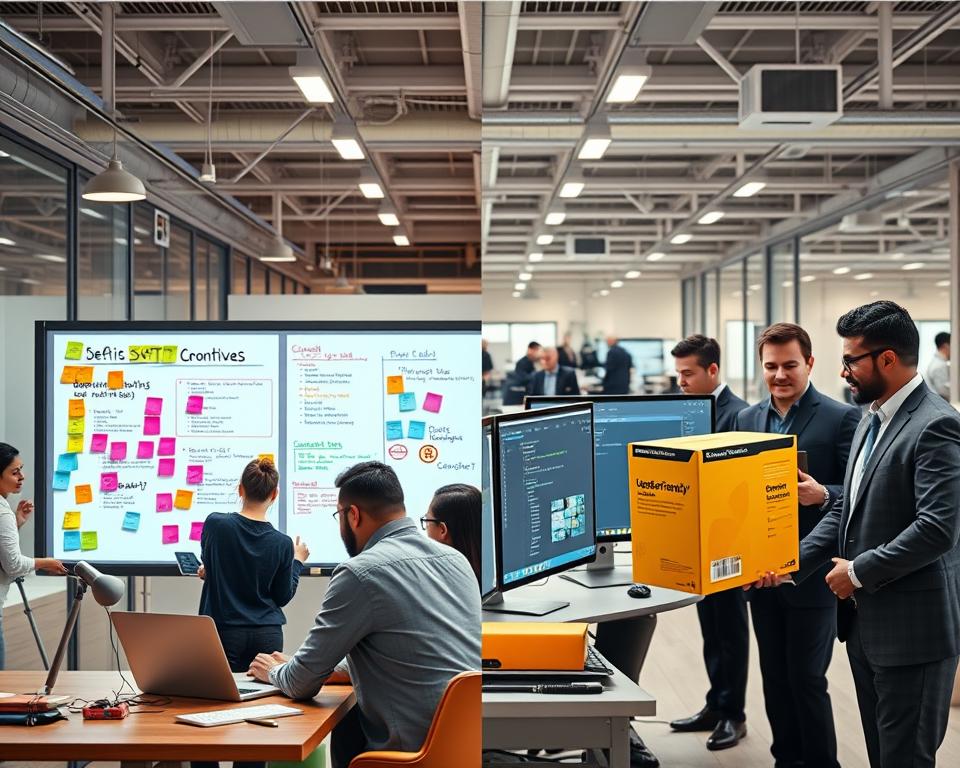
Off-the-shelf solutions might seem cheap at first, but they can cost more in the long run. You need to think about the extra costs of workarounds and inefficiencies.
When comparing costs, consider:
- The initial cost of buying or subscribing
- Expenses for ongoing maintenance and support
- Costs for customizations or workarounds
Flexibility and Customization Needs
Flexibility is important when choosing software. Custom software is made to change with your business. Off-the-shelf solutions are harder to adjust.
Businesses that grow or change should choose flexible software. Custom software can grow with your business, keeping your operations efficient.
Building Your Software Requirements Document
A well-crafted software requirements document is key to successful custom software projects. The third web source advises, “Start by clarifying your goals and constraints. Map how work actually gets done.” This step makes sure the software meets the business and user needs.
Documenting Current Process Workflows
It’s important to document current process workflows to understand task performance. You need to map each step, find bottlenecks, and see areas for improvement. This helps spot inefficiencies and opportunities for automation, crucial for custom software success.
For instance, in a manual invoice system, documenting the workflow might show repetitive tasks like data entry. Automating these tasks improves efficiency and reduces errors.
Defining Desired Outcomes and Features
After documenting workflows, define the desired outcomes and features of the software. Gather input from stakeholders and end-users to understand their needs. Clearly defining desired outcomes ensures the software meets business requirements.
“The key to successful software development is to understand the needs of the users and to define the requirements clearly.”
Establishing Success Metrics
Setting clear success metrics is crucial for measuring software effectiveness. Metrics could include time savings, accuracy improvements, or productivity boosts. By setting measurable goals, you can assess software success and make adjustments.
User Stories and Use Cases
User stories and use cases are essential in a software requirements document. They describe how the software will be used and its benefits. User stories are simple: “As a [type of user], I want to [perform some task] so that [I can achieve some goal].” Use cases offer detailed descriptions of user-system interactions.
Technical Requirements Specification
The technical requirements specification outlines the software’s technical details. It includes infrastructure needs, system integrations, and specific technologies. A clear technical requirements specification helps the development team understand what to build.

By following these steps and creating a detailed software requirements document, businesses can ensure their custom software projects are successful and meet their needs.
Selecting the Right Custom Software Development Approach
Choosing the right custom software development approach is key to your project’s success. A good partner knows your business goals and suggests the best technology. They also offer ongoing support.
In-House Development Team vs Outsourcing
Deciding between an in-house team and outsourcing is a big choice. An in-house team gives you control and aligns with your company’s culture and goals.
Outsourcing brings in more skills and can save money and speed up development. Think about what your company needs and what you can afford.
| Criteria | In-House Development | Outsourcing |
|---|---|---|
| Control and Alignment | High | Variable |
| Cost | Higher | Potentially Lower |
| Access to Expertise | Limited to In-House Skills | Broad Access to Specialized Skills |
Agile vs Waterfall Methodology
Choosing between Agile and Waterfall methodologies is important. Agile is flexible and allows for changes as the project goes on.
Waterfall is more structured and works well for projects with clear goals and a known outcome.

Cloud-Based vs On-Premise Solutions
The choice between cloud-based and on-premise solutions depends on your company’s needs. Cloud-based solutions are flexible and scalable. On-premise solutions offer better data security control.
Each option has its pros and cons. It’s important to consider your business needs and goals when making a decision.
The Step-by-Step Custom Software Implementation Journey
Starting a custom software project is a big step. It needs a clear plan. This journey is made for your business needs.
Discovery and Planning Phase
The first step is understanding your business needs. You’ll identify problems and set the project’s scope.
Stakeholders from different areas will meet to share their needs. It’s key to document your current workflows and what you want to achieve. This helps create a detailed plan.
Key activities during this phase include:
- Conducting stakeholder interviews
- Analyzing existing processes
- Defining project goals and objectives
- Establishing a timeline and budget
Design and User Experience Development
After planning, it’s time for design and user experience. This step makes the software easy to use and looks good.
A good design is key for users to like and use the software. It involves making sketches, prototypes, and detailed designs.
Iterative Development and Testing Cycles
The development phase is about building, testing, and improving the software. This way, it can change as needed.
The iterative development process involves:
| Phase | Description | Outcome |
|---|---|---|
| Development | Building the software based on the design and requirements | Functional software module |
| Testing | Verifying the software against the requirements and identifying bugs | Identification of defects and areas for improvement |
| Refinement | Addressing feedback and making necessary adjustments | Improved software quality and functionality |
Deployment and Go-Live Strategy
The last step is deploying and going live. This includes planning the rollout and setting up the production environment.
A good go-live plan is key to a smooth transition. It involves training users, watching the system, and fixing any issues.
According to industry insights, “Custom manufacturing software works best when you focus on solving real shop-floor problems first, then expand over time.” This advice applies to custom software projects in many fields. It shows the value of a step-by-step and focused approach.
Change Management for Software Adoption Success
Successful software adoption depends on change management strategies that focus on people. It’s not just about picking the right tech. It’s also about making sure everyone in the organization can use it well.
Good change management means clear team communication, finding and supporting champions, tackling concerns, and offering solid training.
Communicating Benefits to Your Team
Start by telling your team how the new software will help them. Explain how it will make their work easier and boost productivity. Make sure to speak to each person’s needs.
Creating Champions Within Your Organization
Finding and empowering change champions can really help. These are people who love the new software and can inspire others. They can offer support and share the software’s benefits.
Addressing Concerns and Resistance
Some employees might worry about change. They might fear for their jobs or find the new software hard to learn. It’s important to talk to these concerns openly. Use software change management to educate and support them.
Training Programs That Stick
A good training program is key to making sure employees can use the software. It should be ongoing, with chances for feedback. This helps users feel confident and skilled.
As one source advises, “Train users and gather feedback so the software actually gets used on the floor.” This shows the importance of making sure the software is used right.
Ensuring Data Security and Compliance in Custom Solutions
Custom software development needs a strong focus on data security and following rules. As more businesses use special software, it’s key to have good security. This keeps data safe and follows the law.
Data security means keeping sensitive info safe from hackers and other threats. It’s also important to follow rules to make sure the software is legal and safe.
Industry-Specific Regulatory Requirements
Every industry has its own rules for handling data. For example, healthcare must follow HIPAA, and banks must follow PCI-DSS. Custom software must meet these rules to avoid legal trouble and keep a good reputation.
It’s important to know the rules for your industry. Keep up with changes in laws and new rules that might affect your business.
Data Encryption and Protection Measures
Data encryption is a key part of keeping data safe. It makes data unreadable to hackers. Custom software should use strong encryption for data at rest and in transit.
Other ways to protect data include using secure login methods, checking for security issues often, and keeping software updated. This helps keep data safe and follows the law.
Access Control and Authentication Protocols
Access control is crucial for keeping data safe. It makes sure only the right people can see sensitive info. This can be done with role-based access control (RBAC), multi-factor authentication (MFA), and other advanced methods.
By using these steps, businesses can lower the chance of data breaches and follow the law. It’s also important to keep access controls up to date to stay safe from new threats.
In summary, making sure custom software is safe and follows the law is a big job. It needs careful planning, action, and constant checking. By focusing on these areas, businesses can keep their data safe and earn the trust of their customers and partners.
Maintaining and Evolving Your Custom Software
The life of custom software depends on its ability to change with business needs. As business operations evolve, their software must too. This means ongoing support, listening to user feedback, and planning for growth.
Ongoing Support and Bug Fixes
Keeping custom software running smoothly is key. This includes bug fixes and troubleshooting. It also means regular updates to keep it working with other systems.
- Timely resolution of software bugs and glitches
- Regular software updates to ensure compatibility and security
- Technical support for users to address queries and issues
Experts say, “Well-built custom software lasts long. It grows bit by bit, not all at once.” This shows why good support is vital.
Feature Enhancements Based on User Feedback
Improving custom software is crucial. By listening to user feedback, businesses can make it better. They can add features that make the software more useful and easier to use.
- Gathering feedback through user surveys and testing
- Prioritizing enhancements based on business value and user needs
- Implementing changes and updates in a structured development cycle
This ongoing improvement keeps the software in line with business goals and user wants.
Scalability Planning for Business Growth
Scalability planning is key for custom software to grow with the business. It means designing the software to handle more data and users without slowing down.
Important things to think about for scalability include:
- Flexible architecture that can adapt to changing demands
- Cloud-based solutions that offer scalable infrastructure
- Performance monitoring to identify potential bottlenecks
By focusing on these, businesses can make sure their custom software supports their growth and changing needs.
Industry-Specific Applications of Process Automation
Every industry has its own challenges. Custom process automation is changing how companies solve these problems. By creating automation solutions for each sector, businesses see big gains in efficiency and productivity.
Automation isn’t a one-size-fits-all deal. Each industry has its own hurdles. Custom software lets companies tackle these challenges head-on. Let’s look at how different industries use process automation to their benefit.
Healthcare Patient Management Systems
In healthcare, patient management systems are getting automated. This makes clinical workflows smoother, improves patient care, and cuts down on paperwork. Automated patient scheduling, billing, and records management are just a few ways automation is helping the healthcare field.
Manufacturing Production Tracking
Manufacturing gets a lot from production tracking automation. It lets them watch production lines, manage inventory, and optimize supply chains in real-time. This boosts productivity and cuts costs.
Legal Case Management Platforms
Legal firms are using case management platforms to automate tasks. This includes document management, case tracking, and billing. Automation helps lawyers focus on important tasks by reducing paperwork.
Real Estate Transaction Coordination
In real estate, automation is making transaction coordination easier. It helps manage paperwork, client communications, and timelines. This leads to happier clients and fewer delays in transactions.
Conclusion
Switching to custom software can really boost business operations and efficiency. First, we need to understand the costs of doing things manually. Then, we find out which tasks can be automated.
Getting to custom software takes a few important steps. We start by spotting tasks that are done over and over again. Then, we pick the best way to make the software and make sure data is safe and follows rules.
It’s crucial for businesses to think about their specific needs and how things work. They should choose carefully, knowing the pros and cons. This helps them achieve their goals and succeed in the long run.
By going for custom software, companies can make their work flow better. They can work more efficiently and stay ahead in their markets.


