






The digital world is changing fast as creators seek better ways to reach fans. Today, AI video editing helps people turn long videos into viral social media clips. This change lets brands stay active without working hours at a desk.
Modern video repurposing tools find the best moments in long webinars or shows. These smart systems use advanced logic to pick out the most exciting parts. By using AI-powered video creation, teams can grow their reach and engage viewers on every platform.
The need for this tech is growing as short videos take over the web. Making a new tool like this needs a good plan for automated tasks. High-quality video is now the basic requirement for success in this busy field.
Table of Contents
Key Takeaways
- Automation allows creators to produce more content with less effort.
- Smart tools identify the most engaging parts of long-form videos.
- Short-form content drives higher engagement on modern social platforms.
- Advanced technology simplifies the complex process of video post-production.
- Businesses can scale their digital presence through efficient repurposing.
- High-quality output is essential for competing in the current market.
Understanding Opus Clip and Its Market Position
Opus Clip is a leader in video editing. It uses advanced AI to find viral moments in long videos. This makes it a top choice in the AI video repurposing market.
What Is Opus Clip and How It Works
Opus Clip is a tool that analyzes long videos to find the most engaging parts. It formats these parts for social media like TikTok and Reels. It also has a “Virality Score” to predict how well a clip will do.
First, users upload their videos to Opus Clip. Then, the AI engine finds the best moments. It looks at viewer engagement, relevance, and trends. After that, Opus Clip cuts the video into shorter clips with captions for better impact.

The Growing Demand for AI-Powered Video Editing Tools
More people want AI video editing tools like Opus Clip. They need content that grabs attention on social media. Businesses and creators want to make viral content fast.
“The future of content creation lies in the ability to leverage AI for smarter, more efficient editing processes.”
AI tools make editing easier and help with creativity. They automate simple tasks. This lets creators focus on making their content better.
Target Audience for Opus Clip-Style Applications
The main users of Opus Clip are social media influencers, content marketers, and businesses. They all want to grab attention and increase engagement online.
| Target Audience | Needs | Benefits of Opus Clip |
|---|---|---|
| Social Media Influencers | Engaging content, viral reach | AI-driven clip creation, virality scoring |
| Content Marketers | Efficient content repurposing | Automated video segmentation, optimized captions |
| Businesses | Enhanced online presence | Professional-grade video editing, multi-platform support |
Why Businesses Are Investing in Video Clipping Technology
Businesses are investing in video clipping tech to stay ahead online. Tools like Opus Clip help create videos that connect with people. This boosts brand awareness and engagement.
They also want to be quick in making content. With AI tools, they can make and share videos fast. This helps them keep up with trends and what customers want.
Core Features to Include in Your Opus Clip Like App Development
Creating an Opus Clip-like app requires the latest tech and features that users love. Your app must blend new functions with a user-friendly design. This way, it can stand out in the crowded video editing market.
Experts say, “The future of video editing is all about AI tools that make creating content easier.”
“AI is changing video editing by doing hard tasks for us and making us more creative.”
AI-Powered Video Clipping and Segmentation
An Opus Clip-like app should use AI for clipping and segmenting videos. This tech lets users cut and segment videos quickly, saving a lot of time.
Key benefits include:
- Automated video segmentation
- Intelligent clip detection
- More precise video editing
Automatic Caption Generation and Subtitle Overlay
Automatic captions and subtitles are key. They make videos more accessible and engaging. This feature helps viewers understand videos better.
Benefits of automatic captioning include:
- More accessible videos
- Better viewer engagement
- Meets accessibility standards
Smart Content Analysis and Highlight Detection
Smart content analysis is essential for finding highlights in videos. AI identifies important moments, helping users focus on the best parts.
| Feature | Description | Benefit |
|---|---|---|
| Highlight Detection | AI-driven analysis to identify key moments | More relevant content |
| Content Analysis | Deep learning-based analysis of video content | Deeper video understanding |
Multi-Platform Video Export and Formatting Options
Your app should support exporting videos for different platforms. This means various formats and resolutions for social media and websites.
Export options may include:
- Social media formats (e.g., Instagram, TikTok, YouTube)
- Web-friendly formats for embedding
- HD and 4K resolutions for quality playback
Social Media Optimization Features
Optimizing videos for social media is key. Features like automated tagging, thumbnail generation, and caption optimization boost video performance.
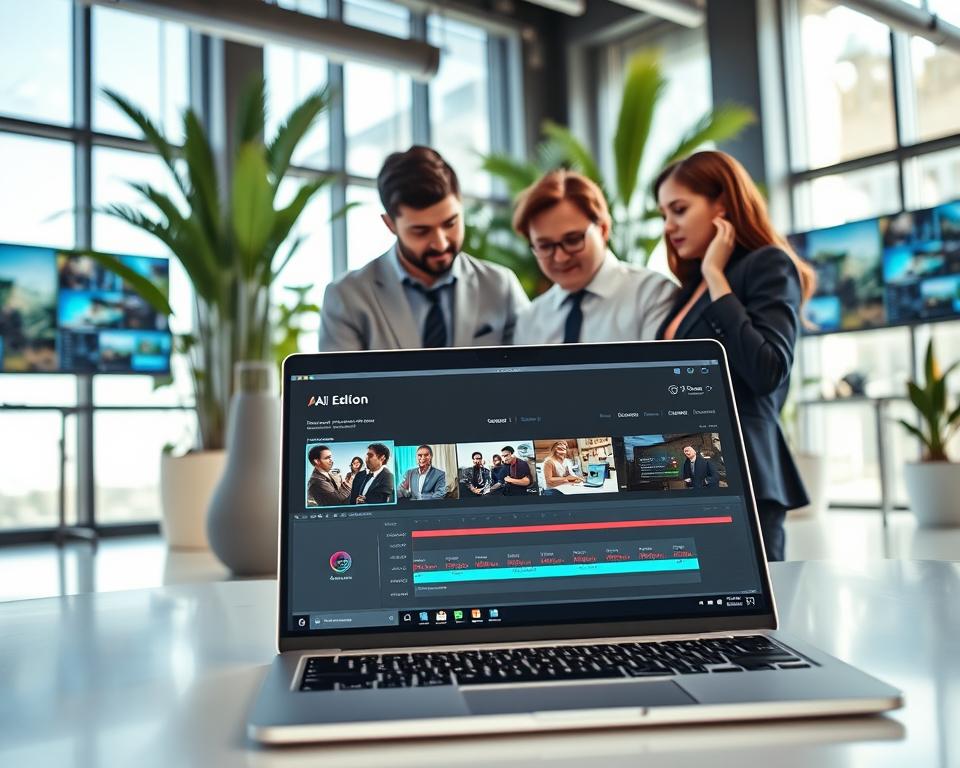
By adding these features, you can make an Opus Clip-like app. It simplifies video editing and helps creators make great content.
Essential Technologies and Tech Stack Requirements
To make an Opus Clip-like app smooth, picking the right tech stack is key. You need to choose frontend and backend tech, video processing tools, and database systems.
Frontend Development Frameworks and Technologies
The app’s frontend should be easy to use and fast. React, Angular, and Vue.js are top choices. They offer tools for a great user experience.
React lets you build reusable UI parts, making updates easier. Angular is great for complex apps, focusing on structure.
Backend Infrastructure and Cloud Services
The backend handles tough tasks like video processing. AWS, Google Cloud, and Microsoft Azure are top cloud services for this.
AWS has Amazon S3 for storage and Amazon EC2 for computing. Google Cloud’s Cloud Storage and Cloud Functions are also useful.
| Cloud Service | Storage Solution | Computing Service |
|---|---|---|
| AWS | Amazon S3 | Amazon EC2 |
| Google Cloud | Cloud Storage | Cloud Functions |
| Microsoft Azure | Azure Blob Storage | Azure Functions |
Video Processing Libraries and APIs
Video processing is crucial for an Opus Clip-like app. Use FFmpeg or cloud APIs for tasks like clipping and encoding.
For more on building a complex app like Pinterest, check out this guide.
Database Management Systems for Video Metadata
A good database is needed for video metadata. Choose from MySQL, PostgreSQL, and MongoDB. Pick based on your app’s needs.

AI and Machine Learning Integration
AI and machine learning are changing video editing. They make apps like Opus Clip smarter and easier to use. These technologies help improve video content analysis and enhancement.
Natural Language Processing for Content Understanding
Natural Language Processing (NLP) is key for video editing apps. It helps them understand what’s in videos. NLP analyzes audio and visuals to create accurate captions and spot important moments.
Computer Vision for Scene Detection and Analysis
Computer Vision lets the app see what’s in a video. It finds scenes, objects, and actions. This is important for features like automatic highlights and summaries.
Speech Recognition and Audio Analysis Capabilities
Speech recognition turns spoken words into text. This makes automatic captions and subtitles possible. It also helps in finding background noise and music.
Training Custom AI Models vs. Using Pre-built Solutions
Choosing between custom AI models and pre-built solutions is important. Custom models fit your app perfectly but need a lot of work and data. Pre-built solutions are faster but might not fit as well.
| Feature | Custom AI Models | Pre-built Solutions |
|---|---|---|
| Specificity | Highly tailored to specific needs | Generalized functionality |
| Development Time | Longer development and training time | Quicker integration |
| Cost | Higher upfront costs | Lower initial investment |
| Flexibility | Highly flexible and adaptable | Limited customization options |

User Interface and Experience Design Considerations
A good user interface can really boost user engagement in video editing apps. The design of an app like Opus Clip is key to its success. It’s all about making the app easy to use and fun to interact with.
Jakob Nielsen, a top UX expert, says the best interfaces are those that don’t get in the way. They let users focus on their work without distractions. This is especially true for video editing apps, where users need to be fully engaged in their creative tasks.
Creating an Intuitive Dashboard and Navigation
The dashboard is where users start their journey. It should offer clear paths to important features and tools. A clean design with clear calls-to-action makes the app easier to use.
Here are some key elements for the dashboard:
- Easy access to project management
- Clear navigation to editing tools
- Prominent display of user tutorials or guides
Video Upload and Project Management Interface
Uploading videos and managing projects should be simple. Users should be able to upload videos, start new projects, and organize their work easily.
A good project management interface should have:
- Drag-and-drop video upload
- Project folders and tagging system
- Real-time project status updates

Advanced Editing Tools and Customization Options
Offering advanced editing tools is key for attracting pros. These tools should be easy to use and offer lots of customization options to meet different needs.
| Editing Tool | Description | Customization Options |
|---|---|---|
| AI-powered clipping | Automatically clips videos based on scene detection | Adjust sensitivity, clip length |
| Caption generation | Automatically generates captions for videos | Font style, size, color |
| Color correction | Adjusts video color settings | Brightness, contrast, saturation |
For more insights on developing complex applications, you can refer to developing an Uber-like app for tutors. It involves similar considerations for user interface and experience.
Preview and Export Workflow Optimization
The last step is previewing and exporting the edited video. This process should be smooth to let users quickly see their work and export it as needed.
To optimize this process, consider:
- Real-time preview capabilities
- Multiple export format options
- Queue-based export system for faster processing
By focusing on these aspects of user interface and experience design, developers can create an app like Opus Clip that is both functional and enjoyable to use.
Step-by-Step Development Process and Timeline
Creating a video editing app like Opus Clip is a detailed journey. It’s important to follow a structured process. This ensures the app meets standards and is ready on time.
Building an app like Opus Clip needs careful planning and testing. The process has several key phases. Each phase has its own challenges and goals.
Planning and Requirements Gathering Phase
The first step is to gather requirements and plan the project. We identify the target audience and define the app’s features. We also determine the technical needs. A good plan is the foundation for success.
It’s crucial to do market research and look at competitors during this phase. This helps us understand the market and find what makes our app unique.
“Understanding the needs of your target audience is crucial for developing an app that meets their expectations.”
MVP Development Strategy and Feature Prioritization
After planning, we start working on a Minimum Viable Product (MVP). The MVP has the core features needed for the app. It’s important to prioritize features to focus on the most important ones first.
The MVP strategy helps us decide which features to include first. This way, we can test the app with a smaller set of features and get feedback before adding more.
Iterative Development and Sprint Planning
Once the MVP is out, we enter an iterative phase. This means we keep improving and adding new features based on user feedback. Sprint planning helps the team stay focused on the project’s goals and deadlines.
Iterative development makes it easier to adapt to changing user needs and market trends.

Testing, Quality Assurance, and Bug Fixing
Testing is a key part of the process. It helps us find bugs, ensure the app meets quality standards, and make improvements. Quality assurance is ongoing, even after the app is launched.
A good testing strategy includes different types of testing. These include unit testing, integration testing, and user acceptance testing.
| Testing Type | Description | Objective |
|---|---|---|
| Unit Testing | Testing individual components | Ensure each unit functions correctly |
| Integration Testing | Testing integrated components | Verify that components work together seamlessly |
| User Acceptance Testing | Testing the app with real users | Validate that the app meets user expectations |
Deployment and Launch Preparation
The last phase is deploying the app and getting ready for its launch. We set up the infrastructure, configure analytics tools, and plan our marketing strategies.
A successful launch needs careful planning and execution. This ensures the app gets noticed in the market.
Video Processing and Storage Infrastructure
A strong infrastructure for video processing and storage is key for smooth editing. It must handle big video files fast and deliver top-notch quality.
Scalable Cloud Storage Solutions for Video Files
Cloud storage is essential for big video files. It’s flexible and grows with your needs. It lets the app support more users and videos.
Cloud storage offers many benefits:
- Scalability: You can easily add more storage as needed.
- Accessibility: You can access your videos from anywhere, anytime.
- Reliability: It keeps your data safe and available.
Popular choices include Amazon S3, Google Cloud Storage, and Microsoft Azure Blob Storage.
Video Encoding and Compression Techniques
Good video encoding and compression save money and speed up delivery. They make videos smaller without losing too much quality. Common formats include:
- H.264: A popular choice for video compression.
- H.265: Better at compressing than H.264.
- VP9: An open-source codec by Google.
Content Delivery Network Integration for Fast Delivery
A Content Delivery Network (CDN) speeds up video delivery. It caches content near users, cutting down on latency. This makes videos play smoothly.
CDNs offer many benefits:
- Faster Content Delivery: Content is closer to users, reducing latency.
- Improved User Experience: Videos play without buffering.
- Reduced Server Load: Traffic is spread out, easing server work.
Real-Time Processing vs. Queue-Based Systems
Developers can choose between real-time and queue-based systems for video processing. Real-time is best for immediate needs. Queue-based is better for big batches.
Consider these points when deciding:
- Processing Speed: Real-time is faster.
- Scalability: Queue-based handles more content.
- Cost: Real-time might cost more due to resources.

Monetization Strategies for Your Video Editing App
Creating a solid monetization plan is key for your video editing app’s success. A good strategy can boost your earnings and keep your app running smoothly.
It’s important to think about different monetization strategies for various users. Offering different pricing options and features can keep users engaged and increase your income.
Subscription-Based Pricing Models and Tiers
Subscription-based pricing can bring in steady income for your app. You can have different tiers with different features to meet the needs of all users.
For example, you could have a basic tier for beginners, a premium tier for advanced users, and an enterprise tier for businesses. This way, users can pick a plan that fits their needs and budget.
Freemium Features and Premium Upgrades
The freemium model is also a good choice. It lets users try your app for free and then pay for extra features. This model encourages users to try before they buy.
To succeed with this model, balance the free features with the premium upgrades well. You can offer in-app purchases or premium subscriptions for more features and a better editing experience.
Enterprise Solutions and Custom Packages
Enterprise solutions and custom packages can be very profitable. They are great for businesses that need special video editing tools. By offering tailored solutions, you can attract high-paying clients and build lasting partnerships.
For example, you could provide customized tools, dedicated support, and priority service to enterprise clients. This can help you stand out from competitors and build a strong reputation.
Credit-Based Systems and Pay-Per-Use Options
Credit-based systems and pay-per-use options are also effective. They let users buy credits or pay for specific features or services. This flexible pricing model meets different user needs.
For instance, you could have a credit system where users buy credits for premium features or high-quality video exports. This approach attracts users who don’t want to commit to a subscription.
To learn more about AI-powered video editing apps and making a profitable business, check out this article on how to make $100 a day with.

Development Costs and Budget Planning
The cost to make an Opus Clip-like app can change a lot. Knowing what affects this cost is key for good budget planning. This ensures your project goes smoothly.
When you want to make an Opus Clip-like app, think about what affects the cost. Experts say, “accurate cost estimation is pivotal for project success.” For more on budgeting for mobile app development, check out tips to plan your budget for your mobile.
Factors Affecting Overall Development Costs
Several things can change the cost of making an Opus Clip-like app. These include:
- The complexity of features and functionalities
- The technology stack and tools used
- The size and expertise of the development team
- The design and user experience requirements
- Integration with third-party services and APIs
Each of these can greatly affect the cost. It’s important to decide what features to prioritize and plan well.
In-House Development vs. Outsourced Development Teams
Choosing between in-house development or outsourcing is a big decision. In-house gives you more control but costs a lot to hire and keep a skilled team. Outsourcing is cheaper and brings in specialized skills.
Experts say, “outsourcing can be a strategic move for businesses looking to leverage external expertise without the long-term commitment.”

AI and Infrastructure Investment Requirements
Creating an Opus Clip-like app needs a lot of investment in AI and infrastructure. This includes:
- Implementing AI-powered video editing features
- Setting up robust cloud infrastructure for video processing and storage
- Ensuring scalability and reliability of the infrastructure
These investments are key for a great user experience and staying competitive.
Ongoing Maintenance and Update Expenses
After the initial cost, you need to budget for ongoing maintenance and updates. This includes:
- Regular software updates to fix bugs and improve performance
- Adding new features to keep the app competitive
- Ensuring compatibility with evolving technology standards
Understanding these points helps developers make a detailed budget plan. This covers both the initial development and ongoing maintenance.
Building the Right Development Team
To make an Opus Clip-like app, you need a team with skills in AI, video processing, and UI/UX design. This mix of skills is key to making the app great and getting it done on time.
Essential Roles and Expertise Required
Creating a successful Opus Clip-like app needs a team with both tech and creative skills. The main roles are:
- AI and Machine Learning Specialists: They work on AI for video analysis and editing.
- Full-Stack Developers: They handle both the front and back end to make features work together smoothly.
- Video Processing Engineers: They focus on video encoding, decoding, and processing.
- UI/UX Designers: They design an easy-to-use and friendly interface.
- Product Managers: They lead the project, making sure it meets market needs and is on time.
AI and Machine Learning Specialists
AI and Machine Learning Specialists are key for the app’s core features. They work on:
- Creating AI models for video analysis
- Using machine learning for automatic video clipping
- Training AI models or using pre-built ones
Full-Stack Developers and Video Processing Engineers
Full-Stack Developers and Video Processing Engineers are crucial for a strong app. They handle:
- Building the app’s architecture
- Creating efficient video processing
- Making sure the app works well on all devices
UI/UX Designers and Product Managers
UI/UX Designers make the app easy and fun to use. Product Managers make sure the app meets market needs and is on schedule. Key tasks include:
- Designing user-friendly interfaces
- Studying user feedback
- Managing project timelines and priorities
Common Challenges in Video Editing App Development
Creating a video editing app is complex. It involves handling big files and staying ahead of the competition. Developers aim to make apps as good as Opus Clip, facing many technical and market challenges.
Dealing with large video files is a big issue. These files are big because they’re high quality. Developers need good video processing and storage to handle them well without slowing down the app.
Handling Large Video File Processing Efficiently
To deal with big video files, developers use a few methods:
- They use advanced video compression to make files smaller without losing quality.
- Cloud-based processing helps spread out the work and makes the app more scalable.
- They design the app to work in parallel, making editing and rendering faster.
A leading video processing expert says, “The secret to handling big files is using smart algorithms and strong infrastructure.”
“The future of video editing is in the cloud, where there’s endless scalability and power.”
Ensuring AI Accuracy and Reliability
AI is key in today’s video editing apps, from adding captions to analyzing content. It’s important to make sure AI features work well.
| AI Feature | Challenge | Solution |
|---|---|---|
| Automatic Captioning | Accuracy in diverse accents and noisy environments | Advanced speech recognition models and noise reduction techniques |
| Content Analysis | Understanding context and detecting objects | Training AI on many datasets and keeping it learning |
Managing Infrastructure and Computational Costs
Handling the costs of video editing apps is tough. Cloud services help, but keeping costs down is key.
Here are ways to manage costs:
- Use resources wisely to avoid waste.
- Take advantage of spot instances or reserved capacity in the cloud.
- Make video processing workflows more efficient to use less computing power.
Achieving Competitive Market Differentiation
In a crowded market, standing out is crucial. Unique features, a great user experience, and smart marketing can help an app shine.
Maintaining Fast Processing Speeds at Scale
As more users join, keeping the app fast is harder. Investing in scalable infrastructure and improving algorithms is vital for a smooth experience for everyone.
By tackling these challenges, developers can make video editing apps that are strong, efficient, and competitive. These apps will meet the changing needs of users.
Market Opportunities and Competitive Advantages
Finding the right niche is key for a video editing app’s success. The video editing world is always changing. New tech and user needs shape the industry.
Video content demand is growing on many platforms. This is a great chance for new video editing apps. Developers should create unique features and customizations for different industries.
Identifying Your Niche in the Video Editing Market
Knowing your audience is crucial for finding your niche. Different industries need different video editing tools. For example, social media influencers want quick clips, while businesses need professional videos.
Niche identification means looking at market trends, user needs, and what competitors offer. By focusing on a specific niche, you can make your app meet that market’s needs.
Industry-Specific Customizations and Use Cases
Customizing your app for specific industries can make it more appealing. For example, an app for education might have tools for interactive videos. An app for real estate could have tools for virtual tours.
| Industry | Customization Needs | Potential Features |
|---|---|---|
| Education | Interactive content creation | Quiz integration, interactive simulations |
| Real Estate | Virtual tour creation | 360-degree video support, property showcase templates |
| Marketing | Branded content creation | Custom branding options, template libraries |
Integration with Popular Social Media Platforms
Being easy to share on social media is a big plus. It makes your app more user-friendly and appealing.
Social media integration means users can share videos easily. It also includes options for formatting videos for each platform and analytics for tracking performance.
Unique Features That Set Your App Apart
To stand out, your app needs special features. This could be AI editing tools, new effects, or workflows that save time.
By focusing on market opportunities, competitive advantages, and niche identification, you can create a video editing app that goes beyond what users expect.
Best Practices for Successful App Launch and Growth
For a successful app launch, you need to know the market well. Use good marketing and listen to user feedback. A well-thought-out plan is key, from marketing before launch to growing after.
Pre-Launch Marketing and Beta Testing Strategies
Creating excitement before launch is key. Use social media platforms, influencer marketing, and content marketing to get your app noticed. Beta testing helps find bugs and improve your app before it’s out.
User Acquisition and Retention Tactics
Getting new users is crucial. Use social media advertising, content marketing, and referral programs to attract them. Keep users coming back with personalized notifications, updates, and rewards.
Gathering User Feedback and Continuous Improvement
Feedback is key for improving your app. Use in-app surveys, user reviews, and analytics tools to understand what users want. This helps you make your app better.
Scaling Your Infrastructure for Growth
As more users join, your setup needs to grow too. Improve your backend services and cloud infrastructure. Make sure your app can handle lots of users at once.
Building Strategic Partnerships and Integrations
Partnering with other businesses or integrating with popular services boosts your app’s value. This can attract more users and bring in new money.
Conclusion
The rise of Opus Clip-like app development is changing how we make content. It makes creating content faster and more efficient. This is thanks to AI video editing and tools for repurposing videos.
To make a top-notch Opus Clip-like app, focus on key features. These include AI-powered video clipping, automatic captions, and smart content analysis. This way, users get a smooth video editing experience.
As more people want video repurposing tools, investing in Opus Clip-like app development is smart. By using the latest in AI video editing, you can make a hit app. It will be both successful and engaging.


