







Today, businesses have to decide between business software solutions. They must choose between custom software and SaaS (Software as a Service). This choice is important.
Custom software is made to fit your business’s exact needs. On the other hand, SaaS is cheaper and easy to get. Your business’s size and needs play a big role in this decision.
It’s important to know the differences between custom software development and SaaS. This knowledge helps you make a smart choice.
Table of Contents
Key Takeaways
- Custom software provides tailored solutions to specific business needs.
- SaaS offers a cost-effective, readily available alternative.
- The choice between custom software and SaaS depends on business size and requirements.
- Understanding the differences is key to making an informed decision.
- Businesses must evaluate their needs before choosing a solution.
The Modern Business Software Dilemma
Businesses today face a big decision that affects their future. They must choose between custom software and Software as a Service (SaaS). This choice is not just about technology; it’s a key business strategy.
Today’s Digital Transformation Challenges
Digital transformation is essential for businesses to stay ahead. But, it comes with challenges. Companies must keep up with new tech, handle big data, and make sure their solutions fit their goals. Choosing the right software approach is crucial.
To succeed, businesses need to know their specific needs. They must pick a software that fits those needs. This means analyzing their current situation, goals, and challenges.

The Strategic Impact of Software Choices
Choosing between custom software and SaaS is a strategic decision. Custom software can be tailored to fit a company’s exact needs, giving it a competitive edge. SaaS offers quick deployment and growth, which is vital for adapting to market changes.
It’s important to understand the strategic impact of these choices. The right software can boost efficiency, improve customer happiness, and drive innovation. The wrong choice can lead to waste, higher costs, and failure to meet goals.
What is Custom Software Development?
As businesses grow, they need custom software that fits their needs. Custom software development makes unique apps for companies. It boosts efficiency and brings new ideas.
Definition and Key Characteristics
Custom software, or bespoke software, is made for a business’s specific needs. It’s different from generic software. Key traits of custom software include:
- Tailored functionality to meet specific business needs
- Flexibility to adapt to changing business requirements
- Integration capabilities with existing systems and infrastructure
- Scalability to support business growth
For more info on custom software, check out Next Big Technology.
The Development Process Explained
The custom software development process has several stages. It starts with gathering needs, then design, development, testing, deployment, and maintenance. This ensures the software meets the business’s needs and is delivered on time. Efficient project management is key for success.

Common Use Cases for Custom Software
Custom software is used in many ways, like:
- Business process automation
- Complex data analysis and reporting
- Integration with legacy systems
- Developing unique customer engagement platforms
These examples show how custom software can solve many business problems.
What is Software as a Service (SaaS)?
Software as a Service (SaaS) has changed the software world. It offers cloud-based apps over the internet. Users can access software from anywhere, on any device, without needing to install it locally.
Definition and Core Features
SaaS is known for being available on demand, scalable, and multi-tenant. It’s a subscription service where users pay monthly or yearly. It includes automatic updates, access from any internet-connected device, and less need for IT support.
The main benefits of SaaS are lower costs upfront, quicker setup, and the ability to grow as needed. This is great for businesses wanting to improve without big software costs.
How SaaS Works in Practice
SaaS apps run on remote servers and are accessed through a web browser or mobile app. The provider handles the tech, like security and updates. This lets users focus on their work.
Examples of SaaS in action include:
- Customer Relationship Management (CRM) tools like Salesforce
- Productivity suites such as Google Workspace
- Marketing automation platforms
This setup helps businesses concentrate on their main tasks while the SaaS provider handles the tech.
Popular SaaS Categories and Examples
SaaS options cover many areas, meeting various business needs. Some top categories include:
- Productivity and Collaboration Tools: Microsoft 365, Google Workspace
- Customer Service and Support: Zendesk, Freshdesk
- Marketing and Sales Automation: HubSpot, Marketo
- Human Resource Management: Workday, BambooHR

These examples show how diverse and useful SaaS solutions are. They help businesses pick the right tools for their needs.
Custom Software vs SaaS: What’s Right for Your Business?
It’s important for businesses to know the difference between custom software and SaaS. The right choice depends on many factors. These include the size of the company, the industry, specific needs, and long-term goals.
Key Differences at a Glance
Custom software is made to fit a business’s exact needs. It can be highly customized and works well with other systems. On the other hand, SaaS offers a pre-built solution with less customization.
| Feature | Custom Software | SaaS |
|---|---|---|
| Customization | Highly customizable | Limited customization |
| Development | Built from scratch | Pre-built solution |
| Cost | Higher upfront cost | Lower upfront cost, subscription-based |
Business Scenarios That Favor Custom Development
Custom software is best for businesses with unique needs. This is true for industries with complex processes or those needing to integrate with old systems.
Examples include: Financial institutions needing bespoke trading platforms, healthcare organizations requiring customized patient management systems, and manufacturing companies with complex supply chain management needs.

Business Scenarios That Favor SaaS Solutions
SaaS is great for businesses that want quick setup, scalability, and cost savings. This is ideal for companies with changing needs, those needing standard features, or startups with tight budgets.
Common scenarios include: Sales teams needing CRM software, marketing departments requiring email marketing tools, and HR departments using employee management software.
By looking at their specific needs, businesses can decide if custom software or SaaS is better for them.
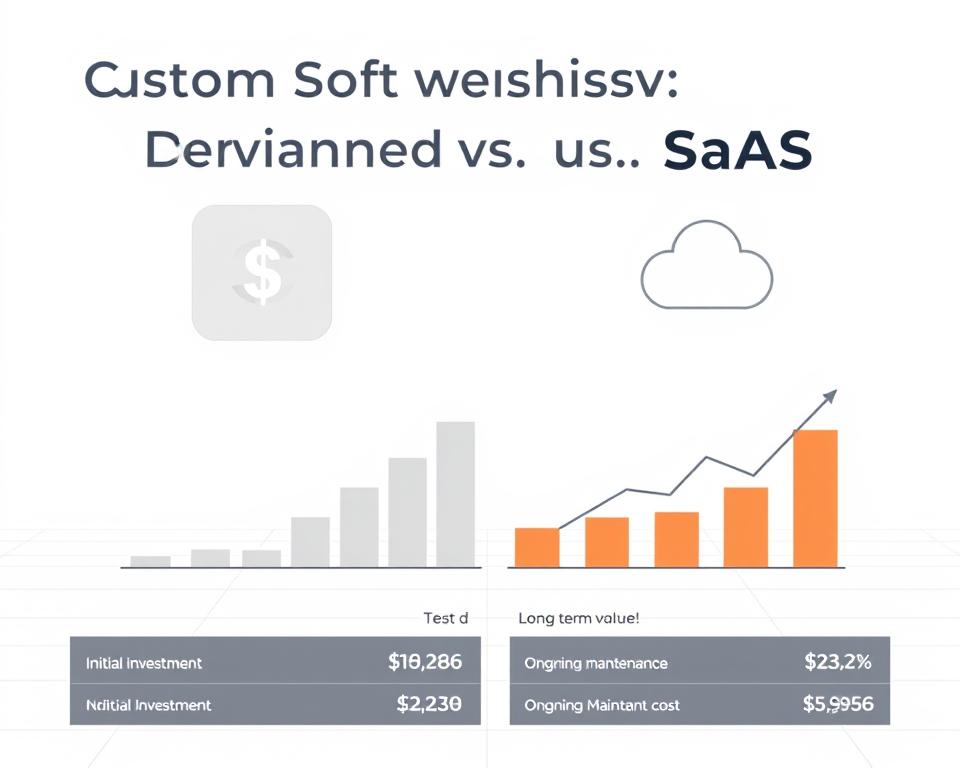
Cost Comparison: Initial Investment vs Long-term Value
When comparing custom software and SaaS, we must look at both the initial costs and long-term benefits. Businesses need to balance the upfront expenses with the potential return on investment (ROI). They should also think about the total cost over time.
Custom Software: Upfront Costs and ROI Analysis
Creating custom software requires a big upfront investment. This includes costs for development, implementation, and training. But, the long-term benefits can be huge. Custom solutions fit your business needs, which can make operations more efficient and cut costs.
Key cost factors for custom software include:
- Development costs
- Implementation and integration expenses
- Training and support costs
To really understand ROI, businesses should look at both direct and indirect benefits. This includes financial gains and things like better customer satisfaction and a competitive edge.
SaaS: Subscription Models and Total Cost of Ownership
SaaS options use a subscription model, spreading costs over time. The initial costs might be lower, but the total cost can change. This depends on user numbers, data storage, and how much customization you need.
Key considerations for SaaS total cost of ownership include:
- Subscription fees
- Implementation and integration costs
- Customization and integration expenses
- Ongoing support and maintenance costs
Hidden Costs to Consider for Both Options
Both custom software and SaaS have hidden costs. For custom software, there are ongoing maintenance and update costs. SaaS solutions might have costs for data migration, integration, and vendor lock-in.
By understanding these hidden costs, businesses can choose the best software for their budget and needs.
Time to Market: Development Speed vs Implementation Time
When choosing between custom software and SaaS, time to market is key. How fast you can use new software affects your edge and how well you run. This is true for any business.

Custom Development Timelines and Milestones
Building custom software takes longer than using SaaS. It goes through stages like planning, design, and testing. Each step has its own timeline, depending on how complex the project is.
A simple app might take months, but a big system could need a year or more. A study shows custom software projects can last from 6 to 18 months.
| Development Stage | Typical Duration |
|---|---|
| Planning | 1-3 months |
| Design | 1-2 months |
| Development | 3-12 months |
| Testing | 1-3 months |
| Deployment | 1 month |
SaaS Deployment and Onboarding Schedules
SaaS solutions are quicker to start using. Since they’re already made, you can begin in days or weeks. Setting it up to fit your business needs is fast.
Forrester says SaaS can start in weeks or days. This depends on how complex it is and how ready your team is.
Balancing Urgency with Quality and Adoption
Speed is important, but so is quality and how well users like it. Hurrying can lead to bad software that doesn’t meet needs or get used much.
“The key to successful software implementation, whether custom or SaaS, lies in striking the right balance between speed and quality. It’s not just about being first to market; it’s about delivering a solution that meets the users’ needs and is adopted widely across the organization.” –
In summary, SaaS is quicker, but custom software fits your business better. Knowing how long each takes is key to choosing wisely for your goals and how you work.
Scalability and Growth Considerations
As businesses grow, they need software that can grow with them. Scalability is key in the debate between custom software and SaaS. It’s not just about handling more users. It’s about keeping performance high and adapting to new needs.

How Custom Software Scales with Your Business
Custom software is made for specific business needs. It can grow with the business, adding new features and handling more data. This is thanks to its modular design and flexible architecture.
Custom software’s scalability offers:
- Tailored performance optimization
- Flexibility in adding new functionalities
- Ability to integrate with other systems as needed
A study by Gartner shows that custom software can cut IT costs by up to 30% over five years.
SaaS Scalability: Advantages and Limitations
SaaS solutions are known for their scalability. They can handle more users without needing big changes. But, their scalability is tied to the vendor’s setup and multi-tenancy model.
SaaS scalability’s main benefits are:
- Rapid deployment of new features by the vendor
- Automatic scaling to handle increased load
- Reduced need for in-house infrastructure upgrades
As
“SaaS solutions offer a scalable and cost-effective way to meet business needs, but they also come with limitations in customization and control.”
–
While SaaS has many benefits, businesses must think about the vendor’s scalability. They should also consider any limits in customization and control.
Security and Compliance Factors
Choosing between custom software and SaaS depends a lot on security and following rules. As more businesses use digital tools, keeping data safe and following rules is key.
Data Security in Custom Solutions
Custom software can be made to fit a business’s exact needs. It includes strong encryption, access controls, and regular checks. The main advantages are:
- Stronger data protection with special security steps
- Following specific rules better
- More control over who can see data and do what
SaaS Security: Trusting Third-Party Providers
SaaS solutions depend on the provider’s security. Even though good SaaS providers spend a lot on security, businesses must trust their data is safe. Things to think about are:
- The provider’s security checks and rule following
- How often and clearly they update and check security
- The rules of service and who owns the data

Regulatory Compliance and Industry Standards
Both custom software and SaaS must follow important rules and standards. This includes GDPR for data, HIPAA for health, and PCI-DSS for payment info. Following these rules is vital to avoid legal trouble and keep customers’ trust.
In the end, picking between custom software and SaaS should be based on a careful look at security and rules. Knowing what each option can do helps businesses choose the best fit for their needs and how much risk they can take.
Integration Capabilities and Ecosystem Compatibility
In today’s world, how well software integrates can really make a difference. As companies grow, their tech needs change. This section looks at how custom software and SaaS fit into a business’s tech setup.

Software’s ability to integrate is key for a smooth tech setup. Custom software and SaaS have different ways to integrate, each with its own benefits and challenges.
Custom Software: Building for Your Specific Ecosystem
Custom software is made for a company’s unique needs. It allows for:
- Smooth integration with current systems
- APIs made just for your business
- Flexibility to change with your business
A recent survey found companies with custom software are happier with their integrations than those with SaaS.
| Integration Feature | Custom Software | SaaS |
|---|---|---|
| Tailored Integrations | Yes | Limited |
| API Flexibility | High | Variable |
| Ecosystem Adaptability | High | Moderate |
SaaS: API Availability and Integration Options
SaaS offers strong APIs and integrations, even if it’s not customizable. Important things to consider are:
“The availability of APIs and pre-built connectors can significantly impact the ease of integrating SaaS solutions into your existing infrastructure.” – Tech Industry Expert
- API availability and documentation quality
- Pre-built connectors for popular apps
- Support for integration platforms as a service (iPaaS)
Comparing SaaS options shows that while many offer good integration, quality and ease of use vary.
In summary, both custom software and SaaS have their good and bad points for integration and fitting into a business’s ecosystem. Knowing these can help businesses choose what’s best for them.
Customization and Flexibility Comparison
Choosing between custom software and SaaS depends on customization and flexibility. Businesses must consider the pros of tailored solutions versus the limits of standard software.
The Limits of SaaS Customization Options
SaaS solutions are easy to use and save money, but they have customization limits. The level of customization varies among SaaS providers. Most offer settings to adjust some parameters, but these are set by the vendor.
For example, a company using a SaaS CRM might customize the dashboard layout or add fields. Yet, they still work within the SaaS’s framework. This can cause a gap between the software’s features and the company’s needs.
Tailoring Custom Software to Exact Business Requirements
Custom software is made to fit a business’s exact needs. This approach ensures the software matches the company’s operations and business requirements. It can be tailored to work with existing systems and follow specific workflows.
For instance, a manufacturing company might need custom software for their complex supply chain. A custom solution can integrate with their ERP, manage inventory, and schedule production in real-time.
| Feature | SaaS | Custom Software |
|---|---|---|
| Customization Level | Limited to vendor options | Tailored to exact business needs |
| Flexibility | Constrained by SaaS architecture | Highly flexible and adaptable |
| Integration | Limited by API availability | Designed for seamless integration |
When choosing software, weighing SaaS’s ease against custom software’s flexibility is key. Companies with unique needs might find custom software worth the investment. Yet, those with standard requirements might prefer SaaS. For more on custom software’s benefits, check out SoluLab and Next Big Technology.
Ownership, Control, and Vendor Dependency
It’s important for businesses to understand the impact of ownership, control, and vendor dependency when choosing between custom software and SaaS. This choice affects both immediate needs and long-term goals.
Intellectual Property and Source Code Considerations
Custom software development means owning the intellectual property (IP) and source code. This gives companies full control over their software. It’s a big plus for businesses with unique needs or in competitive markets.
For example, Netflix has custom software that helps it stand out. A Forrester report says owning software lets businesses customize and integrate more easily.
- Full ownership of IP and source code
- Ability to customize and modify the software as needed
- Control over data security and privacy measures
SaaS Vendor Lock-in Risks and Mitigation Strategies
SaaS solutions, on the other hand, are owned by the vendor. This can make it hard to switch providers. Risks include data migration issues, contract obligations, and service disruptions.
To avoid these risks, businesses can negotiate better contracts, ensure data can be moved easily, and keep IT skills in-house. For instance, using custom software development services can help improve SaaS offerings.
- Negotiate flexible contract terms to allow for easier exit strategies
- Ensure data portability through standardized APIs
- Maintain in-house IT capabilities for better control
Long-term Control of Your Business-Critical Tools
The choice between custom software and SaaS should consider long-term control. Custom software gives businesses the flexibility to adapt to changes and needs.
Experts say the right software can help businesses innovate and stay ahead.
In conclusion, businesses must consider the pros and cons of ownership and control versus the ease and cost of SaaS. Making informed choices supports long-term goals.
Support, Maintenance, and Updates
Software solutions don’t stop after they’re set up. Ongoing support, maintenance, and updates are key for success. Both custom software and SaaS need careful planning and resources to keep up with business needs.
Managing Custom Software Long-term: Resources Required
Keeping custom software running long-term takes a lot of resources. You need a dedicated team for upkeep, updates, and fixing problems. The costs can be high, covering people, infrastructure, and training to keep the system safe and efficient.
Key considerations for custom software maintenance include:
- Regular updates to address security vulnerabilities and improve functionality
- Ongoing training for users to maximize the software’s potential
- Continuous monitoring to identify and resolve issues promptly
SaaS Maintenance: Provider Responsibilities vs Your Needs
SaaS solutions make maintenance and updates the provider’s job. This is a big plus, as providers keep apps updated, secure, and running well. But, businesses must still know their own needs and make sure the SaaS solution still fits.
It’s essential to understand the division of responsibilities between your organization and the SaaS provider:
- The provider handles updates, security patches, and infrastructure maintenance
- Your organization is responsible for configuring the application correctly and utilizing its features effectively
Knowing these roles helps businesses manage their SaaS solutions well. This ensures they keep delivering value over time.
Decision Framework: Evaluating Your Specific Business Needs
Choosing between custom software and SaaS is crucial. You need to assess your business needs, check your technical skills, and match your software plan with your goals. This framework helps you decide what’s best for your company.
Assessing Your Organization’s Technical Capabilities
It’s important to know your tech strengths. Look at your current setup, IT team, and development skills. Think about these points:
- The complexity of your software needs
- The skills of your development team
- Your ability to adopt new tech
Knowing your tech strengths helps you choose between custom software or SaaS.
Aligning Software Strategy with Business Goals
Your software plan should support your business goals. Here’s how to align them:
- Identify key business processes to improve with software.
- Figure out the features you need to meet your goals.
- See how different software can affect your business.
Forbes says aligning tech with business strategy is key for success. This ensures your tech investments pay off.
Hybrid Approaches: When to Consider Both Options
At times, a mix of custom software and SaaS works best. This might mean:
- Using SaaS for non-core tasks
- Building custom software for critical needs
- Combining SaaS with custom apps
This approach gives you flexibility and scalability of SaaS plus custom software’s unique benefits. Gartner notes, “a hybrid IT strategy balances agility with control.”
By evaluating your needs, tech skills, and goals, you can choose the right software for your business.
Conclusion: Making the Right Choice for Your Business Future
Businesses face a tough choice between custom software and SaaS. The right pick depends on what your business needs now and what it might need later. The software you choose can greatly affect your success, from how well you work to how happy your customers are.
Knowing the differences between custom software and SaaS helps businesses make smart choices. Whether you need something that fits your exact needs, can grow with you, or saves money, the software should help your business grow.
When looking at software options, think about your company’s tech skills, goals, and plans for the future. A good software choice should meet your current needs and help your business grow.


