






The digital world is changing fast, making secure and easy electronic signatures more important than ever. DocuSign is a top name in this field, and many companies want to create their own apps. This guide will help you make a digital signature app like DocuSign. We’ll cover market analysis, key features, technology, legal rules, and how to develop it.
Table of Contents
Key Takeaways
- Understand the digital signature market landscape, including current size, growth projections, and key industry players.
- Identify the essential features and functionalities required for a successful digital signature application.
- Explore the technology stack and infrastructure components needed to develop a secure and scalable e-signature platform.
- Ensure compliance with legal and regulatory requirements for digital signatures in your target market.
- Develop a comprehensive roadmap for the planning, development, testing, and implementation of your digital signature app.
By using the right strategies and technologies, you can make a digital signature app that shines. This guide is for everyone, whether you’re a big company or just starting out. It will give you the knowledge and tips to succeed in creating an e-signature app.
Understanding the Digital Signature Market Landscape
The e-signature market is growing fast. It’s because more people want safe and easy ways to sign documents online. Reports say the global digital signature market will hit $9.9 billion by 2027. It will grow at a rate of 26.7% from 2022 to 2027.
Key Players and Their Market Share
Big names like DocuSign, Adobe Sign, and HelloSign lead the digital signature market. DocuSign is the top dog, with over 60% of the market. Adobe Sign and HelloSign have around 20% and 5% respectively. These leaders keep improving their services to meet the needs of businesses and people.
Industry Trends and Future Outlook
- Blockchain-based digital signatures are becoming more popular. They offer better security and transparency.
- AI and automated workflows are changing the e-signature world. They make signing documents faster and easier.
- More people want to sign documents on their phones. Mobile-friendly e-signature solutions are answering this demand.
- Asia-Pacific and Latin America are expected to see more growth in the digital signature market.
The digital transformation is changing how businesses work. This means more people will need secure and efficient e-signature solutions like DocuSign and others. The digital signature industry is set for more growth, thanks to new technologies and shifting market trends.

Essential Features of a Digital Signature Application
Creating a digital signature app needs a wide range of features. These features should meet the needs of today’s businesses and people. They should work like top e-signature app features like DocuSign but also add new ways to make signing documents easier.
At the heart of a digital signature app is the ability to easily upload and manage documents. Users should be able to quickly add files from cloud storage and local devices. This digital signature functionality makes managing and signing documents smooth and simple.
- Intuitive document uploading and management
- Integration with popular cloud storage platforms
- Secure file storage and access controls
Another key feature is creating and using custom electronic signatures. Users should be able to make their own digital signatures. These can be stored safely and applied to documents with just a few clicks. This makes signing documents faster and more enjoyable.
- Signature creation and customization
- Secure storage and management of digital signatures
- Seamless integration of signatures into documents
Being able to sign documents with multiple people is a big plus. This lets many people review, sign, and track a document at the same time. It helps teams work together better and finish important deals and contracts faster.
| Feature | Description |
|---|---|
| Multi-party signing | Facilitate collaborative document signing with multiple stakeholders |
| Audit trails | Maintain detailed records of document signing activities and events |
| Productivity tool integration | Seamlessly integrate the digital signature app with popular productivity suites and cloud services |
Having strong audit trails and detailed event logs is key for security and compliance. These features let users see who has seen, reviewed, and signed a document. It makes everything clear and ensures everyone is accountable.
By adding these important features, a digital signature app can match the best e-signature app features and DocuSign-like features. It offers a safe, efficient, and easy way to sign documents for both individuals and companies.
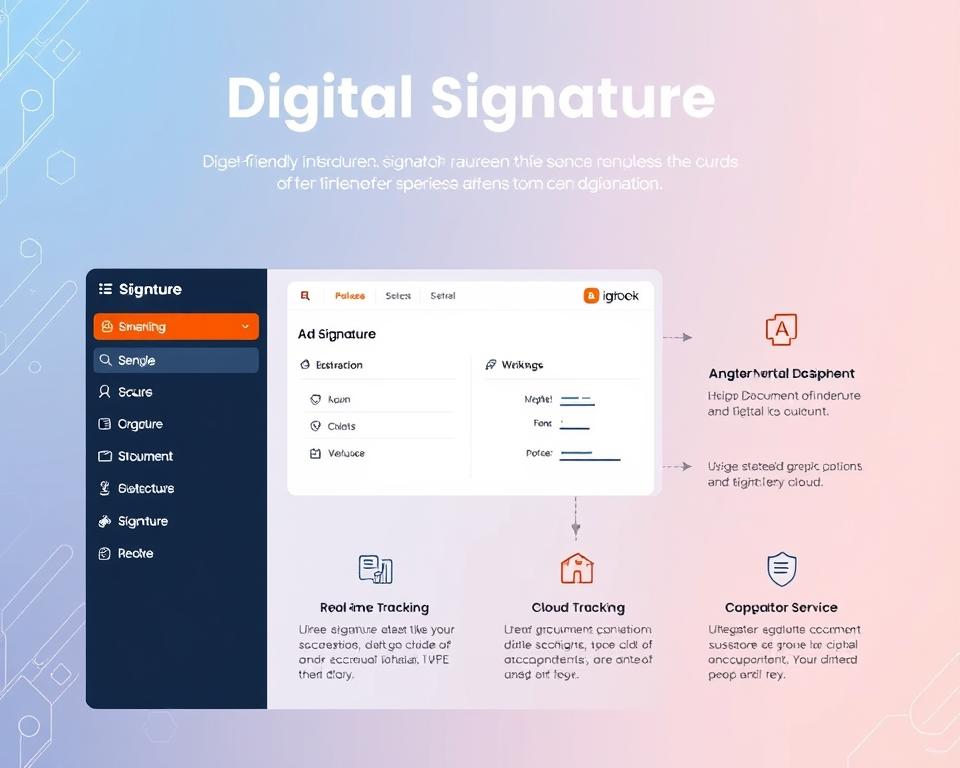
Technology Stack Required for E-Signature App Development
Creating a strong e-signature app needs a mix of frontend, backend, and security technologies. This mix ensures users have a smooth experience, data is processed well, and security is top-notch.
Frontend Technologies and Frameworks
The frontend of an e-signature app is key for a good user experience. Frameworks like React and Angular help build fast, interactive apps. They work with HTML5, CSS3, and JavaScript to make the app look great and work well.
Backend Infrastructure Components
The backend is the heart of an e-signature app, handling data and services. Node.js and Java are top choices for building strong backends. They help create APIs, manage user access, and keep documents safe.
Security Implementation Tools
Keeping an e-signature app safe is very important. It uses secure signature technology like encryption and digital certificates. Tools like OpenSSL and HashiCorp Vault help protect data and signatures.
| Technology | Purpose |
|---|---|
| React | Frontend framework for building dynamic, single-page applications |
| Angular | Frontend framework for developing responsive and interactive user interfaces |
| Node.js | Backend platform for building scalable and efficient server-side applications |
| Java | Backend language for developing secure and enterprise-grade applications |
| OpenSSL | Cryptography toolkit for implementing industry-standard encryption protocols |
| HashiCorp Vault | Secure key management and storage solution for sensitive data |
Using this full e-signature app tech stack, developers can make apps that are easy to use and very secure. They meet the highest standards of secure signature technology and digital signature development tools.

Legal Compliance and Regulatory Requirements
Creating a digital signature app means you must understand the legal rules. In the U.S., the ESIGN Act makes electronic signatures legal. The eIDAS Regulation in the European Union also has rules for digital signatures.
It’s important to follow these laws to make sure digital signatures are legally binding. Providers need to do several things:
- Keep digital certificates and keys safe and organized.
- Use strong ways to check who someone is.
- Keep detailed records of all digital signature actions.
- Follow special rules for certain areas, like healthcare.
If you don’t follow e-signature legal compliance and digital signature regulations, you could face legal problems. It’s crucial for app developers to keep up with changes in the ESIGN Act and eIDAS rules.
“Maintaining legal compliance is a top priority for any digital signature app, as it directly impacts the validity and enforceability of electronic documents.”

How to Develop a Digital Signature App Like DocuSign
To create a digital signature app like DocuSign, you need a solid plan. This includes planning, development, and putting it into action. The process of making an e-signature app has key steps for success.
Planning and Research Phase
The first step is to plan and research well. You should analyze the market, find your target users, and know what makes your app special. It’s important to study what current leaders offer to make something better.
Development Roadmap
After planning, make a detailed development plan. This plan should list the app’s main features, choose the right technology, and set a timeline. Focus on important features like secure signing, workflow, and integration to make a useful app.
Testing and Implementation
Before launching, test the app thoroughly. This ensures it works well, is secure, and follows rules. Testing includes checking each part of the app to fix any problems. After testing, deploy the app, making sure users can easily start using it and that it’s maintained well.
By following these steps, businesses can make a digital signature app as good as DocuSign. This app will meet the market’s needs and offer a strong choice for users.

Security Measures and Encryption Protocols
In today’s digital world, keeping e-signatures and digital documents safe is crucial. A good digital signature app needs strong security and encryption to protect sensitive info. It must also keep electronic deals safe and sound.
e-Signature Security starts with SSL/TLS encryption. This top-notch encryption keeps data safe as it moves between the user and the app. It stops hackers from getting in the way. Digital certificates also check if the people signing are who they say they are, making sure everything is secure.
For extra security, blockchain can be used. Blockchain is like a digital ledger that keeps track of everything. It makes sure digital signatures can’t be faked. This makes the whole e-signature security even stronger.
The app should also make sure who is signing documents. This can be done with things like fingerprint or facial scans. Or, it can use more than one way to check if someone is who they say they are.

With all these security steps and encryption, a digital signature app can be a safe place for online deals. It keeps documents private, safe, and true to their word.
User Authentication and Identity Verification Methods
For any e-signature app like DocuSign, strong user authentication and digital identity verification are key. These steps protect sensitive data and build trust with users. They ensure safe online transactions. Let’s look at the main authentication options and identity verification methods for digital signature apps.
Biometric Authentication Options
Biometric authentication is a top choice for e-signature user authentication. It offers a smooth and secure user experience. Here are some popular biometric options:
- Fingerprint recognition – Users can log in with their unique fingerprint, making it fast and easy.
- Facial recognition – This method uses facial features to verify identity, making it simple and secure.
- Iris scanning – It confirms identity with the unique iris pattern, providing high accuracy and security.
Multi-Factor Authentication Implementation
To add more security to e-signature user authentication and digital identity verification, apps can use multi-factor authentication (MFA). This method asks for multiple forms of identification, like a password, one-time code, or biometric data. MFA greatly lowers the risk of unauthorized access, making the secure signature login experience better.

“Implementing robust user authentication and identity verification methods is crucial for building trust and ensuring the security of digital signature transactions.”
Document Management and Storage Solutions
Creating a top-notch digital signature app like DocuSign needs a solid document management plan. Users share their sensitive e-signatures and files with your platform. So, it’s key to offer safe, dependable, and quick document management.
A great digital signature app must handle and store e-signature documents well. This means using cloud storage, keeping track of changes, and setting rules for keeping documents. These steps help keep digital records safe and easy to find.
- Cloud Storage Integration: Working smoothly with cloud services like Google Drive, Dropbox, or Box lets users manage their signed documents anywhere. This makes things easy and fun for them.
- Version Control: Having strong version control lets users see changes, check history, and go back to old versions. It helps with teamwork and keeping records straight.
- Secure Document Retention: Making sure documents are kept safe, following laws and privacy rules, keeps important info safe. It also makes users feel their digital files are in good hands.
Focus on e-signature document storage, digital document management, and secure file storage. This way, your app will be easy to use and trustworthy. It will stand out in the crowded document management field.

“Effective document management is the backbone of a successful digital signature application, enabling users to securely store, access, and collaborate on critical documents.”
Integration Capabilities with Other Platforms
In today’s digital world, working smoothly with other platforms is key. E-signature API integration and digital signature app connectivity help businesses work better. DocuSign-like integrations make it easy to link digital signature apps with many tools and services.
API Development and Documentation
Creating a detailed API is vital for e-signature API integration and digital signature app connectivity. It’s about making clear API docs that explain how to integrate, what data to exchange, and how to authenticate. This ensures users can easily connect their apps, making the digital signature app more valuable.
Third-Party Integration Options
A digital signature app should have lots of third-party integration options. This includes linking with CRM systems, productivity suites, and project management tools. These DocuSign-like integrations make the app a key place for digital transactions and business workflow management. This boosts its use and keeps users happy.
| Integration Type | Examples |
|---|---|
| CRM Systems | Salesforce, HubSpot, Zoho CRM |
| Productivity Suites | Microsoft 365, Google Workspace, Dropbox |
| Project Management Tools | Trello, Asana, Basecamp |
With strong integration options, digital signature apps become essential for modern business workflows. They help increase efficiency, productivity, and user happiness.

Mobile App Development Considerations
The world is moving towards mobile, making a strong e-signature mobile app key for digital signatures. It’s vital to create a smooth, responsive, and easy-to-use app. This ensures the app’s success in the mobile market.
Choosing between a native app or a cross-platform app is important. Native apps are tailored for specific systems like iOS or Android. They offer a better user experience and use the latest device features. On the other hand, cross-platform apps, made with tools like React Native or Flutter, are more accessible and quicker to develop.
Every mobile app needs to be designed for touchscreen use. This means making the signing process easy, using simple gestures, and fitting well on small screens. Adding features like fingerprint or facial recognition can make signing more secure and convenient.
It’s also important to think about offline use. Users should be able to sign documents even without internet. The app should sync well with cloud storage to work smoothly across different devices.
“The future of digital signatures lies in the palm of our hands. A well-designed mobile app can revolutionize the way we conduct business on the go.”
By focusing on these mobile-specific needs, companies can create a digital signature on-the-go solution. This meets the needs of today’s tech-savvy users. It will help increase app use and make signing documents easier.
User Interface and Experience Design
Creating a great user interface (UI) and user experience (UX) is key for any digital signature app. The design should be easy to use, with clear signs and features for everyone. This makes sure users have a smooth and welcoming experience.
Workflow Design Principles
A good digital signature workflow should make signing easy and straightforward. Here are some tips for a user-friendly UI:
- Streamlined navigation: Keep the steps to sign simple and few, cutting out the extra stuff.
- Visual clarity: Use clear signs to point out important parts like where to sign and what to do next.
- Contextual guidance: Offer tips and help at each step to guide users along.
Accessibility Features
To make sure your app is accessible to all, focus on these features:
- Keyboard navigation: Let users move around and sign using just their keyboard, no mouse needed.
- Screen reader support: Make sure the app works well with screen readers, giving clear info for all UI parts.
- High-contrast modes: Provide options for high-contrast colors to help those with vision problems see better.
By following these UI and UX guidelines, your digital signature app will be easy, accessible, and fun for everyone. It doesn’t matter what their abilities or likes are.
Monetization Strategies and Business Models
In the fast-changing world of digital signatures, making money is key. E-signature app makers need to find the best ways to charge and make money. They must offer different prices and ways to earn to meet their users’ needs and make more money.
Many apps use a subscription model, like DocuSign. This lets users get all the features for a monthly or yearly fee. It gives a steady income and keeps customers coming back.
Another way is to charge per signature. This is good for people or small businesses that don’t sign things often. It’s flexible and can attract more users.
Big companies might want a special deal. The licensing model offers advanced features and support for a higher price. It’s a good way for big businesses to get what they need.
App makers need to keep up with trends and listen to what users want. Trying different ways to make money helps find the best balance. This way, apps can grow and stay strong in the e-signature market.
“The key to a successful e-signature app monetization strategy lies in understanding the needs of your customers and offering flexible pricing options that meet their requirements.”
Performance Optimization and Scaling
As more people use digital signature apps like DocuSign, it’s key to keep them running smoothly. High-volume e-signature app performance needs strong strategies to manage lots of users and documents.
Load balancing is a big help in making digital signatures scale well. It spreads the work over many servers or cloud resources. This way, the app can handle more users and documents without slowing down.
Caching is another important tool. It stores things like user profiles and documents that are often used. This makes the app faster and more efficient.
Using cloud-based solutions is also crucial. Clouds offer scalable storage and computing power. This lets digital signature apps grow with user needs without losing speed.
| Performance Optimization Technique | Benefits |
|---|---|
| Load Balancing | Distributes workload across multiple servers, ensuring smooth handling of user activity and document signing |
| Caching Strategies | Improves application responsiveness by caching user profiles, frequently accessed documents, and signature templates |
| Cloud-based Infrastructure | Provides scalable storage, computing power, and efficient data processing to accommodate growing user demands and document volumes |
By using these strategies, digital signature apps can offer a great user experience. They can stay available and handle more users and documents efficiently.
“Optimizing performance and ensuring scalability are essential for the long-term success of any digital signature application in the modern business environment.”
Maintenance and Support Infrastructure
Keeping a digital signature app like DocuSign running smoothly is key. It’s all about good e-signature app maintenance, quick digital signature customer support, and regular signature software updates.
Update Management
Updates are vital for keeping the app safe and working well. A good update system should:
- Automatically send out updates with new features and fixes
- Test updates well to make sure they work right and don’t cause problems
- Tell users about updates and what they’ll get
Customer Support Systems
Great customer support is what makes a digital signature app stand out. Good support should have:
- Support team members who answer fast and know their stuff
- Tools like a knowledge base and FAQs for users to help themselves
- Ways for users to give feedback and share their thoughts
By focusing on e-signature app maintenance and digital signature customer support, providers can make sure users have a great time. This leads to happy users who stick around.
Conclusion
Creating a digital signature app like DocuSign requires finding the right balance. This balance includes security, user experience, and legal rules. By knowing the market, adding key features, and using the right tech, developers can make a strong e-signature app.
It’s important to follow laws, use strong encryption, and make signing easy for users. Also, working well with other apps, improving performance, and offering good support are key. These steps help make the app reliable and trusted.
The need for digital signatures is growing. Launching a DocuSign alternative needs a deep understanding of the market. It also requires focusing on users and being open to new ideas. By doing this, developers can make an app that meets business and personal needs and changes the digital world.


