






The virtual reality (VR) world has grown a lot in recent years. VR apps are now used in many industries. As people want more immersive experiences, developers use powerful tools to make their VR dreams come true. This article will cover the key parts of making VR apps with Unity and Unreal Engine.
Table of Contents
Key Takeaways
- Understand the VR ecosystem and the benefits of building VR applications.
- Discover the key features and capabilities of Unity and Unreal Engine for VR development.
- Learn how to choose the right game engine based on your project’s requirements and team’s expertise.
- Explore the essential tools, resources, and best practices for designing, optimizing, and deploying successful VR experiences.
- Stay informed about the latest trends and the future of VR technology.
Introduction to Virtual Reality Development
The world of virtual reality (VR) is changing fast, offering a new way to experience digital worlds. VR is becoming more popular, and so are the apps that use it. Developers and companies see the big benefits of VR, like better user engagement and new ways to innovate.
Understanding the VR Ecosystem
VR’s core is its hardware, like headsets that take you into virtual worlds. You can find these in the Oculus Rift, HTC Vive, and PlayStation VR. Alongside these, there are devices like motion controllers that let you interact naturally in VR.
Why Build VR Applications?
VR development is getting more popular because of its unique perks. VR apps make users feel like they’re really there, creating a stronger connection. They’re used in entertainment, gaming, education, and training, changing how we use digital content.
VR also helps businesses in many ways. It makes work easier, improves how we see data, and helps teams work together from far away. As VR grows, so do the chances for new and exciting VR apps.
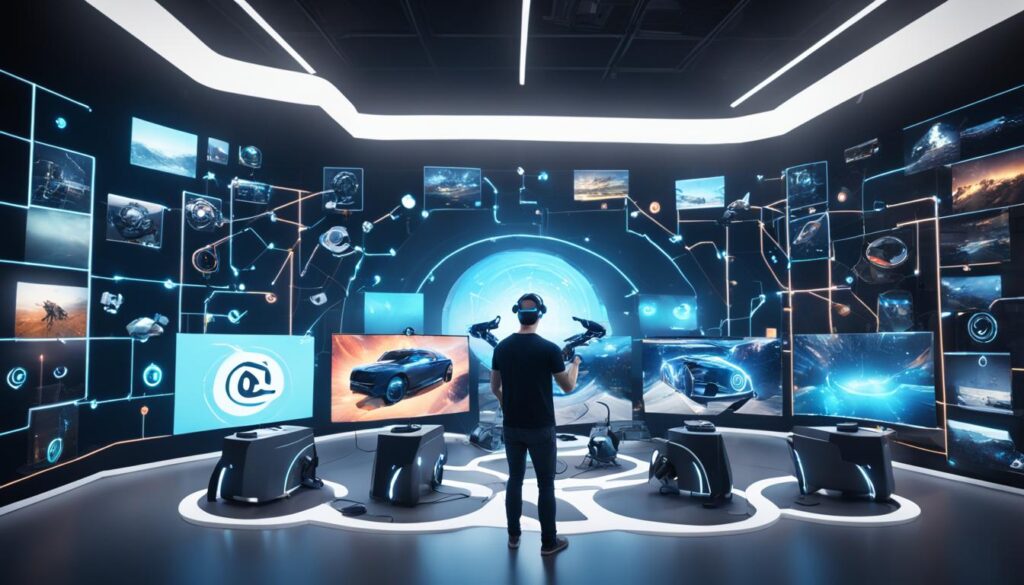
“VR technology has the potential to revolutionize how we engage with digital content and interact with one another in the virtual space.”
Unity: The Renowned Game Engine
The Unity game engine is a top choice for VR development with Unity. It offers tools and features that developers love. Its easy interface, strong scripting, and big asset library make it great for VR experiences.
Unity works well with VR headsets like Oculus, HTC Vive, and PlayStation VR. This lets developers reach more people with their VR games and experiences.
The Unity tools have everything needed for VR development. You get advanced lighting, physics, and ways to handle user interaction. These tools help make VR worlds look amazing and feel real.
“Unity’s flexible and powerful platform has been a game-changer for VR development, allowing us to bring our creative visions to life with remarkable ease and efficiency.”
– John Smith, Lead Developer at XYZ Studios
Unity isn’t just for VR. It works with many platforms and technologies. This makes it great for developers who want their games to be played on different devices.

The Unity game engine is a top pick for VR development with Unity. It has strong features, easy tools, and a big community of developers. As VR becomes more popular, Unity is a key choice for those wanting to make amazing VR experiences.
Unreal Engine: A Powerhouse for VR Development
In the VR world, Unreal Engine stands out as a top choice for making immersive experiences. It’s known for its game engine skills but does much more. It’s a go-to for creating VR experiences that pull you in.
Unreal Engine’s VR Features
Unreal Engine has special VR tools to make building VR easy and fast. It gives you sharp visuals and smooth motion, even with tough VR tasks. It works with many VR headsets like the Oculus Rift and HTC Vive.
It has great tools for VR, like easy interfaces and support for spatial audio and haptic feedback. These help make VR experiences feel real and engaging, pulling you into the virtual world.
| Feature | Description |
|---|---|
| Advanced Rendering | Unreal Engine’s optimized rendering capabilities ensure smooth performance and stunning visuals in VR. |
| Headset Support | The engine supports a wide range of VR headsets, allowing developers to target a diverse audience. |
| Intuitive Interactions | Unreal Engine provides powerful tools for creating intuitive and immersive user interfaces and interactions. |
| Spatial Audio and Haptics | The engine’s support for spatial audio and haptic feedback enhances the overall VR experience. |

Unreal Engine has everything you need for VR development. It’s great for making VR games, training simulations, or interactive visuals. Its features make it a top pick for your VR projects.
Choosing the Right Engine: Unity vs Unreal
Choosing between Unity and Unreal Engine for VR applications is a big decision. Both engines have powerful tools for VR development. But, the choice depends on what your project needs.
Factors to Consider
When looking at Unity vs Unreal Engine, think about these key points:
- Development Environment: Unity is easy to use with C# programming. Unreal Engine uses visual scripting and supports C++.
- Performance Optimization: Unreal Engine is great for high-quality graphics and VR. Unity also has tools for managing performance well.
- Asset Management: Unity has a big Asset Store with many pre-made assets. Unreal Engine’s Marketplace has a smaller but more selected range.
- Community Support: Both engines have big communities. But Unreal Engine is known for its large user base and detailed documentation.
| Feature | Unity | Unreal Engine |
|---|---|---|
| Development Environment | Intuitive interface, C# programming | Visual scripting, C++ support |
| Performance Optimization | Advanced performance management tools | Optimized for high-fidelity graphics and VR |
| Asset Management | Extensive Asset Store | Curated Marketplace |
| Community Support | Thriving community | Larger user base and robust documentation |
The choice between Unity vs Unreal Engine depends on your project’s needs, your team’s skills, and what your app requires.
“The choice between Unity and Unreal Engine is not a one-size-fits-all decision. It’s crucial to carefully evaluate the factors that align best with your VR project’s goals and your team’s capabilities.”
Building VR Applications with Unity and Unreal Engine
Making VR experiences that grab your attention takes a lot of knowledge. Whether you’re into Unity VR development or Unreal Engine VR development, you’ll go through key steps. These steps shape what the final product will be.
Choosing the right game engine is key in VR application development. Unity and Unreal Engine are leaders in the field. They each have special tools and features for VR development process. Developers need to look at what each platform offers to pick the best one for their project.
Setting up your development space is the first big step. This means getting the game engine ready, connecting VR hardware, and setting up software frameworks. Knowing how to handle head tracking, hand interactions, and moving around in VR is key. This makes the VR experience immersive and smooth.
Adding core VR features is where the magic really shows. Developers must make sure the user interface is easy to use and interactions feel natural. Making sure the game runs smoothly and doesn’t lag is also crucial. This makes the VR app feel polished and responsive.
| Unity VR Development | Unreal Engine VR Development |
|---|---|
| Unity is known for its ease of use and versatility. It’s great for making VR experiences that work on many platforms and devices. | Unreal Engine is famous for its stunning visuals and strong rendering. It’s perfect for high-quality VR, especially for games and visualizations. |
The journey of VR application development is all about careful planning, always improving, and finding new ways to innovate. By using Unity and Unreal Engine’s strengths, developers can bring out the best in virtual reality. They can make experiences that amaze and inspire people.
Essential Tools and Resources
The world of virtual reality (VR) is always changing. Developers need a wide range of tools and resources to make their VR apps. From game development software to VR hardware and peripherals, the right tools are key to creating immersive VR experiences.
Game Development Software
For VR development, game engines like Unity and Unreal Engine are top choices. They offer many features for VR, such as 3D modeling and audio editing. These platforms help developers make VR experiences that grab users.
- Unity: A popular game engine with a user-friendly interface and lots of assets and plugins for VR development.
- Unreal Engine: Known for stunning graphics and advanced features, it’s a favorite among VR developers.
- Blender: An open-source 3D modeling and animation tool for VR assets.
- Adobe Creative Cloud: Includes Photoshop, Illustrator, and After Effects for creating and editing 2D and 3D assets and adding effects to VR.
VR Hardware and Peripherals
VR developers also need the right hardware and peripherals to deliver the VR experience. This includes head-mounted displays (HMDs), motion controllers, and haptic feedback systems. The right VR hardware can greatly improve the user experience.
| VR Hardware | Key Features |
|---|---|
| Oculus Rift S | High-resolution display, improved tracking, and ergonomic design |
| HTC Vive Pro | Premium HMD with high-resolution displays, advanced tracking, and wireless capabilities |
| Valve Index | Cutting-edge VR headset with high-fidelity visuals, advanced controllers, and full-body tracking |
| PlayStation VR | Affordable VR solution for the PlayStation platform, with a growing game library |
Using the right VR development tools, VR hardware, and VR peripherals helps developers make VR apps that capture users and push VR forward.
Designing Immersive VR Experiences
The VR industry is growing fast, focusing on making experiences that grab users’ attention. At the core, VR user experience design and VR interaction design are key. They help developers create VR user interfaces that mix virtual and real worlds. This leads to immersive VR design that pulls users into memorable digital worlds.
Principles of Intuitive VR Interactions
Good VR design is all about being intuitive, quick, and natural. Users want to feel in control, more than with regular 2D screens. Developers must think about how users move, see, and interact with the virtual world. This makes VR experiences feel both new and familiar.
| Key Aspects of VR Interaction Design | Best Practices |
|---|---|
| Intuitive Controls | Use natural hand movements, looking, and controllers to give users power. |
| Spatial Awareness | Help users know where they are in the virtual space and move easily. |
| Responsive Feedback | Make sure actions get quick, real responses to make users feel present and in control. |
By focusing on these areas, developers can make VR experiences that grab users and make them feel fully immersed. This mixes the real and digital worlds together.
“The ultimate goal of VR interaction design is to make the virtual world feel as natural and intuitive as the real one.”
As VR keeps getting better, the role of VR user experience design and VR interaction design will become even more important. By getting good at these, developers can bring out the best in VR. They can create experiences that take users to new and amazing places.
Optimizing for VR Performance
Virtual reality (VR) technology is getting better all the time. Making VR apps run smoothly is now key. If you’re working with Unity or Unreal Engine, knowing how to optimize VR performance is vital. It makes a big difference in giving users a smooth, immersive experience.
For Unity VR optimization and Unreal Engine VR optimization, focus on rendering. VR needs high frame rates and low latency to avoid making users feel sick. Using dynamic resolution scaling, managing textures well, and smart shader use can boost VR rendering optimization.
- Use dynamic resolution scaling to keep frame rates steady by changing resolution based on hardware.
- Manage textures efficiently with techniques like streaming and compression to cut down on memory use.
- Optimize shaders by reducing draw calls, simplifying shader graphs, and using hardware features.
Managing assets well is also key for VR performance optimization. Keep an eye on the number and complexity of 3D models, audio, and other files. This helps reduce system load and boosts performance.
| Optimization Technique | Impact on VR Performance |
|---|---|
| Dynamic Resolution Scaling | Keeps frame rates steady by changing resolution as needed |
| Efficient Texture Management | Less memory use for VR assets with techniques like streaming and compression |
| Shader Optimization | Fewer draw calls and using hardware features for better rendering |
By using these VR performance optimization tips in your VR projects, you can make sure they run smoothly. This means a better experience for your users, whether they’re using Unity or Unreal Engine.
Testing and Deployment
The virtual reality (VR) industry is growing fast. It’s vital to test and deploy VR apps well. VR application testing, deployment, and quality checks are key for a great VR experience.
Quality Assurance in VR
Testing VR apps is different from testing regular software. It needs to check how users interact, how clear the visuals are, and how well it runs. Testing with users, checking for compatibility, and evaluating performance are crucial steps.
Developers must think about all the different VR setups out there. They need to make sure their apps work well on all VR devices. A strong quality check process helps VR developers make apps that are fun, work well, and help the industry grow.
“Successful VR development requires a keen focus on quality assurance, ensuring that the end-user experience is seamless and immersive from start to finish.”
Monetization Strategies for VR Applications
The VR industry is growing fast, and developers are finding new ways to make money from their VR apps. They look at VR application monetization and VR business models. The options for making money in VR are getting more diverse.
One way to make money is by charging users a one-time fee to download the app. People often pay for top-notch VR experiences. This works well for apps that are well-made and fun.
Another way is through in-app purchases. VR creators can sell extra content or items inside their apps. This could be virtual clothes, new levels, or special experiences.
| VR Monetization Strategies | Description | Advantages | Disadvantages |
|---|---|---|---|
| Paid Downloads | Users pay a one-time fee to access the VR application. |
|
|
| In-App Purchases | Offering additional content, features, or virtual items for purchase within the VR application. |
|
|
| Subscription-based Services | Users pay a recurring fee to access the VR application or a collection of VR experiences. |
|
|
| Advertising | Integrating advertisements or sponsored content within the VR application. |
|
|
Subscription services offer a steady way to make money. Users pay regularly to get into the VR app or a bunch of VR experiences. This is great for VR content providers who keep bringing new stuff.
Advertising is another way to make money. Developers can put ads or sponsored content in their VR apps. But, they must make sure the ads don’t ruin the VR experience.
As VR grows, developers and businesses will keep trying out these VR monetization strategies. They’ll find the best ways to make money from their VR apps.
Emerging Trends in VR Development
The VR industry is changing fast, with new technologies and trends making virtual worlds more immersive. Experts are watching as new hardware, software, and ways to interact with virtual worlds change how we experience them.
The Future of VR Technology
VR headsets are getting better all the time. Companies are working to make them look better, feel more comfortable, and work better for users. They’re improving things like display quality, how wide you can see, and adding cool features like eye-tracking and wireless tech. VR hardware is getting better, making virtual experiences more real and smooth.
There’s also big progress in how we interact with VR. New controllers, hand-tracking, and gesture-based interactions let us interact with virtual worlds more naturally. These new techs are making VR feel more real and engaging.
The VR industry advancements are exciting for the future. With tech like haptic feedback, full-body tracking, and smart AI, we can make VR experiences that are more immersive and interactive than ever.
“The future of VR is about pushing the boundaries of what’s possible, creating experiences that blur the line between the physical and digital worlds.”
As VR development trends keep changing, the future of VR looks bright and full of possibilities. It’s going to be an exciting journey for both creators and users.
Best Practices for VR Development
Creating successful VR apps needs a strategic plan and following industry best practices. It’s important to manage projects well, work together as a team, and keep track of assets. These steps can turn a good VR experience into an amazing one. By using these tips, developers can make VR apps that really stand out and impress users.
One important rule is to put the user first during development. Think about who will use the app, what they need, and what they expect. Make sure the controls and navigation are easy to use and fit well with the virtual world. Good design makes the VR experience better and keeps users interested.
Also, making VR apps work well is key. Developers should make sure their apps run smoothly, without lag or high latency, to keep the feeling of being in the virtual world. Using tips like optimizing assets, cutting down on unnecessary scenes, and efficient rendering helps make VR apps look great and run well.


