







Creating a work management app like Monday.com needs a deep dive into its main features, costs, tech stack, and how long it takes. Monday.com is known for being flexible and customizable.
To make an app that fits your business, you must know what makes Monday.com tick. This knowledge helps you plan and build your app development project well.
By copying the success of project management tools like Monday.com, you can make a work management app. This app can make your workflow smoother and boost productivity.
Table of Contents
Key Takeaways
- Understanding the core features of Monday.com is crucial for developing a similar application.
- The cost of development depends on the complexity and the technology stack chosen.
- A well-planned tech stack is essential for the scalability and performance of the app.
- The development timeline varies based on the features and complexity of the app.
- Customization capabilities are key to meeting specific business needs.
Understanding Monday.com and the Market Opportunity
Monday.com has become a top project management platform. This shows more companies want work management tools that can change to fit their needs. These tools must be flexible and grow with the business.

What Makes Monday.com a Leading Project Management Platform
Monday.com stands out because of its customizable workflows and user-friendly interface. It also grows with the company’s needs. The CEO says, “Our platform’s flexibility lets teams manage projects their way, boosting productivity and teamwork.”
“The future of work is all about flexibility and adaptability, and Monday.com is at the forefront of this movement.”
This flexibility is why Monday.com is used in so many industries.
Growing Demand for Custom Work Management Solutions
More businesses want custom work management solutions. They aim to make their operations better and team work smoother. This need for tailored tools is driven by the desire for better efficiency and productivity.
- Customizable workflows to fit different business processes
- Tools for better team collaboration
- Scalability to grow with the company
Target Industries and Use Cases for Similar Applications
Industries like IT, marketing, and construction can really benefit from Monday.com alternatives. These tools help with planning, team work, and tracking progress. They offer a single place to manage complex projects.
| Industry | Use Cases |
|---|---|
| IT | Project planning, bug tracking, software development lifecycle management |
| Marketing | Campaign management, content creation, team collaboration |
| Construction | Project scheduling, resource allocation, progress monitoring |
Key Benefits of Building a Monday.com-Like Application
A custom Monday.com-like app can change how businesses work and make them more productive. It lets companies create a work management tool that fits their needs. This boosts efficiency across the board.
Complete Customization and Brand Control
Building a custom app gives businesses complete customization and brand control. They can make the app fit their exact needs. This includes adding their brand and making it easy for users to navigate.
“Customization is key to meeting the unique needs of businesses. By having full control over the branding and features, companies can ensure their work management tool aligns perfectly with their operations.”
This customization helps businesses stand out from competitors. Those using generic solutions can’t match this level of personalization.
Revenue Generation and Business Model Flexibility
A custom work management app opens doors for revenue generation through various business models. Companies can pick from subscription plans, freemium models, or enterprise solutions. This flexibility helps in making money.
| Business Model | Description | Potential Revenue |
|---|---|---|
| Subscription-Based | Users pay a recurring fee for access to premium features. | High |
| Freemium | Basic features are free, with optional paid upgrades. | Moderate |
| Enterprise Custom Solutions | Tailored solutions for large businesses, often with custom pricing. | High |
Competitive Advantage in Your Niche Market
Having a custom project management tool can give businesses a competitive edge in their niche market. It boosts efficiency and team productivity. This helps companies outdo their rivals and become leaders in their field.

As businesses look to improve their operations, the need for custom work management tools will grow. Now is a great time to invest in a Monday.com-like app.
Core Features Required for Monday.com Like App Development
To make a top-notch work management app, you need to include key features. These help with planning, assigning tasks, and working together as a team. They are the heart of a project management tool, helping teams manage projects well and stay organized.
Visual Project Boards and Kanban Views
Visual project boards and Kanban views are key for seeing workflows and tracking progress. They let teams make boards that fit their workflow. This makes it easier to handle tasks and spot any problems.

Task Creation, Assignment, and Management
Good task management is key for project success. You need to be able to create, assign, and manage tasks. This includes setting priorities, due dates, and who to assign tasks to.
Timeline Views and Gantt Charts
Timeline views and Gantt charts show project schedules clearly. They help teams plan and track project timelines well. These tools help spot dependencies, plan resources, and meet deadlines.
Team Collaboration and Communication Tools
Good team collaboration is crucial for project success. Tools like real-time commenting, @mentions, and file sharing help teams talk and stay on the same page. This keeps everyone informed and working together smoothly.
| Feature | Description | Benefit |
|---|---|---|
| Visual Project Boards | Customizable boards for workflow visualization | Enhanced project visibility and control |
| Task Management | Task creation, assignment, and tracking | Improved task management and accountability |
| Gantt Charts | Visual representation of project timelines | Better project scheduling and resource allocation |
| Collaboration Tools | Real-time commenting and file sharing | Enhanced team communication and collaboration |
Advanced Features That Enhance User Experience
Adding advanced features to a Monday.com-like app can really boost user engagement and productivity. These features make processes smoother and give users a more personalized experience.
Workflow Automation and Smart Triggers
Workflow automation is key. It lets users set up rules for tasks, cutting down on manual work and mistakes. This way, teams can focus on important tasks that help projects succeed.
For example, automating task assignments can ease the workload for team leaders. Smart triggers can alert team members when they’re assigned a task or when a deadline is near.
Third-Party Integrations and API Connectivity
Integrating with other services is vital to enhance the app’s functionality. This includes tools like calendar apps and communication software. API connectivity makes it easy to share data with these services, improving workflow.
“The ability to integrate with other tools and services is a game-changer for productivity. It allows teams to work more efficiently and effectively.” – Productivity Expert
Custom Dashboards and Analytics
Custom dashboards give users a tailored view of their projects. They can track important metrics and performance indicators. Analytics capabilities help teams understand how well they’re doing, spotting areas for improvement.
| Dashboard Feature | Description | Benefit |
|---|---|---|
| Project Overview | High-level view of project status | Quick understanding of project health |
| Task Completion Rate | Percentage of tasks completed on time | Identifies efficiency and potential bottlenecks |
| Team Performance | Metrics on individual and team performance | Helps in resource allocation and task assignment |
Time Tracking and Resource Allocation
Effective time tracking helps teams see how much time tasks take. This data is useful for billing and project analysis. With resource allocation, teams can distribute work better, avoiding over or underutilization.

By adding these advanced features, a Monday.com-like app becomes more comprehensive and user-friendly. This boosts adoption and satisfaction among users.
User Interface and Experience Design Principles
A good UI/UX design is key to a project management platform’s success. It boosts user happiness and productivity. This is because it makes the app easier and more intuitive to use.

Intuitive Dashboard and Navigation Architecture
An intuitive dashboard gives users a clear view of their projects and tasks. The navigation should be simple and easy to follow. This way, users can find what they need fast.
Drag-and-Drop Functionality Implementation
Drag-and-drop functionality makes task management more fun and easy. It lets users move tasks around, assign them, and track progress easily.
Responsive Design for Cross-Platform Compatibility
A responsive design makes sure the app works well on all devices and sizes. This is key for today’s work tools. Users want to access their projects from anywhere, on any device.
Customizable Views and User Preferences
Offering customizable views lets users tailor their experience. They can choose different layouts, like list or calendar views. This boosts satisfaction and productivity.
By following these UI/UX design principles, you can make a work app that’s both useful and fun. This leads to more users and keeps them coming back.
Frontend Technology Stack for Your Work Management App
A good frontend technology stack is key for a smooth user experience in work management apps. The right mix of technologies boosts app performance, scalability, and upkeep.
React.js for Building Dynamic User Interfaces
React.js is a top pick for making dynamic, interactive user interfaces. Its component-based design lets you create reusable UI parts easily. React’s virtual DOM makes updates fast and smooth, giving users a great experience.
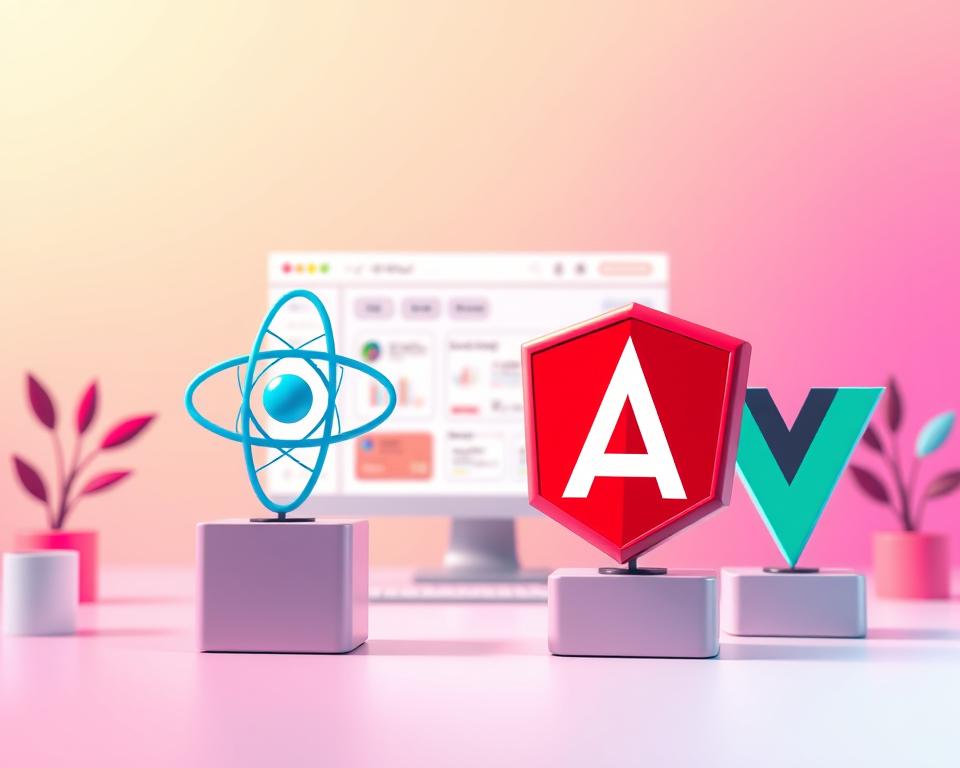
Vue.js as a Lightweight Alternative
Vue.js is a light alternative to React, with a big ecosystem and easy learning curve. Its progressive and flexible nature fits many projects, from small to big enterprise solutions. Vue’s strong tools and libraries help in quick development and upkeep.
State Management with Redux or Vuex
Good state management keeps the app state consistent and predictable. Redux is a top choice for React apps, offering a single truth for state management. Vuex does the same for Vue.js apps, making state management scalable and predictable.
UI Component Libraries and Design Systems
UI component libraries and design systems are key for app consistency. Libraries like Material-UI for React and Vuetify for Vue offer pre-made components. These can be customized to match the app’s look and feel. A design system keeps the UI consistent, improving the user experience.
By picking and using these frontend technologies wisely, developers can create a solid, scalable, and user-friendly work management app. Such an app meets the needs of today’s teams and organizations.
Backend Technology Stack and Architecture
Choosing the right backend technology stack is key for a Monday.com-like app. It ensures the app works well and is easy to use. The stack and architecture handle server logic, database, and API connections.
Scalable Frameworks for Backend Development
Many frameworks are popular for backend work. Node.js with Express.js is great for fast, scalable services. It’s perfect for apps that need to update quickly.
Python with Django or Flask is good for big projects. It helps build apps fast and makes them easy to grow. Django comes with lots of tools to get started quickly.
Enterprise Solutions with Java Spring Boot
Java Spring Boot is top for big companies. It makes apps secure, easy to grow, and simple to keep running. It has lots of tools for big projects.
API Implementation for Data Exchange
Using RESTful APIs or GraphQL is key for data sharing. REST is simple and works well for most needs. GraphQL is better for complex data.
| Backend Technology | Ideal Use Case | Key Features |
|---|---|---|
| Node.js with Express.js | Real-time applications, scalable services | Event-driven, non-blocking I/O, high performance |
| Python with Django | Complex applications, rapid development | ORM, authentication system, admin interface |
| Java Spring Boot | Enterprise-level solutions, secure applications | Dependency injection, security, cloud integration |

In conclusion, picking the right backend tech is crucial for a Monday.com-like app. The right framework and API ensure a fast, secure app that users will love.
Database Solutions and Data Management
Choosing the right database is key when making a Monday.com-like app. The best database ensures data is safe and easy to get to. It also makes the app run smoothly and grow well.
PostgreSQL for Structured Relational Data
PostgreSQL is great for handling structured data. It’s reliable and keeps data consistent. It’s perfect for apps that need complex transactions and strict data rules.
Key benefits of PostgreSQL include:
- Support for advanced data types
- Robust security features
- Scalability and performance
MongoDB for Flexible Document Storage
MongoDB is good for semi-structured data. Its design changes easily with data needs. It’s flexible and adapts quickly.
“MongoDB’s document data model is designed to simplify the development process and improve performance by allowing developers to work with data in a more natural way.”
Redis for Caching and Session Management
Redis is great for caching and managing sessions. It makes apps run faster by lessening database work. This improves how quickly the app responds.
Redis is particularly useful for:
- Real-time analytics
- Session management
- Message queuing
Cloud Storage Services for File Management
Cloud storage is perfect for managing files. It’s scalable and reliable. Files are easy to access from anywhere.
| Cloud Storage Service | Key Features |
|---|---|
| AWS S3 | High durability, scalability, and security |
| Google Cloud Storage | High-performance data storage, unified object storage |
| Microsoft Azure Blob Storage | Massive scalability, integration with Azure services |
By picking and using these databases, developers can make a strong data system. This is for their work management app.

Real-Time Features and Communication Infrastructure
Real-time features and strong communication tools are key for today’s work management solutions. They make teamwork smooth and keep everyone in sync.

WebSocket Protocol for Live Updates
The WebSocket protocol is vital for live updates in work apps. It lets data flow both ways, instantly, between the client and server.
- Enables real-time updates without the need for polling
- Reduces latency and improves application responsiveness
- Supports simultaneous updates across multiple users
Socket.io for Bidirectional Communication
Socket.io is a well-liked JavaScript library for WebSocket. It makes real-time communication easy, handling complex tasks like managing connections and sending messages.
Key benefits of using Socket.io include:
- Simplified WebSocket implementation
- Automatic reconnection handling
- Support for broadcasting messages to multiple clients
Push Notifications and Alert Systems
Push notifications and alert systems are vital for keeping users updated. They make sure team members know about important news, even when they’re not using the app.
Effective push notification strategies include:
- Customizable notification preferences
- Integration with various notification channels (e.g., email, in-app notifications)
- Prioritization of critical alerts
By adding these real-time features and communication tools, work apps can boost teamwork and productivity. WebSocket, Socket.io, and push notifications together offer a full solution for team connection and updates.
Security, Authentication, and Compliance Standards
In the world of work management apps, security and compliance are key. Keeping user data safe is crucial for trust and staying ahead in the market.
Data Encryption and Secure Storage Practices
Strong data encryption is vital for protecting sensitive info. It uses top-notch encryption to keep data safe while it’s moving and when it’s stopped. Secure storage, like safe servers and databases, also protects user data.
Multi-Factor Authentication and Access Control
Multi-factor authentication (MFA) adds extra security. It makes users prove their identity with two or more steps to get into the app. This lowers the chance of unauthorized access. Strict access control makes sure users only see what they need to see.
GDPR, SOC 2, and Industry Compliance
Following rules like GDPR (General Data Protection Regulation) and SOC 2 (Service Organization Control 2) is key. These rules tell us how to handle, store, and protect user data.
Regular Security Audits and Penetration Testing
Doing regular security audits and penetration testing finds weak spots. This lets developers fix issues before they’re used, keeping the app safe and up to date with rules.
By focusing on security measures like data encryption, multi-factor authentication, and following compliance standards, apps can be safe and reliable. Regular checks and tests make the app even safer, keeping user data safe and following industry rules.
Complete Development Timeline for Monday.com-Like Apps
Creating a successful Monday.com-like app needs a detailed development timeline. The process has several phases, each with its own challenges and needs.
Discovery and Requirements Gathering Phase
The journey starts with the discovery and requirements gathering phase, lasting 2-3 weeks. Here, the team works with stakeholders to grasp the project’s goals, audience, and main features.
Key activities include market research, competitor analysis, and defining the project’s scope and technical needs.
UI/UX Design and Prototyping Phase
The UI/UX design and prototyping phase follows, lasting about 3-4 weeks. This stage focuses on creating a user-friendly interface that matches the project’s brand.
The design team creates wireframes, prototypes, and detailed designs. These help visualize the app’s layout, navigation, and user experience.
Core Development and Feature Implementation
The core development and feature implementation phase is the longest, lasting 12 to 20 weeks. Here, the team turns the designed UI/UX into reality by adding necessary features and functionalities.
This involves creating the front-end and back-end, integrating third-party services, and setting up the database.
Quality Assurance and Testing Phase
After core development, the quality assurance and testing phase starts, lasting 3-4 weeks. This stage ensures the app is tested for bugs, performance, and security.
Rigorous testing is done to ensure the app meets standards and offers a smooth user experience.
Deployment, Launch, and Post-Launch Support
The final phase includes deployment, launch, and post-launch support, taking about 2-3 weeks. This stage involves setting up the production environment, deploying the app, and providing ongoing support.
Post-launch support is key for keeping the app running smoothly, updating features, and ensuring user satisfaction.
In conclusion, the development timeline for a Monday.com-like app varies based on project complexity and scope. Understanding the phases helps businesses plan and execute their projects better.
“The key to a successful development project lies in meticulous planning, a skilled development team, and a well-defined timeline.”
Comprehensive Cost Analysis for App Development
The cost to make an app like Monday.com depends on several things. These include the team’s structure and how complex the features are. Knowing these can help you make a good budget.
Development Team Structure and Hourly Rates
The cost changes based on your team’s structure. A team for a work management app has many roles. Hourly rates vary by skill and where they are from. For example, costs are higher in the U.S. or Western Europe than in Eastern Europe or Asia.
- Project Manager: $50-$150 per hour
- UI/UX Designer: $30-$100 per hour
- Frontend Developer: $40-$120 per hour
- Backend Developer: $50-$150 per hour
- QA Engineer: $30-$90 per hour
- DevOps Specialist: $60-$180 per hour
Feature Complexity and Scope Impact on Budget
The cost also depends on the features you want. Simple features like logging in and basic project boards cost less. But, more complex features like workflow automation and custom dashboards cost more.
- Simple Features: 1-3 weeks of development time
- Moderate Features: 3-6 weeks of development time
- Complex Features: 6-12 weeks or more of development time
Geographic Location and Cost Variations
Where your team is located affects the cost. Teams in North America and Western Europe charge more than those in Eastern Europe, Asia, or Latin America. But, remember, cost isn’t everything. Quality and future updates are important too.
| Region | Average Hourly Rate |
|---|---|
| North America | $100-$200 |
| Western Europe | $80-$180 |
| Eastern Europe | $30-$70 |
| Asia | $20-$50 |
Infrastructure, Hosting, and Third-Party Service Costs
Don’t forget about costs for infrastructure, hosting, and third-party services. Cloud hosting services like AWS or Azure offer scalable solutions but have their own costs. Third-party integrations also add to the total cost.
Understanding these factors helps businesses plan and budget better for a work management app like Monday.com.
Detailed Budget Breakdown by Project Phase
Understanding the costs of making a work management app like Monday.com is key. The development process has several phases, each with its own costs.
Minimum Viable Product Development Costs
Creating an MVP is a smart way to test your app’s core features with little money. The cost to make an MVP can be between $40,000 and $80,000. This depends on how complex the features are.
When making an MVP, consider these:
- Core Features: Focus on the most valuable features for users.
- Development Team: The team’s size and skill level affects costs.
- Technology Stack: The tech used can change both time and cost.
Full-Featured Application Budget
A full-featured work management app can cost between $100,000 and $250,000. This range includes advanced features, integrations, and a better user experience. What affects the cost includes:
- Advanced Features: Adding features like workflow automation and custom dashboards.
- Scalability: Making sure the app can grow with more users.
- Quality Assurance: Testing and quality checks for a great user experience.
Ongoing Maintenance and Updates
After the app is made, keeping it updated is vital. This includes security, functionality, and staying competitive. Costs for this are 15% to 20% of the initial cost each year. Things to think about for ongoing maintenance include:
- Regular Updates: Keeping up with new tech and security fixes.
- User Support: Helping users through various channels.
- Feature Enhancements: Using user feedback to improve the app.
Knowing these budget breakdowns helps businesses plan better for their app projects. This ensures their app meets user needs well.
Choosing the Right Development Approach
Choosing how to build a work management app is key. It can make or break the project’s success.
In-House Development Team Advantages and Challenges
Having your own team lets you control the project closely. It’s great for custom projects and long-term plans. But, it’s pricey and hard to keep top talent.
The good sides of having a team include:
- Direct Control: You can change things fast and keep control.
- Better Communication: It’s easier to talk directly, cutting down on mistakes.
- Long-term Investment: Your team can grow and improve your app over time.
But, there are downsides too:
- Higher Costs: It’s costly to keep a team, including salaries and training.
- Talent Acquisition and Retention: Finding and keeping good developers is tough.
Outsourcing to Specialized Development Agencies
Using specialized agencies can bring in expertise without the long-term costs. It’s good for projects with specific needs or tight deadlines.
Outsourcing has its perks:
- Access to Expertise: Agencies bring a lot of experience to your project.
- Scalability: You can adjust your team size as needed, offering flexibility.
- Cost-effectiveness: It can be cheaper than keeping a team for short projects.
Here’s a quick look at in-house vs. outsourcing:
| Aspect | In-House Development | Outsourcing |
|---|---|---|
| Control | High | Medium |
| Cost | High | Variable |
| Expertise | Variable | High |
| Scalability | Low | High |
Hybrid Model for Optimal Resource Utilization
A hybrid model mixes in-house and outsourced work. It balances control, cost, and expertise. This way, you get the best of both worlds.
Hybrid models offer:
- Flexibility: You can adjust your team size as needed.
- Cost Optimization: You save money by outsourcing non-core tasks.
- Access to Specialized Skills: You can get specialized skills when you need them.
By thinking about your project’s needs, you can pick the best approach. This will help your work management app succeed.
Monetization Strategies and Business Models
To make more money, it’s key to try out different monetization strategies for your work management app. A good business model not only makes money but also helps you stand out in the market.
There are many ways to make money from a work management app. The goal is to pick a model that fits what your users want and like.
Subscription-Based SaaS Pricing Tiers
One smart monetization strategy is to use a SaaS pricing model with different plans. This lets users choose what they need and pay for it.
For example, you could have a basic plan that’s cheap or even free, but with fewer features. Then, you could have more expensive plans with extra features for bigger businesses.
Freemium Model with Premium Features
Another good monetization strategy is the freemium model. This means offering a basic version for free, but with the chance to pay for more features.
The freemium model lets people try out your app and see its value. This makes them more likely to pay for it later.
Enterprise Custom Solutions and White-Label Opportunities
Enterprise solutions can be a big money-maker for work management apps. By making custom solutions for big companies, you can charge more for these special services.
Also, white-label options let other businesses use your app as their own. This is another way to make money.
By trying out different monetization strategies and business models, you can make your work management app more profitable. This helps you become a big player in the market.
Best Practices for Successful Launch and Growth
To make your work management app a hit, follow some key steps. Launching a product is more than just making it public. It’s about building a plan that helps it grow and get used by more people.
Start with MVP and Validate Market Demand
Start with a Minimum Viable Product (MVP) to test your app with real users. This lets you get feedback and see if people want your product. It’s better to make changes based on what users really need, not just what you think.
Eric Ries, the author of “The Lean Startup,” said, “The minimum viable product is that version of a new product which allows a team to collect the maximum amount of validated learning about customers with the least effort.”
“The minimum viable product is that version of a new product which allows a team to collect the maximum amount of validated learning about customers with the least effort.” – Eric Ries
Implement User Feedback Loops for Continuous Improvement
It’s important to listen to what users say about your app. Use in-app surveys, feedback forms, or interviews to get their thoughts. This helps you make your app better and add features they want.
By listening to your users and using their ideas, you can make your app more enjoyable. You can also add features that meet their needs.
Develop Effective Marketing and User Acquisition Strategies
Good marketing is key to reaching your audience and getting new users. Use content marketing, social media, and targeted ads to do this.
| Marketing Strategy | Description | Potential Impact |
|---|---|---|
| Content Marketing | Creating valuable content to attract users | High brand visibility and credibility |
| Social Media Campaigns | Utilizing social media platforms to engage with the audience | Increased user engagement and brand awareness |
| Targeted Advertising | Running ads targeted at specific demographics | Higher conversion rates and user acquisition |
Plan for Scalability from Day One
Scalability is important from the start. Your app’s setup should handle more users and traffic as it grows.
Planning for scalability means your app will stay fast and reliable as it gets more users.
Conclusion
Creating a work management app like Monday.com needs a detailed plan. You must first understand what the market wants. Then, choose the right technology to build it.
Looking at what’s already out there helps. Businesses can make an app that fits their exact needs. This way, they can offer something unique.
The future looks bright for work management apps. More companies want custom solutions. This means there’s a big chance for apps that grow and add new features.
Businesses should think about how to make money and keep up with new tech. This way, they can make an app that’s not just good today but also tomorrow.


