







The rise of remote work has made video conferencing apps more popular than ever. Creating a Zoom-like app needs careful thought about features, cost, tech stack, and timeline. This article will dive into these important points, offering a detailed guide for businesses and developers aiming to build a top-notch video conferencing app.
To make a successful video conferencing app, it’s not just about copying what’s already out there. You need to understand the market, what users want, and the tech needed for clear video and audio.
Table of Contents
Key Takeaways
- Understanding the key features required for a video conferencing app
- Estimating the cost of developing a Zoom-like app
- Choosing the right tech stack for your video conferencing solution
- Creating a realistic timeline for your app’s development
- Considering the unique needs of your target audience
1. The Rise of Video Conferencing Apps in the Modern Business Landscape
Video conferencing apps are now key in the business world. They change how companies talk and work together. With more people working from home, these apps are more important than ever.
The modern business landscape sees teams all over the world. Video apps let people talk face-to-face, no matter where they are.

Remote communication is now common, and video apps lead this change. They have features like clear video and audio, screen sharing, and instant messaging.
Video apps bring many benefits. They help teams work together in real-time, no matter where they are. This makes work more productive and decisions better.
Also, video apps cut down on travel costs. They let companies meet without spending on flights. This saves money and helps the planet, and employees get a better work-life balance.
The need for flexibility in work also drives the use of video apps. As markets change, being able to talk and act fast is key.
In summary, video conferencing apps are changing the business world. They make remote communication and teamwork better. As the business world keeps changing, these apps will only get more important for companies to stay ahead.
2. Understanding the Video Conferencing Market Opportunity
Remote work has become more common, making it key for businesses to grasp the video conferencing market. This market is growing fast because people need good tools for remote talks.

2.1 Current Market Size and Growth Projections
The video conferencing industry is big now, with big growth expected soon. Market studies say the global market will grow over 10% each year from 2023 to 2028. This is because more people work remotely, tech gets better, and people want to meet online.
The market size is set to hit $13.8 billion by 2027, up from $6.4 billion in 2022. This shows a strong demand for video conferencing in many fields like business, schools, healthcare, and government.
2.2 Target User Segments and Demographics
Knowing who uses video conferencing is key for businesses to succeed in this market. The main groups are:
- Corporate teams and businesses
- Educational institutions
- Healthcare organizations
- Government agencies
- Remote workers and freelancers
The people using video conferencing are mostly professionals aged 25 to 45. They are tech-smart and like the ease and flexibility video conferencing offers.
By knowing the market size, growth, and who uses it, businesses can make smart plans to enter the video conferencing market.
3. Why Businesses Choose to Build Custom Video Conferencing Solutions
More businesses want custom video conferencing solutions to meet their unique needs. They find that generic solutions don’t always work. Custom platforms give them a big advantage.

3.1 Competitive Advantages of Custom Development
Custom video conferencing solutions have many competitive advantages. They offer better security, can grow with your business, and fit with your current systems. A Forrester report shows that customized solutions make businesses more efficient.
“Custom development lets businesses make their video conferencing fit their exact needs. This leads to a better user experience and saves money over time.” This is what
Jane Smith, a top industry analyst, says. She believes that “custom video conferencing solutions are now essential for businesses to stay ahead.”
3.2 Industry-Specific Use Cases
Every industry has its own video conferencing needs. For example, healthcare needs secure, HIPAA-compliant solutions for telemedicine. Schools need platforms for virtual classrooms. Custom solutions can be made to fit these industry-specific needs. They offer:
- Secure login and access for sensitive fields
- Integration with CRM or ERP systems for better functionality
- Customizable interfaces to match the company’s brand
By choosing custom video conferencing, businesses in all fields can better communicate, work together, and grow.
4. Core Features Required for Zoom Like App Development
The heart of a Zoom-like app is its core features. These are key for top-notch service delivery. They boost user experience and make communication and teamwork better.
4.1 High-Quality Video and Audio Calling
Good video and audio calls are crucial for any video chat app. The app needs advanced tech to keep calls smooth and clear. Reliable video and audio calling keeps users happy and engaged.
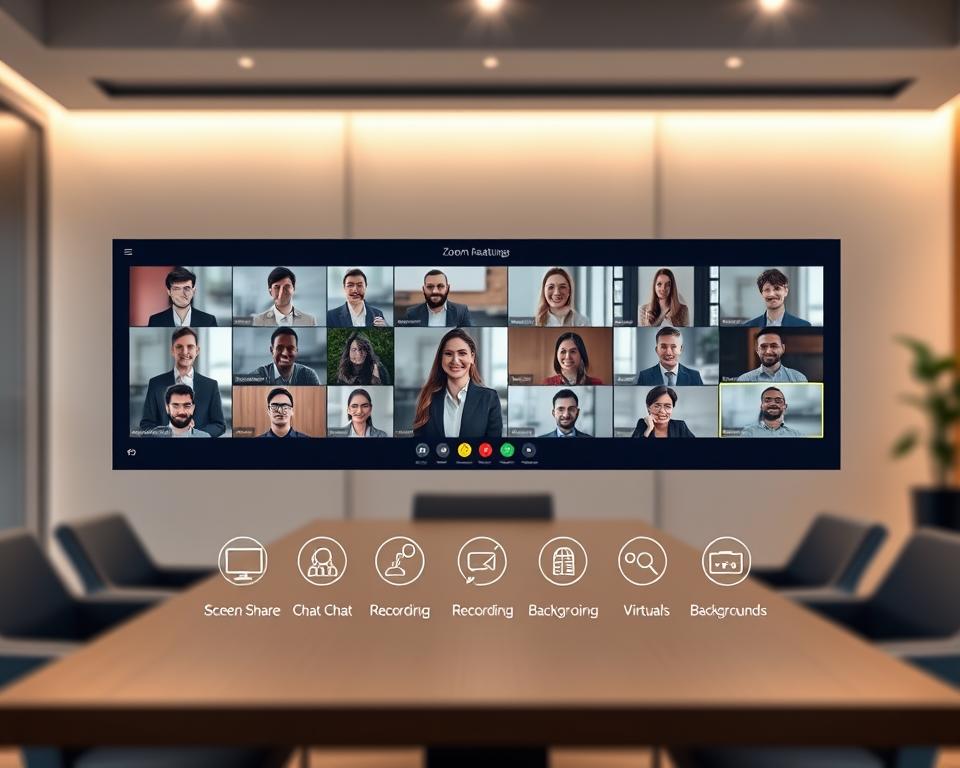
4.2 Screen Sharing Capabilities
Screen sharing lets users share their screens in meetings or presentations. It’s key for teamwork, training, and remote talks. Seamless screen sharing makes the app more user-friendly.
4.3 Chat and Messaging Functions
Chat and messaging let users talk during meetings or when they can’t call. These include text, file sharing, and emojis. Robust chat and messaging functions make talking easier and more fun.
4.4 Meeting Scheduling and Calendar Integration
Meeting scheduling and calendar integration help plan meetings well. They work with popular calendars for easy scheduling and reminders. Streamlined meeting scheduling boosts productivity and user happiness.
5. Advanced Features That Enhance User Experience
Advanced features are key to making video conferencing better. They make the platform more fun and useful for work and personal life.
5.1 Virtual Backgrounds and Filters
Virtual backgrounds and filters are now a hit. They let users keep their privacy or add fun to calls. They need strong AI and machine learning to work well. This is great for keeping a professional look, even when you’re not in an office.
5.2 Recording and Playback Options
Being able to record meetings is a big plus. It lets users go back and review or share with others who missed it. Recording should be safe, with good controls to keep info private. Also, having options like speed changes or transcripts makes things better.

5.3 Breakout Rooms Functionality
Breakout rooms are great for big meetings. They split people into smaller groups for talks or activities. They need to work smoothly with the main meeting room, making it easy to switch. They’re super helpful for school, workshops, or training at work.
5.4 Whiteboard and Annotation Tools
Whiteboard and annotation tools are key for interactive sessions. They let people work together in real-time. They should be easy to use and have lots of features, like different tools and colors. They’re perfect for brainstorming, learning, or solving problems together.
6. Essential Security and Privacy Features
Video conferencing is everywhere now, and keeping users safe is key. With more people working from home and having virtual meetings, the need for secure platforms is higher than ever.
6.1 End-to-End Encryption
End-to-end encryption is a must for video conferencing apps. It makes sure only those in the meeting can see what’s being said. It works by encrypting data at the start and decrypting it only at the end, keeping conversations private and safe.
A report by Grand View Research shows the end-to-end encryption market will grow a lot. It’s expected to hit USD 14.7 billion by 2027, with a 16.8% CAGR from 2020 to 2027. This growth is because more people need secure ways to talk online.
6.2 Waiting Rooms and Access Controls
Waiting rooms and access controls help manage who gets into a meeting. They let hosts decide who can join, keeping unwanted guests out. Waiting rooms are great for stopping “Zoom bombing”, where uninvited guests crash meetings.
| Feature | Description | Benefit |
|---|---|---|
| Waiting Rooms | Temporarily holds participants before admitting them to the meeting. | Prevents unauthorized access and disruptions. |
| Access Controls | Allows hosts to manage participant permissions and roles. | Enhances security and control over the meeting environment. |
6.3 Data Protection and Compliance Standards
Video conferencing apps must protect user data and follow the law. This means following rules like GDPR in Europe and CCPA in California. Following these rules means user data is handled safely and with respect, keeping users’ trust.
“The protection of personal data is a fundamental right, and it’s essential that companies handling such data comply with relevant regulations to ensure its security and privacy.” –
To meet these standards, apps need strong data protection. This includes encryption, safe storage, and clear data use practices. Regular checks and audits help make sure apps keep following these rules.

7. User Interface and Experience Design Considerations
Creating an easy-to-use video conferencing app is key to its success. A well-designed interface makes the app more enjoyable and easier to use.
The role of user interface design is huge. It affects how easy and accessible the app is. A good design lets users move through the app smoothly, without getting lost.
7.1 Cross-Platform Consistency
It’s important to have a cross-platform consistent design. This means the app looks and works the same on all devices and systems. It should fit well on different screens and resolutions.
| Design Element | Description | Benefit |
|---|---|---|
| Responsive Layout | Adapts to different screen sizes | Enhanced user experience across devices |
| Consistent Color Scheme | Uniform color palette across platforms | Brand recognition and consistency |
| Standardized Icons | Uniform icon design across the app | Easy navigation and understanding |
7.2 Accessibility Features
Adding accessibility features is crucial. It makes sure the app works for everyone, including those with disabilities. Features like screen readers, high contrast mode, and closed captions are important.
By focusing on accessibility, developers make the app more inclusive. This lets more people enjoy its benefits.

8. Complete Tech Stack for Zoom Like App Development – Features, Cost, Tech Stack & Timeline
To make a successful Zoom-like app, picking the right tech is key. The tech stack affects how well the app works, grows, and feels to users.
8.1 Frontend Technologies
Frontend tech makes the app’s look and feel. For a Zoom-like app, it’s all about top-notch video and audio.
8.1.1 Web Application Technologies
For web apps, React or Angular are great. They help make the app’s UI interactive and responsive. They also work well with WebRTC for live chats.
A tech expert says, “React or Angular make web apps smooth and fun to use.”
“The frontend framework you pick really matters for your app’s performance and how easy it is to use.”
8.1.2 Mobile Application Frameworks
For mobile apps, React Native or Flutter are top picks. They let you build for both iOS and Android with one codebase.
| Framework | Cross-Platform | Performance |
|---|---|---|
| React Native | Yes | High |
| Flutter | Yes | High |
8.2 Backend Technologies
Backend tech handles the app’s server, database, and API needs. For a Zoom-like app, it must support live chats and grow with the app.
8.2.1 Server-Side Languages and Frameworks
Node.js is a top choice for its real-time and scalable nature. Express.js helps build APIs and manage server tasks.
Node.js is great for live apps because it’s event-driven and doesn’t block I/O.
8.2.2 Database Solutions
SQL and NoSQL databases are both good, depending on what you need. MongoDB is good for big, unstructured data, while MySQL is solid for structured data.

Choosing the right tech stack is crucial for a Zoom-like app. It affects the app’s performance, growth, and success. The frontend and backend techs you pick are key.
9. Video and Communication Technology Infrastructure
The success of video conferencing apps depends on their technology infrastructure. A strong infrastructure ensures top-notch video and audio quality. It also makes the user experience smooth, which is key for keeping users happy and coming back.
9.1 WebRTC for Real-Time Communication
WebRTC is a free, open-source project that gives browsers and apps Real-Time Communication (RTC) features. It allows direct communication between users, cutting down on delays and boosting video conferencing quality.
Key benefits of WebRTC include:
- Reduced latency due to peer-to-peer communication
- High-quality video and audio transmission
- Compatibility with various browsers and devices
9.2 Media Servers and Streaming Protocols
Media servers are essential for video conferencing, handling and sending video and audio streams. They support features like group calls, recording, and streaming. Popular media servers include Kurento and Janus, which work with protocols like RTP, RTMP, and SRT.
The choice of media server and streaming protocol can significantly impact the performance and scalability of a video conferencing application.
9.3 Cloud Infrastructure Providers
Cloud providers like Amazon Web Services (AWS), Microsoft Azure, and Google Cloud Platform (GCP) offer scalable, reliable infrastructure for video conferencing apps. They provide vital services like virtual machines, storage, and networking, crucial for a solid video conferencing solution.
“Cloud infrastructure is not just a cost-saving measure; it’s a strategic enabler for businesses to innovate and stay competitive in the market.”
9.4 CDN and Edge Computing Solutions
CDNs and edge computing are key for lowering latency and enhancing user experience. CDNs store content at edge locations, shortening the distance to users. Edge computing further reduces latency by processing data closer to the source, improving real-time communication.

Combining CDNs and edge computing with cloud infrastructure can greatly boost video conferencing app performance and reliability.
10. Building the Right Development Team
The success of a video conferencing app depends on a skilled development team. A good team handles the tech challenges, ensures a great user experience, and keeps up with the market.
Required Roles and Expertise
To make a top-notch video conferencing app, you need a team with various skills. Key roles include:
- Project Manager: Manages the project’s timeline, budget, and resources.
- Software Developers: Skilled in WebRTC, JavaScript, and mobile app development.
- Quality Assurance (QA) Engineers: Test for bugs, performance, and device compatibility.
- UX/UI Designers: Make the app easy to use and fun to interact with.
- DevOps Engineers: Handle app deployment, scaling, and upkeep.
A team with the right skills is key to solving video conferencing app challenges like latency and security.
In-House vs Outsourced Development
Choosing between in-house or outsourced development is a big decision. Each has its pros and cons.
In-House Development: You have full control and direct communication. But, it’s costly to hire, train, and keep a team.
Outsourced Development: It offers more expertise and can save money. You can grow your team as needed without long-term hiring costs.
Deciding between in-house and outsourced depends on your needs, budget, and goals. Many choose a mix of both for the best results.
11. Comprehensive Cost Breakdown for Video Conferencing App Development
Understanding the costs of video conferencing app development is key for businesses. The total cost changes based on the app’s features, technology, and the team’s location.
MVP Development Costs
Creating a Minimum Viable Product (MVP) is a smart way to test the market. An MVP for a video conferencing app can cost between $50,000 and $150,000. This depends on the features included.
The MVP might have basic features like:
- Basic video and audio conferencing
- Screen sharing
- Simple chat functionality
By focusing on these basics, businesses can see if users are interested. They can also get feedback for future updates.
Full-Featured Application Costs
A full-featured app adds advanced features like virtual backgrounds and recording. The cost can be from $200,000 to $500,000 or more. This depends on the app’s complexity and technology.
| Feature | Complexity Level | Estimated Cost |
|---|---|---|
| High-quality video conferencing | High | $50,000 – $100,000 |
| Advanced screen sharing | Medium | $20,000 – $50,000 |
| Recording and playback | High | $30,000 – $70,000 |
These estimates show the need for careful planning. It’s important to prioritize features based on business needs and user expectations.
Platform-Specific Cost Considerations
Developing for different platforms (iOS, Android, web) has unique costs. For example, iOS might need Swift or Objective-C. Android might use Java or Kotlin.
Experts say, “The choice of platform affects the cost and timeline.” This highlights the importance of choosing the right strategy and technology.
In conclusion, the cost of a video conferencing app varies widely. It depends on the scope, features, and platforms. Careful planning and a phased approach can help manage these costs.
12. Factors That Impact Development Costs
Knowing what affects development costs is key for businesses planning a video conferencing app. The cost isn’t just one thing. It’s a mix of several factors that add up to the total cost.
Feature Complexity and Customization
The cost of development changes based on feature complexity and customization. Features like high-quality video and audio calling, screen sharing, and meeting scheduling need advanced development. The more complex, the higher the cost.
| Feature | Complexity Level | Estimated Development Time |
|---|---|---|
| High-Quality Video Calling | High | 120 hours |
| Screen Sharing | Medium | 80 hours |
| Meeting Scheduling | Low | 40 hours |
Geographic Location of Development Team
The location of the development team is also a big factor. Rates differ by region. For example, hiring in the U.S. or Western Europe costs more than in Eastern Europe or Asia.
Third-Party Integrations and APIs
Adding third-party services and APIs increases development costs. These integrations boost app functionality but require more time and might have licensing fees.
- Payment gateways
- Social media integrations
- Calendar APIs
Ongoing Maintenance and Support
Keeping the app updated is crucial for its success. This includes fixing bugs, ensuring it works with new OS versions, and adding new features to stay ahead.
Maintenance costs are usually a percentage of the initial development cost. They range from 15% to 20% each year.
13. Development Timeline and Project Phases
Creating a strong video conferencing app needs a solid development timeline. It’s split into key project phases. Knowing these phases is key for a smooth app launch.
Discovery and Planning Phase
The first step is to gather needs, set the project scope, and find out who the app is for. This discovery phase is vital for planning the app’s features and how it works.
- Do market research and look at competitors
- Find out what makes the app special
- Figure out the tech needs and setup
Design and Prototyping Phase
After planning, the design phase focuses on the app’s look and feel. It’s about making prototypes to show how the app will work.
- Make wireframes and detailed prototypes
- Test the app’s usability and get feedback
- Improve the design based on feedback
Development and Testing Phase
The development phase is when the coding happens. Then, the app is tested hard to make sure it works well.
- Build the app’s features and how they work
- Do unit, integration, and UI testing
- Test how the app handles a lot of users
Deployment and Launch Phase
The last step is getting ready for deployment and launch. This includes setting up the app’s infrastructure, getting it ready for release, and planning the marketing.
- Get the app ready for app stores
- Set up analytics and monitoring tools
- Launch the app and start marketing
By knowing and following these project phases, developers can make sure the app is launched smoothly. This leads to a successful video conferencing app.
14. Monetization Strategies for Video Conferencing Apps
Video conferencing apps can make money with smart plans. As more people need tools for remote work, developers must find ways to earn.
14.1 Freemium Model
The freemium model gives a basic app for free but charges for extra features. It lets users try the app first before paying for more.
- Advantages: It draws in many users and can lead to more paid upgrades.
- Examples: Zoom, Skype, and Google Meet use this model.
14.2 Subscription-Based Pricing
With subscription-based pricing, users pay a regular fee for app access. This method brings in steady money and keeps users coming back.
Key Considerations:
- Offer different pricing levels for various users.
- Give discounts for long-term or bulk subscriptions.
14.3 Enterprise Solutions and Licensing
Providing special solutions for businesses can be very profitable. Companies are willing to pay for features tailored to their needs.
- Benefits: Custom features, better security, and dedicated support.
- Target Market: Big companies, schools, and healthcare places.
By using different ways to make money, video conferencing app creators can earn more and stay successful over time.
15. Common Challenges and Solutions in Video Conferencing App Development
Building a strong video conferencing app faces many technical hurdles. As more people need remote tools, developers must solve problems that affect how well the app works and how users feel.
15.1 Bandwidth Optimization and Low-Latency Issues
One big challenge is making sure the app uses bandwidth well and keeps latency low. Streaming high-quality video and audio needs a lot of bandwidth. If not managed right, this can cause delays.
- Using adaptive bitrate streaming to change video quality based on bandwidth.
- Employing WebRTC for efficient real-time communication.
- Choosing the right video and audio codecs for better compression and less latency.
15.2 Scalability and Performance Management
As more users join, apps need to grow without losing performance. To scale well, apps should:
- Be designed as microservices to scale each service separately.
- Use cloud infrastructure that can automatically scale.
- Implement load balancing to spread traffic evenly across servers.
15.3 Cross-Platform Compatibility
It’s key for a video conferencing app to work well on all platforms (desktop, mobile, web). To achieve this, developers can:
- Make web applications with responsive design.
- Create native apps for iOS and Android.
- Use frameworks like React Native or Flutter for mobile apps.
By tackling these common issues, developers can make video conferencing apps that are smooth and reliable. These apps meet the needs of remote communication better than ever.
16. Conclusion
Creating a video conferencing app like Zoom needs careful thought. You must consider features, cost, tech stack, and timeline. This article has covered the main points for a successful app.
Knowing the market size and growth helps businesses decide on video conferencing solutions. We talked about the key features, like high-quality video and audio, screen sharing, and chat functions. These are crucial for a Zoom-like app.
Advanced features like virtual backgrounds and filters, recording, and breakout rooms can improve the app. It’s also important to keep users’ data safe. Features like end-to-end encryption and waiting rooms are key for security.
In summary, making a video conferencing app is complex. It needs a deep understanding of technical, business, and user needs. By following this guide, businesses can make a useful app for their users.


