






In today’s world, visual content is key on all social media platforms. Many mobile users look for a PicsArt alternative that’s easy to use yet professional. They prefer mobile tools over desktop software because they’re quicker for everyday tasks.
The move to mobile-first creativity has changed how we share our lives online. To launch top-notch image editing software, you need to know what today’s artists want. This means focusing on simple menus and cool AI effects to stand out in a crowded market.
These platforms let people turn simple photo shots into amazing works of art with just a few taps. Starting a new app is a smart move in today’s digital world. The demand for beautiful content makes this field very profitable for new developers.
To compete with big names, your app should offer unique features. Success comes from being fast and making it easy to share on social media. Your goal should be to make the creative process simple for everyone.
Table of Contents
Key Takeaways
- Mobile-first creative tools dominate the modern digital market.
- AI features are essential for attracting and retaining new users.
- User experience must focus on speed and extreme simplicity.
- There is a high demand for accessible graphic software.
- Successful platforms offer seamless integration with social media.
- Innovative filters help new products stand out from older rivals.
1. Understanding the Photo Editing App Market Landscape
The global photo editing software market is growing fast. This is thanks to new tech and how people use their phones and social media. Now, more people want to edit their photos like pros.
“The rise of visual-centric social media platforms has transformed the way people interact with images, making photo editing an essential skill for both individuals and professionals,” notes a recent industry report. This change means users want better and easier editing tools.
Current Market Size and Growth Projections
The photo editing app market is big and getting bigger. Last year, it was worth billions of dollars. It’s expected to grow by over 10% each year for the next few years.
Key factors driving this growth include:
- Increasing smartphone penetration
- Rising demand for high-quality visual content on social media
- Advancements in AI and machine learning technologies

Target Audience Demographics
Knowing who to make a photo editing app for is key. The main users are people aged 18 to 45. They love social media and taking photos.
There are different groups within this age range:
- Young adults (18-24) who use photo editing apps to enhance their social media presence
- Professional photographers and influencers who require advanced editing features
- Older adults (35-45) who use photo editing apps to edit and share family photos
Competitive Analysis of Leading Photo Editing Apps
The photo editing app market is very competitive. Apps like PicsArt, Adobe Lightroom, and Snapseed are at the top. Each has its own special features.
A look at these top apps shows:
- PicsArt is known for its wide range of editing tools and strong community features
- Adobe Lightroom is favored by professionals for its advanced editing capabilities and seamless integration with other Adobe tools
- Snapseed is appreciated for its intuitive interface and powerful editing features
By knowing what these apps do well and not so well, developers can make their apps stand out.
2. Why PicsArt Stands Out in the Photo Editing Industry
PicsArt has made a big name for itself in the photo editing world. It has a powerful toolkit and features that bring users together. These things make it stand out from the rest.
Key Success Factors Behind PicsArt’s Popularity
PicsArt is loved for its easy-to-use interface and wide range of editing tools. It has something for everyone, from simple edits to advanced AI tools.
- Intuitive navigation and tool organization
- Extensive library of templates, stickers, and effects
- Regular updates with new features and content
This variety attracts many users, from hobbyists to pros. If you want to create a similar app, team up with a top photo editing app development company.
User Engagement and Retention Metrics
PicsArt keeps users engaged with its community features. Users can share their work, join challenges, and follow others. This builds a strong community.
- High user retention rates due to regular updates and new content
- Active community participation through challenges and contests
- Social sharing capabilities that encourage user-generated content
These efforts not only keep users coming back but also attract new ones. Word-of-mouth and social media help spread the word.
Unique Selling Propositions That Drive Downloads
PicsArt’s unique selling points (USPs) are a big reason for its success. It offers both basic and advanced editing tools in one place. This is a major advantage.

Also, PicsArt focuses on building a community. It lets users share their work and connect with others. This creates a loyal user base that helps the app grow.
3. Essential Features for PicsArt Like Photo Editing App Development
To make a photo editing app like PicsArt, you need to know the essential features that keep users coming back. These features are key to a great photo editing app. They help users make their photos better and more personal.
Basic Editing Tools and Functions
The heart of a photo editing app is its basic editing tools. These tools let users make basic changes to their photos.
Crop, Rotate, and Flip Operations
Users should easily be able to crop, rotate, and flip their photos. These actions are crucial for changing how photos look and feel.
Brightness, Contrast, and Saturation Adjustments
Being able to adjust brightness, contrast, and saturation makes photos more appealing. These tweaks can really change how a photo looks.
Filters and Visual Effects Library
A big collection of filters and visual effects is important for adding creativity to photos. Users should be able to find and use different effects easily.
Drawing and Painting Tools
Drawing and painting tools let users add their own special touches to photos. These tools should be easy to use and let users express their creativity.
Adding a photo-sharing feature can make the app even better for users who want to share their photos.
Text Overlay and Typography Options
Text overlay and typography options allow users to add text to their photos. Having many font and color choices makes it easier to customize photos.
| Feature | Description | Importance Level |
|---|---|---|
| Crop, Rotate, Flip | Basic image adjustments | High |
| Brightness, Contrast, Saturation | Image enhancement tools | High |
| Filters and Effects | Creative image editing options | Medium |
| Drawing and Painting | Creative expression tools | Medium |
| Text Overlay | Text addition and customization | Medium |

4. Advanced Features to Enhance User Experience
To make your photo editing app better, adding advanced features is key. These features let users be more creative and enjoy the app more. They help you stay ahead in the market too.
AI-Powered Background Removal Technology
AI-powered background removal is a game-changer. It lets users easily take out backgrounds from photos. This makes it easy to change backgrounds, mix images, or focus on subjects. AI makes it fast and precise, even for tricky images.

Collage Maker and Template Collections
A collage maker with lots of templates is great. It lets users mix photos into one cool image. With many templates and options, you meet different user needs and events.
Stickers and Clipart Library Management
A good stickers and clipart library adds fun to your app. Users can use many stickers and clipart to make their photos pop. Keeping the library fresh keeps users interested.
Magic Effects and Artistic Filters
Magic effects and artistic filters turn simple photos into amazing art. They offer many creative options, from small tweaks to big changes. Advanced algorithms and AI make these effects better and easier to use.
Video Editing Capabilities
Adding video editing capabilities makes your app more useful and appealing. Users can edit videos with various tools and effects, just like photos. This draws more users and keeps them engaged. For more on photo and video editing apps, check out Next Big Technology.
5. Social and Community Features
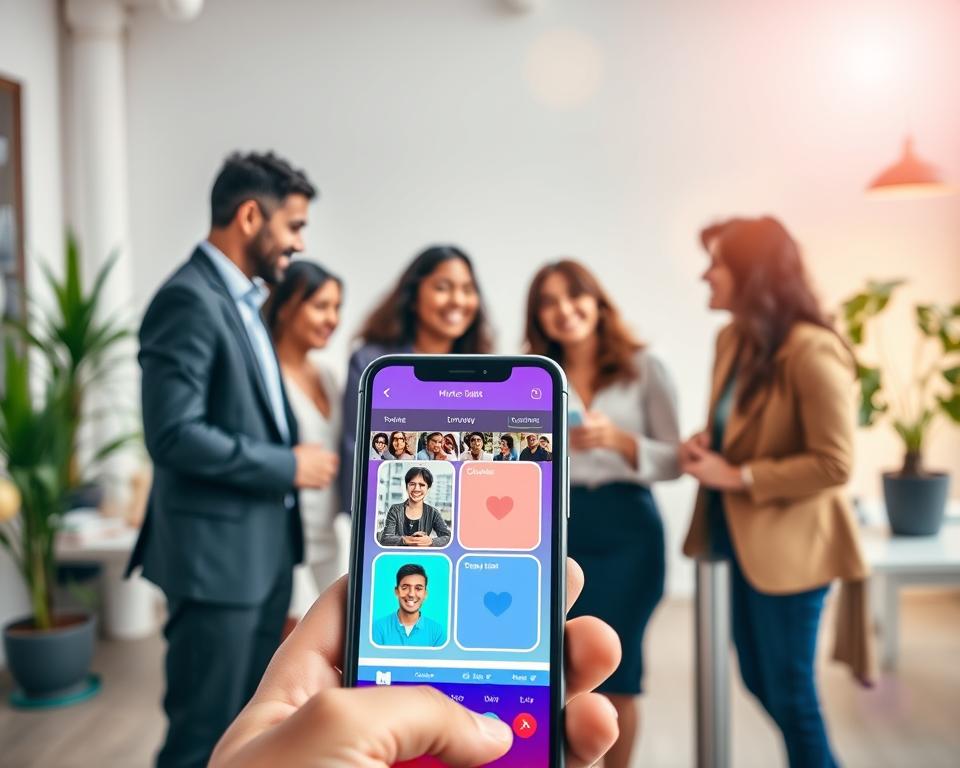
Adding social features to a photo editing app can really boost user interest and keep them coming back. These features help users connect, share their photos, and join in on fun activities inside the app.
Having social features is key to building a loyal user base. They let users find others with similar interests, share their photos, and get ideas from others. This makes the app more enjoyable and helps spread the word about it.
In-App Social Network Integration
Adding a social network inside the app lets users follow each other, share photos, and chat with the community. You can include user profiles, friend requests, and direct messages to make it happen.
A strong in-app social network helps keep users around longer. They start to feel part of a community and want to keep using the app to stay in touch.
Challenge and Contest System Implementation
Hosting challenges and contests is a great way to get users involved and show off their skills. Users can enter to win prizes or just to get feedback and recognition.
To set up a challenge and contest system, the app needs tools for creating challenges, rules for submissions, and ways to vote. Adding social media sharing options helps users spread the word about the app.
User-Generated Content Sharing Platform
A platform for sharing user-generated content is essential in a social photo editing app. It lets users post their edited photos, inspiring and motivating others.
The app can have galleries, trending sections, and discovery pages to highlight user content. This encourages users to make great content and feel proud of their work.
Following and Followers Mechanism
A following and followers system lets users keep up with their favorite creators and engage with their photos. It’s crucial for building a strong community in the app.
By letting users follow each other, the app creates a network of people with similar interests. This boosts user interaction, as they’re more likely to check out content from creators they follow.
6. Technology Stack for Photo Editing App Development
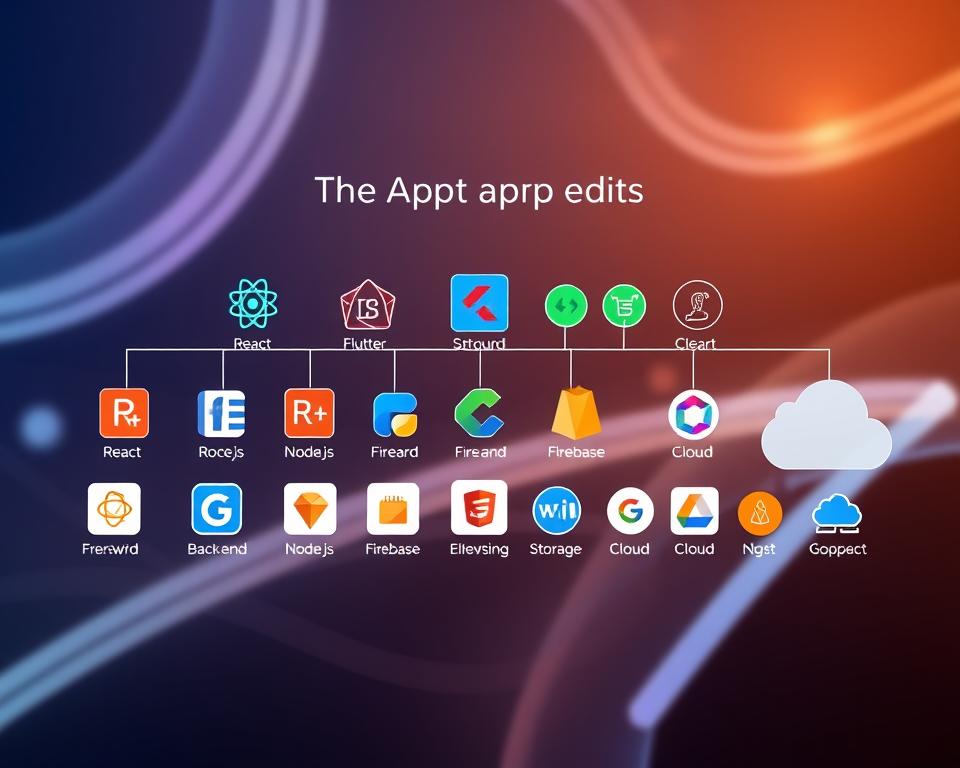
A good technology stack is key for a photo editing app’s success. It combines frontend, backend, and storage techs for a smooth user experience and efficient data handling.
Frontend Development Technologies
Choosing between native and cross-platform techs is important for frontend development. Native tech gives the best performance and direct access to device hardware.
iOS Development with Swift and UIKit
Swift is the top choice for iOS development because of its high performance and safety. UIKit helps build great user interfaces.
Android Development with Kotlin and Jetpack
Kotlin is the best language for Android development because of its clear syntax and Java compatibility. Jetpack makes app development easier with its libraries and tools.
Cross-Platform Solutions Using React Native or Flutter
React Native and Flutter let developers make apps for both iOS and Android with one codebase. A recent survey found that “React Native and Flutter are among the most popular cross-platform frameworks, with React Native being used by over 42% of developers”
Source: Recent Developer Survey
Backend Infrastructure and Server Technologies
The backend handles user data, image processing, and scalable architecture. Node.js and Express are top picks for building RESTful APIs.
Database Management Systems
Choosing the right database is crucial for storing user data and image metadata. Both relational databases like MySQL and NoSQL databases like MongoDB have their benefits.
Cloud Storage Solutions and CDN Integration
Cloud storage solutions like AWS S3 or Google Cloud Storage are perfect for storing large images. A Content Delivery Network (CDN) ensures fast content delivery worldwide.
7. Image Processing Libraries and APIs
Image processing libraries and APIs are key to making photo editing apps powerful. They let developers add complex editing features easily.
Core Image Processing Frameworks and Libraries
Core image processing tools are vital for both simple and advanced image editing. Some top libraries include:
- OpenCV: A broad library for many image processing tasks.
- ImageMagick: Great for reading, writing, and editing images in various formats.
- Core Image (for iOS): Offers a strong framework for image processing and analysis.
AI and Machine Learning Integration with TensorFlow and CoreML
Adding AI and machine learning makes editing smarter. It brings in features like automatic background removal and smart filters.
TensorFlow is a Google-developed open-source library for AI-driven editing.
CoreML is Apple’s framework for adding machine learning models to apps.
Third-Party APIs and SDKs for Enhanced Functionality
Developers can use third-party APIs and SDKs to boost photo editing apps. These add-ons bring in special features like advanced filters or tools for removing objects.

- Remove.bg API: For automatic background removal.
- Imgix: Provides real-time image processing and optimization.
8. Step-by-Step Development Process
To make a top-notch photo editing app, following a detailed development process is key. This ensures the app meets user needs and shines in a crowded market.
Market Research and Requirement Analysis
The first step is to do deep market research. This helps understand what users want and like. It involves looking at competitors, finding gaps in the market, and learning about the audience’s habits and demographics.
“Knowing the market well is vital for making an app that users will love,” says a top app development expert. This step is important for defining the app’s unique selling points.
Creating Wireframes and Interactive Prototypes
After knowing what’s needed, the next step is to make wireframes and interactive prototypes. These visual tools show the app’s layout, how to navigate it, and what the user experience will be like.

UI/UX Design Phase and Asset Creation
The UI/UX design phase is about making the app’s interface both easy to use and good-looking. This includes designing high-quality assets like icons, buttons, and graphics.
A great UI/UX is key for keeping users and making the app successful.
Development Sprint Planning and Coding
With the design ready, the team starts sprint planning and coding. This means breaking down the work into smaller tasks and doing them in short cycles.
Using agile methods helps keep things flexible and allows for quick changes.
Quality Assurance and Testing Procedures
Quality assurance is all about testing to find and fix bugs, check if the app works on different devices, and make sure it performs well.
- Functional testing
- Usability testing
- Performance testing
Deployment and Launch Strategy
The last step is deployment and launch. This includes getting the app ready for app stores, making a marketing plan, and launching it successfully.
A well-thought-out launch is important for getting off to a strong start and attracting early users.
9. UI/UX Design Principles for Photo Editing Apps
Creating a photo editing app needs a deep grasp of UI/UX principles. This ensures users have an easy and enjoyable experience. A good UI/UX makes it simple for users to find and use the app’s tools and features.
Intuitive Navigation Structure and Layout
A photo editing app’s design must have a clear navigation structure. It should let users move smoothly between tools and features. A clean layout that puts the most-used tools first is key.
Key considerations for intuitive navigation include:
- Clear categorization of editing tools
- Prominent display of primary features
- Easy access to secondary features
Tool Accessibility and Organization Best Practices
Tool accessibility is crucial in photo editing apps. Tools should be organized in a way that’s easy for users to find. This makes the app more user-friendly.
Best practices for tool accessibility include:
- Grouping related tools together
- Using intuitive icons and labels
- Providing tooltips or help sections for less common tools
Color Scheme and Visual Hierarchy Design
The color scheme and visual hierarchy of a photo editing app greatly impact the user experience. A well-chosen color scheme can make the app more enjoyable and easier to use.
Key elements of effective color scheme and visual hierarchy design include:
| Design Element | Description | Best Practice |
|---|---|---|
| Color Contrast | Ensures that UI elements stand out against the background | Use high contrast for important elements |
| Visual Hierarchy | Guides the user’s attention through the app | Use size, color, and position to create hierarchy |
| Consistency | Maintains a cohesive look and feel throughout the app | Stick to a defined color palette and design language |

Onboarding Experience and User Tutorials
A smooth onboarding experience is key for new users. User tutorials help guide them through the app’s features. This makes it easier for them to start using the app.
Effective onboarding strategies include:
- Interactive tutorials that demonstrate key features
- Clear and concise instructions
- Optional guided tours for advanced users
10. Monetization Strategies for Your Photo Editing App
Monetizing a photo editing app is all about finding the right balance. You need to make money without making the app hard to use. Good strategies are key to your app’s success and profit.
There are several ways to balance making money and keeping users happy. Here are some important strategies for your photo editing app.
Freemium Model Implementation
A freemium model gives you a basic app for free but charges for more. It lets users try before they buy. For photo editing apps, this could mean limited tools or filters for free users.
To make the freemium model work, balance free and paid features well. The free version should be appealing, but the paid features should be worth the extra cost.
Subscription-Based Revenue Tiers
Subscription tiers can bring in steady income. Offer different levels of access to premium features for various users. For example, a basic tier might have some premium filters, while a higher tier has more and exclusive content.
For more on subscription models, check out guides on monetizing Android apps.
In-App Purchases for Premium Features
In-app purchases let users buy specific features or content. This could be extra filters, stickers, or tools. It’s a way to offer more without needing a full subscription.
To boost in-app sales, describe premium features well and make buying easy.
Advertisement Integration Without Compromising User Experience
Ads can be a good way to make money if done right. Choose ads that don’t interrupt the app and are interesting to users. For example, banner ads or sponsored content can work well.
Targeted ads can also improve the user experience by showing ads that match their interests. This can be done through data analysis and user profiling.
Premium Content and Template Marketplace
A marketplace for premium content and templates can be very profitable. Users can buy exclusive items that make editing better. This not only makes money but also keeps users coming back.
To do well, offer high-quality content that appeals to your audience. Keep the marketplace fresh with new content to keep users interested and buying.
11. Development Cost Breakdown and Budget Planning
Knowing the development cost breakdown is key for any business wanting to make a photo editing app. The cost to develop such an app can change a lot. This depends on the app’s features, the tech used, and where the developers are.
The cost can be affected by many things. For example, adding AI-powered features like background removal or magic effects can raise the cost. This is because these features need advanced algorithms and machine learning.
Factors Affecting Overall Development Costs
Several things can affect the total cost of making a photo editing app:
- How complex the features and functions are
- The tech stack and tools used
- Where the development team is and their expertise
- The design needs and user experience
- The backend infrastructure and server costs
To get a better idea of the costs for a photo editing app like PicsArt, check out this article. It gives a detailed look at the cost structure and how to plan your budget.
Cost Variations by Development Region
The cost can change a lot based on where the development team is. For example:
| Region | Average Hourly Rate |
|---|---|
| North America | $100-$150 |
| Europe | $80-$120 |
| Asia | $30-$80 |
Ongoing Maintenance and Update Expenses
After the app is made, there are ongoing costs. These include:
- Server upkeep and scaling
- Regular updates with new features and bug fixes
- Security patches and keeping up with new rules
For more on the costs of keeping a photo editing app running, think about these points in your budget planning.
ROI Expectations and Timeline
It’s important to know the ROI expectations and timeline for your app. The return on investment depends on things like how much it costs to get users, in-app purchase rates, and subscription models.
By planning your budget well and understanding what affects costs, you can make a successful photo editing app. This app should meet your business goals and give a good return on investment.
12. Building the Right Development Team
Creating a top-notch photo editing app starts with a skilled development team. The team’s skills and experience shape the app’s quality, features, and how users feel about it.
Key Roles and Responsibilities
A photo editing app needs a team with many skills. Key roles include:
- Project Manager: Manages the project’s timeline, budget, and resources.
- UX/UI Designers: Make the app’s interface easy to use and look good.
- Mobile App Developers: Build the app for both iOS and Android.
- Backend Developers: Work on the app’s server-side, database, and APIs.
- Quality Assurance Testers: Check the app for bugs and ensure it works well.
Each team member is vital. Together, they make sure the app does what it’s supposed to and meets user needs.
In-House Development vs. Outsourcing Options
Businesses must choose between building a team in-house or outsourcing. Both options have pros and cons.
| Aspect | In-House Development | Outsourcing |
|---|---|---|
| Control and Communication | Direct control over the development process | Potential for communication barriers |
| Cost | Higher costs due to salaries, benefits, and infrastructure | Cost-effective, as it eliminates the need for full-time employees |
| Expertise | Team is dedicated to the project full-time | Access to a broad range of expertise and technologies |
The choice between in-house and outsourcing depends on the project’s needs, budget, and company goals.
Hiring Considerations and Skill Requirements
When hiring for a photo editing app team, look for the right skills and experience. Important factors include:
- Proficiency in relevant programming languages and technologies.
- Experience with image processing libraries and APIs.
- Portfolio that showcases previous work on similar projects.
- Strong problem-solving skills and ability to work in a team.
By focusing on these, businesses can build a team ready to create a high-quality photo editing app.
13. Common Challenges and Solutions in Photo Editing App Development
Creating a photo editing app like PicsArt faces many technical and user experience hurdles. It needs a deep grasp of both the technical and creative sides of photo editing.
Performance Optimization for Large Image Files
Optimizing performance for big image files is a big challenge. Big images can slow down, crash, and make for a bad user experience. To fix this, developers can try a few things:
- Use efficient image processing algorithms that handle big files well without slowing down.
- Implement progressive loading to keep the app smooth.
- Use the device’s GPU for image processing to speed things up.
Cross-Device Compatibility and Responsive Design
It’s key that the app works well on all devices and screen sizes. A responsive design that fits different resolutions and aspect ratios is crucial for a great user experience.
To make sure it works on all devices:
- Use flexible grid systems and layouts.
- Test the app on many devices and platforms.
- Make device-specific tweaks when needed.
Storage Management and Data Compression
Good storage management is key for app performance and user happiness. Data compression techniques can greatly cut down the space needed for edited images.
- Use lossless compression for image data.
- Implement caching to avoid repeated processing.
- Give users options to manage storage, like clearing cache or deleting unused assets.
User Retention and Engagement Issues
Keeping users interested and coming back is a big challenge for photo editing apps. Regular updates with new features and personalized experiences can help keep users engaged.
Here are some ways to improve user retention:
| Strategy | Description |
|---|---|
| Regular Updates | Bring in new features and improvements to keep the app exciting. |
| Personalization | Give users experiences tailored to their behavior and preferences. |
| User Feedback | Listen to and use user feedback to make the app better. |
14. Security and Privacy Considerations
In the world of photo editing apps, keeping user data safe is key. Users trust these apps with their personal photos. So, protecting their data is a big deal.
Data Encryption Methods for User Content
Data encryption is vital for keeping user content safe. End-to-end encryption encrypts data on the user’s device before it’s sent to the server. This makes it hard for others to access.
A report by Cybersecurity Ventures says the global cybersecurity market will hit $300 billion by 2024. This shows how important strong security is in app development.
“Encryption is the process of converting plaintext data into unreadable ciphertext to protect it from unauthorized access.”
User Privacy Protection and Permissions
Protecting user privacy is crucial. Apps need to be clear about what data they collect and how it’s used. Strong permission systems let users control their data sharing.
- Make sure the app’s privacy policy is clear about data collection.
- Use detailed permission controls for device features like camera and storage.
- Give users options to manage their data sharing preferences.
GDPR, CCPA, and Compliance Requirements
Apps must follow rules like the GDPR and CCPA if they handle user data. These laws set strict data protection standards. They also have big penalties for not following them.
| Regulation | Key Requirements | Penalties for Non-Compliance |
|---|---|---|
| GDPR | Data minimization, user consent, data protection by design | Up to €20 million or 4% of global turnover |
| CCPA | Disclosure of data collection, opt-out options for data sale | Up to $7,500 per violation |
Secure Cloud Storage and Backup Solutions
Secure cloud storage is key for keeping user data safe. Cloud storage solutions with strong encryption and access controls protect user content.
By focusing on security and privacy, developers can gain user trust. This is crucial for the app’s success.
15. Marketing Strategies for App Launch and Growth
To stand out in the competitive photo editing app market, effective marketing strategies are key. A good plan includes app store optimization, social media, influencer partnerships, and targeted ads. These are crucial for getting noticed and attracting users.
App Store Optimization Techniques
App Store Optimization (ASO) is vital for a successful app launch. It makes the app’s listing on app stores better by using the right keywords, eye-catching icons, and compelling descriptions. This boosts visibility and gets more people to download the app.
Social Media Marketing and Content Strategy
Using social media is important for making the app popular. A good content strategy includes engaging visuals, tutorials, and content from users. This helps attract and keep users interested.
Influencer Partnerships and Brand Collaborations
Working with influencers and brands can greatly increase the app’s visibility. It’s important to find influencers who match the app’s audience and values. This leads to successful partnerships.
User Acquisition Campaigns and Paid Advertising
Running targeted campaigns through paid ads like Google Ads and Facebook Ads is helpful. These ads reach people who are looking for similar services.
Retention Strategies and Push Notification Tactics
Keeping users is as important as getting them. Strategies like personalized push notifications, loyalty programs, and regular updates keep users interested. This helps keep them coming back.
16. Future Trends in Photo Editing Technology
The world of photo editing is about to change a lot. New tech is coming that will make editing more creative. We’re seeing big changes that will change how we edit photos.
Artificial Intelligence and Machine Learning Advancements
Artificial Intelligence (AI) and Machine Learning (ML) are leading the way in photo editing. They make editing tools smarter and more helpful. For example, AI can adjust brightness and contrast to make images look better.
AI also helps with tricky edits like removing objects from photos. It learns what you like and suggests edits based on your style. This makes editing easier and more fun.
Augmented Reality Integration for Real-Time Effects
Augmented Reality (AR) is another big trend. It lets you add cool effects to photos and videos right away. This is great for social media, where you can use fun filters and effects.
AR in photo editing apps will keep getting better. We’ll see more cool effects and ways to be creative. This will make editing more fun and interactive.
3D Editing Capabilities and Depth Mapping
3D editing and depth mapping are changing photo editing. They let you work with images in new ways. You can make 3D models from 2D photos and play with depth.
Depth mapping lets you control the focus in photos. You can make professional-looking effects that were hard to do before. This is a big deal for photographers and editors.
Neural Style Transfer and Generative AI Features
Neural style transfer and generative AI are new tools for editing. They let you mix styles and create unique images. Generative AI can even make new backgrounds and objects for you.
These tools are making editing more fun and easy. They help you do cool things and save time on hard tasks.
| Trend | Description | Impact |
|---|---|---|
| AI and ML Advancements | More intuitive and powerful editing tools | Enhanced user experience and efficiency |
| Augmented Reality Integration | Real-time effects for images and videos | Increased user engagement and creativity |
| 3D Editing Capabilities | Creation of 3D models from 2D images | New dimensions in editing and creativity |
| Neural Style Transfer and Generative AI | Unique effects and automated content generation | Streamlined editing process and new creative possibilities |
Conclusion
Creating a photo editing app like PicsArt needs careful planning and a strong tech base. It also requires understanding what users want and what’s trending in the market. By adding key features like basic editing tools and social sharing, apps can become both useful and fun to use.
The future of photo editing apps looks bright, thanks to AI, AR, and machine learning. As people want more creative and interactive photos, the market will likely grow. This opens up chances for new and exciting apps.
A well-made photo editing app can take advantage of these trends. It can offer users a special and engaging experience. By keeping up with new tech and what users like, developers can make apps that stand out in the market.


