







In today’s fast-paced digital market, staying ahead is crucial. Many businesses use old software that hinders growth and poses risks. By using web application modernization, teams can upgrade their tools for better performance.
This move involves legacy system modernization to transform old setups into cloud-native environments. Such changes prepare your company for AI integration and enhance security. Transitioning to new tech ensures your infrastructure supports long-term goals and scaling.
High maintenance costs and compliance gaps often signal a need for change. Choosing application modernization reduces these burdens and speeds up innovation. It’s the best way to maintain a competitive edge in today’s landscape.
Table of Contents
Key Takeaways
- Improve overall security and meet strict compliance standards.
- Transition existing tools to scalable cloud-native platforms.
- Prepare company systems for future AI integration and growth.
- Reduce high maintenance expenses associated with older code.
- Boost business innovation by adopting current technology stacks.
- Enhance the user experience through faster and more reliable software.
1. Signs Your Web Application Needs Modernization
It’s crucial to know when your web app needs an update for success. Many companies still use old systems not made for today’s tech needs. Updating these systems is key to staying digital and strong.

Slow Loading Times and Performance Issues
Slow loading and poor performance are big signs your app needs a refresh. If it’s slow, users get upset and might leave. This can hurt your business.
Slow performance often comes from old tech or bad coding. Updating your app can make it run better, giving users a better experience.
Frequent Security Vulnerabilities
Often, apps get hacked because they’re not updated. Old apps miss out on new security fixes. This makes them easy targets for hackers.
Updating your app adds strong security features. This includes new ways to log in and encrypt data to keep it safe.
Poor Mobile Responsiveness
Most people use apps on phones. If your app doesn’t work well on mobile, it’s a big problem. It can make users unhappy and hurt your business.
Modern apps must work well on all devices. Updating your app makes sure it looks good and works well on phones and tablets.
Outdated User Interface
An old-looking app can scare users away. A modern app looks good and is easy to use. It’s not just about looks; it’s about making users happy.
Updating your app’s look means using new design ideas. This makes your app more fun and interactive for users.
2. Why Modernize Your Outdated Web Application
In today’s digital world, having a modern web application is essential for businesses. It’s not just a luxury anymore. Modernizing your web app can greatly benefit your business, helping it grow and succeed.
Modernization aids in digital transformation, boosts efficiency, and cuts costs. It also strengthens security and speeds up innovation. These benefits can significantly improve your business in many ways.
Competitive Advantage in the Market
A modern web application gives you a competitive edge. It offers a better user experience, faster speeds, and better security. This helps you stay ahead of rivals and attract more customers.
In a market where expectations keep rising, a modern app is key. It helps you keep your market share and grow your customer base.

Improved User Retention and Satisfaction
Modern web apps focus on the user, with easy-to-use interfaces and fast loading. These features boost user retention and satisfaction. This leads to more engagement and loyalty.
By meeting user needs, you build a loyal customer base. This drives long-term growth for your business.
Reduced Maintenance Costs
Old web apps need more upkeep, which raises costs. Modernizing your app can cut maintenance costs. It uses newer, more efficient technologies.
This lets you use your resources better. You can focus on innovation and growth instead of just keeping things running.
Better Scalability for Growth
A modern web app grows with your business. It adapts to changing needs and market trends. By modernizing, your app is better prepared for growth.
This could mean handling more users or adding new features. It’s all about being ready for whatever comes next.
In summary, updating your web app is a smart move. It boosts your competitiveness, user satisfaction, and efficiency. It also helps with costs and growth. Understanding these benefits can guide your digital transformation journey.
3. Assessing Your Current Web Application
The journey to modernize your web application starts with a detailed assessment. This step is key to a successful modernization process.
Conducting a Technical Audit
A technical audit is crucial to understand your web application’s current state. It involves checking the code, infrastructure, and architecture for needed improvements or replacements. It’s also important to look for security vulnerabilities and compliance risks.
Analyzing User Feedback and Behavior
It’s important to know how users interact with your web application. By analyzing user feedback and behavior, you can find areas that need improvement. This can be done by looking at user reviews, analytics, and conducting user testing.
Evaluating Business Requirements
It’s vital to align your web application with current business needs. This means checking if the application supports your business goals, finding any gaps, and figuring out the necessary changes.

| Assessment Area | Description | Importance Level |
|---|---|---|
| Technical Audit | Reviewing code, infrastructure, and architecture | High |
| User Feedback and Behavior | Analyzing user interactions and feedback | High |
| Business Requirements | Aligning the application with business goals | Critical |
For more insights on why modernizing your web application is crucial, you can refer to this article that highlights key reasons for redesigning your business website.
By following these steps, you can ensure a comprehensive assessment of your web application. This sets the stage for a successful modernization process.
4. Key Areas to Focus on When Modernizing
To modernize a web app, it’s key to spot and fix the main areas that need work. It’s not just about updating tech; it’s about changing the app’s design, making it faster, and better for users.
Many old systems are big, single programs. Modernizing them means breaking them into smaller parts. This makes them more flexible, scalable, and easy to keep up.
Frontend Architecture
The frontend is crucial for how users feel about the app. Modernizing it means using responsive design and new UI tools. It also means making it fast, with tricks like code splitting.
Backend Infrastructure
The backend is the app’s core, handling requests and data. Modernizing it means looking at the current setup and maybe switching to better, more secure options. This could be scalable architecture or serverless computing.

Database Optimization
Optimizing the database is key in modernizing a web app. It means checking the database, making queries better, and maybe switching to newer tech. Using database sharding and replication can also help manage data better.
API Integration
APIs are important for letting different parts of the app talk to each other and outside services. Modernizing APIs means using RESTful API principles and making them secure and scalable. This can also mean adding in third-party services to boost the app’s features.
5. Improving Performance and Speed
In today’s fast-paced web world, speed is key. A slow app can upset users and hurt your business.
Code Optimization Techniques
Optimizing your app’s code is a top way to boost speed. It makes your app run smoother and faster.
Content Delivery Networks
Using a Content Delivery Network (CDN) can make your app much faster. CDNs spread your content around, so users get it quicker.

Caching Strategies
Good caching strategies are vital for speed. They store often-used data in quick places, so it loads faster.
With these methods, your app will run better, making users happier and your business stronger.
6. Enhancing Security and Compliance
The threat landscape is always changing. It’s key to update your web app’s security to keep user data safe. Legacy platforms often can’t keep up with new security standards.
Old encryption methods don’t work well anymore. Manual checks also raise the risk of breaches. So, it’s crucial to boost your app’s security and meet compliance rules.
Implementing Modern Authentication Methods
Modern ways to verify identities are a must for security. Multi-factor authentication (MFA) adds an extra layer of protection. It makes users prove their identity with two or more factors.
- Biometric Authentication: Uses unique physical traits like fingerprints or facial scans to verify identities.
- OAuth and OpenID Connect: Allow secure access to your app without sharing passwords.
Data Encryption Standards
Data encryption is key to keeping sensitive info safe. Using encryption standards like AES-256 ensures your data is encrypted and safe from unauthorized access.
It’s important to regularly check and update your encryption methods. This keeps you ahead of threats and meets regulatory needs.
Regular Security Updates and Patches
Keeping your web app and its parts up-to-date is vital. Regular security updates protect against known vulnerabilities and lower breach risks.
A good patch management system keeps your app secure and in line with industry standards.
Compliance with GDPR and Privacy Laws
Following GDPR and other privacy laws is crucial. It helps avoid fines and keeps users’ trust. This means using data protection measures and checking your compliance often.

By focusing on these areas, you can greatly improve your web app’s security and meet compliance rules. This protects user data and keeps you in line with regulations.
7. Upgrading User Experience and Design
Modernizing your web app’s design can really boost user engagement and sales. Today, users expect a lot, and AI helps make experiences personal by understanding their habits. It’s key to use modern design and tech to meet these needs.
Responsive Design Principles
Responsive design makes sure your app works well on all devices. It uses flexible grids and media queries to adapt to different screens.
Key aspects of responsive design include:
- Fluid grids that adjust to screen size
- Flexible images that scale accordingly
- Media queries to apply different styles based on device characteristics
Modern UI Frameworks
Using modern UI frameworks can make app development and user experience better. Tools like React, Angular, and Vue.js help build strong, interactive interfaces.
| Framework | Description | Key Features |
|---|---|---|
| React | A JavaScript library for building user interfaces | Component-based architecture, Virtual DOM |
| Angular | A comprehensive framework for complex applications | Two-way data binding, Dependency injection |
| Vue.js | A progressive framework for building user interfaces | Reactive components, Simple integration |
Accessibility Standards
Following accessibility standards is vital for making your app usable by all. This means following guidelines like WCAG 2.1.
Key accessibility features include:
- Clear navigation and consistent layouts
- Alternative text for images and multimedia content
- Keyboard-navigable interfaces and screen reader support
Progressive Web App Features
Adding PWA features can make your app feel more like a native app. PWAs offer offline use, push notifications, and can be installed on the home screen.

By focusing on these areas, you can greatly improve your web app’s design and user experience. This leads to happier users and better engagement.
8. Choosing the Right Technology Stack
The technology stack you choose is key to a web app’s success. It must match your business needs and goals. This ensures you get the results you want.
Frontend Frameworks and Libraries
Frontend development’s success depends on the framework or library you pick. It affects the app’s performance and how easy it is to maintain.
Popular choices include React.js, Vue.js, and Angular. Each is best for different projects.
React.js for Dynamic Interfaces
React.js excels at creating interactive user interfaces. It’s great for apps needing customization and updates in real-time.
Vue.js for Lightweight Applications
Vue.js is perfect for building simple, lightweight apps. It’s known for its simplicity and easy integration.
Angular for Enterprise Solutions
Angular is ideal for big enterprise apps. It offers a structured way to develop and is backed by Google.
Backend Technologies
The backend is just as important. It handles server-side logic, database work, and API connections.
Popular backend techs are Node.js, Python with Django or Flask, and .NET Core.
Node.js for JavaScript Ecosystem
Node.js lets developers use JavaScript for both frontend and backend. It’s great for projects needing a unified ecosystem.
Python with Django or Flask
Python with Django or Flask offers a strong backend solution. Django is for fast development, while Flask is more flexible.
.NET Core for Microsoft Stack
.NET Core is a cross-platform, open-source framework by Microsoft. It’s perfect for projects tied to the Microsoft ecosystem.
| Technology | Type | Best For |
|---|---|---|
| React.js | Frontend | Dynamic Interfaces |
| Vue.js | Frontend | Lightweight Applications |
| Angular | Frontend | Enterprise Solutions |
| Node.js | Backend | JavaScript Ecosystem |
| Python (Django/Flask) | Backend | Scalable and Rapid Development |
| .NET Core | Backend | Microsoft Stack Integration |
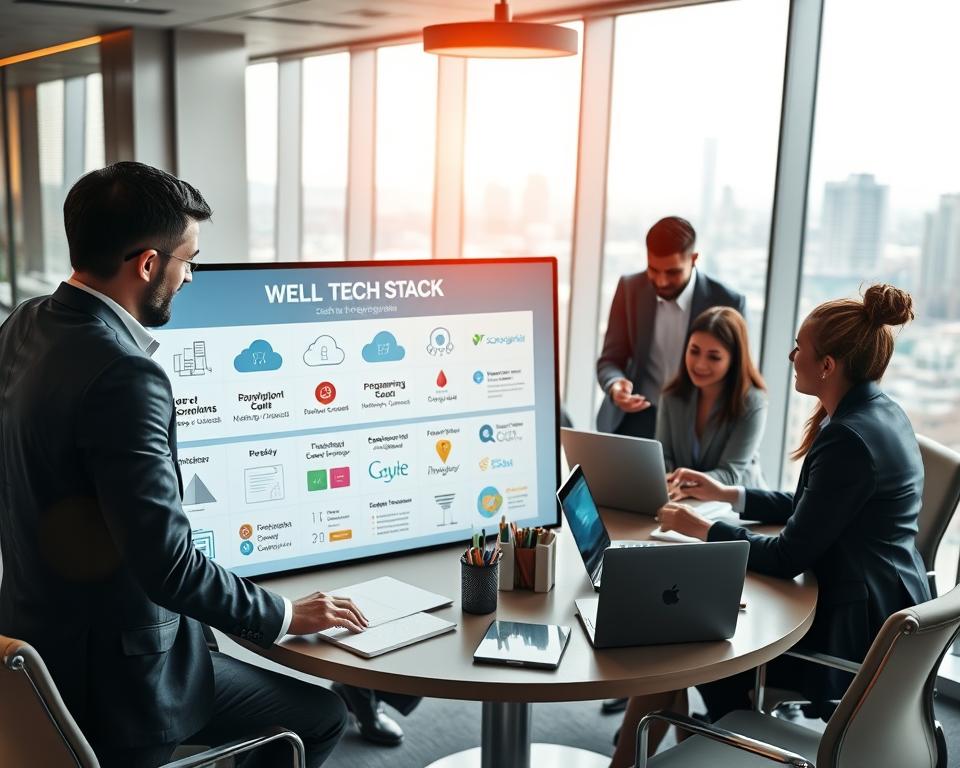
Choosing the right tech stack is crucial for a web app’s success. Knowing the strengths and weaknesses of different techs helps businesses make the best choices for their goals.
9. Planning Your Modernization Strategy
Creating a clear modernization plan is key to meeting your business goals. A good strategy makes sure the project is a success. Think about what you want to achieve, like faster adoption or cost savings, and plan for it.

Phased Approach vs. Complete Overhaul
Choosing between a phased approach or a complete overhaul is a big decision. A phased approach updates the app in stages, which is safer and allows for small improvements. A complete overhaul changes everything at once, which is riskier but can bring bigger benefits.
What you choose depends on the app’s current state, your business needs, and what resources you have. For more on modernizing legacy apps, check out this resource.
Setting Realistic Timelines and Budgets
It’s important to set realistic timelines and budgets for your project. You need to know the project’s scope, possible obstacles, and have enough resources. Getting everyone involved helps make sure everyone knows what’s happening and when.
Make a detailed plan with milestones, deadlines, and budgets. Keep an eye on it and make changes as needed to stay on course.
Building the Right Development Team
Having a skilled development team is crucial for success. The team should know the needed tech and have experience with similar projects. They should also know the latest in development methods.
Working well with stakeholders and keeping the team informed is key to achieving the project’s goals.
Managing Stakeholder Expectations
Managing stakeholder expectations is vital. You need to tell stakeholders about the project’s goals, timelines, and challenges. It’s important to be realistic and keep them updated on progress.
Good stakeholder management ensures everyone is on the same page and problems are solved quickly.
10. Best Practices for Web Application Modernization
To modernize a web application, it’s key to follow best practices for modernization. These practices focus on keeping things compatible and efficient. It’s wise to improve parts that still add value, rebuild slow components, and remove outdated parts.
Following best practices is crucial for web application modernization. It involves several key strategies. These ensure the modernization process is effective and sustainable.
Maintaining Backward Compatibility
One important best practice is maintaining backward compatibility. This makes sure the modernized app works for users with older versions. It helps avoid disruptions and makes the transition smoother.
To keep backward compatibility, thorough testing is needed. Also, design the modernized app with backward compatibility in mind from the start.
Implementing Continuous Integration and Deployment
Continuous integration and deployment (CI/CD) is another key practice. CI/CD automates testing, integration, and deployment. It speeds up the delivery of new features and updates, improving quality and reliability.
CI/CD lets development teams quickly adapt to changing needs and user feedback. This makes the app more relevant and satisfying for users.
Documentation and Knowledge Transfer
Documentation and knowledge transfer are crucial for the app’s long-term success. Good documentation helps new developers understand the app’s architecture and functionality. It makes it easier for them to get started.
Knowledge transfer through training and documentation ensures everyone understands the modernized app. This helps with future maintenance and updates.
Testing Throughout the Process
Testing throughout the modernization process is essential. It includes unit testing, integration testing, and user acceptance testing (UAT). These tests help find and fix issues early.
Continuous testing ensures the app meets quality, performance, and security standards. It reduces the risk of problems after launch.
By sticking to these best practices, organizations can make their web application modernization successful. It will be sustainable and meet their business goals.
11. Common Challenges and How to Overcome Them
Web application modernization projects often face many obstacles. It’s key to know these challenges and find ways to beat them. This is crucial for the project’s success.
Legacy Code Dependencies
Dealing with old code is a big challenge in modernizing web apps. This code is often outdated and hard to change without breaking the system.
To tackle this, focus on the most important parts of the old system. Improve those areas first to cut costs and risks.
Data Migration Issues
Moving data from old to new systems is tricky. It can lead to errors if not done right.
Creating a detailed plan for data migration is key. This plan should cover data assessment, cleaning, and validation. This ensures the data is right and consistent in the new system.
User Adoption Resistance
Getting users to accept new systems is hard. They might not want to change from what they’re used to.
To help users accept the new system, involve them in the process. Offer training and support. This includes user testing, documentation, and training sessions.
Budget Constraints
Money is often a big issue in modernizing web apps. The costs can be high, and businesses need to budget carefully.
To deal with budget limits, focus on the most important parts of the app. Consider doing the modernization in phases. This spreads out the costs over time.
| Challenge | Description | Solution |
|---|---|---|
| Legacy Code Dependencies | Cumbersome, outdated, and tightly coupled code | Targeted approach to modernize critical components |
| Data Migration Issues | Complex and error-prone data transfer process | Comprehensive data migration plan |
| User Adoption Resistance | Users resisting changes to the new system | User involvement, training, and support |
| Budget Constraints | Limited budget for modernization | Prioritizing modernization efforts, phased approach |
12. Measuring Success After Modernization
It’s key to measure a web app modernization project’s success. This means tracking different metrics to see how well the modernization worked.
A good modernization project should make the app run better, feel more user-friendly, and work more efficiently. To know if these goals were met, you need to measure the project’s success.
A study found that companies that measure their IT projects well are more likely to reach their goals. So, measuring success is a must for any modernization effort.
Key Performance Indicators to Track
Key performance indicators (KPIs) give insights into your modernized web app’s performance. Important KPIs include:
- Uptime and availability
- Response times and latency
- Error rates and bug frequency
- User engagement and retention
By watching these KPIs, you can spot areas for improvement. This helps you make smart choices to better your web app.
User Satisfaction Metrics
User happiness is a big part of measuring a web app modernization project’s success. Use user surveys, feedback forms, and Net Promoter Score (NPS) to check how users feel.
“User experience is not just about the UI; it’s about creating an experience that meets the user’s needs and expectations.”
Looking at user satisfaction metrics helps you see where your app meets user needs and where it doesn’t.
Technical Performance Benchmarks
Technical performance benchmarks show how well your web app performs. Key benchmarks to track are:
| Metric | Description | Target Value |
|---|---|---|
| Response Time | The time taken for the application to respond to user input | < 200ms |
| Error Rate | The frequency of errors encountered by users | < 1% |
| Uptime | The percentage of time the application is available and accessible | > 99.9% |
By tracking these benchmarks, you can make sure your app is running well and meeting user expectations.
Return on Investment Analysis
A return on investment (ROI) analysis shows the financial gains of your web app modernization. It compares the costs of modernizing with the benefits, like more revenue, lower costs, or better productivity.
To do a good ROI analysis, follow these steps from 10 steps to delivering a successful web and mobile app:
- Identify the costs of modernization
- Quantify the benefits of modernization
- Compare costs and benefits to find ROI
With a detailed ROI analysis, you can show the value of your web app modernization. This helps you make smart choices for future investments.
13. Conclusion
Legacy Application Modernization is more than just a technical move. It’s a key strategy for businesses to stay competitive. By updating old web apps, companies can boost performance, security, and user experience.
AI-driven automation helps speed up this process while keeping things under control. Looking ahead, modernizing web apps is vital for businesses to lead. By knowing when to modernize, following best practices, and checking results, companies can keep their web apps in line with their goals.
The future of web apps relies on being able to adapt and grow. By focusing on modernizing web apps, businesses can grow, make customers happier, and stay on top in a fast-changing market.


