







The American job market is going through a big change. Reports show that 108,000 jobs disappeared in just one month. Most of these losses are due to automated tools.
Businesses need a smart Hiring Strategy to stay ahead. Just filling jobs is not enough anymore. Success comes from using Artificial Intelligence in daily work. This is the only way to compete globally.
By mixing creativity with smart systems, we make better digital products. This change makes AI UX Designers key for any team today. They make sure UX Design feels natural for users. Companies that don’t adapt will quickly fall behind.
Table of Contents
Key Takeaways
- Automation is rapidly transforming the national job market today.
- Traditional recruitment methods must evolve to stay truly competitive.
- Integrating Artificial Intelligence is now a necessity for growth.
- Specialized talent helps bridge the complex human-machine gap.
- Human-centric design remains a top priority for successful businesses.
- Adapting to technological shifts ensures long-term company success.
The Transformation of UX Design Through Artificial Intelligence
AI is changing UX design by automating tasks and uncovering new insights. The use of Artificial Intelligence in UX design is more than a trend. It’s a major change in how designers work and create experiences for users.
AI’s effect on UX design is wide-ranging. It’s making some tasks unnecessary, turning design into a service. This means UX designers must change and grow to stay important in an AI world.

But AI is also making UX design better. It offers tools to analyze big data, guess what users will do, and do repetitive tasks. This lets UX designers concentrate on creative decisions and big ideas.
UX designers’ roles are changing, not getting smaller. They need to work with AI, knowing how to use AI tools to improve their work. They must learn about AI and machine learning, and keep up with human-centered design.
As AI gets better, UX designers must keep up with new tech. They need to know about AI-powered design tools, predictive analytics, and how to use them. This helps make experiences more intuitive and friendly for users.
The shift in UX design through AI is more than just new tools. It’s about changing how we design. By using AI, UX designers can make designs that are more advanced and focused on the user. These designs meet the changing needs of users in today’s digital world.
What Is an AI UX Designer and Why This Role Matters
AI is changing the UX design world a lot. The role of the AI UX designer is now very important. They help shape the future of products and understand how AI works.
Defining the AI UX Designer Role
An AI UX designer mixes user experience design with AI. They make products that are both new and focused on the user. They use AI to make the design process better.
Key responsibilities of an AI UX designer include:
- Designing intuitive and AI-driven user interfaces
- Collaborating with cross-functional teams to integrate AI into product development
- Analyzing user data to inform AI-powered design decisions
How AI UX Designers Differ from Traditional UX Designers
Traditional UX designers focus on making designs that are user-friendly. AI UX designers do the same but use AI and machine learning. This makes their designs more personal and flexible.
| Aspect | Traditional UX Designers | AI UX Designers |
|---|---|---|
| Design Approach | Human-centered design principles | AI-driven design principles and human-centered approach |
| Toolset | Standard UX design tools like Sketch, Figma | AI-powered design tools, machine learning algorithms |
| User Experience | Static and predictable experiences | Dynamic, personalized, and adaptive experiences |

AI UX designers and traditional UX designers differ in their methods and tools. As AI gets better, the need for these designers will grow.
The Business Case for Hiring AI UX Designers
In today’s fast-paced digital world, hiring AI UX designers is crucial. Companies need experts who can blend AI with UX design to stay competitive. This trend is becoming more important as businesses aim to lead the market.
Recently, companies have started to see design as a service to boost efficiency. But, this overlooks the huge benefits AI UX designers can bring. They have the power to transform businesses and drive success.
Competitive Advantages in the Digital Marketplace
AI UX designers offer unique skills that can give companies a big edge. Here are some key benefits:
- Enhanced User Experience: They create user experiences that are both intuitive and personalized. This leads to happier customers and loyalty.
- Innovative Design Solutions: Using AI, designers can explore new design options. This makes products stand out from the competition.
- Data-Driven Decision Making: AI UX designers use data to make informed design choices. This ensures products meet user needs better.

ROI and Performance Metrics
To see the value of AI UX designers, it’s important to track their impact. Key metrics include:
- User Engagement: Metrics like time on site and bounce rate show how well a product connects with users.
- Conversion Rates: Better UX design, thanks to AI, can lead to more conversions.
- Customer Retention: Improved user experience can keep customers coming back. This boosts long-term revenue.
By focusing on these metrics, businesses can see the value of AI UX designers. This helps make smart decisions about future investments in this field.
Essential Skills Every AI UX Designer Should Possess
Today’s digital world demands AI UX Designers who can use AI to design for users. They need skills that blend AI with design to create great user experiences.
AI UX Designers must be tech-savvy, design-minded, and analytical. Their skills fall into three main areas.
Technical AI and Machine Learning Competencies
AI UX Designers need to know AI and machine learning well. They should understand machine learning algorithms, deep learning techniques, and work with AI-powered design tools. Knowing programming languages like Python and JavaScript is also key.
They should use AI to make design processes better and easier for users. This means knowing how to integrate AI-driven insights into design and automate tasks.
UX Design Fundamentals and Human-Centered Approach
AI UX Designers must have a solid UX design background. They need to know user research methods, wireframing, and prototyping. A human-centered approach is crucial to ensure designs are user-friendly and accessible.
They should be good at creating user personas and user journeys. These tools help guide design and keep it focused on the user.
Data Analysis and Interpretation Abilities
AI UX Designers must be able to analyze and interpret data. They should use data analytics tools to find insights for design. This means understanding how to collect and analyze user data to design based on user behavior.
They should also be able to present complex data clearly. Using data visualization techniques helps communicate findings to stakeholders.

| Skill Category | Key Skills | Importance Level |
|---|---|---|
| Technical AI and Machine Learning Competencies | Machine learning algorithms, Deep learning techniques, AI-powered design tools | High |
| UX Design Fundamentals and Human-Centered Approach | User research methods, Wireframing, Prototyping, User personas, User journeys | High |
| Data Analysis and Interpretation Abilities | Data analytics tools, Data collection and analysis, Data visualization techniques | High |
Understanding AI-Powered UX Tools and Technologies
AI is changing the game for UX designers. They now have tools that make their work better and easier. These tools help automate tasks, offer insights, and make user experiences smoother.
UX design is getting a big boost from new technologies. Generative design, predictive analytics, and AI prototyping are leading the way. Each brings its own set of benefits to the design process.
Generative Design Platforms
Generative design uses AI to create many design options. Designers set the rules, and AI does the rest. This way, designers can explore new ideas quickly and find innovative solutions.
Key Features:
- Automated generation of design variants
- Integration with design and engineering tools
- Optimization based on performance criteria
Predictive Analytics and User Behavior Tools
Predictive analytics tools analyze user behavior with AI. They help designers make designs that users will love. This way, designers can create experiences that meet user needs.
Benefits:
- Enhanced user experience through data-driven design decisions
- Improved usability by anticipating user needs
- Data-backed design iterations
AI Prototyping and Testing Solutions
AI prototyping tools make creating prototypes fast and easy. They also analyze feedback quickly. This means designers can test and improve their designs faster, saving time and money.

Here’s a quick look at the main AI-powered UX tools and what they do:
| Tool Category | Primary Function | Design Impact |
|---|---|---|
| Generative Design Platforms | Automate design generation | Innovative design solutions |
| Predictive Analytics Tools | Analyze user behavior | User-centered design |
| AI Prototyping and Testing | Streamline prototyping and testing | Efficient design iteration |
By using these AI tools, designers and companies can lead in UX design. They can create experiences that are both beautiful and functional.
Where to Find Top AI UX Design Talent
To stay ahead, businesses need to know where to find the best AI UX design talent. The job market is always changing. Finding top talent means looking in different places and using various networks.

Specialized Job Boards and Platforms
Specialized job boards and platforms are key for finding AI UX design talent. They focus on tech and design jobs. This makes it easier to find candidates with the right skills.
Popular job boards include We Work Remotely, AngelList, and Design Systems. Employers can post job descriptions. This attracts AI UX designers looking for new opportunities.
Professional Networks and AI Communities
Professional networks and AI communities are great for finding candidates. They host events, conferences, and online forums. Professionals share their work and experiences here.
LinkedIn groups for AI and UX design are important. So are communities on GitHub and Reddit. Joining these can give insights into trends and connect you with talented people.
Universities and Training Programs
Universities and training programs are key for finding new talent in AI UX design. Many schools offer courses and degrees in AI, UX design, and related fields.
By partnering with these programs or attending career fairs, businesses can meet students and recent graduates. This helps find fresh talent and shape the next generation of AI UX designers.
Creating an Effective Job Description for AI UX Designers
In-house design leaders now have more responsibility to find the right fit. A clear and compelling job description is key. It’s crucial to attract the right talent for your organization.
An effective job description outlines the role’s responsibilities and requirements. It also shows your company’s culture and expectations. It’s important to provide enough detail to attract good candidates without scaring them off.
Must-Have Requirements vs Nice-to-Have Skills
When writing a job description for an AI UX designer, it’s important to know the must-haves and nice-to-haves. Must-haves are essential and can’t be skipped. These include:
- Proficiency in UX design tools like Sketch, Figma, or Adobe XD
- Experience with AI and machine learning technologies
- Strong understanding of human-centered design principles
Nice-to-haves are skills that can make a candidate stand out but aren’t required. Examples include:
- Familiarity with front-end development frameworks
- Experience with design systems
- Knowledge of data analysis and interpretation
| Skill Category | Must-Have | Nice-to-Have |
|---|---|---|
| UX Design Tools | Proficiency in Sketch, Figma, or Adobe XD | Familiarity with other design tools |
| AI and ML Experience | Direct experience with AI/ML technologies | Basic understanding of AI/ML concepts |
| Design Principles | Strong understanding of human-centered design | Knowledge of other design methodologies |
Crafting Compelling Role Descriptions
A compelling role description does more than list requirements. It tells a story about your company and the role. It highlights what makes your organization unique and why a candidate would want to join.
Key elements of a compelling role description include:
- A clear and concise job title
- An engaging introduction to your company and the role
- Specific responsibilities and expectations
- Information about your company culture
For example, instead of just listing “UX design tasks,” you could describe the impact of the role: “You will lead the design of intuitive and engaging user experiences that drive customer satisfaction and business growth.”
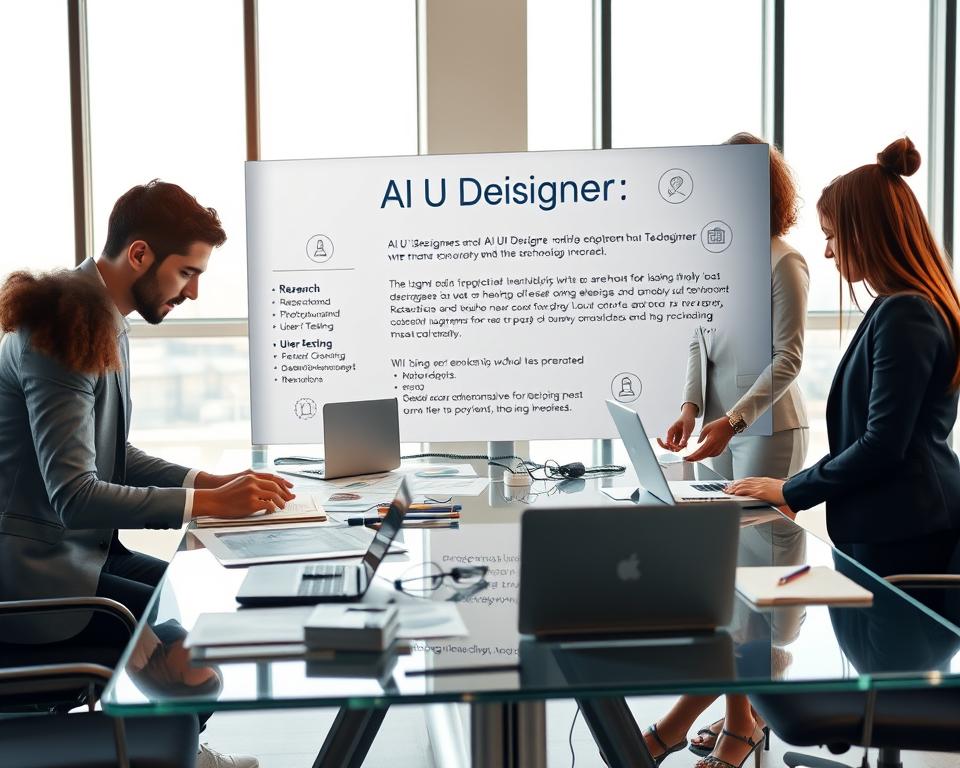
By focusing on both essential requirements and what makes your company attractive, you can create a job description that attracts top talent. It also sets clear expectations for the role.
Screening and Evaluating AI UX Designer Candidates
Looking for AI UX designer candidates needs a detailed approach. It’s not just about checking their skills. You must also see their design talent.
Finding the right AI UX designer can take a lot of time. Knowing what to look for in candidates is key.
Portfolio Assessment Criteria
When checking a candidate’s portfolio, focus on a few important things. Relevance is key; the portfolio should show they have the right skills for the job. Look for projects that show they can use AI well in design.
The quality of the design work is also crucial. Check if the projects are easy to use, look good, and provide a great user experience. A good portfolio will also have case studies that explain the design process and challenges.

Technical Evaluation Methods
Checking a candidate’s technical skills is vital. Look at their use of AI and UX design tools. Also, see if they understand technical concepts well.
- Check if they know how to use AI in design tools.
- See if they grasp UX design principles and human-centered design.
- Look at their ability to use data to guide design choices.
Cultural Fit and Soft Skills Evaluation
It’s not just about technical skills. You also need to see if they fit your company culture. Look at their teamwork, communication, and ability to adapt to new tasks.
Behavioral interviews are great for this. They help you understand how they’ve acted in the past and how they might act in the future.
By using a detailed evaluation process, you can find and hire the best AI UX designers. This includes looking at their portfolios, technical skills, and cultural fit.
Interview Strategies for AI UX Design Positions
The use of AI in hiring is growing. Design leaders now have to conduct detailed interviews for AI UX design roles. It’s key to find the best talent in this field through effective strategies.
Behavioral and Situational Questions
When interviewing AI UX designers, mix behavioral and situational questions. This helps gauge their past experiences, problem-solving, and adaptability.
Behavioral questions reveal how a candidate handled past situations. For example, “Describe a project where you used AI in UX design. What challenges did you face, and how did you solve them?”
Situational questions test a candidate’s thought process and decision-making. An example is, “How would you redesign a UI to add AI-driven personalization?”
Technical Challenges and Design Tasks
Technical challenges and design tasks are vital in AI UX designer interviews. They check a candidate’s technical skills, creativity, and ability to apply AI and UX to real problems.
For example, give a design task like creating a wireframe for an AI-powered feature. This shows their critical thinking and design skills under pressure.
Collaborative Problem-Solving Sessions
Collaborative problem-solving sessions are great for seeing how a candidate works in a team. They can be group discussions or pair design exercises.
Watch how the candidate interacts, shares ideas, and takes feedback. This gives insight into their teamwork and communication skills.

| Interview Technique | Assessment Focus | Example |
|---|---|---|
| Behavioral Questions | Past experiences and skills | “Describe a project where you integrated AI into UX design.” |
| Situational Questions | Problem-solving and decision-making | “How would you redesign a UI to incorporate AI-driven personalization?” |
| Technical Challenges | Technical skills and creativity | “Create a wireframe for an AI-powered chatbot.” |
| Collaborative Problem-Solving | Teamwork and communication | Group discussion on designing an AI-driven feature. |
Hire AI UX Designers – Future Hiring Strategy: Implementation Framework
To hire AI UX designers well, companies need a detailed plan. This plan should tackle the special challenges and chances of this new field.
The O* UX Hiring Guide 2026 offers key advice for design leaders. It stresses the need for a clear plan to hire AI UX designers. This means finding the right talent and making a place for innovation and teamwork.
Building Your Hiring Roadmap
Creating a hiring plan for AI UX designers needs a deep look at your company’s needs and the job market. It includes several important steps:
- Defining the role and duties of AI UX designers in your company
- Finding out the skills needed, like AI and UX design, and data analysis
- Looking at the current talent and where there might be gaps
- Creating a strong reason for top talent to join your company
For more on making innovative apps, check out how to build an AI-powered resume builder job search. It shows how AI can improve business operations.
Timeline and Milestone Planning
Good planning of your hiring timeline and milestones is key. This means:
| Milestone | Timeline | Description |
|---|---|---|
| Define Hiring Needs | Week 1-2 | Find out how many and what type of AI UX designers you need |
| Develop Job Descriptions | Week 3-4 | Make detailed job descriptions of what’s needed and what’s expected |
| Launch Recruitment Campaign | Week 5-8 | Post job ads on the right platforms and networks |
| Conduct Interviews | Week 9-12 | Test candidates with technical tasks and see if they fit your team |
| Onboard New Hires | Week 13-16 | Help new AI UX designers get settled in, give them the tools they need |
By using this structured method and a detailed plan, companies can hire AI UX designers well. This helps them stay competitive in the digital world.
Choosing the Right Hiring Model for Your Organization
As companies use AI in design, picking the right hiring model is key. Design leaders struggle to find and check the best UX practitioners. The rise of AI UX designers makes this task even harder.
The hiring model affects your team, project results, and business success. It’s important to consider the pros and cons of each approach. This way, you can find the best fit for your organization’s needs and goals.
Full-Time Employee vs Contract Designer
Deciding between hiring AI UX designers as full-time employees or contract designers is crucial. Full-time employees bring stability and continuity. They can deeply understand your company’s culture and goals.
Contract designers offer flexibility and specialized expertise for specific projects. They can bring new skills and perspectives that might not be available or affordable in-house.
Remote, Hybrid, and On-Site Considerations
Remote work has opened up new hiring possibilities for AI UX designers. It can expand your talent pool beyond local areas. This way, you can find top candidates no matter where they are.
But, remote or hybrid setups need careful thought on communication, collaboration, and data security. On-site teams can work closer together. They can also build a stronger company culture.
Outsourcing to Specialized Agencies
Outsourcing AI UX design to specialized agencies is another option. This can give you immediate access to a team of experts. It can speed up projects and improve quality.
When thinking about outsourcing, look at the agency’s track record, expertise in AI UX design, and cultural fit. Good collaboration and clear communication are essential for success.
The best hiring model for your organization depends on your needs, project goals, and strategy. By weighing the options and considering talent, budget, and desired outcomes, you can make a smart choice. This choice will help your organization thrive in the changing AI UX design world.
Building and Structuring AI-Focused Design Teams
AI is changing the UX design world. Companies need to rethink their teams and how they work together. Design leaders must grow their teams and find the right people, which is hard.
AI projects are complex and need teams with many skills. A good AI design team is not just about the right people. It’s also about creating a place where everyone can innovate and work together well.
Team Composition and Role Distribution
A great AI design team has a mix of skills. These include UX design, AI/ML engineering, data science, and domain expertise. Key roles include:
- AI UX Designers who make designs that use AI well
- Data Scientists and AI Engineers who make and use AI models
- UX Researchers who help make design choices with data
- Product Managers who lead the product vision and strategy
Cross-Functional Collaboration Models
Working well together is key for AI design teams. Cross-functional collaboration models help teams work together smoothly. This makes sure AI solutions work well and are easy for users.
Some good models are:
- Integrated Project Teams where designers, engineers, and managers work together from start to end
- Centers of Excellence that offer AI help across different teams
- Agile Methodologies that help teams work in cycles and get feedback often
Reporting Structures and Team Integration
The way a team reports can affect how well it works. Common reporting structures include:
- Design-led structures where design teams talk directly to product leaders
- Product-led structures where design and engineering work under product managers
- Hybrid models that mix design, product, and engineering leadership
No matter the structure, it’s key for AI design teams to fit into the bigger company. They need clear communication and work well together.
Compensation and Benefits Benchmarks for AI UX Designers
As AI becomes more common in UX design, knowing what to pay AI UX designers is key. These experts blend UX design with AI, and companies need to offer good pay to keep them. This is because the demand for these skills is rising fast.
The pay for AI UX designers changes based on where they work, their experience, and the company’s needs. Yet, some patterns have shown up that help set fair pay and benefits.
Salary Ranges Across Experience Levels
AI UX designers are in high demand, and their pay shows their value. Here’s a look at what they can earn based on their experience:
| Experience Level | Salary Range (USD) |
|---|---|
| Entry-Level (0-3 years) | $80,000 – $110,000 |
| Mid-Level (4-7 years) | $120,000 – $160,000 |
| Senior-Level (8-12 years) | $180,000 – $220,000 |
| Lead/Manager-Level (13+ years) | $250,000 – $300,000 |
These numbers are averages in the U.S. and can change based on location and industry. For example, those in big tech cities like San Francisco or New York might earn more. This is because living costs are higher and the competition for talent is fierce.
“The compensation for AI UX designers is not just about the salary; it’s about the overall package that includes benefits, work environment, and opportunities for growth.”
Competitive Benefits Packages
It’s not just about the money. A good benefits package is key to attracting and keeping AI UX designers. They look for things that help them balance work and life, grow professionally, and stay healthy.
Some benefits that AI UX designers really value are:
- Flexible work arrangements, including remote work options
- Professional development opportunities, such as training programs and conference sponsorships
- Comprehensive health insurance and wellness programs
- Generous paid time off and sabbatical policies
- Stock options or equity participation in the company
Companies that offer these benefits are more likely to attract and keep top AI UX design talent. As the demand for these experts grows, companies must be ready to offer competitive pay and benefits to stay competitive.
Onboarding and Integrating AI UX Designers Successfully
More companies are using AI for UX design. This makes onboarding AI UX designers very important. A good onboarding process boosts their productivity and helps them meet the company’s goals.
First 90 Days Framework
The first 90 days are key for an AI UX designer’s success. A clear plan during this time can greatly help their integration and work.
- Week 1-2: They get an introduction to the team and projects, showing their role.
- Week 3-6: They start working on projects, getting the tools and resources they need.
- Week 7-12: Regular meetings to check on their progress and make changes if needed.
Tools, Resources, and Training Programs
It’s crucial to give AI UX designers the right tools, resources, and training. They need access to the latest AI-driven design tools and to join relevant training programs to improve their skills.
“The key to successful onboarding is not just providing the necessary tools but also ensuring that the new team member feels welcomed and integrated into the team.” – UX Design Expert
Overcoming Common Challenges in Hiring AI UX Designers
The job market for AI UX designers is tough. It needs smart planning and new ideas. The design and hiring worlds have changed a lot this year. It’s key to know and solve these problems.
Companies face many hurdles when adding AI to their design work. These issues fall into three main areas. They are talent shortage, budget limits, and skill gaps.
Talent Shortage and Competition
There are more jobs than people for AI UX design. This makes the job market very competitive. Companies fight for the best talent. They also face the pull of new startups and exciting projects.
To beat this challenge, companies can:
- Give good pay and chances for growth.
- Show they care about AI and UX.
- Use special job sites and networks to find candidates.
Budget Constraints and Resource Allocation
Money is a big problem when hiring AI UX designers. Their high salaries make it hard for companies to balance their budgets. They must choose between hiring and other business needs.
To manage money better, companies can:
| Strategy | Description | Benefits |
|---|---|---|
| Flexible Hiring Models | Hire contract or freelance designers for projects. | Save money in the long run. |
| Internal Training Programs | Train current designers in AI. | Save on hiring costs and grow talent. |
| Outsourcing | Work with AI UX design agencies. | Get specialized talent without big costs. |
Skill Gap and Training Needs
AI changes fast, so even new hires need training. They must learn new tools and methods.
To close the skill gap, companies can:
- Start with good onboarding and training.
- Keep offering chances for growth and learning.
- Encourage a culture of learning and new ideas.
By tackling these challenges, companies can hire and keep AI UX designers. This boosts innovation and keeps them competitive.
Future Trends Shaping AI UX Designer Hiring
The role of AI UX designers is set to change a lot. This change comes from new technologies and what users want. Using AI in UX design is a big shift in making user experiences.
New tech like augmented reality (AR), virtual reality (VR), and the Internet of Things (IoT) will shape AI UX design. These techs open up new ways for users to interact. Designers who use AI to improve these interactions will be in high demand.
Emerging Technologies and Skills
To keep up, AI UX designers must learn new skills. These include:
- Machine learning and deep learning techniques
- Natural Language Processing (NLP)
- Computer Vision
- Designing for AR and VR environments
- Understanding IoT devices and their user interfaces
Also, as AI spreads, the need for ethical AI design will grow. Designers must think about AI’s ethics. They need to make sure their designs are fair, open, and protect user privacy.
Evolution of the Role Over the Next Five Years
In the next five years, AI UX designers’ roles will change a lot. Here are some key trends:
| Trend | Description | Impact on AI UX Designers |
|---|---|---|
| Increased Use of AI Tools | More advanced AI tools will come out, making some UX design tasks easier. | Designers will have to learn how to use these tools well. |
| Greater Emphasis on Ethics | AI’s role in UX will make ethics more important. | Designers will have to add ethical AI principles to their work. |
| Expansion into New Domains | AI UX design will move into new fields like healthcare, finance, and education. | Designers will need to grasp the unique challenges and chances in these areas. |
By knowing these trends and getting ready, companies can attract and keep the best AI UX design talent.
Conclusion
The world of hiring UX designers is changing fast with Artificial Intelligence (AI). AI UX Designers are now key for businesses to keep up in the digital world. Companies need to update their hiring plans to include AI and UX design.
Creating a detailed hiring plan is important. It should cover skills like AI, UX design, and data analysis. Using job boards, professional networks, and AI groups can help find the best candidates. For more tips on hiring, like for frontend developers, check out hiring frontend developers.
Understanding AI UX Designer hiring trends is crucial. Building effective teams can drive innovation and keep businesses ahead. The success depends on embracing AI UX Designers and fitting them into the company well.


