






In the fast-paced world of project management, the need for easy and effective task-tracking tools is on the rise. Trello has become a top choice for organizing tasks and working together. Many businesses are now looking for alternatives that can match Trello’s efficiency.
As companies aim to make their workflows smoother and more productive, creating a project management app like Trello is a key goal. This article will explore the essential features and considerations for making such an app. We’ll look at market trends, core functions, and best practices to help businesses and developers create a top-notch project management software.
Table of Contents
Key Takeaways
- Understand the current project management software market and its growth potential.
- Identify the core features and functionalities required for a Trello-like project management app.
- Explore the technical architecture and development considerations for building a robust project management solution.
- Discover strategies for creating an intuitive user interface and seamless user experience.
- Examine the importance of real-time collaboration, integration capabilities, and data security in modern project management apps.
Understanding Project Management Software Market Trends
The project management software market is growing fast. This growth comes from the need for better planning, teamwork, and analytics tools. Experts say the global market will grow over 10% from 2023 to 2028. It’s expected to reach $8.5 billion by then.
Current Market Size and Growth Projections
The market is now worth about $5.7 billion. North America and Europe lead in size. But, the Asia-Pacific region is growing the fastest. This is thanks to countries like India and China adopting these tools quickly.
Key Players and Their Market Share
A few big names rule the market. Asana, Monday.com, Trello, and Jira are at the top. Together, they hold over 60% of the market. Asana and Monday.com are leading in users and money made.
User Demand Analysis
People want better tools for managing tasks, working together, and seeing project progress. They look for easy-to-use, cloud-based solutions. These tools should fit well with their current work and communication tools. The shift to remote and hybrid work has also increased the need for strong project management tools.
| Project Management Software | Market Share | Key Features | Pricing |
|---|---|---|---|
| Asana | 25% | Task management, team collaboration, project tracking | Free plan, paid plans start at $10.99/user/month |
| Monday.com | 20% | Customizable workflows, project templates, automation | Free plan, paid plans start at $8/user/month |
| Trello | 15% | Kanban-style boards, task management, integration with other tools | Free plan, paid plans start at $5/user/month |
| Jira | 10% | Agile project management, issue tracking, reporting | Free plan, paid plans start at $7/user/month |

Essential Components of Modern Project Management Apps
Today’s project management apps do more than just list tasks. They offer a wide range of features to help teams manage their work better. These apps support agile methods and make teamwork more effective. They include tools for task tracking, collaboration, and workflow management.
Task boards are a key feature. They show how a project is doing, making it easy to see what needs to be done. Customizable columns help teams manage tasks and stay on the same page.
Good collaboration tools are also crucial. They allow teams to talk in real time, share files, and work together. This helps everyone stay connected and work towards the project’s goals.
Time tracking is another important part. It helps teams see how productive they are and find ways to work better. Reports and analytics give insights for making better decisions and improving.
| Feature | Benefit |
|---|---|
| Task boards | Streamlined task management and project visibility |
| Collaboration tools | Enhanced team coordination and communication |
| Time tracking | Improved productivity monitoring and resource allocation |
These features make project management apps essential for teams. They help teams work better, stay organized, and make smart decisions. As more businesses need these tools, they’ve become a must-have for success.

Creating a Project Management App Like Trello: Key Features
When making a project management app like Trello, focus on key features, tech architecture, and how long it takes to make. These things will make the app easy to use and meet today’s project team needs.
Core Functionality Requirements
A Trello-like app should have these main features:
- Easy board creation and organization
- Customizable cards for task management
- Drag-and-drop for moving cards easily
- Tools for real-time updates
- Calendar view for tracking deadlines
- Integration with popular apps and tools
Technical Architecture Overview
The app’s tech setup should be flexible and scalable. A modern, modular design with microservices and cloud tech is key. It should have:
- React for a user-friendly user interface
- Node.js or Python for backend tasks
- MongoDB or PostgreSQL for storing data
- WebSockets or WebRTC for real-time updates
- Secure login and access control
Development Timeline Considerations
Making a project management tools app like Trello is complex and takes time. Things like what features to focus on, team size, tech choices, and testing affect the timeline. It usually takes 6-12 months, depending on the project’s size and resources.

“Successful app development is not about building the most features, but about building the right features that solve real user problems.”
Designing an Intuitive User Interface
Making a user interface that’s easy to use and looks good is key for any project management app like Trello. The design should focus on making the app easy to use, work well on different devices, and be accessible to everyone. This ensures a smooth and enjoyable experience for users on both desktop and mobile.
In visual project management, the interface is crucial for organizing tasks, working together, and getting updates in real-time. A good user-friendly interface boosts productivity and makes users happy. This leads to more app use and loyalty from customers.
To make this happen, the design process should focus on a few important things:
- A clean and easy-to-navigate layout
- A design that works well on all devices
- A consistent look and feel with a clear color scheme
- Icons and small interactions that are easy to understand
- Features for users with disabilities
By focusing on these elements, the app can offer a smooth and attractive experience. This helps users manage their tasks and projects better. It also leads to more user engagement, happier customers, and a strong position in the UI/UX design world.
“The user interface is the face of your product. It’s the first thing people see, and it can make or break their experience.”
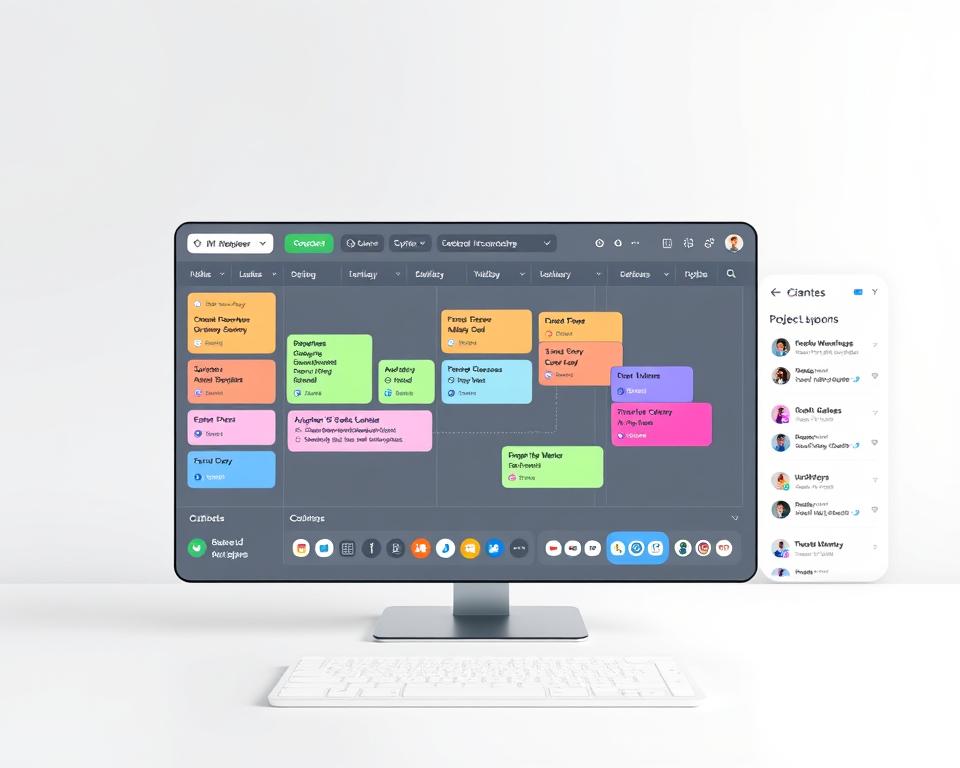
In the fast-changing world of project management software, a well-designed interface can be a big advantage. It sets the stage for a successful and engaging app that meets today’s user needs.
Implementing Drag-and-Drop Functionality
Making a drag-and-drop interface is key for a project management app like Trello. This feature makes it easy to organize tasks and work together.
Technical Requirements
To make the drag-and-drop work well, you need a strong front-end development. It should be fast and work well on all devices and browsers.
User Experience Considerations
- Users should find it easy to move cards between lists or columns. This should feel natural, like managing tasks.
- Give clear signs, like hover effects and drop zone indicators, to help users understand the drag-and-drop action.
- The drag-and-drop should work well on both computers and phones. It should be easy to use everywhere.
Performance Optimization
To make the drag-and-drop smooth, you need to focus on performance optimization. Here’s how:
- Use light event handling to keep the app fast.
- Manage DOM updates well to avoid any visual problems.
- Use CSS animations and transforms to make the UI smooth.
| Feature | Importance | Implementation Complexity |
|---|---|---|
| Intuitive Card Movement | High | Medium |
| Visual Feedback | High | Medium |
| Responsive Design | High | High |
| Performance Optimization | High | High |

“Implementing a smooth and responsive drag-and-drop functionality is crucial for delivering an exceptional user experience in a project management app.”
Building a Robust Backend Infrastructure
Creating a successful project management app like Trello needs a strong backend. Backend development, database design, and server architecture are key. They ensure the app works well and can grow with more users.
The database is at the heart of the backend. It must store lots of project data efficiently. This includes tasks, user info, files, and activity logs. The database should work fast and smoothly with the app’s front end.
- Make a database that can grow with more data and users.
- Use new database types like NoSQL or distributed databases for better performance.
- Make database queries and indexes fast for quick data access.
The server architecture is also vital for the backend’s success. A scalable server setup, like microservices, helps the app handle more users and tasks.
- Choose cloud hosting for easy scalability and automatic resource setup.
- Use server architecture patterns like load balancing and caching for better performance.
- Follow strong backend development practices for app stability and reliability.
By carefully designing the backend, developers can build a solid base. This base supports the app’s growth and meets user needs.

“A well-designed backend infrastructure is the backbone of a successful project management app, enabling seamless user experiences and future growth.”
Authentication and User Management Systems
User authentication and management systems are key in a project management app like Trello. They ensure data security and privacy. These systems prevent unauthorized access and manage user roles and access.
Security Protocols
A good project management app uses top security protocols. This includes secure login methods like password hashing and two-factor authentication. SSL/TLS encryption also helps protect against data breaches.
User Role Management
User role management is vital in project management apps. It lets admins set permissions and access levels for different roles. This role-based access control keeps data secure and makes the app easier to use.
Access Control Implementation
Strong access control is crucial for apps like Trello. It uses dynamic access permissions. This lets admins control who can see or edit certain tasks or documents. It keeps the app secure and organized for better user management and teamwork.
| Feature | Description |
|---|---|
| User Authentication | Secure login mechanisms, including password hashing and two-factor authentication, to protect against unauthorized access. |
| Role-based Access Control | Granular permissions and access levels assigned to different user roles, ensuring data security and streamlining the user experience. |
| Dynamic Access Permissions | Administrators can control user access to specific project tasks, documents, or features based on their assigned roles. |

“Effective user management and access control are essential for maintaining the security and privacy of sensitive project data in a project management app.”
Real-time Collaboration Features
In today’s fast-paced work environment, project management apps need to offer seamless real-time collaboration. This allows teams to work efficiently and stay aligned. A project management tool like Trello provides real-time updates, team collaboration, live editing, and robust notification systems. These features greatly enhance productivity and streamline the project management process.
One of the key features that modern project management apps should offer is real-time updates. This allows team members to see changes made by others in real-time. It ensures everyone is on the same page and reduces the risk of duplicated or conflicting work.
- Real-time updates keep the entire team informed of the latest project status and progress.
- Simultaneous live editing capabilities enable multiple team members to collaborate on the same task or document at the same time. This fosters efficient teamwork.
- Comprehensive notification systems alert team members about important updates, deadlines, and changes. This ensures no one misses critical information.
By incorporating these collaborative features, project management apps can facilitate seamless team collaboration. This allows teams to work together more effectively and stay aligned throughout the project lifecycle.
“Effective collaboration is essential for the success of any project. Real-time updates and live editing capabilities in project management apps empower teams to work together more efficiently. They make informed decisions quickly.”

As the demand for efficient project management solutions continues to grow, the integration of robust real-time collaboration features will be crucial. This will be a key factor in the success of modern project management apps.
Integration Capabilities with Third-party Tools
When you’re making a project management app like Trello, it’s important to connect with other tools. Using API integration lets you link your app with well-known platforms. This makes it easier for users to work more efficiently and get more done.
API Development
Creating a good API is key for working with other tools. Your API should use RESTful methods like GET, POST, PUT, and DELETE. It also needs clear, easy-to-use documentation for developers.
Common Integration Points
- Google Workspace (formerly G Suite) integration: Let users link their Google accounts. This way, they can manage project documents, spreadsheets, and calendars right in your app.
- Slack integration: Connect your app with Slack. Users can get updates, change task status, and work on projects from the popular chat platform.
- Zapier integration: Use Zapier to link your app with many other tools. This lets users create their own workflows and automations.
Webhook Implementation
Webhooks are great for sharing data in real-time between your app and other tools. By using webhooks, your app can react automatically to events or changes in connected apps. This makes the app more useful and helps users work better together.
| Integration Feature | Benefit |
|---|---|
| Google Workspace Integration | Seamless access to project-related documents, spreadsheets, and calendars |
| Slack Integration | Improved collaboration and real-time updates within the communication platform |
| Zapier Integration | Expanded connectivity with hundreds of other software tools |
| Webhook Implementation | Automated data exchange and real-time event-triggered actions |

“Integrating your project management app with third-party tools is crucial for creating a seamless user experience and increasing overall productivity.”
Mobile App Development Considerations
More businesses are using project management tools to make their work easier. This has made mobile app development very important. When making a project management app like Trello, making it easy to use on mobile is key. Developers must think about the benefits and drawbacks of different mobile app development methods, like cross-platform development, responsive design, and choosing between native vs. hybrid apps.
Deciding between a native app and a hybrid app is a big choice. Native apps work best on iOS or Android but need to be made for each one. Hybrid apps use web tech to work on many platforms, which can save time and money.
Responsive design is also vital for project management apps. It makes sure the app works well on all devices, from computers to phones. By making the app’s layout and interactions fit different screens, developers can make a user-friendly app that works on any device.
The choice between native and hybrid apps, and using responsive design, depends on the app’s needs, who it’s for, and the resources available. By thinking about these things, developers can make a mobile app that helps users manage their projects well.
“The future of project management is mobile, and businesses that embrace this shift will gain a competitive edge in today’s fast-paced, technology-driven world.”
Data Security and Privacy Compliance
In today’s digital world, keeping data safe and private is a top priority for app developers. Users share their important project data with these apps. It’s vital to have strong data protection and follow important rules like the GDPR.
GDPR Compliance
The General Data Protection Regulation (GDPR) is a big data privacy law for EU citizens’ data. For a project management app, following GDPR is key. This includes:
- Getting clear consent from users for data use
- Having clear and open privacy policies
- Using strong data encryption
- Letting users see, change, or delete their info
- Telling about data breaches in 72 hours
Data Encryption Methods
Project management apps need to use strong encryption to keep data safe. Some common methods are:
- AES (Advanced Encryption Standard): A strong symmetric-key algorithm for cybersecurity.
- RSA (Rivest-Shamir-Adleman): An asymmetric-key system for secure data sending.
- End-to-end encryption: Encrypts data at the start and only the receiver can decrypt it, adding to privacy policies.
Privacy Policy Requirements
A detailed privacy policy is crucial for project management apps. It explains how user data is handled. A good policy should cover:
| Element | Description |
|---|---|
| Data Collection | Clearly explain the types of data collected and why. |
| Data Usage | Describe how the data is used, including sharing with others. |
| Data Storage and Security | Detail how user data is protected, like through encryption and access controls. |
| User Rights | Tell users about their rights, like data access and deletion. |
By focusing on data protection, GDPR compliance, and privacy policies, app developers can gain user trust. This ensures the safety and privacy of the data users share.
Performance Optimization and Scaling Strategies
As your project management app like Trello grows, keeping it fast and scalable is key. Using smart strategies helps keep your app smooth, even with more users. Let’s look at ways to boost app performance and grow your setup.
Load Balancing for Improved Responsiveness
Spreading work across many servers boosts app speed. Load balancing sends user requests to the least busy server. This stops any one server from slowing down your app.
This method lets your app handle more users without slowing down. Your users will keep enjoying a fast app.
Caching Strategies for Faster Data Retrieval
Caching strategies make your app quicker by cutting down data access time. By storing often-used data in a fast cache, your app can serve it quickly. This is great for showing project boards and user profiles.
| Caching Technique | Description | Potential Benefits |
|---|---|---|
| In-Memory Caching | Storing data in the application server’s RAM for fast access | Extremely low latency, high throughput |
| Content Delivery Network (CDN) | Caching static assets (images, CSS, JavaScript) on a global network of servers | Reduced server load, faster content delivery for users |
| Database Caching | Caching query results at the database level | Fewer database calls, improved database performance |
Database Optimization for Scalable Storage
As more users join, your database will grow. Optimizing your database design keeps your app fast and scalable. Index management, query optimization, and partitioning help a lot.
“Optimizing app performance and scalability is a continuous process, not a one-time fix. By staying vigilant and adapting your strategies as your user base grows, you can ensure your project management app remains reliable and responsive for years to come.”
Conclusion
Creating a successful project management app like Trello needs a deep understanding of the market and user needs. It also requires knowledge of the technical side. The journey of making a Trello alternative is both tough and rewarding.
Entrepreneurs and developers can find unique opportunities by keeping up with trends in the project management software industry. Using the latest technology, like better drag-and-drop features and real-time updates, can make a product stand out. This is especially true for the modern workforce looking for better productivity and collaboration tools.
The success of a project management app like Trello depends on meeting the needs of its users. This includes small businesses and big companies. By focusing on user experience, security, and growth, developers can create a platform that meets today’s needs and prepares for tomorrow’s. This is key in the project management app development, Trello alternative, software innovation, and productivity tools world.


