







In today’s fast-paced business world, having the right tech is key. A custom software development plan that fits your goals is essential.
A business software system made just for your company can boost efficiency and productivity. It also drives innovation.
This article will show you how to create a custom business software system. We’ll cover the benefits, best practices, and important things to think about for a successful project.
Table of Contents
Key Takeaways
- Understanding the importance of custom software development for business success
- Identifying the benefits of a tailored business software system
- Learning the key steps involved in building a custom business software system
- Discovering best practices for successful implementation
- Understanding the role of technology in driving business innovation
Understanding the Need for Custom Business Software
Off-the-shelf software often doesn’t fit the unique needs of businesses. As companies grow, their software needs change. This makes a custom approach necessary.
Common Limitations of Off-the-Shelf Solutions
Off-the-shelf software has several drawbacks, including:
- Limited customization options
- Inability to fully align with specific business processes
- Potential for feature redundancy or insufficiency
- Higher costs in the long run due to licensing fees and potential workarounds

Benefits of Tailored Software Systems
Tailored software systems offer many advantages, such as:
- Enhanced operational efficiency through process automation
- Improved user experience due to intuitive interfaces
- Better scalability to accommodate business growth
- Competitive advantage through unique features and functionalities
When Custom Development Makes Business Sense
Custom development is wise in certain situations, like:
| Scenario | Benefit of Custom Development |
|---|---|
| Unique Business Processes | Custom software can be designed to mirror the exact workflow, enhancing efficiency. |
| Scalability Requirements | A tailored solution can be built to scale with the business, reducing future migration costs. |
| Integration Needs | Custom software can be integrated seamlessly with existing systems, improving data flow and reducing manual entry. |
In conclusion, recognizing the need for custom business software is key. It involves understanding the drawbacks of off-the-shelf solutions and the advantages of tailored systems. By identifying when custom development is right, businesses can make smart choices that boost growth and efficiency.
Defining Your Business Requirements
A well-defined business requirement is key to a good custom software system. It makes sure the solution fits your organization’s needs. This streamlines business operations and boosts efficiency.
Identifying Core Business Processes
First, identify the main business processes your software needs to handle. Look at your current workflows and find what’s not working well. Decide where you need automation or improvement.
Understanding these processes helps tailor your software to your business’s specific challenges.

Gathering Stakeholder Input
It’s important to get input from all levels of your organization. This includes end-users, managers, and IT staff. Their views help you see what the software needs to do for everyone.
Effective communication with stakeholders is crucial. It helps get all the requirements right.
Documenting Functional Requirements
After getting all the information, document what your software should do. Include its features and how it works. Clear documentation prevents misunderstandings during development.
It ensures the final product meets your expectations.
Establishing Technical Requirements
Setting technical requirements is also key for your software’s success. Think about scalability, security, and how it will work with other systems. Defining these early makes your software strong and ready for the future.
By carefully defining your business needs, you set up a solid base for your custom software development project. This leads to better operations and a competitive edge.
Conducting a Feasibility Study
A successful custom software project starts with a thorough feasibility study. It checks if the project is technically, economically, and operationally possible. This step is crucial to see if a project is worth starting, saving time and money.
Technical Feasibility Assessment
This part looks at if the software can be made with today’s tech and resources. It checks if the needed hardware, software, and skills are available. Important things to think about are:
- Compatibility with existing systems
- Scalability to meet future needs
- Integration with other software applications
Economic Feasibility Analysis
This analysis looks at the project’s financial side. It estimates costs, return on investment (ROI), and compares it to other options. Key points to consider are:
- Initial development and implementation costs
- Ongoing maintenance and support expenses
- Potential cost savings or revenue increases
Operational Feasibility Evaluation
This part checks if the software fits the company’s needs. It looks at user acceptance, impact on business, and solving current problems. Important aspects include:
- User training and adoption rates
- Impact on existing workflows and processes
- Ability to address current operational challenges
By doing a detailed feasibility study, companies can make smart choices about their software projects. They ensure their investment is wise, both technically and financially, and meets their operational needs.

Budgeting and Cost Management
Effective budgeting is key for custom software development projects. It makes sure resources are used well and the project stays within budget.
Estimating Development Costs
Figuring out development costs looks at project complexity, technology, and team size. Accurate estimation helps set a realistic budget and prevents overspending.
Ongoing Maintenance Expenses
Maintenance costs are vital for software longevity. They cover updates, bug fixes, and upgrades. Budgeting for these keeps the software running smoothly and securely.

Return on Investment Calculations
Calculating ROI for custom software compares its benefits to costs. A positive ROI shows the software adds value to the business.
Cost Control Strategies
Effective cost control is crucial. It includes regular financial checks, prioritizing features, and adjusting plans as needed.
| Cost Component | Description | Estimated Cost |
|---|---|---|
| Development Costs | Includes design, coding, and testing | $100,000 |
| Maintenance Expenses | Ongoing updates and bug fixes | $20,000/year |
| Total Cost | $120,000 (first year) |
Understanding and managing these costs ensures custom software projects are financially sound. They deliver the expected value.
Creating a Project Roadmap
Creating a detailed project roadmap is key for successful custom software development projects. It outlines the main milestones, timelines, and resources needed. This plan helps deliver a custom business software system.
Setting Clear Project Objectives
To make a good project roadmap, setting clear project objectives is vital. You need to define the project’s scope, goals, and what needs to be delivered. This ensures everyone knows what to aim for.
Establishing Project Milestones
Setting project milestones is also crucial. Milestones are key events or achievements in the project timeline. They help track progress and keep the project on track.

Defining Success Metrics
To know if a custom business software system is successful, you must define success metrics. These could be user adoption rates, system performance, or how it affects business operations. Clear metrics help you see if the software is working well and make informed decisions.
Resource Allocation Planning
Resource allocation planning is essential to ensure you have what you need to finish the project. You must identify the people, equipment, and budget required. Good planning prevents delays and keeps costs under control.
By following these steps, you can make a detailed project roadmap. This roadmap will guide the development of your custom business software system. It ensures it’s delivered on time, within budget, and meets all specifications.
Selecting the Right Development Methodology
Choosing the right development methodology is key for your custom business software project’s success. The method you pick can greatly affect the project’s outcome. It impacts things like how fast it gets to market, the budget, and the quality.
The main two methods are Waterfall and Agile. Waterfall is a traditional, linear way that follows a step-by-step process. On the other hand, Agile is an iterative and flexible method that focuses on continuous improvement.
Waterfall vs. Agile Approaches
Waterfall is good for projects with clear requirements and a set timeline. Agile is better for projects that change a lot and need to adapt quickly.
| Methodology | Characteristics | Ideal for |
|---|---|---|
| Waterfall | Linear, sequential, predictive | Projects with fixed requirements |
| Agile | Iterative, flexible, adaptive | Projects with evolving requirements |
Scrum Framework for Software Development
Scrum is a well-known Agile framework that emphasizes teamwork and iterative progress. It has roles like Product Owner, Scrum Master, and Development Team.
“Scrum is a framework within which people can address complex adaptive problems, while productively and creatively delivering products of the highest possible value.” – Scrum Guides
Kanban for Continuous Delivery
Kanban is another Agile method that focuses on continuous delivery. It uses a Kanban board to track progress and limit work in progress.

Hybrid Methodologies
Some projects do well with hybrid methodologies, which mix Waterfall and Agile. This way, teams can use the best of both worlds.
Understanding the different development methodologies helps you choose the right one for your project. This ensures it meets your project’s unique needs.
How to Build a Custom Business Software System: Step-by-Step Process
Building a custom business software system needs a step-by-step approach. This ensures the system works well and meets the company’s goals.
Initial Planning and Requirement Analysis
The first step is to gather and analyze business needs. You need to identify key business processes and get input from stakeholders. Documenting both functional and technical requirements is also important. Effective requirement analysis is key to project success.
- Identify key business processes that need to be automated or improved.
- Gather input from stakeholders to understand their needs and expectations.
- Document both functional and technical requirements clearly.
System Architecture Design
After understanding the requirements, design the system architecture. Choose the right technology stack and design the database schema. A good architecture is essential for a strong software system.
“A good architecture is the foundation upon which the entire software system is built, making it crucial for the system’s performance and scalability.”
Development Phase Management
In the development phase, coding happens. It’s important to manage this phase well. Break down tasks, assign resources, and track progress. Agile methodologies help with flexibility and iterative development.
- Break down the development work into smaller, manageable tasks.
- Assign tasks to the development team and track progress.
- Conduct regular code reviews to ensure quality.
Testing and Quality Assurance
Testing is crucial to ensure the software meets standards and is defect-free. This includes unit testing, integration testing, and user acceptance testing. Quality assurance processes ensure the software’s reliability and performance.

Deployment and Implementation
The last step is deploying the software and ensuring a smooth implementation. Train users, provide documentation, and offer support. Successful deployment is vital to enjoy the software’s benefits.
By following this step-by-step process, organizations can create a custom software system that fits their needs. This improves their efficiency and competitiveness.
Choosing the Right Technology Stack
In custom software development, picking the right technology stack is key. It ensures the software meets business needs and succeeds in the long run. The stack includes frontend and backend tech, database systems, and infrastructure choices.
Frontend Technology Options
Frontend tech shapes the software’s look and feel. Popular options are React, Angular, and Vue.js. Each fits different project needs.
- React is great for complex, interactive apps with its component-based design.
- Angular focuses on structure and ease of maintenance, making it comprehensive.
- Vue.js strikes a balance between simplicity and functionality, making it versatile.
Backend Framework Selection
The backend framework manages server-side tasks, database work, and API connections. Top picks are Node.js, Django, and .NET.
| Framework | Language | Key Features |
|---|---|---|
| Node.js | JavaScript | Asynchronous, event-driven, scalable |
| Django | Python | High-level, rapid development, secure |
| .NET | C# | Robust, versatile, enterprise-ready |
Database Management Systems
Database systems are vital for storing and getting data. You can choose from relational databases like MySQL and PostgreSQL, or NoSQL databases like MongoDB.
“The choice of database system depends on the data structure and the scalability requirements of the application.”
Cloud vs. On-Premises Infrastructure
Choosing between cloud and on-premises infrastructure impacts scalability, cost, and security. Cloud offers flexibility and scalability, while on-premises gives control and security.
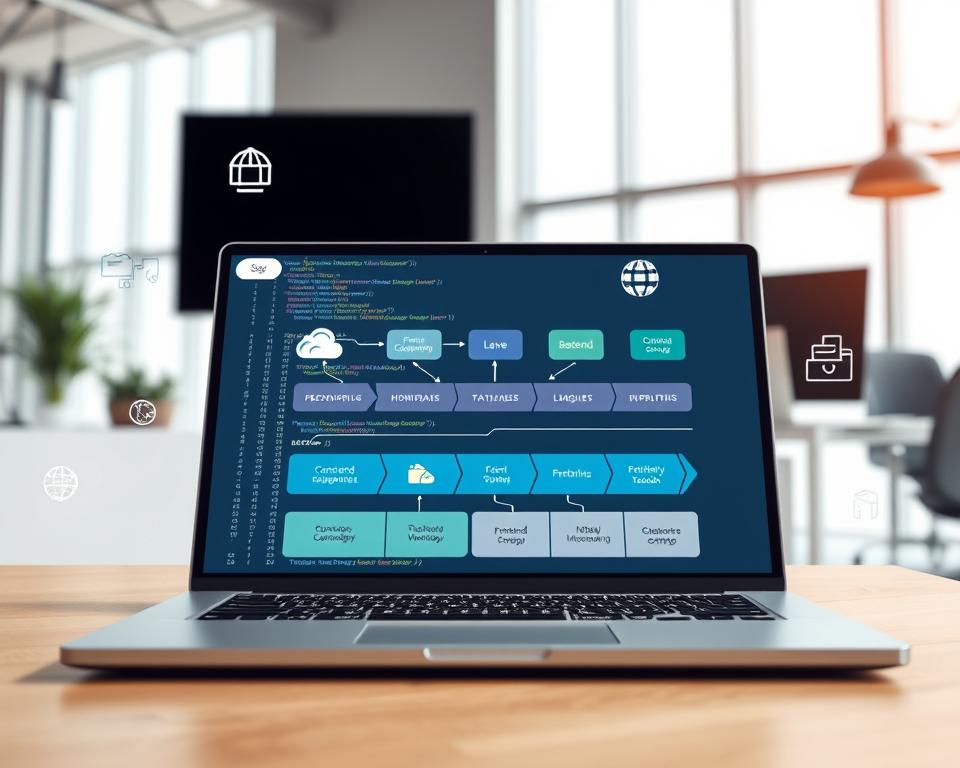
The right technology stack varies by business needs and goals. By evaluating frontend and backend tech, database systems, and infrastructure, businesses can create software that meets their needs and ensures success.
Building Your Development Team
Creating the right development team is key to your custom business software system’s success. A well-organized team can greatly improve your project’s quality and timing.
Essential Roles and Responsibilities
A typical development team for a custom business software system includes several key roles:
- Project Manager: Oversees the project timeline, budget, and resources.
- Business Analyst: Ensures that the software meets the business requirements.
- Software Developers: Design, develop, and test the software.
- Quality Assurance (QA) Engineers: Test the software for defects and ensure it meets the quality standards.
- DevOps Engineers: Focus on the deployment, scaling, and maintenance of the software.
In-House Development vs. Outsourcing
You have two main options for building your development team: in-house development and outsourcing. In-house development lets you control the project more closely. Outsourcing can offer specialized skills and lower costs.

Finding and Vetting Technical Talent
Whether you choose in-house or outsourcing, finding the right technical talent is vital. Look for candidates with a strong portfolio and relevant experience. Use interviews, coding tests, and reference checks to vet potential team members.
Establishing Effective Communication Channels
Good communication is essential for your development team’s success. Use tools like Slack or Microsoft Teams for communication. Regular meetings and clear project documentation help ensure everyone is on the same page.
Designing User-Centered Interfaces
In custom software development, making user-centered interfaces is key to success. A design that focuses on users makes the software easy to use and pleases them. This approach boosts usability and satisfaction.
User Experience (UX) Best Practices
Following UX best practices is essential for a friendly interface. It means keeping things simple, consistent, and giving feedback. Simple and intuitive navigation lets users find what they need fast. Consistency in design elements makes things clearer.
“The most important thing in user experience is to understand the user’s needs and behaviors.” – Don Norman, renowned UX expert
Creating Intuitive User Interfaces
To make interfaces easy to use, developers should communicate clearly. This means using plain language in labels and instructions. It’s also important to avoid clutter and make sure the interface works well on different devices.
| Design Element | Description | Benefit |
|---|---|---|
| Clear Labels | Using straightforward and concise language | Reduces user confusion |
| Responsive Design | Adapting layout to different screen sizes | Enhances user experience across devices |
Accessibility Considerations
Accessibility is vital in user-centered design. It ensures the software works for everyone, no matter their abilities. This includes following accessibility standards like the Web Content Accessibility Guidelines (WCAG 2.1).
Prototyping and User Testing
Prototyping and user testing are crucial steps. They help developers
By using these practices in custom software development, developers can make interfaces that improve the user experience. This leads to the success of the software system.
Implementing Security Measures
Businesses rely more on custom software, making security key. A strong security system is vital to keep data safe and trust high.
Data Protection Strategies
Protecting data is crucial for any software system. Use encryption for data at rest and in transit. Also, regular backups and secure storage help keep data safe from loss or damage.
Authentication and Authorization Systems
Strong authentication and authorization are essential. Use multi-factor authentication (MFA) to check user identities. Role-based access control (RBAC) limits system access to those who should have it.
Compliance with Industry Regulations
Businesses must follow industry rules, like GDPR for data privacy or HIPAA for healthcare. Understanding these laws and setting up the right security controls is key.
Security Testing Protocols
Regular security tests are vital to find weaknesses. Penetration testing, vulnerability assessments, and security audits help keep the system safe.
| Security Measure | Description | Benefit |
|---|---|---|
| Encryption | Protects data from unauthorized access | Ensures confidentiality and integrity |
| Multi-Factor Authentication | Verifies user identities through multiple factors | Reduces risk of unauthorized access |
| Regular Security Audits | Identifies and addresses potential vulnerabilities | Enhances overall system security |
By using these security steps, businesses can lower risks with custom software. This protects their assets and keeps users trusting them.
Testing and Quality Assurance
Ensuring the quality of custom software is key. Testing and quality assurance help find and fix problems early. This saves money and makes the software better and more reliable.
Unit and Integration Testing
Unit testing checks if each part of the software works right. Developers do this during development. Integration testing looks at how these parts work together. It makes sure the software runs smoothly.
User Acceptance Testing
User Acceptance Testing (UAT) is when users test the software. They check if it meets the needed standards and is ready to use. UAT makes sure the software is easy to use and works well in real life.
Performance and Load Testing
Performance testing checks how fast and reliable the software is. Load testing tests how well the software handles a lot of users or tasks. It finds out when the software can’t handle more.
Bug Tracking and Resolution
Good bug tracking finds, writes down, and fixes problems found during testing. A good bug tracking system helps solve issues fast. This makes the software better overall.
In summary, a solid testing and quality assurance plan is crucial for top-notch custom software. By using different testing methods, developers can make sure the software is reliable, works well, and meets user needs.
Training and User Adoption
Getting users to adopt a new business software system is key. It’s important to make sure they can use it well. This is the secret to its success.
Developing Training Materials
Creating detailed training materials is the first step. These should be clear, concise, and fit different learning styles. Think about user manuals, video tutorials, and interactive guides.
Conducting Effective Training Sessions
Good training sessions are essential. They should be hands-on and interactive. This lets users get to know the system. Also, offer ongoing support for any questions or worries.
Managing Change Resistance
Dealing with resistance to change is crucial. You need to share the benefits of the new system and tackle any concerns. Offering rewards for using the new system can also help.
Measuring Adoption Success
Tracking how well the system is adopted is important. Use regular feedback and analytics tools to do this. This data helps spot areas for betterment.
By focusing on these steps, companies can make sure their custom business software system is a hit. This leads to better productivity and efficiency.
- Develop clear and concise training materials
- Conduct hands-on and interactive training sessions
- Manage change resistance through effective communication
- Measure adoption success through feedback and analytics
Conclusion
Creating a custom business software system is a big job. It needs careful planning, precise steps, and ongoing help. Understanding your business needs, picking the right way to develop, and choosing the best technology are key steps.
A well-made custom software can really help your business. It can make things more efficient and cut costs. By focusing on what users need and making sure the system is safe and follows rules, you can get the most out of it.
It’s also important to train users well and help them adopt the system. Good training materials and sessions can make the transition smooth. This way, everyone can use the system to its fullest.
In short, a custom business software system can change the game for your company. By following the advice in this article and focusing on planning, doing things right, and ongoing support, you can see big benefits. This will help your business grow.


