







Choosing between WordPress custom development and templates is a big decision for your website. Each option has its own set of pros and cons. These can greatly affect your website’s final look and feel.
Website development is key to having a strong online presence. Templates are fast and affordable, but custom development offers more flexibility and uniqueness.
Deciding between these options depends on your website’s goals, who it’s for, and what features you need. In this article, we’ll look at the good and bad of each choice. This will help you make a better decision.
Table of Contents
Key Takeaways
- Understanding the differences between custom development and templates is crucial for website development.
- Custom development offers flexibility and uniqueness, while templates provide a quick and cost-effective solution.
- The choice between the two approaches depends on the website’s purpose and target audience.
- Both approaches have their advantages and disadvantages.
- A well-informed decision can significantly impact the final product.
Understanding WordPress Website Development
Knowing the basics of WordPress is key for building websites. WordPress is a popular content management system (CMS) used by many websites.
The WordPress Ecosystem Explained
The WordPress ecosystem combines core features, themes, and plugins. WordPress’s core gives a solid base for building websites.
Core WordPress Functionality
WordPress’s core offers basic features like user management and content creation. It also handles media well.
Themes and Plugins Ecosystem
Themes and plugins expand WordPress’s capabilities. Themes change the look and feel, while plugins add new features.
The Two Main Development Approaches
There are two main ways to develop WordPress sites: using templates or custom coding.
Template-Based Development
Using pre-made themes is a quick and affordable way to build a site. It’s fast but might not offer much customization.
Custom Development
Building a site from scratch gives more control and flexibility. It takes more time and effort but allows for unique designs.

What Are WordPress Templates?
When you start a WordPress website, you’ll choose between a pre-designed template or theme. WordPress templates are pre-made themes that change your site’s look and some functions.
Pre-designed Themes and Their Functionality
Pre-designed themes make it easy to change your WordPress site’s look. These themes are made by developers and can be installed quickly. They not only change how your site looks but also add some functions.
Free vs Premium Templates
WordPress templates come in free and premium versions. Free templates are in the WordPress.org theme directory and have basic features. Premium templates, found on marketplaces like ThemeForest, have more features, support, and advanced designs.
Theme Frameworks
Theme frameworks are premium templates that help build custom themes. They are very customizable and often used by developers for client projects.
Popular WordPress Template Marketplaces
There are many places to find WordPress templates. Two top ones are ThemeForest and the WordPress.org Theme Directory.
ThemeForest and Other Envato Markets
ThemeForest is part of Envato Market and has many premium WordPress themes. These themes are made by skilled designers and developers worldwide.
WordPress.org Theme Directory
The WordPress.org Theme Directory is the official place for free WordPress themes. It has thousands of free themes to download and use.
| Marketplace | Type of Themes | Cost |
|---|---|---|
| ThemeForest | Premium | $29-$100+ |
| WordPress.org | Free | $0 |

What Is Custom WordPress Development?
Custom WordPress development lets businesses create unique websites. These sites are both useful and look great. It’s perfect for companies that want their online space to stand out.
Building from Scratch or Custom Frameworks
Developers can either start from scratch or use custom frameworks. This gives them the freedom to make websites that exactly fit a business’s needs.
Custom Theme Development
Creating custom themes is a big part of this process. These themes make a website look unique and match the brand’s style. They also improve how users interact with the site.
Custom Plugin Development
Custom plugins are also key. They add special features to a WordPress site. This lets businesses include things not found in standard sites, making their site more powerful.
The Development Process Explained
The custom WordPress development process has several steps. It starts with planning and ends with testing.
Planning and Design Phase
In the planning and design phase, developers talk to clients to understand what they need. They create sketches and models to show what the project will look like and how it will work.
Development and Testing Phase
Then, the actual website is built. This is followed by thorough testing. The goal is to make sure the site works well and meets all the standards.
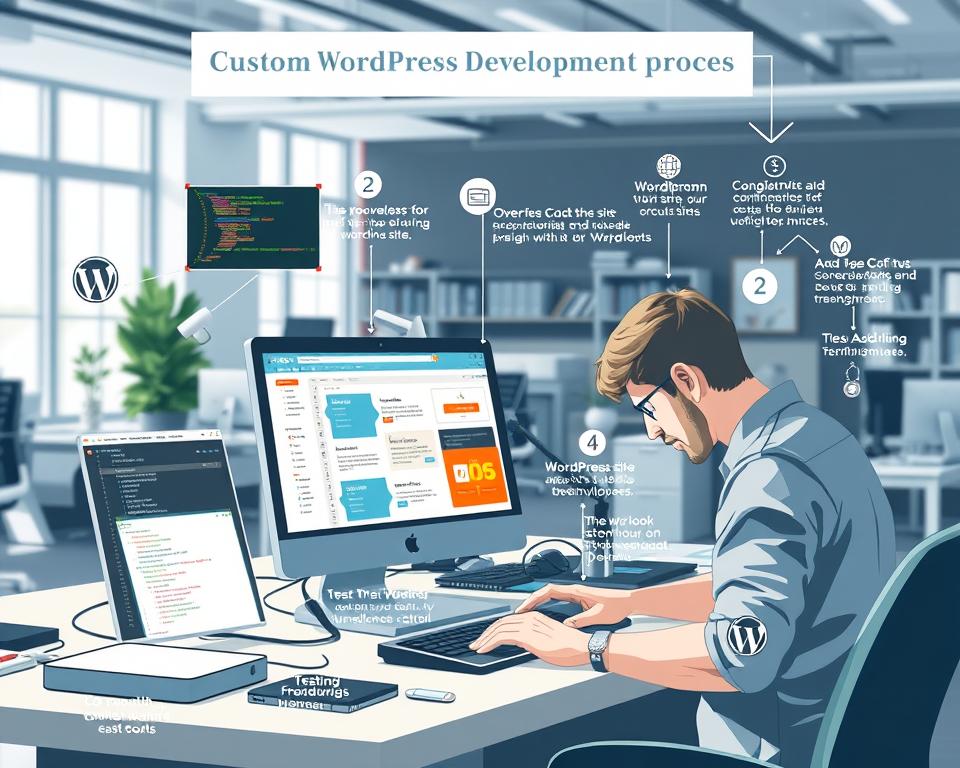
WordPress Custom Development vs Templates: Pros & Cons
Building a WordPress site can be done in two ways: custom development or using templates. Each method has its own benefits and drawbacks.
A High-Level Comparison
Custom WordPress development and templates are two different ways to create a WordPress site. Each method has its own strengths and weaknesses.
Fundamental Differences in Approach
Custom development means starting from scratch or using a custom framework. It allows for a site that’s tailored to your needs. On the other hand, templates are pre-made themes that can be quickly installed. They offer a simple solution.
Business Impact Considerations
Choosing between custom development and templates affects a business’s online image. Custom sites can give a unique look and better performance. Templates, however, are cheaper and faster to set up.
Key Differences at a Glance
Let’s look at the main differences between custom WordPress development and templates. This will help you decide what’s best for your site.
Comparison Table of Features
| Feature | Custom Development | Templates |
|---|---|---|
| Customization | Unlimited possibilities | Limited to theme options |
| Performance | Optimized for speed | Potential bloat and performance issues |
| Cost | Higher initial investment | Cost-effective |
| Development Time | Longer development timeline | Quick implementation |
Decision-Making Factors
When choosing between custom development and templates, think about your business size, budget, and timeline. Also, consider what specific features you need.

The Advantages of WordPress Templates
WordPress templates make creating a professional website easy. There are many templates to choose from, fitting different needs and budgets.

Cost-Effectiveness and Affordability
WordPress templates are affordable. Many are priced low, and some are free. This lets businesses and individuals have a professional online space without spending a lot.
Quick Implementation Time
WordPress templates are easy to install and set up. This means users can start their websites fast. It’s great for businesses that need to be online quickly to grab market chances.
Variety of Design Options
WordPress has a wide range of design options. There are themes, layouts, and customization choices for all kinds of industries and tastes. Users can make a website that shows off their brand in a unique and engaging way.
The Disadvantages of WordPress Templates
WordPress templates make it easy to start a website. But, they also have downsides that can affect a site’s success.

Limited Customization Options
One big problem with WordPress templates is you can’t change them much. You can only tweak colors, fonts, and layouts. This is a big issue for businesses that need a unique look.
Potential Bloat and Performance Issues
Many templates have too many features. This can make your site slow and hurt its performance. It also affects how well it ranks on search engines.
| Performance Issue | Cause | Impact |
|---|---|---|
| Slow Loading Times | Excessive Code, Large Media Files | Poor User Experience, Lower SEO Rankings |
| Compatibility Issues | Outdated or Poorly Coded Templates | Broken Functionality, Security Vulnerabilities |
Generic Design Concerns
Using a common template can make your site look generic. This makes it hard for a business to be noticed. While you can customize, options are usually limited.
In summary, WordPress templates are quick to use but have big downsides. These include limited customization, performance problems, and a generic look. It’s important to think about these issues before choosing a template.
The Benefits of Custom WordPress Development
Custom WordPress development brings many benefits to businesses wanting a strong online presence. A custom-built WordPress site offers a tailored digital experience. It fits perfectly with a brand and its needs.

Unlimited Customization Possibilities
Custom WordPress development lets businesses customize every part of their website. They can add specific features and design elements not found in template-based solutions. Unlimited customization leads to a more personal user experience, boosting engagement.
Optimized Performance
Custom WordPress development helps improve site performance. Developers can fine-tune the code and ensure fast loading times. This enhances user experience and helps with search engine rankings, as speed is a ranking factor.
Unique Brand Identity
A custom WordPress site helps businesses create a unique brand identity. It stands out in a crowded digital world. A bespoke design and brand-specific elements reinforce the brand message and create a cohesive image.
| Feature | Custom Development | Template-Based |
|---|---|---|
| Customization | Unlimited | Limited |
| Performance | Optimized | Variable |
| Brand Identity | Unique | Generic |
The Drawbacks of Custom WordPress Development
Custom WordPress development has many benefits, but it also has downsides. Businesses need to think about these when deciding between custom and template options. Knowing the disadvantages helps make a better choice.
Higher Initial Investment
One big drawback is the higher initial investment needed. Creating a website from scratch or using a custom framework takes more time and money. A study found that custom WordPress development can cost between $5,000 and $50,000 or more, based on the project’s complexity.
Longer Development Timeline
Custom WordPress development takes longer than using templates. This is because it needs careful planning, design, and testing. As
“The biggest risk is not taking any risk…”
said Eric Ries, a longer timeline is sometimes necessary for a project’s success.
Ongoing Maintenance Requirements
Another big drawback is the ongoing maintenance requirements of custom WordPress development. Unlike templates, custom sites need constant updates from the development team. This ensures the site stays secure, performs well, and works with the latest WordPress versions.

Hybrid Approaches: Customized Templates
Businesses looking for a mix of uniqueness and efficiency find hybrid approaches in WordPress development appealing. This method involves customizing an existing template to meet specific business needs.
Child Themes and Template Modifications
Using child themes is a key part of hybrid approaches. A child theme takes on the look and functionality of a parent theme. This way, you can make changes without touching the original theme. It’s great for big design or functionality changes while keeping the parent theme up to date.
Key benefits of child themes include:
- Preservation of the parent theme’s functionality
- Ease of updating the parent theme without losing customizations
- Flexibility in making custom changes
When a Hybrid Approach Makes Sense
A hybrid approach is best when you need a unique website but are on a tight budget or timeline. It’s also good for businesses that want to use the best of both template-based and custom development.
| Scenario | Hybrid Approach Benefit |
|---|---|
| Budget constraints | Reduces development costs |
| Tight deadlines | Speeds up development process |
| Need for uniqueness | Allows for significant customization |

Cost Analysis: Templates vs Custom Development
When deciding between WordPress templates and custom development, a detailed cost analysis is key. The financial impact of each choice can greatly affect your project’s budget and long-term success.
Initial Investment Comparison
WordPress templates usually cost less than custom development. Prices for templates range from $20 to $100. On the other hand, custom development can start at $5,000 and go up to $50,000 or more, based on the project’s complexity.
Key cost factors for custom development include:
- Developer fees
- Design and UX/UI costs
- Testing and quality assurance expenses
Long-term Cost Considerations
Even though templates might be cheaper upfront, their long-term costs are important to consider. Templates may need extra money for customization, updates, and security patches. Custom sites, though pricier at first, can save money in the long run. They offer better performance, fewer plugin needs, and stronger security.
Long-term cost considerations include:
- Maintenance and update costs
- Potential for scalability and growth
- Impact on SEO and search rankings
Time Investment: How Long Each Approach Takes
Choosing between WordPress templates and custom development means thinking about time investment. The project’s length affects your planning, resources, and business strategy.
Template Implementation Timeline
Using a WordPress template is quick. After picking a template, you can set it up in a few hours to a couple of days. This depends on the theme’s complexity and the content you need to add.
Customizing is possible, but it’s limited by the theme’s options. Still, a template project can start quickly, which is great for those with tight deadlines.
Custom Development Project Timeline
Custom WordPress projects take much longer. They involve planning, designing, developing, testing, and deploying. This can take weeks to months.
The exact time needed depends on the project’s complexity, the features you want, and the resources you have. This approach offers unlimited customization possibilities. But, it requires more time and patience. The result is a solution that fits your business perfectly.
Maintenance and Updates
Keeping a WordPress website running smoothly is key. Both template-based and custom WordPress sites need regular care. This ensures they stay secure, efficient, and up-to-date.
Template Maintenance Challenges
Template-based WordPress sites face several maintenance hurdles. A big worry is compatibility problems from theme and plugin updates.
Theme Updates and Compatibility
Theme updates can cause issues. They might not work well with plugins or custom code anymore. It’s important to make sure everything works with the latest theme version.
Plugin Conflicts
Plugin conflicts are another big problem. When plugins are updated, they can start to clash with the theme or other plugins. This can mess with how the site works.
Custom Development Maintenance
Custom WordPress sites give more control over maintenance. But, they need careful management to last long.
Code Management and Documentation
Good code management and documentation are key for custom sites. It’s about tracking changes, updates, and custom code. This makes future maintenance easier.
Long-term Support Considerations
Long-term support is vital for custom sites. You need to plan for WordPress updates, PHP version changes, and other technical advancements. These can affect the site.
Effective maintenance and updates are essential for all WordPress sites. Knowing the challenges of each type helps plan a good maintenance strategy. This ensures the website stays strong and performs well over time.
Real-World Case Studies
Real-world case studies show how WordPress templates and custom development work. They help us learn what works well and what might not. This way, we can avoid mistakes and follow the best practices.
Success Stories with Templates
Many businesses have found success with WordPress templates. For example, a small online store might use a template to start fast. Templates are a cost-effective choice with lots of design options.
“FashionForward,” an online clothing store, used a template to launch quickly. They saw a big jump in online sales soon after.
| Feature | Template-Based | Custom Development |
|---|---|---|
| Development Time | 1-3 weeks | 3-6 months |
| Cost | $100-$500 | $5,000-$20,000 |
| Customization | Limited | Highly Customizable |
Custom Development Success Cases
Custom WordPress development lets businesses make unique and functional sites. “TechSolutions,” a software company, chose custom development for a complex portal. Their site has boosted user engagement and smoother integration with their systems.
SEO Implications of Templates vs Custom Development
Choosing between templates and custom development is key for a WordPress site’s success. The right choice can boost your site’s ranking and visibility online.
How Templates Impact SEO Performance
WordPress templates can be good or bad for SEO. The best ones follow SEO rules, like clean code and being mobile-friendly. But, they might cause duplicate content issues if not customized right. Their generic look can also make it hard to stand out in search results.
Templates can add bloat with extra features and code. This can slow your site down and hurt SEO. To avoid this, pick a light, well-coded template and customize it to prevent content duplication.
SEO Advantages of Custom-Built Sites
Custom WordPress sites have big SEO benefits. They let you build your site’s structure and code with SEO in mind. This means you can add structured data and schema markup to help search engines understand your content better.
| SEO Feature | Templates | Custom Development |
|---|---|---|
| Code Optimization | Limited control | Full control |
| Custom Meta Tags | Limited flexibility | Highly customizable |
| Page Speed | Variable, depends on template | Optimized for performance |
How to Choose the Right Approach for Your Business
Choosing between custom WordPress development and using templates depends on your business needs. Several important factors influence this decision.
Business Size and Budget Considerations
Small businesses or startups might prefer templates because they save money. But, bigger businesses or those needing a unique look might choose custom development, even if it costs more.
| Business Size | Recommended Approach | Budget Consideration |
|---|---|---|
| Small Business/Startup | Template-based | Cost-effective, lower budget |
| Medium to Large Business | Custom Development | Higher budget, long-term ROI |
Project Timeline and Urgency
The time you have to launch your site is key. Templates are fast, perfect for quick site launches. Custom development takes longer but offers tailored solutions.
“The key is not to prioritize what’s on your schedule, but to schedule your priorities.” – Stephen Covey
Specific Functionality Requirements
For unique needs or complex integrations, custom WordPress is best. Templates can’t always meet these needs, which might hold back your business goals.
By weighing these factors, you can choose the best path for your business.
Conclusion
Choosing between custom development and templates for WordPress websites is key. We’ve looked at the good and bad of each. This helps understand the benefits and drawbacks of custom versus pre-made templates.
Custom WordPress development gives businesses a unique identity. It’s flexible and high-performing. Yet, templates are cheaper and faster, perfect for those with tight budgets or deadlines. The best choice depends on the business size, timeline, and needs.
Understanding the pros and cons helps businesses make smart decisions. Whether they choose custom or a template, it’s important to match it with their goals. This ensures online success.


