







Launching a mobile application is exciting. But, it needs careful planning for a smooth start.
A detailed pre-launch testing is key. It helps find and fix problems, making sure users have a great experience.
To get ready, make a detailed app testing checklist. It checks if the app works right, is stable, and meets user needs.
Table of Contents
Key Takeaways
- Understand the importance of pre-launch testing for a successful app launch.
- Identify key areas to focus on during the testing process.
- Create a comprehensive checklist to ensure thorough testing.
- Ensure the app is stable and functions as expected.
- Verify that the app meets user expectations and is ready for launch.
The Critical Importance of Pre-Launch Testing
In the world of mobile apps, pre-launch testing is key to success. It’s not just a safety net; it’s essential. It makes sure your app meets user needs and works without major bugs.

Testing checks if your app works well, functions right, and feels good to use. It’s a vital part of making an app. Finding and fixing problems early saves your app from bad reviews, losing users, and big money losses.
Why Thorough Testing Makes or Breaks Your App
Good testing makes your app reliable, safe, and easy to use. A tested app makes users trust it more, leading to more people using and keeping it. But, an app full of bugs and problems gets bad reviews and loses users fast.
The table below shows the big differences between a well-tested app and one that’s not.
| Characteristics | Thoroughly Tested App | Not Properly Tested App |
|---|---|---|
| Reliability | High | Low |
| User Experience | Seamless | Poor |
| User Reviews | Positive | Negative |
The Cost of Skipping Proper Testing
Not testing your app can cost a lot. Fixing problems after release is more expensive than finding and fixing them early. Also, a bad app can lose users, costing money and hurting your brand’s image.
Investing in good pre-launch testing saves money and ensures your app’s success.
Understanding Your App Testing Requirements
Knowing what your app needs for testing is key to a great user experience. You must figure out what your app does best, how complex it is, and plan when to test it. This helps ensure your app works well and meets user needs.
Identifying Your App’s Core Functionality
The main parts of your app are its core features. Knowing these features is vital for testing. It helps you focus on the most important parts of your app.
Determining Testing Scope Based on App Complexity
The complexity of your app affects how much you need to test. More complex apps have more features and need more testing. Understanding your app’s complexity helps set the right testing scope.
| App Complexity Level | Testing Scope |
|---|---|
| Simple | Limited features, straightforward testing |
| Moderate | Multiple features, some integrations |
| Complex | Numerous features, multiple integrations |
Setting Testing Priorities and Timelines
After figuring out your app’s core and testing scope, plan your testing. Set realistic testing priorities and timelines. Make sure you have enough time for each feature and test the most important ones first.
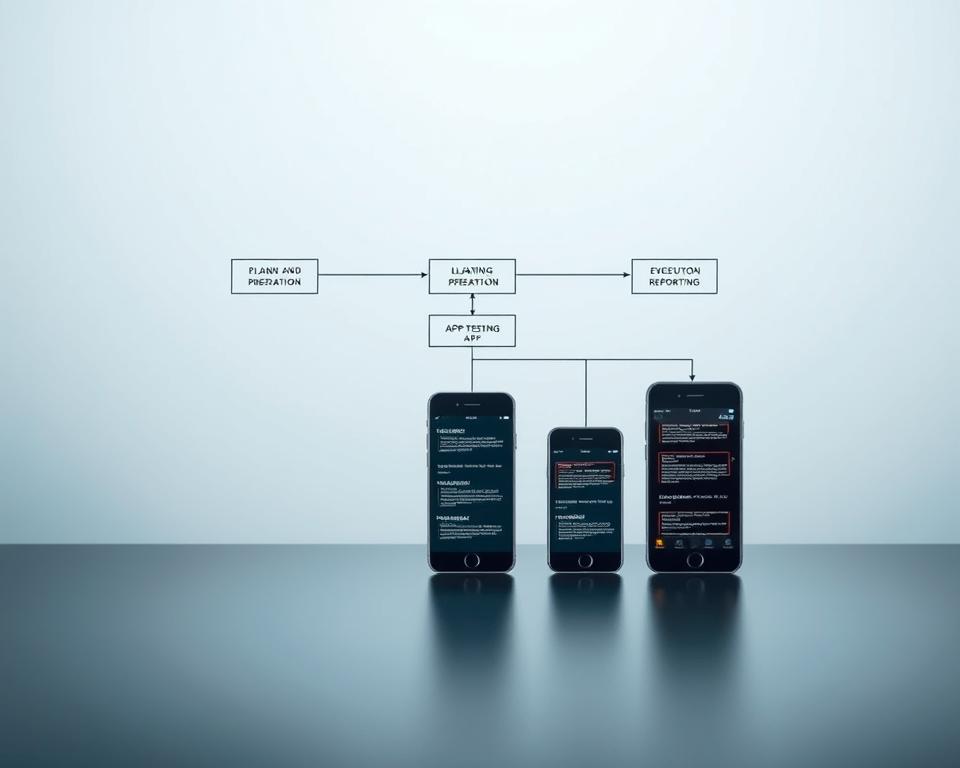
Functional Testing Essentials
Functional testing is key to a smooth user experience. It finds and fixes problems before the app goes live. This step makes sure every part of the app works right.
Core Feature Verification
Verifying core features is a must in functional testing. It checks if the app’s main functions work well. For example, in a shopping app, this includes browsing products, adding items to the cart, and checking out.
Testers make sure these features work well in all situations and with different user actions.

Navigation and User Flow Testing
Navigation and user flow testing is also very important. It looks at how users move through the app. It makes sure the app is easy to use and that users can move around without trouble.
Testers check for smooth transitions between screens, the right button responses, and a well-organized app structure.
| Navigation Element | Test Case | Expected Outcome |
|---|---|---|
| Menu Button | Tap to open menu | Menu opens with options |
| Search Function | Enter search query | Relevant results displayed |
Input Validation and Error Handling
Input validation is crucial for handling user input correctly. It checks for the right data formats, handles special cases, and shows clear error messages when needed.
Good error handling keeps users happy and prevents data problems. This makes the app better for everyone.
By focusing on these key areas, developers can make sure their app is strong, easy to use, and ready for release.
User Interface and Experience Testing
Having a smooth user interface and experience is key for a mobile app’s success. A good UI and UX help users stick with the app. So, it’s important to test these areas well to fix any problems before the app is released.

Visual Design Consistency Check
Checking visual design consistency is a big part of UI testing. It means making sure the app’s look, like colors and fonts, stays the same everywhere. A consistent design makes the app look professional and easy to use.
- Verify that all screens follow the design rules.
- Make sure font sizes, colors, and images are the same everywhere.
- Check that UI elements are properly aligned and spaced.
Accessibility Compliance Testing
Testing for accessibility is crucial to make sure the app works for everyone. This includes checking the app against accessibility guidelines to find any issues. It helps ensure people with disabilities can use the app without trouble.
| Accessibility Feature | Description | Compliance Status |
|---|---|---|
| Screen Reader Compatibility | Ensures the app’s content is readable by screen readers. | Yes |
| High Contrast Mode | Allows users to switch to a high contrast mode for better readability. | Yes |
| Closed Captions | Provides closed captions for audio and video content. | No |
Usability Testing with Real Users
Usability testing with real users is very helpful. It lets you see how people actually use the app. You can find problems and get feedback to make the app better.
Usability testing has many benefits:
- It finds issues that other tests might miss.
- It shows how users behave and what they like.
- It makes the app more enjoyable and satisfying to use.
Performance Testing Fundamentals
Performance testing is key to a smooth user experience. It makes sure your mobile app works well under real-world conditions. This means it stays fast, responsive, and reliable.

“Performance testing is not just about finding problems; it’s about making sure the app is top-notch and users are happy,” says a leading expert in mobile app development. It covers several important areas. These include load and stress testing, checking battery use, and making sure the app uses memory well.
Load and Stress Testing
Load and stress testing are crucial parts of performance testing. Load testing checks how your app handles expected user loads. Stress testing, on the other hand, pushes your app hard to find its limits.
Key aspects of load and stress testing include:
- Simulating various user scenarios to mimic real-world usage
- Monitoring app performance under different loads
- Identifying and addressing performance bottlenecks
Battery Consumption Analysis
Battery use is a big deal for mobile app performance. An app that uses too much battery can get bad reviews and be uninstalled.
To improve battery use:
- Watch how battery usage changes
- Make background processes and network requests more efficient
- Use power-saving features
Memory Usage and Optimization
Memory leaks and poor memory use can hurt your app’s performance. Making your app use memory better ensures it runs smoothly and efficiently.
Strategies for memory optimization include:
- Find and fix memory leaks
- Improve how data is stored and retrieved
- Use efficient data processing algorithms
Compatibility Testing Across Devices
Testing your app’s compatibility is key to reaching more people. It’s important for your app to work well on many devices. You need to test it on different screens, OS versions, and device features.

Testing on Different Screen Sizes and Resolutions
It’s crucial to test your app on various screen sizes and resolutions. This ensures your app looks good and works right on all screens. You should check how your app’s layout changes and if everything is easy to see.
- Layout adjustments for smaller and larger screens
- Image and graphics rendering on different resolutions
- Font size and style consistency across devices
OS Version Compatibility
It’s important for your app to work with different OS versions. Users might not always have the newest version. You should test your app on the latest and older OS versions.
- Compatibility with the latest OS versions
- Backward compatibility with older OS versions
- Handling OS-specific features and updates
Device-Specific Feature Testing
Each device has special features your app might use, like GPS or cameras. Testing these features ensures your app works as it should. This includes checking device-specific hardware and optimizing for different devices.
- Testing device-specific hardware features
- Ensuring compatibility with different device configurations
- Optimizing app performance for device-specific capabilities
By focusing on these areas, you can make sure your app works well on many devices. This gives users a great experience no matter what device they use.
Network Condition Testing
To make sure your app works well, you need a good network condition testing plan. This means checking how your app acts under different network settings. This includes checking speeds, offline modes, and how it handles network changes.

Testing Under Various Network Speeds
It’s important to test your app with different network speeds. This means checking it out on 2G, 3G, 4G, and Wi-Fi. This helps you find and fix any problems, making your app better.
Offline Mode Functionality
Apps need to work well without the internet too. So, testing offline mode is key. You need to make sure your app can store data locally and update it when the internet comes back. This keeps users happy, no matter the internet.
Handling Network Transitions
It’s crucial for your app to handle network changes well. It should smoothly switch between different network types, like from Wi-Fi to cellular. Testing this helps keep your app running smoothly.
By using these tests, you can make your app strong, reliable, and great for users. It will work well in all kinds of network situations.
Security Testing Protocols
To keep user data safe and the app working right, strong security testing protocols are key. Mobile apps deal with personal info, making them a big target for hackers. Good security testing makes sure your app can fight off threats and stay safe.

Good security testing has a few main parts. First, you need to know what kind of data your app uses and the risks it faces. Knowing these risks helps you make a security plan that fits your app’s needs.
Data Encryption Verification
Data encryption is super important for app security. It keeps user info safe when it’s moving or stored. Make sure your app uses strong encryption, like TLS, to protect data. Also, check that encryption works well in all parts of your app, like when users log in or when your app talks to servers.
Authentication and Authorization Testing
Authentication and authorization help control who can do what in your app. Testing these makes sure users are who they say they are and can only do what they’re allowed to. Look for weak spots, like bad passwords or poor session management.
Vulnerability Assessment
A vulnerability assessment finds weak spots in your app. It uses tools to look for things like SQL injection or XSS. After finding these, fix them to stop hackers from getting in.
Using these security testing protocols makes your app much safer. It keeps user data safe and builds trust. Remember, keeping up with security testing and updates is key in today’s world of cyber threats.
Mobile App Testing Checklist: Before You Go Live
A well-structured mobile app testing checklist is your key to a successful app launch. Ensuring that your app is thoroughly tested before it goes live can make a significant difference in its overall success.
Having a comprehensive testing checklist is crucial as it helps in identifying and fixing bugs, improving user experience, and ensuring that the app meets its intended functionality. This checklist should be detailed and cover various aspects of the app.
Pre-Launch Testing Checklist Template
A pre-launch testing checklist template serves as a guide to ensure that all necessary tests are conducted. It typically includes:
- Functional testing to verify that the app works as expected
- User interface and experience testing to ensure a smooth user journey
- Performance testing to check the app’s speed and responsiveness
- Security testing to identify vulnerabilities
- Compatibility testing across different devices and OS versions
Here’s an example of what a simple testing checklist table might look like:
| Test Category | Test Cases | Status |
|---|---|---|
| Functional Testing | Login functionality, Payment gateway | Passed |
| User Interface Testing | Layout, Color scheme, Font sizes | Passed |
| Performance Testing | Load testing, Stress testing | Pending |
Critical vs. Nice-to-Have Test Cases
Distinguishing between critical and nice-to-have test cases is vital. Critical test cases are those that cover the app’s core functionality and are essential for its operation. Nice-to-have test cases, on the other hand, are related to features that can enhance the user experience but are not crucial for the app’s basic functionality.
“Prioritizing test cases based on their criticality ensures that the most important features are thoroughly tested before launch.” –
Final Verification Process
The final verification process involves re-checking the app against the testing checklist to ensure that all critical issues have been resolved. This step is crucial in confirming that the app is ready for launch.
During this process, it’s also important to conduct usability testing with real users to gather feedback and make any necessary adjustments. This ensures that the app not only works correctly but also provides a good user experience.

Backend and API Testing
Backend and API testing are key to making sure your mobile app works well. A strong backend and API are vital. They help your app handle user requests, process data fast, and keep data safe.
API Response Validation
API response validation is a big deal in backend testing. It checks if the API answers correctly to different requests. This includes looking at response status codes, headers, and body content.
This makes sure the API works right, whether it’s a success, an error, or something wrong.
Database Interaction Testing
Database interaction testing checks if the backend talks to the database right. It tests CRUD (Create, Read, Update, Delete) operations. This ensures data is stored, retrieved, updated, and deleted correctly.
It’s also important to test database security. This prevents hackers from getting in or stealing data.
Server Load Testing
Server load testing checks how the backend handles lots of users or requests. It finds out when the server gets too busy. This makes sure it can handle lots of traffic without slowing down.
Load testing helps make the server better and adds more resources when needed.
Testing the backend and API well makes sure your mobile app is reliable and works great. This detailed testing finds and fixes problems early. It saves time and money by avoiding big issues later.
Regression Testing Strategies
Regression testing is key in mobile app development. It checks if new code changes have caused bugs or broken things. This keeps the app stable and working right after updates.
Identifying Critical Regression Test Cases
Finding important test cases is the first step. These are tests that cover the app’s main features and are most likely to be affected. By focusing on these, we make sure the app’s core works well.
Automated Regression Testing Tools
Automated testing tools are vital for quick test runs. Tools like Appium, TestComplete, and Selenium help automate testing. This saves time and effort. Here’s a comparison of these tools:
| Tool | Primary Use | Platform Support |
|---|---|---|
| Appium | Mobile app testing | iOS, Android |
| TestComplete | Desktop and mobile testing | Windows, Web, Mobile |
| Selenium | Web application testing | Multi-browser support |
Handling Regression Issues Before Launch
When we find regression issues, we need to fix them fast. This means debugging, fixing the code, and re-testing.
“Test automation is not just about reducing the workload; it’s about ensuring the quality and reliability of the software product.” – Cem Kaner
shows why thorough testing is crucial.
Good regression testing keeps the app stable and working right after updates. This improves the user experience.
Localization and Internationalization Testing
Mobile apps are now used all over the world. This makes localization testing and internationalization very important. It’s key to make sure your app works well in different languages, cultures, and places.
Localization and internationalization testing check if your app is ready for everyone. You need to test language and cultural fit, date, time, and money formats, and if it follows local rules.
Language and Cultural Adaptation Testing
It’s important to test how your app fits with different cultures. This means checking translations, cultural sensitivity, and what people in each area like. You must test the language and cultural details that affect how users feel.
Date, Time, and Currency Format Verification
Checking date, time, and money formats is also key. Each area has its own way of showing these things. For example, the US uses MM/DD/YYYY, but Europe uses DD/MM/YYYY. Your app must match these formats.
Regional Compliance Testing
Regional compliance testing makes sure your app follows local laws and rules. This includes data protection, payment rules, and other local needs. Following these rules helps avoid legal problems and builds trust with users.
In short, localization testing and internationalization are crucial for apps that want to reach everyone. By checking language, culture, date, time, and money formats, and making sure it follows local rules, you can give users a great experience anywhere.
Analytics and Tracking Implementation Testing
It’s key to make sure analytics and tracking work right. This helps us understand how users act and how the app performs. Testing analytics is important for making sure the data we get is correct and useful.
To make sure analytics and tracking work well, we need to check a few things. Verifying event tracking means making sure all important actions are recorded. This includes things like button clicks, when users see new screens, and when they make purchases in the app.
Verifying Event Tracking
Checking event tracking is a big part of analytics testing. It means making sure all important actions are recorded. This includes:
- Button clicks
- Screen views
- In-app purchases
This makes sure the data we get is good and helps us make smart choices.
User Journey Analytics Testing
User journey analytics testing looks at how users move through the app. It helps find problems and ways to make the app better. This includes checking how users move around, finding where they might get stuck, and making the app easier to use.
By testing user journey analytics, we learn a lot about how users interact with the app. This helps us make the app better for everyone.
Conclusion
Thorough mobile app testing is key to a successful app launch. It ensures a high-quality user experience and prevents issues that could harm the app’s reputation. By following a detailed testing checklist, developers can make sure their app is ready for launch.
This article shows how important different types of testing are. Functional, user interface, performance, compatibility, security, and localization testing all matter. Each one is crucial for a smooth user experience and keeping the app’s quality high.
In summary, a well-thought-out mobile app testing plan is vital for a successful launch. By focusing on comprehensive testing, developers can find and fix problems before the app goes live. This leads to a better app launch and a happier user experience.


