






Table of Contents
1. Introduction
Mobile app development tools are software applications designed to simplify the development process, enhance productivity, and improve the overall quality of mobile applications. These tools offer a range of features, including code editing, debugging, user interface design, and performance testing, making them indispensable for developers.
2. The Significance of Mobile App Development Tools
Before we delve into the list of tools, it’s essential to understand why these tools are significant. Mobile app development tools help developers create robust, efficient, and user-friendly applications by streamlining various development tasks. They allow for easier debugging, testing, and design, saving time and effort in the development process.
3. Integrated Development Environments (IDEs)
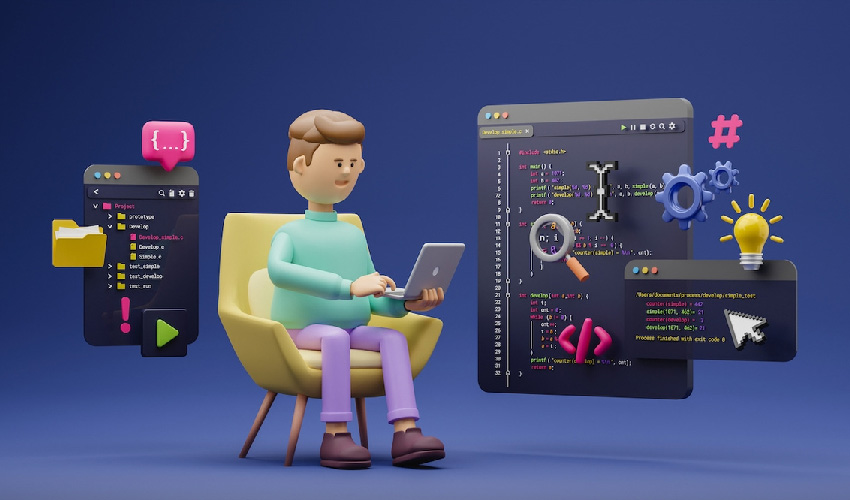
Integrated Development Environments (IDEs) are comprehensive software suites that provide a range of tools for app development. For beginners, two prominent IDEs are highly recommended:
Android Studio
Android Studio is the official IDE for Android app development. It offers a user-friendly interface, extensive debugging capabilities, and integration with the Android SDK.
Xcode
Xcode is the go-to IDE for iOS app development. It provides a visual editor for app interfaces, real-time code checking, and debugging features that simplify the development process.
4. Text Editors
Text editors are essential for writing, editing, and managing code. Here are two popular text editors for mobile app development:
Visual Studio Code
Visual Studio Code is a versatile and open-source code editor that supports various programming languages and offers a vast library of extensions to enhance functionality.
Sublime Text
Sublime Text is known for its speed and responsiveness. It includes features like multiple selections, split editing, and a distraction-free mode.
5. Frameworks
Frameworks are pre-built libraries that simplify common tasks in app development. They help streamline the process and reduce the amount of code you need to write. Consider the following frameworks:
React Native
React Native allows you to build mobile apps for both Android and iOS using a single codebase. It’s known for its efficiency and fast development.
Flutter
Flutter, developed by Google, offers a rich set of customizable widgets and is a great choice for creating beautiful, natively compiled applications.
6. Design Tools
Effective app design is crucial for user engagement. These design tools are essential for creating visually appealing and user-friendly interfaces:

Sketch
Sketch is a vector-based design tool for macOS that simplifies the creation of UI/UX designs.
Adobe XD
Adobe XD is a user-friendly design and prototyping tool that enables you to design, prototype, and share interactive experiences.
7. Version Control Systems
Version control systems are vital for tracking changes to your code and collaborating with other developers. Here are two commonly used systems:
Git
Git is a distributed version control system that tracks code changes and facilitates collaboration among developers.
GitHub
GitHub is a web-based platform that hosts Git repositories, making it easy to share and collaborate on projects.
8. Testing and Debugging Tools
Robust testing and debugging tools are essential for identifying and fixing issues in your app. These two tools can help:

Appium
Appium is an open-source tool for automating mobile app testing, making it easier to ensure your app works correctly on various devices.
Firebase Test Lab
Firebase Test Lab allows you to test your app on real devices in the cloud, helping you identify and fix bugs efficiently.
9. App Performance and Analytics Tools
Monitoring app performance and user engagement is vital for success. Consider these tools:

Firebase Performance Monitoring
Firebase Performance Monitoring helps you identify performance bottlenecks and improve your app’s speed.
Google Analytics for Mobile
Google Analytics for Mobile provides valuable insights into user behavior and engagement, helping you make data-driven decisions.
10. Conclusion
As a beginner in mobile app development, choosing the right tools is critical to your success. The tools mentioned in this article are highly recommended for their usability, efficiency, and ability to simplify the development process. Take the time to explore these tools, as they will help you create exceptional mobile applications and hone your skills as a developer.
Thanks for reading our post “10 Essential Mobile App Development Tools for Beginners”. Please connect with us to know more about Voice user interfaces in app development.


